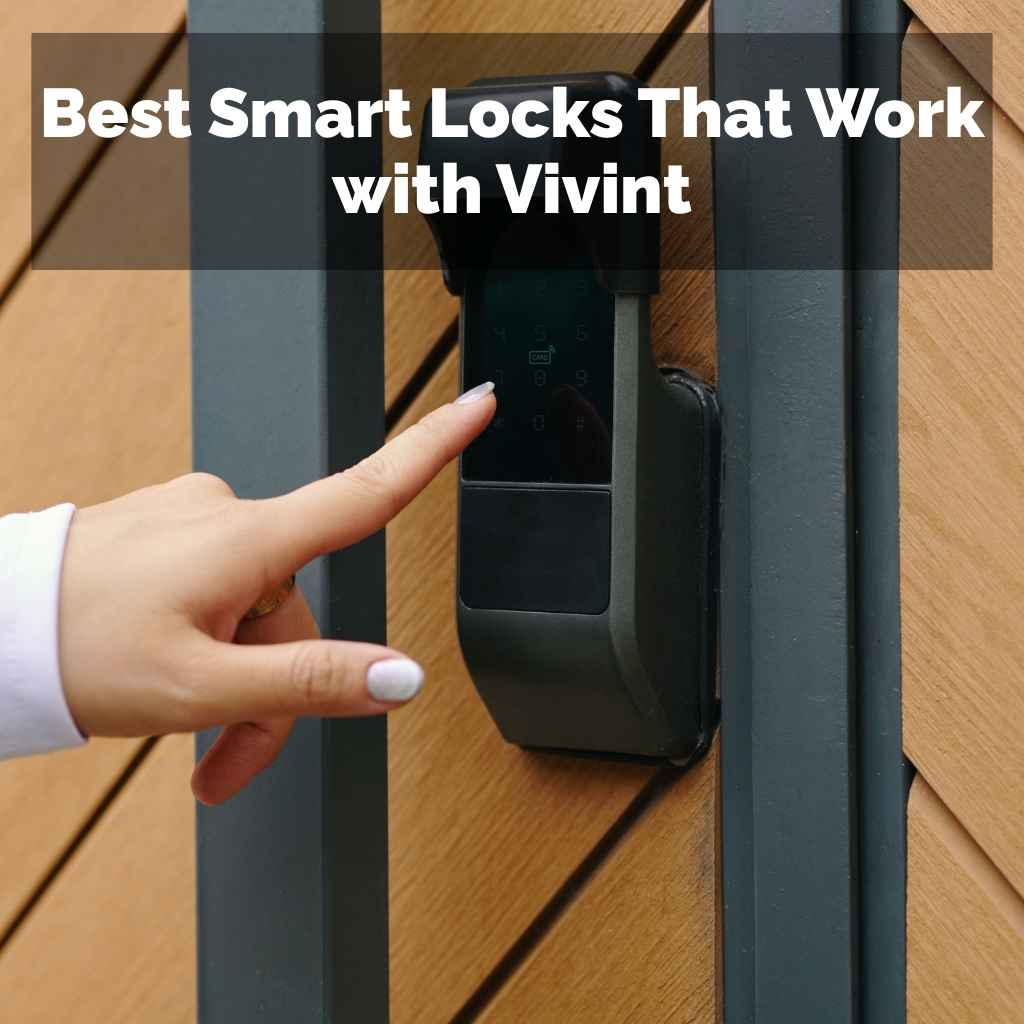
Best Smart Locks That Work with Vivint
Finding the right smart lock that plays nicely with your Vivint system can seem tricky at first. Many smart home setups have their own preferred brands. This might make you wonder which locks will actually connect and work without a headache.
Don’t worry, it’s simpler than it looks. We will guide you step by step to find the Best Smart Locks That Work with Vivint. Get ready to secure your home with ease.
Choosing Best Smart Locks That Work with Vivint
Selecting the perfect smart lock for your Vivint home security system is key to a smooth and connected experience. Many homeowners want to add convenience and security by integrating smart locks with their existing Vivint setup. However, not all smart locks are created equal, and compatibility can be a significant factor.
This section will explore why choosing the right lock is important and what to look for. It sets the stage for making an informed decision that enhances your home’s safety and smart capabilities.
Vivint Smart Home Integration Basics
Vivint systems are designed to be a central hub for your home’s smart devices. They often use specific communication protocols to ensure devices work together seamlessly. Understanding these basics helps you pick locks that are designed for this type of integration.
Vivint typically supports Z-Wave and Wi-Fi devices, which are common standards in the smart home world. This means many popular smart lock brands can potentially connect, but checking compatibility is always wise.
-
Understanding Vivint’s Communication Protocols
Vivint security systems primarily use Z-Wave and Wi-Fi to communicate with connected devices. Z-Wave is a wireless communication technology specifically designed for home automation. It creates a mesh network where devices can relay signals to each other, extending the range and reliability of your smart home.
Wi-Fi connects devices directly to your home’s internet router, offering faster data speeds but can sometimes be more power-hungry for battery-operated devices. Knowing if a smart lock supports Z-Wave or Wi-Fi is the first step in ensuring it can talk to your Vivint hub.
-
The Importance of Z-Wave Compatibility
Z-Wave is a popular choice for smart locks because it’s designed for low power consumption, making it ideal for battery-operated devices like door locks. It also offers a secure and stable network that is less prone to interference than other wireless technologies. For Vivint users, Z-Wave compatibility often means a more direct and reliable connection to the main security panel.
This allows for features like remote locking and unlocking through the Vivint app, as well as integration with other Vivint security sensors and automations.
-
Wi-Fi Connected Locks and Vivint
Some smart locks use Wi-Fi to connect. While they don’t always directly integrate with the Vivint panel in the same way Z-Wave locks do, they can often be controlled through their own apps and potentially linked through broader smart home platforms that Vivint might support. If a lock is Wi-Fi enabled, it connects to your home’s router.
You can then control it from anywhere with an internet connection using its dedicated mobile app. Some advanced setups might use services like IFTTT (If This Then That) to create connections between Wi-Fi locks and your Vivint system, though this can be more complex.
Key Features to Look For in Smart Locks
Beyond just compatibility, smart locks offer a range of features that enhance security and convenience. When you are looking for the Best Smart Locks That Work with Vivint, consider what matters most to your household. These features can include different entry methods, security certifications, and how well they integrate with your daily routines.
Thinking about these details will help you choose a lock that not only works but also improves your home’s safety and your lifestyle.
-
Entry Methods
Smart locks offer several ways to unlock your door, giving you flexibility and backup options. Keypads allow you to enter a PIN code, which is convenient if you don’t have your phone or key. Mobile apps let you unlock your door remotely using your smartphone via Bluetooth or Wi-Fi.
Some locks also support fingerprint scanning for quick and secure access, or even voice commands through smart assistants. For Vivint users, the ability to grant temporary access codes to guests or service providers through the Vivint app is a major benefit.
-
Security and Durability
A smart lock’s primary job is to secure your home, so security features are paramount. Look for locks with strong deadbolts and durable materials that can withstand tampering. Encryption standards, like AES encryption, are important for protecting the wireless communication between your lock and your phone or hub.
Some locks also have built-in alarms that can detect forced entry attempts. Vivint’s own security protocols add another layer of protection, so ensuring your chosen lock works within that framework is vital for overall home safety.
-
Ease of Installation and Use
Even the most advanced smart lock is useless if it’s difficult to install or operate. Most smart locks are designed to
Popular Smart Locks Compatible with Vivint
Several brands are known for producing high-quality smart locks that integrate well with major home security systems like Vivint. These locks offer a blend of advanced features, reliability, and user-friendly operation. Exploring these popular options will give you a clear picture of what’s available and which might be the best fit for your specific needs and existing Vivint setup.
We will look at specific models and why they stand out for Vivint users.
Schlage Smart Locks and Vivint
Schlage is a well-respected name in home security, and their smart locks are often a top choice for Vivint users. They offer a variety of models that utilize Z-Wave technology, which is ideal for seamless integration with Vivint’s system. Schlage locks are known for their robust build quality, advanced security features, and user-friendly interfaces.
Their compatibility with Z-Wave means they can be controlled directly through the Vivint app, allowing for remote access and integration with other smart home devices.
-
Schlage Connect Smart Deadbolt
The Schlage Connect Smart Deadbolt is a popular choice due to its Z-Wave connectivity and its sleek design. It features a built-in alarm with alerts for potential break-ins and a keypad for keyless entry. You can also manage access codes remotely through the Vivint app once it’s connected.
This lock offers peace of mind with its strong construction and advanced features, making it a reliable addition to any Vivint-secured home.
-
Schlage Encode Smart WiFi Deadbolt
While the Schlage Encode uses Wi-Fi instead of Z-Wave, it can still be integrated into a smart home ecosystem. For Vivint users, this might mean controlling it through its own app and potentially linking it via services like Amazon Alexa or Google Assistant if your Vivint system supports those integrations. The Encode offers keyless entry via a touchscreen and built-in Wi-Fi for remote access.
It’s a good option if Z-Wave isn’t your primary focus but you want strong Wi-Fi connectivity and Schlage’s reputation for security.
-
Installation and Setup with Vivint
Installing a Schlage smart lock with Vivint is generally straightforward. For Z-Wave models, you’ll typically follow the Vivint app’s instructions to add a new Z-Wave device. This usually involves putting your Vivint panel into pairing mode and then initiating the pairing process on the lock itself.
For Wi-Fi models, you will set them up using the Schlage app first and then explore how to link them to your Vivint system, potentially through voice assistants or IFTTT.
Yale Smart Locks and Vivint
Yale is another trusted brand in the lock manufacturing industry, and their smart locks are well-regarded for their reliability and compatibility with home security platforms. Many Yale smart locks come equipped with Z-Wave capabilities, making them an excellent candidate for integration with Vivint systems. These locks often feature a variety of access methods and are known for their sturdy construction and intuitive design.
-
Yale Assure Lock SL Series (Z-Wave)
The Yale Assure Lock SL is a slim, key-free deadbolt that offers a minimalist aesthetic. When equipped with a Z-Wave module, it can be seamlessly integrated into your Vivint system. This allows you to lock and unlock your door from your smartphone, receive notifications, and grant temporary access to others through the Vivint app.
Its tamper-resistant design and reliable performance make it a great choice for enhanced home security.
-
Yale Real Living Assure Lock (Z-Wave)
This model from Yale offers both a keypad and Z-Wave connectivity. It provides a familiar entry method with a numeric keypad, along with the advanced capabilities of a smart lock. By pairing it with your Vivint system, you gain remote control, activity logs, and the ability to set up custom schedules for access.
The Real Living Assure Lock is built with durability in mind, ensuring it can handle the daily demands of securing your home.
-
Smart Home Integration Examples
Imagine you are away on vacation. With a Yale Z-Wave lock connected to your Vivint system, you can remotely unlock the door for a pet sitter using the Vivint app. You’ll receive a notification when they arrive and when they leave.
Later, you can check the activity log to confirm they locked the door behind them. This level of control and assurance is what makes these integrated smart locks so valuable for modern homeowners.
August Smart Locks and Vivint
August smart locks are known for their innovative design, often allowing you to keep your existing deadbolt hardware while upgrading to smart functionality. While August primarily uses Bluetooth and Wi-Fi, some integrations are possible with Vivint, often through third-party services or smart home hubs. These locks provide convenient features like auto-lock and unlock, and activity tracking.
-
August Smart Lock Pro (3rd Gen)
The August Smart Lock Pro is a popular choice for its ability to work with your existing deadbolt. It connects via Bluetooth and Wi-Fi (using the included Connect Wi-Fi Bridge). For Vivint users, integration might involve using a service like IFTTT to trigger actions between the August lock and your Vivint system.
This could allow you to unlock your door when your Vivint alarm is disarmed, for example. It offers a user-friendly app for managing access and monitoring activity.
-
August Wi-Fi Smart Lock
This is August’s latest model, featuring built-in Wi-Fi, which simplifies setup by removing the need for a separate bridge for remote access. Similar to the Pro model, integration with Vivint would likely rely on smart home platforms or automation services. The August Wi-Fi Smart Lock offers features like virtual keys for guests, activity logs, and voice control compatibility.
It provides a sleek look and robust performance for smart home enthusiasts.
-
Integration Through Third-Party Services
Connecting August locks to Vivint can be achieved through platforms like IFTTT or by using voice assistants like Amazon Alexa or Google Assistant, if your Vivint system supports them. For instance, you could set up an IFTTT applet that says “If my Vivint system is armed away, then lock my August door lock.” This requires setting up accounts for both services and linking them together, which can offer a customized smart home experience.
Setting Up Your Smart Lock with Vivint
Once you have selected a smart lock that is compatible with your Vivint system, the next crucial step is the setup process. Getting this right ensures your lock functions correctly and integrates smoothly with your security network. We will walk through the general steps involved, covering both physical installation and digital connection to your Vivint panel and app.
Following these guidelines will help you enjoy the full benefits of your new smart lock.
Physical Installation of Your Smart Lock
The physical installation of a smart lock is usually the first part of the setup. Most smart locks are designed to fit standard door preparations, meaning you can often
-
Tools You Might Need
Before you begin, gather the necessary tools. Typically, you will need a Phillips head screwdriver and potentially a flathead screwdriver. Some installations might benefit from a measuring tape to ensure correct alignment.
Most smart lock kits come with all the specific hardware you need, like screws and mounting plates. Always check the lock’s manual for a precise list of tools required for its particular model.
-
Removing Your Old Lock
Start by removing your existing deadbolt. This usually involves unscrewing the mounting plate on the inside of the door and then carefully pulling out the deadbolt mechanism. Make sure to keep track of all the screws and parts, as you may need them for reference or if there are any slight adjustments required.
-
Installing the New Smart Lock
Follow the step-by-step instructions provided with your smart lock. This generally involves installing the new deadbolt mechanism, then attaching the exterior keypad or handle, followed by the interior assembly. Ensure all wires are connected properly if your lock has them.
For Z-Wave locks, you will typically install the battery pack last, as this often puts the lock into pairing mode.
Connecting Your Smart Lock to the Vivint System
After the smart lock is physically installed, the next step is to connect it to your Vivint home security system. This is where the smart features come to life, allowing you to control the lock remotely and integrate it with your security settings. The process varies slightly depending on whether your lock is Z-Wave or Wi-Fi, but Vivint’s app is designed to guide you through it.
-
Adding a Z-Wave Device
If your smart lock uses Z-Wave, you will typically add it through the Vivint app on your smartphone or tablet. Navigate to the ‘Devices’ section, then select ‘Add Device’. Choose the option for adding a Z-Wave device.
The app will then prompt you to put your lock into pairing mode, usually by pressing a button on the lock or inserting the batteries. Follow the on-screen prompts to complete the pairing process.
-
Connecting Wi-Fi Smart Locks
For Wi-Fi smart locks, the process is a bit different. You will first set up the lock using its dedicated mobile app, connecting it to your home’s Wi-Fi network. Once the lock is operational on its own app, you will then need to see how it can integrate with Vivint.
This might involve using a compatible voice assistant (like Alexa or Google Assistant) that both your lock and Vivint system can connect to, or exploring services like IFTTT for custom automations.
-
Testing the Connection
Once paired, it’s essential to test the connection. Use the Vivint app to lock and unlock your door. Check if you receive notifications when the door is locked or unlocked.
Test any custom rules you’ve set up, such as having the door automatically lock when your Vivint system is armed. Ensuring everything works as expected will give you confidence in your smart lock system.
Managing Access and Settings via Vivint App
The Vivint app is your central command center for all connected devices, including your smart lock. Once your lock is successfully integrated, you can manage a variety of settings and access permissions directly from your smartphone. This empowers you to control who enters your home and when, all from a convenient interface.
-
Granting and Revoking Access
The Vivint app allows you to create unique user codes for family members, friends, or service providers. You can set specific times when these codes are active, providing an extra layer of security and control. For instance, you can give a dog walker a code that only works between 9 AM and 5 PM on weekdays.
Revoking access is just as simple; you can disable codes instantly through the app.
-
Viewing Activity Logs
A key benefit of smart locks is the ability to track who enters and exits your home and when. The Vivint app provides detailed activity logs for your smart lock. You can see which code was used, or if the lock was operated via the app.
This feature is invaluable for keeping track of household activity and ensuring your home’s security.
-
Setting Up Automated Rules
You can create smart rules within the Vivint app to automate your home. For example, you might set a rule to automatically lock your smart lock at 10 PM every night, or to unlock it when your Vivint security system is disarmed. These automations enhance convenience and security, making your home more responsive to your lifestyle.
Troubleshooting Common Smart Lock Issues with Vivint
Even with the best planning, you might encounter minor issues when setting up or using your smart lock with Vivint. Most problems are easily solvable with a few basic troubleshooting steps. This section aims to help you identify and resolve common challenges, ensuring your smart lock continues to function reliably as part of your Vivint system.
Connectivity Problems
Connectivity issues are among the most frequent concerns when integrating smart devices. If your smart lock is not responding to commands from the Vivint app or is showing as offline, there are a few checks you can perform. These usually involve verifying network strength and device power.
-
Checking Network Signal Strength
For both Z-Wave and Wi-Fi locks, a stable network connection is essential. Ensure your Vivint panel has a strong signal to the Z-Wave lock. If it’s a Wi-Fi lock, check that your home’s Wi-Fi router is functioning correctly and that the lock is within a reasonable range.
Sometimes, moving the router or the lock slightly can improve the signal.
-
Battery Levels and Power
Low battery power can cause a smart lock to become unresponsive or disconnect from the network. Always check the battery levels in your smart lock through the Vivint app or the lock’s own app. Replace batteries proactively when they are running low.
Ensure that any power adapters for Wi-Fi locks are securely plugged in.
-
Re-Pairing the Device
If connectivity issues persist, try re-pairing the smart lock with your Vivint system. For Z-Wave locks, this typically involves removing the device from your Vivint system and then adding it again. For Wi-Fi locks, you might need to reset the lock to factory settings and reconfigure its Wi-Fi connection.
Always refer to the manufacturer’s instructions for your specific lock model.
Access Code and User Management Issues
Problems with creating, managing, or using access codes can also arise. These issues might stem from incorrect entry, system glitches, or software conflicts. Addressing these quickly ensures that authorized users can access your home without interruption.
-
Incorrect Code Entry
The most common issue is simply entering the wrong PIN code. Ensure users are aware of the exact code and are entering it correctly. Some locks have a lockout period after multiple failed attempts, which can temporarily disable code entry.
-
Syncing Issues with Vivint App
Occasionally, changes made to access codes in the lock’s native app might not sync immediately with the Vivint app, or vice-versa. If a code isn’t working as expected, try refreshing the Vivint app or checking the code status within the lock’s original app. Sometimes, re-syncing the device can resolve these discrepancies.
-
User Permissions and Schedules
Double-check that the user permissions and schedules you’ve set for access codes are correct. For example, if a code is set to expire on a certain date, or only be active during specific hours, ensure these settings are configured as intended. Vivint’s app provides a clear interface to review and adjust all user management settings.
Lock Functionality Glitches
If the lock itself isn’t performing its basic functions, such as failing to lock or unlock, or if the motor seems to be struggling, it may indicate a hardware or software glitch. These issues require careful diagnosis to ensure the lock remains a secure part of your home system.
-
Physical Obstructions
Ensure there are no physical obstructions preventing the deadbolt from moving freely. Check if the strike plate on the door frame is properly aligned with the deadbolt. Sometimes, slight adjustments to the door or frame can resolve issues where the lock mechanism is binding.
-
Firmware Updates
Like any smart device, smart locks receive firmware updates that fix bugs and improve performance. Ensure your smart lock’s firmware is up to date. Vivint typically manages firmware updates for Z-Wave devices connected to its system.
For Wi-Fi locks, you’ll usually update through the lock’s dedicated app.
-
Factory Resetting the Lock
As a last resort for persistent functional glitches, you can try performing a factory reset on your smart lock. This will erase all custom settings and programming, returning the lock to its original state. After a factory reset, you will need to re-pair the lock with your Vivint system and reconfigure all access codes and settings.
Frequently Asked Questions
Question: Can any smart lock work with Vivint
Answer: Not all smart locks are guaranteed to work with Vivint. It is best to choose locks that explicitly state compatibility with Z-Wave or Wi-Fi protocols commonly used by Vivint systems.
Question: What is the easiest way to connect a smart lock to Vivint
Answer: For Z-Wave compatible locks, using the Vivint app to add a new Z-Wave device is generally the most straightforward method. Follow the on-screen instructions provided by Vivint.
Question: Do I need a Vivint Smart Hub for a smart lock
Answer: Yes, a Vivint Smart Hub is typically required for Z-Wave smart locks to communicate with the Vivint system and be controlled via the Vivint app.
Question: Can I use multiple smart locks with my Vivint system
Answer: Yes, Vivint systems can generally support multiple smart locks, provided they are compatible with the system’s communication protocols.
Question: Are smart locks more secure than traditional locks
Answer: Smart locks offer advanced features like remote access, activity logs, and unique codes, which can enhance security. However, the physical strength of the lock mechanism and proper installation are still critical for overall security.
Summary
Choosing the Best Smart Locks That Work with Vivint involves looking for Z-Wave or Wi-Fi compatibility and reliable brands like Schlage or Yale. Installation is straightforward, and managing access through the Vivint app adds great convenience and security. Troubleshooting connectivity or code issues is usually manageable with simple steps.
You can confidently enhance your home’s safety and smart capabilities.