Ceiling Fan Not Working? Causes, Safe Checks, and When to Call an Electrician
A ceiling fan can stop working because of a simple control setting, a tripped circuit, a failed remote receiver, a pull-chain switch, a capacitor, wiring, or the motor itself. Start with the symptom: whether the light works, whether the fan hums, and whether a breaker has tripped determines the safest next check.
What does the fan symptom tell you?
A fan that is completely dead may have no power at the switch or fan box. A light that works while the blades do not narrows the problem to the fan-side control, receiver, capacitor, motor, or internal wiring. A fan that hums but will not start is not a reason to keep trying the switch; turn it off and investigate safely.
| Symptom | Likely area | Safe first check |
|---|---|---|
| No fan and no light | Breaker, wall switch, circuit power | Check breaker and a nearby outlet |
| Light works, fan does not | Pull chain, remote, receiver, capacitor, motor | Check remote batteries and fan control settings |
| Fan runs on one speed | Control, receiver, capacitor | Use the manual and stop before opening housing |
| Fan wobbles or scrapes | Blade balance, hardware, mounting | Turn it off and inspect visible hardware |
Are the wall switch and breaker supplying power?
Confirm the wall switch is on, then check whether other devices on the same circuit have power. At the electrical panel, a breaker may look on while sitting between positions; reset it only once by moving it fully off and then on. If it trips again, leave it off and arrange an electrical inspection.
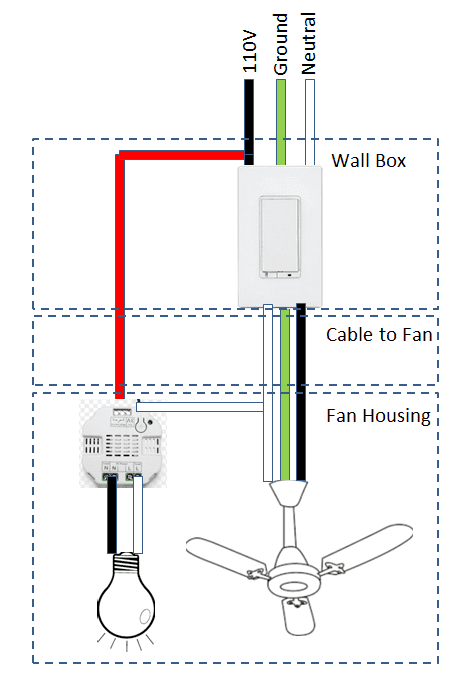
A ceiling fan should not be controlled by a standard light dimmer unless the fan and control are specifically rated to work together. An incompatible control can create poor operation or damage. Check the fan manual and the wall-control label before changing any wiring.
Could the remote, receiver, or pull chain be the problem?
Remote-controlled fans often need a wall switch left on before the remote can operate the receiver. Replace batteries, confirm the remote is paired as described by the manufacturer, and use the pull chain only if the model has one. On pull-chain fans with an add-on remote, the pull chain may need to be set to the manufacturer’s recommended speed setting.
If the pull chain feels loose, pulls out, or does not change speed, the switch may be damaged. Turn power off at the breaker before removing a switch housing or canopy. Do not test exposed wiring by touch or by trial-and-error connections.
When does an internal component need professional diagnosis?
A failed capacitor, receiver, motor winding, or internal connection can create a fan that hums, runs only at one speed, or stops after running briefly. These symptoms overlap, so replacing a part based only on a guess can waste money and create an electrical hazard.
Hunter Fan and other manufacturers advise turning off power before accessing the canopy or receiver and calling a licensed electrician when there are loose wires, burn marks, no power at the switch, or uncertainty around electrical components. The safest diagnosis starts outside the housing and moves inward only when power is isolated.
How should you deal with wobble and noise?
A wobble is a mechanical issue until proven otherwise. Turn the fan off, wait for it to stop, and check that blade screws, blade arms, canopy hardware, and visible mounting screws are secure. Clean heavy dust from blades and check for warped blades before using a balancing kit.
Do not ignore a fan that shifts at the ceiling, scrapes, or develops a new clicking sound. The ceiling box must be rated and installed to support a fan, not just a light fixture. That is a professional check when the mount is loose or the fan is not securely supported.
Could a setting make the fan seem broken?
Some fans have separate light and fan controls, a reverse-direction switch, a remote receiver with its own pairing process, or a wall control that must remain on for the remote to work. Check the manufacturer instructions for the exact model before assuming a component has failed. A fan that changes behavior after a battery change or power outage may simply need its control reset or re-paired.
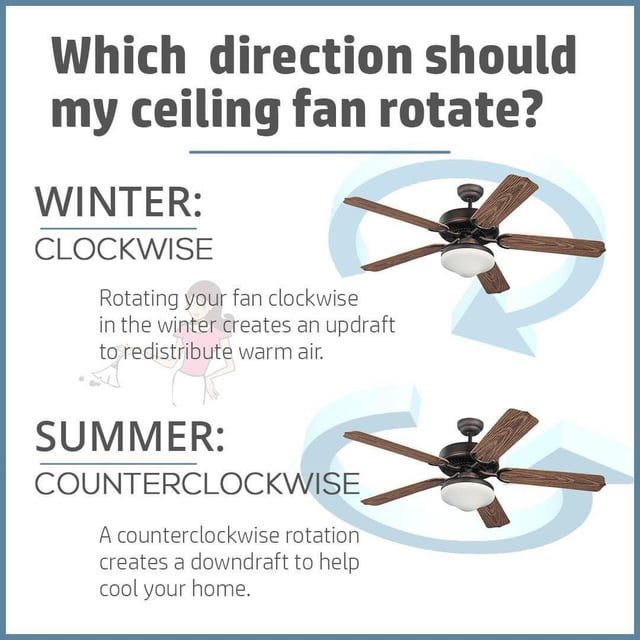
A reverse switch changes blade direction; it does not normally create a dead fan. If the fan only moves air weakly, first verify the selected speed and blade direction, then inspect the room conditions. Do not use a light dimmer to try to change a fan’s speed unless the fan and control are explicitly compatible.
What should you photograph before arranging a repair?
With power off, photograph the fan model label if accessible, the remote or wall-control model, the breaker position, and any visible discoloration or loose canopy hardware. Write down whether the light works, whether the fan hums, whether it operates at one speed, and whether the problem began after a switch, remote, or bulb change.
Those details help separate a control issue from a mounting or electrical issue before anyone buys a part. Do not photograph or touch exposed conductors for the sake of diagnosis. The useful record is the symptom, model information, and visible condition from a safe distance.
What is the safest troubleshooting order?
- Observe the exact symptom without touching wiring.
- Check wall switch, remote batteries, pull-chain position, and breaker.
- Turn power off at the breaker before opening any cover or tightening internal parts.
- Stop and call a professional for repeated breaker trips, burnt odor, heat, loose wiring, or unstable mounting.
Frequently asked questions
Why does my ceiling fan light work but the fan does not?
If the light works while the fan motor does not, power is reaching at least part of the fixture. Check the fan pull chain, remote setting, wall control, receiver, and fan speed control before assuming the motor has failed. Turn off power before opening the fan housing.
Why does a ceiling fan hum but not spin?
A humming fan can have a control, capacitor, motor, or mechanical problem. Do not keep it energized while it hums. Turn the circuit off and use the fan manual or a qualified electrician for internal diagnosis, because components can store energy and wiring requires safe testing.
Is a wobbling ceiling fan dangerous?
A small wobble still deserves attention because it can loosen hardware over time. Stop using a fan that shakes strongly, makes new scraping noises, or appears loose at the ceiling. The fan must be supported by a fan-rated electrical box and correctly tightened mounting hardware.
The practical next step
Begin with the control and power checks that do not expose wiring. Use the symptom table to narrow the problem, then stop at the point where electrical testing or fan disassembly is required. A fan that trips a breaker, smells hot, or shakes heavily is a repair-safety issue, not a DIY guessing exercise.
Sponsored / affiliate links. As an Amazon Associate I earn from qualifying purchases. I may earn additional commission from eligible campaigns.