Difference Between a Drill and a Drill Driver
It can be tricky to know the Difference Between a Drill and a Drill Driver when you are new to DIY projects. They look alike and both spin things, which makes it hard to pick the right tool. This guide will make it super simple.
We will break it down step by step so you can easily tell them apart and choose the best one for your task. Get ready to learn the key distinctions!
Understanding the Drill and Drill Driver Difference
Many people get confused about the Difference Between a Drill and a Drill Driver because they share similar functions and appearances. Both tools are designed for drilling holes and driving screws, but they excel in different areas due to their specific features and capabilities. This can lead to using the wrong tool for a job, potentially damaging materials or the tool itself.
Recognizing these distinctions is key for anyone wanting to do home repairs or build things. We will explore how their designs lead to these different uses and help you make the best choice for any project.
The Core Functionality of a Drill
A drill is primarily built for making holes. Its motor is designed to provide consistent speed and torque suitable for boring into wood, metal, plastic, and masonry. The chuck on a drill can hold a wide variety of drill bits, from standard twist bits for wood to spade bits for larger holes and masonry bits for concrete.
While drills can drive screws, they often lack the fine control needed for delicate tasks, and their higher speeds can strip screw heads or damage softer materials if not handled carefully. The focus is on sustained power for penetration.
The basic design of a drill emphasizes rotational power. Think of it as a tool specifically engineered to create openings. When you need to put a screw in, a drill can do it, but it’s like using a hammer to tap in a nail gently; it might work, but it’s not its strong suit.
The power output is generally geared more towards consistent rotation under load, ideal for pushing a drill bit through a material.
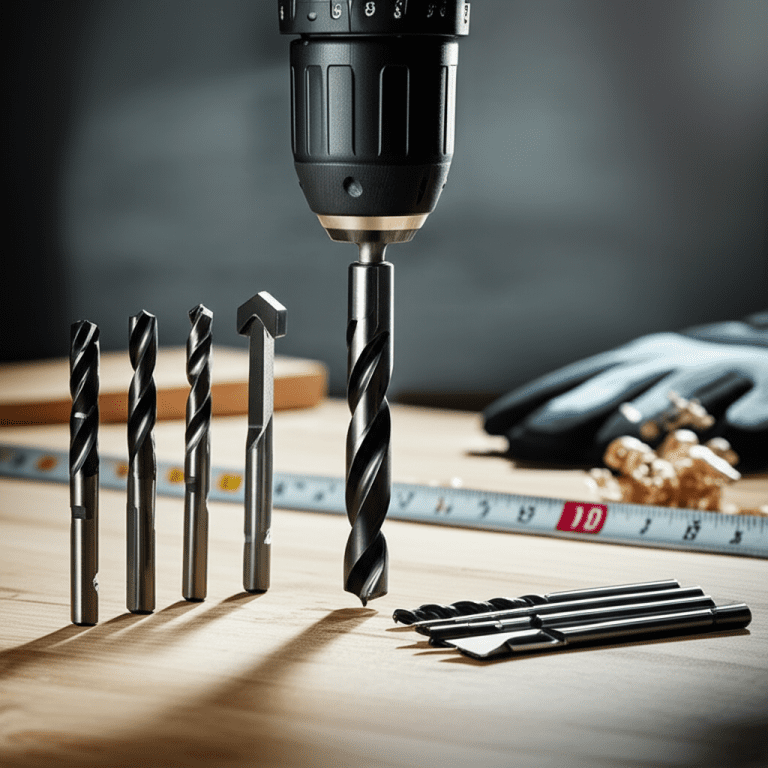
Drill Bits Explained
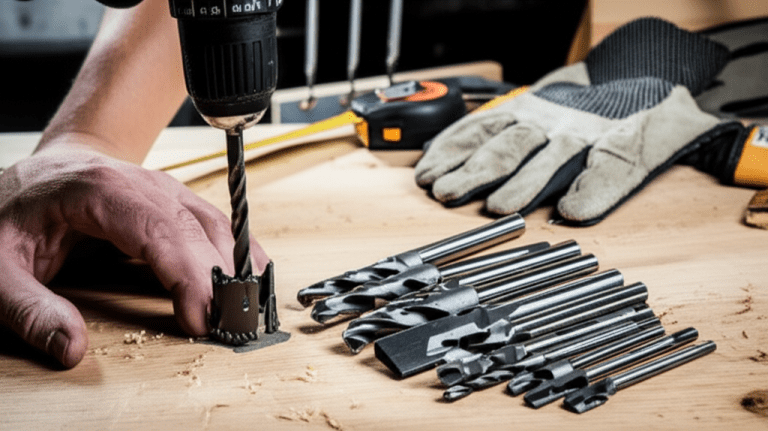
Drill bits are the workhorses that actually do the cutting. They come in many shapes and sizes, each designed for a specific material or task. For wood, you might use twist bits, which are common and effective for general-purpose drilling.
Spade bits, also known as paddle bits, are flatter and wider, perfect for making larger holes quickly in wood. When it comes to tougher materials like concrete or brick, masonry bits are necessary. These have a hardened tip that can chip away at hard surfaces.
Metal requires special bits designed to cut through steel and other alloys without overheating or dulling too quickly. The type of drill bit you choose directly impacts the hole you create and the ease with which you can make it.
The Purpose of a Drill Driver
A drill driver, on the other hand, is optimized for driving screws. It features an adjustable clutch that allows you to set the torque, or rotational force, precisely. This prevents over-tightening screws, which can strip the screw head or damage the material being fastened.
Most drill drivers also offer variable speed control, enabling you to start screws slowly and increase speed as needed. While they can drill holes, their torque settings might be more limited for heavy-duty drilling compared to a dedicated drill. The emphasis is on control and precision when fastening.
Imagine a drill driver as a tool for putting things together carefully. It gives you the power to start a screw and then stop it at just the right tightness. This is super important when working with different types of wood or when you don’t want to see a screw head buried too deep.
The adjustable clutch is like a built-in sensor that tells the tool when to stop applying power. This feature is what truly sets it apart for fastening tasks.
Understanding Torque and the Adjustable Clutch
Torque refers to the rotational force applied by a tool. In a drill driver, the adjustable clutch is a vital component that regulates this force. It’s essentially a slipping mechanism that disengages the motor when a predetermined level of resistance is met.
This is invaluable for driving screws. For instance, when driving a screw into soft pine, you’ll want a lower torque setting to avoid stripping the wood or the screw. For harder materials or larger screws, a higher torque setting is needed.
The clutch allows you to fine-tune this, ensuring screws are seated properly without being over-driven. This precise control is a hallmark of a good drill driver and a key part of the Difference Between a Drill and a Drill Driver for many users.
Many drill drivers have numbered settings on their clutch. A setting of ‘1’ might be for very delicate work, while a setting of ’20’ could be for heavy-duty screw driving. The goal is to find the right number for your specific screw and material.
When the clutch “slips,” you’ll often hear a clicking sound, indicating it has disengaged the motor to prevent further rotation.
Key Differences Explained
The fundamental Difference Between a Drill and a Drill Driver lies in their primary design purpose and the features that support it. While both can perform similar tasks, one excels at drilling holes, and the other is superior for driving screws. This distinction affects how they operate, the components they use, and the types of projects they are best suited for.
Understanding these differences will help you select the right tool, making your DIY work more efficient and less frustrating. Let’s break down the specific features that make them unique.
Power and Speed Variations
Drills often have higher maximum speeds and are built to deliver consistent power for drilling through tough materials. Their motors are geared to maintain RPMs even under load, which is crucial for efficient hole-making. In contrast, drill drivers typically offer a wider range of speed settings, allowing for slower starts when driving screws and then ramping up for faster progress.
While drill drivers can drill, their top-end speed or sustained power might not match that of a dedicated drill, especially for larger diameter holes or very hard materials. The torque control on a drill driver is paramount for fastening, whereas a drill’s consistent rotational force is key for drilling.
Consider a scenario where you need to drill a 2-inch hole in a thick piece of oak. A powerful drill with its consistent torque would be the better choice. Now, imagine you need to assemble a cabinet with dozens of small screws.
A drill driver with its precise clutch control and variable speed will allow you to set each screw perfectly without damaging the wood or the screw head. This highlights the core Difference Between a Drill and a Drill Driver in their performance profiles.
Variable Speed Triggers
Both drills and drill drivers commonly feature variable speed triggers. However, the emphasis on how these triggers are used differs. For a drill, the variable speed is often about managing the pressure and entry speed into a material to avoid skipping.
For a drill driver, the variable speed trigger is essential for the controlled start of a screw. You can gently squeeze the trigger to set the screw in place, then apply more pressure for faster driving. This fine control over speed is directly linked to the clutch mechanism, allowing for a smooth transition from a slow start to full driving power.
Many modern tools have electronic speed control that maintains the selected speed under load, which is beneficial for both drilling and driving. The sensitivity of the trigger can also vary between models. Some are designed for very precise, light touches, while others are more responsive.
This fine-tuning is a key aspect of controlling power output.
Chuck Types and Bit Retention
The chuck is the part of the tool that holds the drill bit or screwdriver bit. Standard drills often come with a keyless chuck, meaning you can tighten and loosen it by hand. Some heavy-duty drills might still use a keyed chuck, which requires a special tool (a key) to tighten and loosen for maximum grip.
Drill drivers also predominantly use keyless chucks for ease of use. The key Difference Between a Drill and a Drill Driver in this regard is less about the type of chuck and more about how the chuck is used in conjunction with the tool’s primary function.
The size of the chuck is also a factor. Most cordless drills and drivers have a 3/8-inch or 1/2-inch chuck. A 1/2-inch chuck can generally accommodate larger drill bits and provides a more secure grip, which is beneficial for demanding drilling tasks.
While both tool types can have similar chucks, the choice of bits used and the forces applied will differ based on whether you are drilling or driving.
When to Use Which Tool
Knowing the Difference Between a Drill and a Drill Driver allows you to pick the right tool for the job, saving you time, effort, and potential damage to your materials. Using a drill for simple screw driving might work, but it lacks the control to prevent over-tightening. Conversely, using a basic drill driver for a large hole in hard wood might strain the tool.
Here are some common scenarios to help you decide.
Projects Favoring a Drill
A drill is your go-to tool when the main objective is creating holes. This includes drilling pilot holes for nails or screws, boring large holes for pipes or wires, and drilling into materials like metal, concrete, or thick hardwoods. If you need to bore holes for cabinet hardware, mount shelves that require large anchor bolts, or cut holes for ventilation, a drill’s consistent power and speed are ideal.
For tasks where precision in screw depth isn’t the primary concern but hole-making is, the drill shines.
For example, if you are building a fence and need to drill 1-inch diameter holes through several 4×4 posts for bolts, a drill is the appropriate tool. It can handle the sustained effort required to push such a large bit through dense wood. Similarly, when working with masonry to install a new railing, a hammer drill (a type of drill) is essential.
- Drilling holes for anchors in drywall or masonry.
- Creating pilot holes for large screws or bolts.
- Boring larger diameter holes in wood or metal.
When you need to hang pictures, shelves, or cabinets, you often need to drill holes that are just the right size for wall anchors. A drill provides the consistent speed and power to create these holes cleanly, ensuring the anchors fit snugly and can support the weight.
Before driving large screws or bolts into wood, it’s often necessary to drill a pilot hole. This prevents the wood from splitting and makes it easier to drive the fastener straight. A drill can quickly and efficiently make these pilot holes to the correct depth and diameter.
For tasks like running wires, installing plumbing, or creating openings for ventilation, you might need to bore holes that are wider than standard drill bits can manage. Tools like hole saws or spade bits, when used with a powerful drill, can handle these larger tasks effectively.
Projects Favoring a Drill Driver
A drill driver is perfect for any task involving driving screws. This includes assembling furniture, building decks, installing trim, putting up drywall, and any project where fastening is the main activity. Its adjustable clutch and variable speed trigger give you control to prevent damaging screws and materials.
For tasks requiring numerous screws, the efficiency and precision of a drill driver are invaluable. You can drive screws quickly and consistently, ensuring a professional finish every time.
Consider assembling a large piece of flat-pack furniture. It might involve dozens or even hundreds of screws. Using a drill driver with its clutch set appropriately means you can speed through the assembly, with each screw driven to the perfect depth without stripping.
This saves a tremendous amount of time and effort compared to using a manual screwdriver.
- Assembling furniture and cabinets.
- Installing drywall or paneling.
- Building decks and fences.
This is where drill drivers truly shine. The adjustable clutch allows you to set screws without stripping the heads or damaging the material, which is crucial for delicate finishes or particle board. The variable speed trigger gives you precise control to start screws slowly and then drive them in quickly.
Drywall screws need to be driven just so they are flush with the surface without tearing the paper. A drill driver’s clutch is perfect for this, preventing over-driving and ensuring a smooth surface for finishing.
While some larger bolts might require a drill, most screws used in deck and fence construction can be driven efficiently with a drill driver. The power and speed allow for quick installation, and the clutch prevents screws from being driven too deep into the wood, which can weaken the structure.
Advanced Features and Considerations
The Difference Between a Drill and a Drill Driver extends beyond their core functions. Many modern tools offer advanced features that can further enhance their usability and performance for specific tasks. When choosing between a drill and a drill driver, or even considering a tool that combines aspects of both, these additional features can play a significant role in your decision-making process.
Understanding these will help you make a more informed purchase that suits your needs.
Brushless Motors
Many newer cordless drills and drill drivers are equipped with brushless motors. Unlike traditional brushed motors, which use carbon brushes that wear out over time and create friction, brushless motors use electronic controls. This results in several advantages: they are more efficient, meaning they can run longer on a single battery charge.
They also generate less heat, which can lead to a longer tool lifespan. Brushless motors provide more power and torque, often outperforming their brushed counterparts. Both drills and drill drivers benefit greatly from this technology, offering improved performance and durability.
A brushless motor is essentially an upgrade that makes the tool more powerful and last longer. Imagine a car engine that uses less fuel and lasts longer because it has fewer moving parts that rub against each other. That’s similar to how a brushless motor works for your power tools.
This technology is becoming standard on higher-end tools for good reason.
Statistics show that brushless motors can increase tool runtime by up to 50% and offer up to 25% more power than brushed motors. This makes them highly desirable for any power tool user.
Battery Technology
The power source for cordless tools is just as important as the motor. Lithium-ion (Li-ion) batteries have become the industry standard due to their high energy density, light weight, and ability to hold a charge for extended periods. They also don’t suffer from the “memory effect” that older battery technologies did, meaning you can recharge them at any time without significantly impacting their overall capacity.
Battery voltage (e.g., 12V, 18V, 20V MAX) often correlates with the tool’s power. Higher voltage generally means more power, suitable for heavier-duty drilling or driving tasks. The Difference Between a Drill and a Drill Driver might also be influenced by the battery system if you are investing in a specific brand and want interchangeable batteries across different tools.
A 20V MAX battery from Brand X will likely power all of Brand X’s 20V MAX tools. This can be a big cost saver if you own multiple tools from the same manufacturer. Newer battery technologies are also emerging, aiming for even greater power density and faster charging times.
Impact Drivers vs. Drill Drivers
It is also worth noting the existence of impact drivers, which are distinct from drill drivers. An impact driver delivers high torque through concussive blows, making it ideal for driving long screws or lag bolts into dense materials very quickly. However, they generally lack the precision of a drill driver’s clutch and are not suitable for drilling holes.
The Difference Between a Drill and a Drill Driver is significant, but the difference between a drill driver and an impact driver is even more pronounced in terms of their operational mechanism and best uses.
While a drill driver uses rotational force with clutch control, an impact driver adds a hammering action along the axis of rotation. This hammering effect greatly increases the torque applied. Think of it like trying to tighten a very stubborn bolt; an impact driver would be like a mechanic using a pneumatic impact wrench, delivering rapid, powerful blows.
| Feature | Drill | Drill Driver | Impact Driver |
|---|---|---|---|
| Primary Use | Drilling holes | Driving screws | Driving long screws/lag bolts |
| Torque Control | Limited/None | Adjustable clutch | Limited (high torque output) |
| Speed Control | Variable speed trigger | Variable speed trigger with slower start | Variable speed trigger (less precise) |
| Drilling Capability | Excellent | Good for small to medium holes | Poor/Not designed for it |
| Screw Driving Capability | Fair (can strip screws) | Excellent | Excellent (fast, high torque) |
Demystifying the Difference Between a Drill and a Drill Driver
Many beginners find the Difference Between a Drill and a Drill Driver confusing, but the core distinction lies in their intended purpose and primary function. A drill is built to make holes efficiently, offering sustained power. A drill driver is designed for driving screws with precision, thanks to its adjustable clutch and variable speed.
Understanding this basic Difference Between a Drill and a Drill Driver will guide you to the right tool for your projects.
We’ve explored their individual strengths, how features like adjustable clutches and variable speed triggers work, and when each tool is the best choice. Knowing these details empowers you to tackle any DIY task with confidence.
Frequently Asked Questions
Question: Can I use a drill to drive screws?
Answer: Yes, you can use a drill to drive screws, but it’s not ideal for most situations. Drills lack the precise clutch control of a drill driver, making it easy to overtighten screws, strip the heads, or damage the material you are working with. They are better suited for creating holes.
Question: Can a drill driver drill holes?
Answer: Yes, a drill driver can drill holes, especially smaller ones. However, if you frequently need to drill larger holes or work with very hard materials, a dedicated drill might offer more power and sustained performance for that specific task.
Question: What is the main advantage of a drill driver’s adjustable clutch?
Answer: The main advantage is control. The adjustable clutch allows you to set the maximum torque, preventing screws from being over-tightened, which can strip the screw head or damage the material. It ensures screws are driven to the correct depth.
Question: How do I know which tool to buy if I’m just starting out?
Answer: For most general home use and DIY projects involving assembly, a good quality drill driver is often the most versatile starting point. If your primary tasks involve making many holes in various materials, consider a drill. Many people find a drill driver meets most of their needs.
Question: What is the difference between a drill driver and an impact driver?
Answer: An impact driver delivers high torque using concussive blows, making it excellent for driving long screws or lag bolts quickly. A drill driver uses rotational force with a clutch for precise screw depth control and is also capable of drilling. Impact drivers are not designed for drilling holes.
Conclusion
The Difference Between a Drill and a Drill Driver boils down to their primary job. A drill excels at making holes, offering consistent power. A drill driver is king for driving screws, providing crucial clutch control and variable speed for precision.
Choose the drill for drilling tasks and the drill driver for fastening. Both are valuable tools for any DIYer.