Difference Between Cordless Drill and Impact Driver: Essential
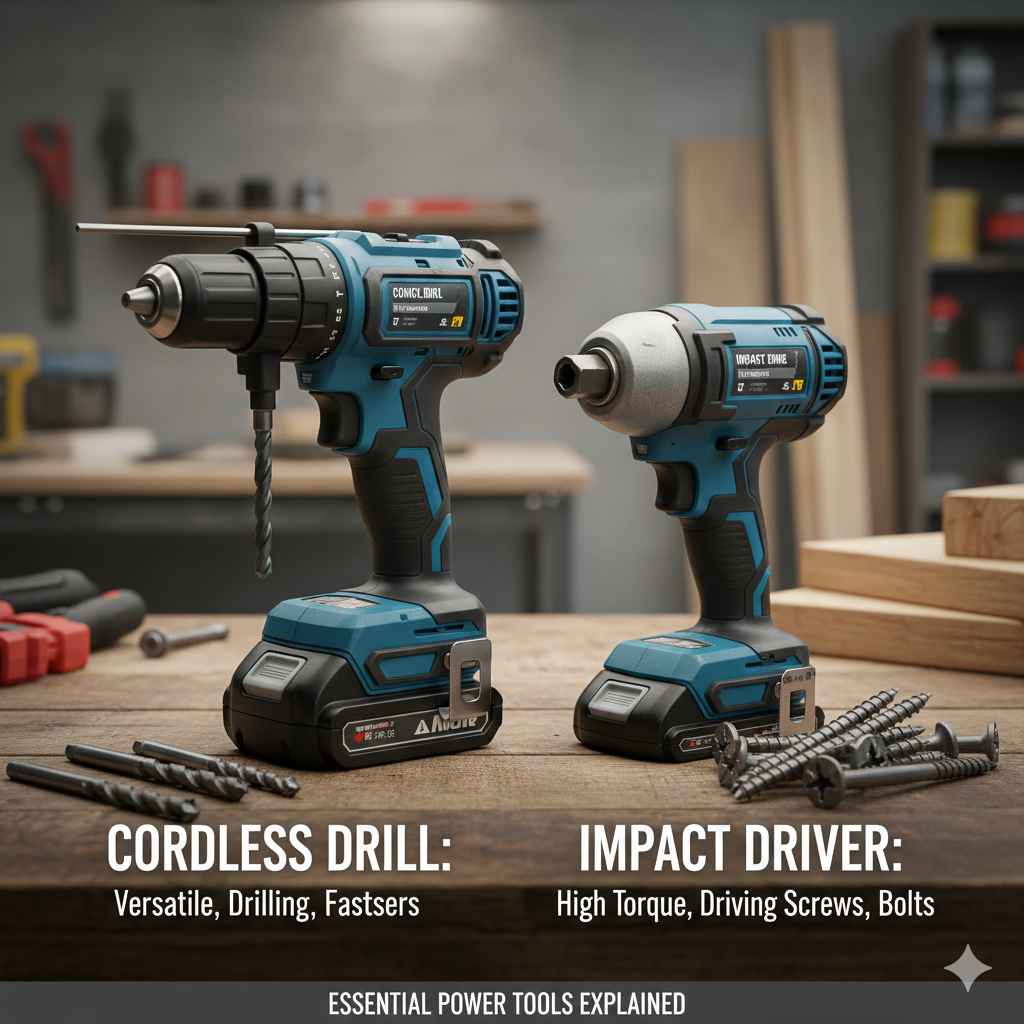
Cordless drill vs. impact driver: The main difference is force. A cordless drill drills and drives screws using rotational power. An impact driver adds quick, powerful rotational bursts (impacts) that dramatically increase driving power for tough fasteners, making the driver better for long screws or hardened materials.
Welcome to the workshop! Are you standing in the aisle at the hardware store, staring at two nearly identical battery-powered tools, feeling completely confused? You are not alone. The cordless drill and the impact driver are the dynamic duo of modern DIY, but knowing which one to use when can save you a lot of stripped screw heads and wasted time. Many beginners think they are interchangeable, but they each have unique strengths.
Don’t worry; we are going to clear this up simply. We will break down exactly what each tool does best, how they feel in your hand, and when you absolutely need one over the other. By the end of this guide, you will choose the right tool confidently for every job, from hanging a picture frame to building a deck. Let’s stop the guesswork and start building!
Cordless Drill vs. Impact Driver: What’s the Big Deal?
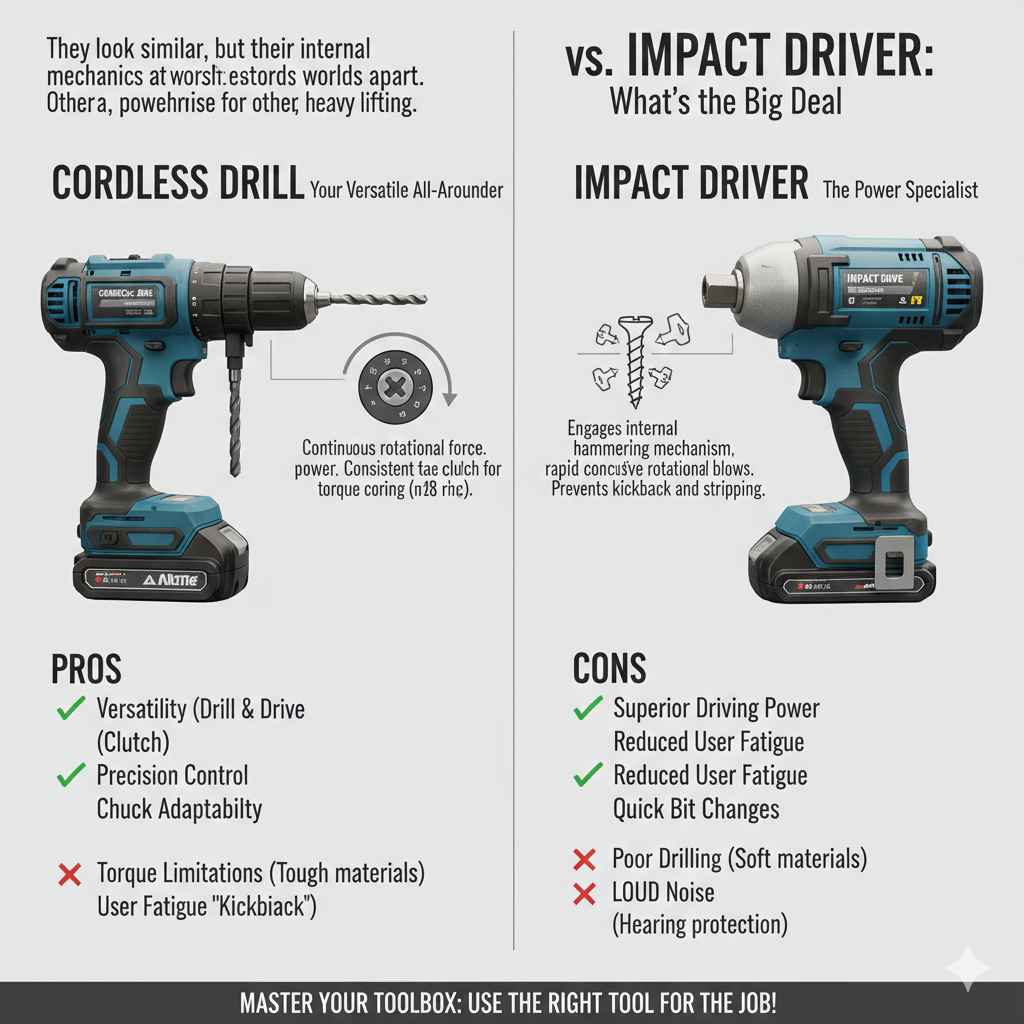
When you look at a cordless drill and an impact driver side-by-side, they look very similar—both use batteries and both spin things. However, their internal mechanics and how they deliver power are worlds apart. Understanding this core difference is the key to mastering your toolbox. Think of it like this: one is a steady, precise helper, and the other is a powerhouse built for heavy lifting.
The Cordless Drill: Your Versatile All-Arounder
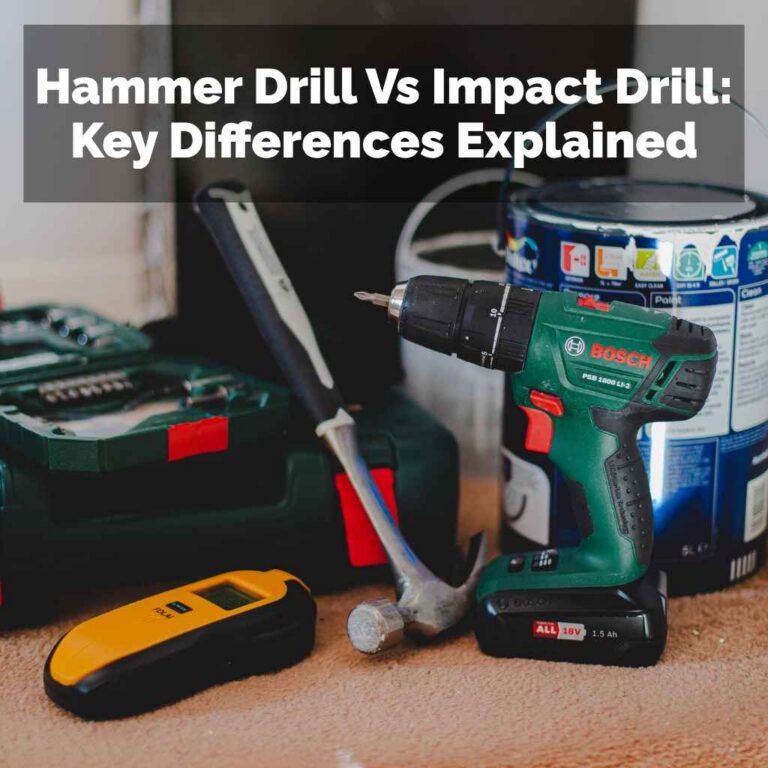
The cordless drill (often called a “drill/driver”) is the Swiss Army knife of power tools. It is designed primarily for two jobs: drilling holes and driving standard screws. It’s the tool you grab for 90% of common household tasks.
How a Cordless Drill Works
A standard drill uses continuous rotational force. Imagine twisting a screwdriver slowly by hand—that’s the basic action. The power is consistent and entirely in the rotation.
The most important feature for a drill is the clutch. This is the numbered ring usually found right behind the chuck (the front part that holds the bit). This clutch lets you adjust the torque, or rotational force, the drill applies before it stops turning.
- Low Numbers (e.g., 1–5): Very low torque. Perfect for driving small screws into soft wood or plastic without going too deep or breaking the screw head.
- Medium Numbers (e.g., 6–12): Standard setting for most common screws in standard lumber.
- High Numbers (Drill Symbol): Maximum continuous torque. This setting is used when you need to drill through wood or metal. The clutch is bypassed, allowing the drill to spin constantly until you stop it or the bit binds up.
Pros and Cons of the Cordless Drill
It’s important to know where this trusty tool shines and where it struggles so you don’t push it too hard.
Pros:
- Versatility: It drills holes (wood, plastic, thin metal) and drives most screws.
- Precision Control: The clutch gives you fine control to avoid damaging delicate materials.
- Chuck Adaptability: Most standard drills have a three-jaw chuck that easily holds round or hex-shaped drill bits and driver bits.
- Simplicity: Easy for beginners to learn and use safely.
Cons:
- Torque Limitations: It struggles with long, thick screws or driving into very dense materials like concrete or hardwoods.
- User Fatigue: When the drill bit binds up in tough material, the whole tool twists in your wrist (known as “kickback”), which can be tiring and potentially dangerous.
The Impact Driver: The Power Specialist
The impact driver looks sleeker and often has a hexagonal (six-sided) opening at the front instead of a traditional adjustable chuck. Its purpose is highly specialized: driving fasteners that are too tough for a regular drill.
How an Impact Driver Works
This is where the “impact” comes in. When the tool senses significant resistance (like a long lag bolt hitting dense wood), it doesn’t just keep fighting the resistance with pure rotation. Instead, it engages an internal hammering mechanism. It begins delivering rapid, concussive rotational blows—hundreds per minute—that drive the fastener deep into the material.
Think of the drill as a steady hand pushing a screwdriver, and the impact driver as a quick series of hammer taps focused entirely on turning the screw head.
This impact mechanism is brilliant because:
- It prevents kickback: Because the force is delivered in quick bursts directly onto the fastener, the main body of the tool doesn’t violently twist your wrist.
- It prevents stripping: The rotational impacts keep the bit seated firmly in the screw head, reducing the chance of “cam-out” (when the bit slips out and damages the screw slot).
Pros and Cons of the Impact Driver
The impact driver is a serious piece of kit for serious driving jobs. Here’s what makes it a powerhouse.
Pros:
- Superior Driving Power: It drives large lag bolts, deck screws, and long construction screws with ease.
- Reduced Fatigue: The impact mechanism absorbs most of the reactive torque, making it easier on your arm and wrist.
- Compact Size: Impact drivers are often lighter and shorter than comparable drills, making them easier to use in tight spaces.
- Quick Bit Changes: Most use a quick-release collet—you just pull the collar out, pop the bit in, and let go. No tightening required.
Cons:
- Poor Drilling: While they can drill holes using specialized bits, they are not designed for it. They often chew up soft materials because they lack fine torque control.
- Noise: When the impact mechanism engages, impact drivers are significantly louder than drills, often requiring hearing protection.
- Chuck Limitation: They typically only accept 1/4-inch hex shank bits (standard driver bits and specific hex-shank drill bits).
Side-by-Side Comparison: Key Differences
To make this as clear as possible, let’s lay out the essential functional differences in a straightforward comparison. This table should clarify when you should reach for which tool.
| Feature | Cordless Drill/Driver | Impact Driver |
|---|---|---|
| Primary Action | Continuous rotation. | Rotation combined with rapid axial impacts (hammering). |
| Torque Control | Excellent control via adjustable clutch settings. | Limited control; usually just speed settings (low/high). |
| Best For | Drilling holes, driving small to medium screws, delicate assembly. | Driving long, tough fasteners, structural assembly, decking. |
| Bit Holding System | Adjustable three-jaw chuck (holds many sizes/shapes). | 1/4-inch quick-release hex collet (only holds hex-shank bits). |
| Noise Level | Quieter, consistent whirring. | Much louder when engaged due to hammering action. |
When to Choose Which Tool: Project Scenarios
Knowing the technical differences is great, but how does that translate to your weekend project list? Here is a simple guide for practical decision-making. If you are building something, thinking about the force required is the first step.
Use the Cordless Drill When… (Precision is Key)
If the job requires finesse, accuracy in hole placement, or working with materials that break easily, stick with the drill/driver.
- Hanging Art or Shelves: You need to drill a pilot hole exactly where you want it, usually into drywall or a wooden stud. The clutch ensures you don’t punch through the wall or overdrive the screw.
- Assembling Flat-Pack Furniture: These screws are often small and go into particleboard or MDF. Too much power will chew up the soft material. Use a low clutch setting on the drill.
- Drilling Precise Holes in Metal or Plastic: Drilling metal requires a slow, steady speed to keep the bit cool and maintain a clean cut. A drill lets you control this speed perfectly.
- Working with Delicate Materials: Thin veneers, cabinetry, or soft plastics demand the continuous, non-jarring rotation of the drill.
- When You Only Own One Tool: If you only have one battery-powered driver, it should almost always be a standard drill/driver for maximum adaptability.
Use the Impact Driver When… (Power is Required)
If the job involves heavy resistance, sinking long fasteners, or you are working with dimensional lumber (like building a shed or fence), the impact driver is your new best friend. You will save time and stop fighting the tool.
- Building Decks or Fences: Deck screws are long (often 3 inches or more) and need to sink through tough, pressure-treated lumber. The impact driver handles these easily.
- Framing or Structural Work: Driving large lag screws or carriage bolts into thick framing timbers. This is where drills often stall or twist aggressively.
- Driving into Masonry (with Masonry Bits): While a hammer drill is best for concrete, an impact driver is superior to a standard drill for driving masonry screws (like Tapcons) into brick or block after you have drilled the pilot hole.
- Repetitive Driving Tasks: If you have to drive fifty screws in a row, the speed and low fatigue of the impact driver will keep your work moving quickly.
- Working Overhead or Awkwardly: Because it doesn’t kick back violently, using an impact driver overhead or while balancing on a ladder feels much safer and more controlled than fighting a binding drill.
Deep Dive into the Mechanics: Chuck vs. Collet
The way these two tools hold their bits is a major physical differentiator that impacts their function.
The Cordless Drill Chuck
The drill has a three-jaw chuck. This is adjustable; you twist the collar to open and close the jaws to securely grip bits of various sizes and shapes—from small 1/16-inch drill bits to larger spade bits. This flexibility is why the drill can handle so many different attachments.
Safety Tip: Always ensure the chuck is fully tightened onto the bit. If it loosens while drilling, the bit can fly out, which is a safety hazard.
The Impact Driver Collet
Impact drivers feature a 1/4-inch quick-release hex collet. This system is designed for speed and only accepts bits with a 1/4-inch hexagonal base shank.
To change a bit: You simply pull back on the outer collar, insert the bit until it clicks, and release the collar. The driver instantly locks the bit in place. This is faster and easier than a chuck, but it limits what you can use.
Can an Impact Driver Use Drill Bits?
Yes, but only if the drill bit has a 1/4-inch hex shank (it will look flat on the end where it inserts into the tool). Standard, smooth, round drill bits designed for a regular chuck will just spin freely inside the impact driver’s collet.
Pro Tip for Beginners: If you are drilling many holes, use your standard drill. If you must use the impact driver for drilling, set it to the lowest speed and apply gentle, steady pressure. For maximum performance in wood, look for “Impact Ready” bits, which are made of tougher steel to handle the shock.
Understanding Torque and Power Delivery
When shopping for tools, you will see ratings measured in Inch-Pounds (in-lbs) of torque. This measures rotational turning force.
Drill Torque vs. Impact Torque
The torque rating on a drill is the maximum continuous turning force it can apply before the clutch slips or the motor stalls.
The torque rating on an impact driver is much higher because it includes the sudden force from the impacting mechanism. An impact driver often delivers two to three times the effective driving torque of a comparable drill. This is why it makes quick work of stubborn fasteners.
According to tool experts at organizations focusing on construction standards, using the appropriate torque rating is crucial for material integrity. Too little torque leads to unfinished work; too much torque leads to damaged materials (or stripped screw heads). See the guidelines provided by the Home Network resource on tool selection for more on reading tool specs.
Speed Control Matters
Both tools typically offer multiple speed settings (e.g., Speed 1 for low speed/high torque, Speed 2 for high speed/lower torque).
Drill Speed Control
- Speed 1 (Lower RPM): Used for driving screws or drilling large bits.
- Speed 2 (Higher RPM): Used for drilling smaller holes quickly.
Impact Driver Speed Control
Impact drivers usually have fewer speed settings, often just two. The lower setting provides slower impacts, which helps control delicate starts, while the high setting is for full power driving.
Do I Need Both? The Beginner’s Reality Check
This is the million-dollar question for anyone starting their tool collection. The honest answer depends entirely on your projects.
If You Are a Light DIYer (Occasional Repairs, Hanging Pictures)
If you mostly hang things on walls, tighten cabinet hardware, or assemble small furniture pieces once or twice a month, a good quality Cordless Drill/Driver is sufficient. It can handle 95% of household light-duty tasks.
If You Are a Serious DIYer or Woodworker (Building Projects)
If you plan to build outdoor furniture, construct sheds, put up extensive shelving, or work with dimensional lumber frequently, investing in both is highly recommended.
Why both? Efficiency. Imagine using your drill to drive a long deck screw. You might get halfway, and then the drill stalls, twisting your wrist, forcing you to slow down or stop. If you switched to the impact driver, that same screw would sink in seconds with no wrist strain.
When you have both, you can set up for two tasks simultaneously. For example:
- Keep a small drill bit in the Drill to make pilot holes quickly.
- Keep a driver bit in the Impact Driver to drive the screws immediately after the hole is made.
This tandem operation saves significant time when working on larger builds.
Safety First: Protecting Yourself and Your Materials
Using power tools safely protects your body and ensures your projects last. Both tools require respect, but they demand different safety considerations.
Drill Safety Reminders
- Watch the Clutch: Never use the clutch setting when you intend to drill a hole completely through material; switch it to the drill symbol setting.
- Wear Safety Glasses: Drilling metal or wood can send chips flying—always protect your eyes.
- Manage Kickback: If the drill binds, immediately release the trigger rather than trying to muscle the rotation out of the bind.
Impact Driver Safety Reminders
- Hearing Protection: Impact drivers are noisy. When driving into hard materials, the hammering sound can reach damaging decibel levels. Always wear earmuffs or earplugs.
- Bit Security: Because of the intense vibration, double-check that your bit is fully seated in the collet before every use.
- Material Awareness: Be extremely cautious when driving screws near the edge of a material or into thin sheet metal, as the powerful impact action can punch right through or shatter the material edge.
Getting Started: The Essential Bits You Need
The tool is only as good as the bit you put in it. Here is a foundational list of bits for both tools to get you started on common DIY projects.
For Your Cordless Drill (Requires a Chuck)
- HSS (High-Speed Steel) Drill Bits: A set of general-purpose bits for wood and soft metals. Look for sizes ranging from 1/16-inch up to 1/2-inch.
- Spade Bits or Hole Saws: For drilling larger diameter holes (e.g., for running wiring or installing pipe).
- Nut Drivers: Sockets that fit onto your drill chuck for tightening hex-head hardware like bolts.
For Your Impact Driver (Requires 1/4-inch Hex Shank)
- Impact-Rated Driver Bits: These are essential. They are slightly softer steel, which allows them to flex under impact rather than shatter. Get a good set of Phillips (#2 is the most common), Square (Robertson), and Torx bits.
- Impact-Rated Drill Bits: Look for specific hex-shank bits labeled “Impact Ready” if you plan to drill with the driver.
- Impact-Rated Extensions and Adapters: These allow you to reach awkward spots while maintaining the integrity of the impact action.
The lifespan of your bits is directly tied to using the right type. Standard drill bits in an impact driver wear out much faster!
Choosing Battery Platforms: Consistency is Key
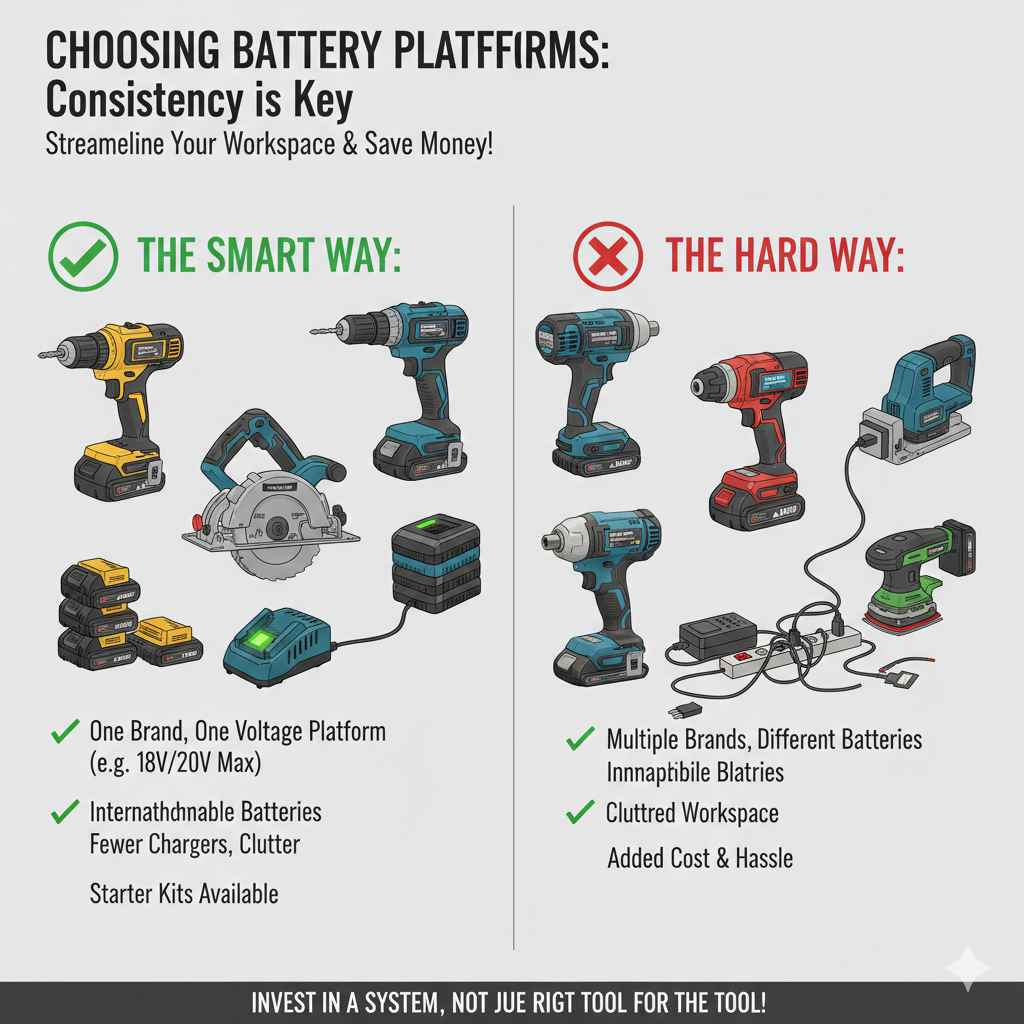
If you decide you need both tools, do yourself a massive favor: buy them from the same brand and the same voltage platform (usually 18V or 20V Max).
This means that the battery that powers your drill can also power your impact driver, your circular saw, your orbital sander, and any future tool you buy from that manufacturer.
This saves money and hassle. You don’t want five different chargers and five different types of batteries cluttering your workspace. Most major brands (DeWalt, Milwaukee, Ryobi, Makita) offer kits that include both a drill and an impact driver together, which is often the most economical way to start.
Frequently Asked Questions (FAQ) for Beginners
Here are quick answers to the most common questions new DIYers have about these tools.
Q1: Can I use an impact driver to drill pilot holes?
A: Yes, you can, but only if you use hex-shank drill bits. However, an impact driver is generally less precise than a standard drill for this job, as it applies sudden force rather than steady rotation, which can sometimes wander before catching.
Q2: Which tool is better for driving long screws into wood?
A: The impact driver is vastly better. Its hammering action overcomes the resistance of the wood, driving the screw fully in without stripping the head or straining your wrist.
Q3: Can I use a standard screwdriver bit in an impact driver?
A: You can, but it is not recommended. Standard bits will break quickly under the powerful hammering action. Always use bits specifically labeled as “Impact Rated” for an impact driver.
Q4: Does the drill have more torque than the impact driver?
A: Technically, a drill’s maximum continuous torque rating might sometimes look higher, but the impact driver delivers much higher effective driving force due to the rapid bursts of impact energy. For heavy driving, the impact driver wins every time.
Q5: If I could only buy one tool, which should it be?
A: For the absolute beginner whose projects are mostly light assembly, hanging items, or small repairs, start with a cordless drill/driver. It offers the most immediate usefulness for the widest variety of common household tasks.
Q6: Are impact drivers always louder than drills?
A: Yes, when they are actively driving tough fasteners, impact drivers are significantly louder because of the internal hammering mechanism. Always use hearing protection when engaging the impact feature.
Conclusion: Building Confidence with the Right Tool
We have walked through the mechanics, the strengths, and the practical uses of both the cordless drill and the impact driver. Remember this simple mantra: The drill is for drilling and precision driving, and the impact driver is for power driving and heavy fastening.
Feeling equipped to make your next purchase decision? Absolutely! You now understand that these tools are partners, not rivals. They work best when used for the tasks they were specifically designed for. By choosing the right tool for the job—whether it requires the finesse of the clutch or the raw power of the impact—you ensure safety, save time, and, most importantly, achieve lasting, professional-looking results in your home improvement projects. Now go grab your battery, select the right driver bit or drill bit, and get that project done with confidence!