Does Ceiling Fan Direction Really Matter? Essential Guide
Yes, ceiling fan direction absolutely matters! Changing your fan’s direction can make your home feel significantly cooler in the summer and warmer in the winter, improving comfort and potentially lowering energy bills. This guide will show you exactly how to adjust it.
Ever find yourself fiddling with your ceiling fan, wondering if that little switch actually does anything? You’re not alone! Many of us assume ceiling fans are just for moving air around, but did you know they have a secret weapon for comfort all year round? That’s right, the direction your fan spins can make a big difference in how your home feels. It’s a simple adjustment that can boost your comfort and even help save a little on your energy bills. Let’s dive in and unlock the full potential of your ceiling fan!
The Magic of Airflow: Why Ceiling Fan Direction Matters
Think of your ceiling fan as more than just a breezy decoration. It’s a smart tool designed to manage the air in your home. The direction it spins affects how that air moves, and that movement is key to feeling comfortable, whether it’s a sweltering summer day or a chilly winter evening. Understanding this simple principle can transform your home’s climate control without you needing to touch your thermostat.
Summer Mode: Cooling Down with Counter-Clockwise Spins
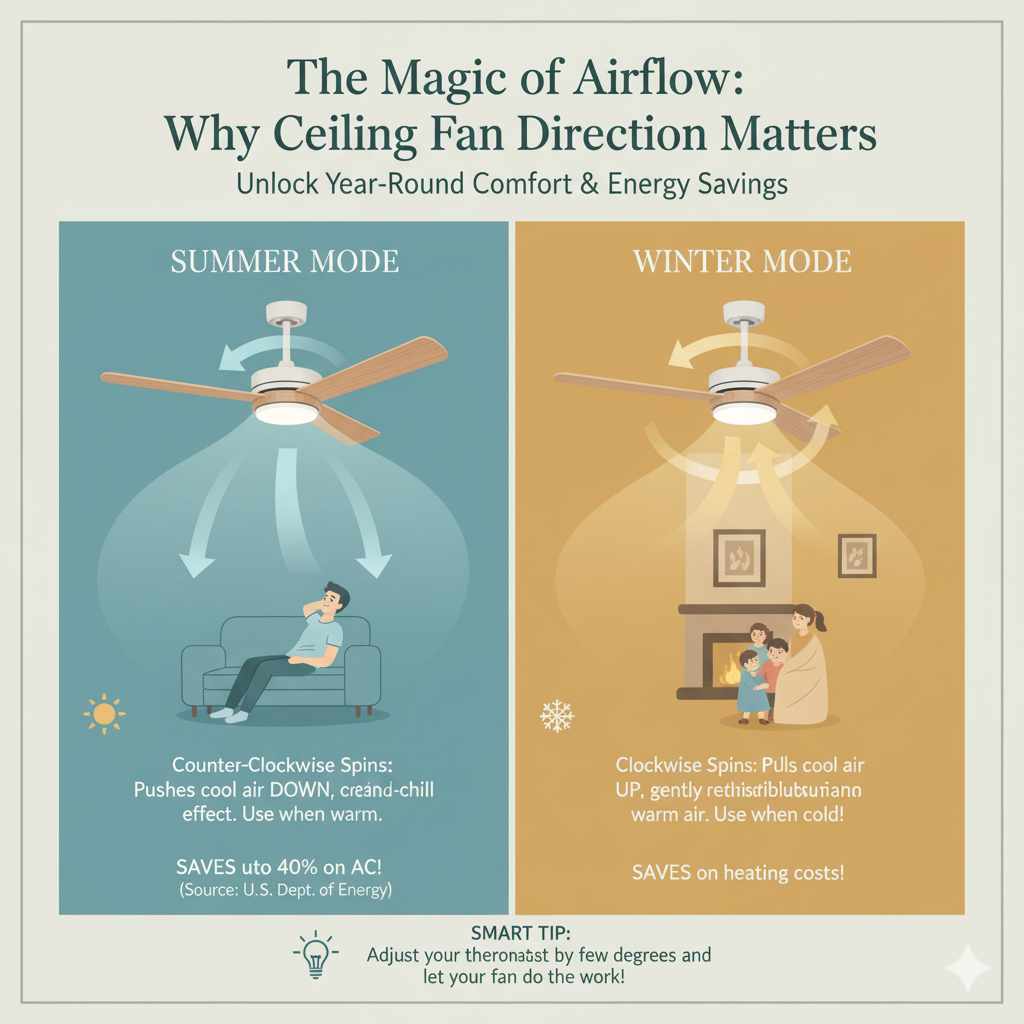
During the hot summer months, you want your fan to create a refreshing breeze. When set to spin counter-clockwise (when looking up at the fan), the blades push air downwards. This direct airflow creates a wind-chill effect on your skin, making you feel cooler. It’s like a personal air conditioner that uses much less energy than your central AC.
How it works: The downward airflow circulates the air in the room, helping to evaporate perspiration from your skin.
When to use it: Use this setting when the outdoor temperature is warm, and you want to feel a direct cooling sensation.
Energy Tip: By using your fan in summer mode, you can often raise your thermostat a few degrees and still feel comfortable, saving on your electricity bill. According to the U.S. Department of Energy, ceiling fans can help reduce your air conditioning costs by up to 40%.
Winter Mode: Warming Up with Clockwise Spins
When the temperatures drop, you might think your ceiling fan should be turned off. But it can actually help keep your home warmer! In winter, you want to set your fan to spin clockwise. This subtle change in direction pulls cooler air up from the floor and gently circulates the warmer air that naturally rises to the ceiling back down into the living space.
How it works: The upward airflow helps to destribute warm air that has risen to the ceiling. This gentle circulation prevents heat from getting trapped at the top of the room.
When to use it: This setting is ideal for cooler months when your heating system is running.
Key Benefit: You’ll feel the warmth more evenly throughout the room, potentially allowing you to lower your thermostat a degree or two. This can lead to noticeable savings on your heating costs.
How to Change Your Ceiling Fan Direction: A Simple Step-by-Step Guide
Changing your ceiling fan’s direction is usually a straightforward process, often involving a small switch on the fan motor housing itself. No need to call a professional for this!
What You’ll Need:
A sturdy stepladder or stool
Possibly a small screwdriver (if your switch is recessed)
A soft cloth for cleaning (optional, but a good time to dust!)
Step-by-Step Instructions:
1. Turn Off the Power: This is the MOST important step for your safety. Go to your electrical panel and turn off the breaker that controls the ceiling fan. Double-check by trying to turn the fan on with its wall switch to ensure the power is indeed off.
2. Access the Directional Switch: Look for a small toggle switch located on the side of the fan’s motor housing (the part that the blades attach to). Sometimes, it might be slightly recessed, and you may need to remove a decorative cover or use a small screwdriver to flip it.
3. Flip the Switch:
For Summer (Cooling): Ensure the switch is set so the blades spin counter-clockwise.
For Winter (Warming): Ensure the switch is set so the blades spin clockwise.
4. Replace Any Covers: If you removed a cover, reattach it securely.
5. Restore Power: Go back to your electrical panel and turn the breaker back on.
6. Test the Fan: Turn on the fan using its wall switch. Confirm it’s spinning in the desired direction and that the air is moving as expected.
Important Note: Some newer, more advanced ceiling fans might have their direction controlled via a remote or a wall-mounted control panel. If you can’t find a physical switch on the motor housing, check your fan’s manual or the manufacturer’s website for specific instructions.
Understanding Your Fan’s Speed and Direction Settings
The speed setting of your fan also plays a role in how effectively it moves air and contributes to your comfort. While direction is about the overall air movement pattern, speed determines the intensity of that movement.
Here’s a quick look at how speed and direction work together:
| Season | Desired Effect | Fan Direction | Fan Speed Recommendation | How it Helps |
|---|---|---|---|---|
| Summer | Cooling | Counter-Clockwise (Downward Airflow) | Medium to High | Creates a strong, direct breeze that cools your skin through evaporation. |
| Winter | Warming | Clockwise (Upward Airflow) | Low | Gently pushes warm air from the ceiling down without creating a noticeable draft. |
When using your fan in winter mode, it’s crucial to keep the speed on low. A high speed in this setting can create an uncomfortable draft, defeating the purpose of circulating warm air. The goal is a gentle, almost imperceptible mixing of air.
Common Ceiling Fan Issues and Troubleshooting
Sometimes, things don’t go as smoothly as planned. If you encounter issues when trying to change direction or with your fan’s operation, don’t worry! Many common problems have simple solutions.
Fan Wobbles or Shakes
Why it happens: Often caused by unbalanced blades, loose screws, or an improperly installed mounting bracket.
How to fix:
Check that all blade screws are tight.
Ensure the mounting bracket is securely attached to the ceiling junction box.
Use a balancing kit. These kits come with weights that you attach to the blades to counteract the imbalance.
Fan Won’t Turn On
Why it happens: Power supply issues, faulty pull chains, or a bad wall switch.
How to fix:
Verify the circuit breaker is on and not tripped.
Check if the pull chains are properly connected and functioning.
Test the wall switch by using a voltage tester (if you’re comfortable doing so, otherwise call an electrician).
Directional Switch is Stuck or Missing
Why it happens: Age, wear and tear, or newer models might use electronic controls.
How to fix:
If stuck, try gently wiggling it. Sometimes a bit of dust or grime can impede movement.
If it’s a newer fan without a switch, consult your owner’s manual or the manufacturer’s website. You might need a remote or a specific wall control to change direction. If you can’t find the controls, it might be time to consider a replacement fan.
Fan Makes Noise
Why it happens: Loose screws, motor bearing issues, or dust buildup.
How to fix:
Tighten all visible screws on the blades and motor housing.
Clean the blades and motor housing.
If the noise persists, it could indicate a more serious motor issue, and you may need to contact a professional or consider replacing the fan.
When to Call a Professional
While changing the direction of your ceiling fan is typically a DIY-friendly task, there are times when it’s best to call in an expert.
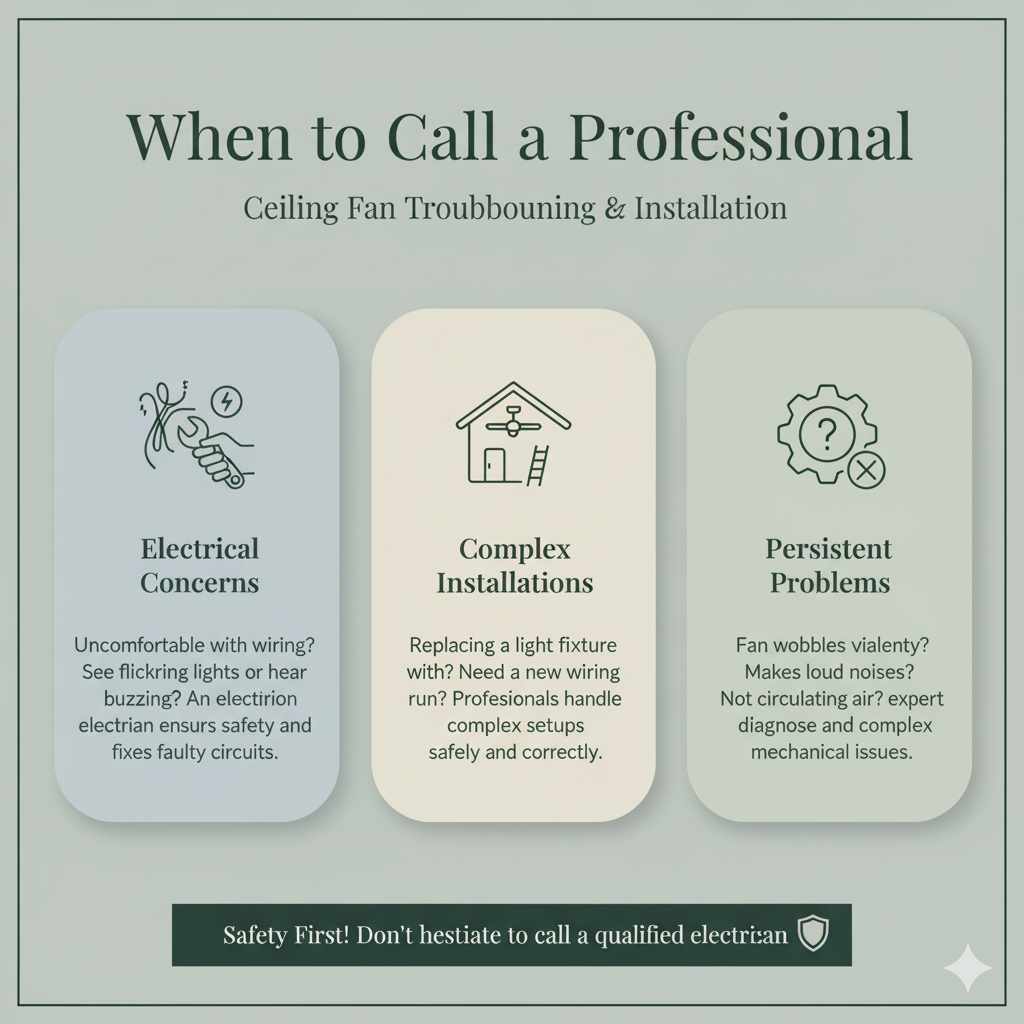
Electrical Concerns: If you’re uncomfortable working with electricity, or if you suspect faulty wiring, always hire a qualified electrician. Safety first!
Complex Installations: If your fan is old, seems improperly installed, or if you’re replacing a light fixture with a fan and aren’t confident with wiring, an electrician can ensure it’s done safely and correctly.
* Persistent Problems: If you’ve tried basic troubleshooting and your fan still isn’t working right, a professional can diagnose and fix more complex issues.
Frequently Asked Questions (FAQ)
Q1: How do I know which way my ceiling fan is supposed to spin for summer and winter?
For summer cooling, you want the fan to spin counter-clockwise to push air down. For winter warming, you want it to spin clockwise to pull air up and gently push warm air down.
Q2: My fan doesn’t have a switch on the motor. How do I change the direction?
Many newer fans use a remote control or a wall-mounted control panel to change direction. Check your fan’s original manual or look for a button labeled “reverse” or with an arrow icon. If you can’t find one, it’s worth checking the manufacturer’s website for your specific model.
Q3: Can I change the direction while the fan is running?
No, absolutely not! You must turn off the power to the fan at the circuit breaker before attempting to change the direction switch. Trying to do so while it’s running can damage the fan’s motor and is a serious safety hazard.
Q4: How fast should my fan be spinning in winter mode?
In winter mode (clockwise rotation), you should always use a low speed. The goal is to gently circulate warm air without creating a noticeable draft. High speeds in winter mode can make your room feel colder.
Q5: Will changing the fan direction really help my energy bills?
Yes, it can! By using your fan to supplement your heating and cooling, you can often adjust your thermostat by a few degrees. This small adjustment can lead to significant savings on your energy bills. The U.S. Energy Information Administration notes that using ceiling fans can reduce cooling costs.
Q6: My fan is making a clicking noise. What could it be?
A clicking noise often means a loose screw, usually in the blade attachments or the light kit. Ensure all screws are tightened. If the noise continues, it might be something more internal to the motor, and it’s best to have it checked by a professional.
Conclusion: Embrace Year-Round Comfort with Your Ceiling Fan
See? That little switch on your ceiling fan is more powerful than you might think! By understanding and utilizing the correct fan direction for each season, you can make your home feel more comfortable and potentially trim down your energy expenses. Remember to always prioritize safety by turning off the power before making any adjustments. With these simple steps, you’re well on your way to enjoying a perfectly tempered home all year long. Happy fanning!