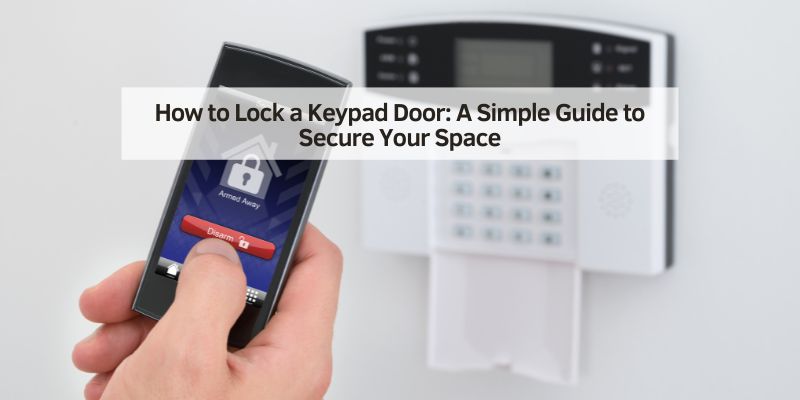
How to Lock a Keypad Door: A Simple Guide to Secure Your Space
Hey there! If you’ve got a keypad door lock at your home, RV, or maybe even your car shop, you know how convenient it is to ditch the keys and punch in a code. But let’s be real—figuring out how to lock it properly can be a bit confusing at first. I remember when I installed my first keypad lock on my front door. I stood there, code in hand, wondering, “Okay, now how do I make sure this thing is locked?” After some trial and error, plus a few lockouts in my RV and garage, I’ve mastered the art of locking a keypad door.
Whether you’re securing your house, protecting your road-trip gear, or keeping your automotive workspace safe, I’m here to share everything I’ve learned about how to lock a keypad door. Let’s go through it step by step, like we’re hanging out in your garage, and get you locking that door with confidence!
Why Locking a Keypad Door Properly Matters
You might think locking a keypad door is as simple as closing it and walking away, but there’s more to it. A keypad lock is only as secure as how you use it. I learned this when I didn’t double-check my RV lock and found the door ajar after a windy night. Properly locking your keypad door keeps your stuff safe, whether it’s your home, your car parts, or your camping gear.
In the USA, where home and vehicle security is a big deal, knowing how to lock your keypad door ensures peace of mind. Plus, it prevents accidental lockouts or leaving your space vulnerable. A few extra seconds can save you a lot of hassle.
Understanding Keypad Door Locks
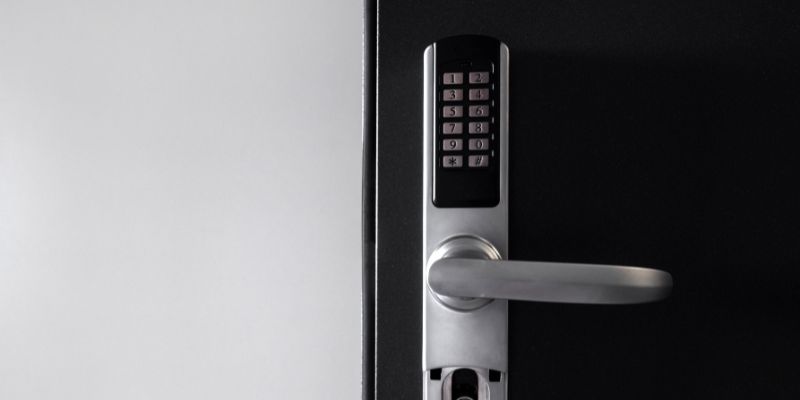
Before we dive into locking, let’s talk about keypad door locks. They come in different types, and I’ve used a few over the years. Most have a numeric keypad where you enter a code to lock or unlock. Some, like my Schlage BE365, have a deadbolt that engages automatically or manually. Others, like the smart lock on my car shop office, connect to an app for remote control. Keypad locks can be mechanical (no batteries) or electronic (battery-powered). My RV has an electronic lock, which is great for convenience but needs battery checks. Knowing your lock’s type helps you understand how to lock it right.
Tools and Information You’ll Need
You don’t need much to lock a keypad door, but having a few things ready makes it easier. Here’s what I keep on hand:
- User Code: The 4- or 6-digit code you use to unlock the door. I have mine memorized, but I keep a backup written down in a safe place.
- Programming Code: For some locks, like my Schlage, you need a 6-digit programming code to change settings. It’s usually on a sticker inside the lock or in the manual.
- User Manual: This has model-specific instructions. I lost mine once but found a digital version online.
- Screwdriver: To access the battery compartment or programming code if needed.
- Fresh Batteries: For electronic locks, in case the lock is sluggish.
- Flashlight: To see the keypad in low light, like at a campsite.
I keep a small toolkit in my car shop, so I’m always ready to tweak my locks, whether at home or on the road.
Step-by-Step Guide to Locking a Keypad Door
Locking a keypad door varies by model, but I’ve broken it down into steps that work for most locks, based on my experience with Schlage, Kwikset, and other brands. Let’s go through it.
Step 1: Close the Door Securely
First, make sure the door is fully closed. I’ve had times when my RV door didn’t latch properly because of wind or a misaligned frame. Push or pull the door to ensure it’s shut tight. On my home’s front door, I give it a gentle tug to confirm it’s latched. A door that’s not fully closed won’t lock properly, leaving your space exposed.
Step 2: Engage the Lock Manually (If Needed)
Some keypad locks, like my Schlage BE365, require you to manually turn a thumb-turn or press a button to engage the deadbolt. After closing the door, I turn the thumb-turn on the inside to extend the bolt. If you’re outside, you might need to enter your user code and press a “lock” button. On my lock, I press the Schlage button after entering the code to lock it. Check your manual—some locks don’t need this step.
Step 3: Use the Keypad to Lock (Electronic Locks)
For electronic locks, you can often lock the door using the keypad. On my Kwikset lock at my car shop, I press the “Lock” button (a padlock symbol) after closing the door. The deadbolt slides into place with a beep. For my Schlage Connect, I enter my 4-digit user code, then press the Schlage button. The lock beeps and flashes green to confirm it’s locked. I always listen for the beep or watch for the light to make sure it worked.
Step 4: Enable Auto-Lock (Optional)
Many smart locks, like my Schlage Connect, have an auto-lock feature. I set mine to lock automatically 30 seconds after unlocking. This is great for my RV when I’m distracted at a campsite. To enable auto-lock, I enter programming mode (using the programming code), follow the manual’s steps, and set the delay time. It’s a lifesaver if you forget to lock manually, but I test it first to ensure it doesn’t lock me out.
Step 5: Test the Lock
Always test the lock before walking away. I try opening the door without entering the code to make sure it’s secure. On my home door, I tug the handle gently. For my RV, I push the door to confirm the deadbolt is engaged. If it opens, something’s wrong—maybe the bolt didn’t extend or the battery’s low. I had this happen once and had to replace the batteries to fix it.
Step 6: Double-Check Settings (Smart Locks)
If you have a smart lock, like my car shop’s, check the app or settings. I use the Schlage app to confirm the door is locked remotely. Some apps send alerts if the lock fails. I also make sure the auto-lock is active and the code is secure. This extra step is worth it when I’m away from the shop, knowing my tools are safe.
Common Keypad Lock Brands and Their Locking Methods
Different brands have slightly different ways to lock. Here’s what I’ve learned about popular models:
| Brand/Model | Locking Method | Notes |
|---|---|---|
| Schlage BE365 | Press Schlage button or turn thumb-turn | Smart lock, app-controlled for RV |
| Schlage Connect | Enter code, press Schlage button; auto-lock | Smart lock; app-controlled for RV |
| Kwikset SmartCode | Press the “Lock” icon or enable auto-lock | Used in my car shop; easy to use |
| Yale Assure | Touchscreen: great for modern homes | My home lock, reliable and simple |
If you’re unsure about your model, check the manual or the brand’s website. I had to look up my Kwikset’s instructions online when I forgot the lock button’s function.
Tips for Secure Locking
Locking your keypad door is one thing, but doing it securely is another. Here’s what I do to keep things tight:
- Use a Strong Code: I avoid simple codes like “1234” or my birthday. I pick a random 4-digit number, like my old car’s VIN digits, and memorize it.
- Don’t Share Codes Lightly: I only give codes to family or trusted employees. For guests, I set temporary codes and delete them after.
- Enable Auto-Lock: This saved me in my RV when I forgot to lock up. I set a 30-second delay to avoid lockouts.
- Check Batteries Regularly: Low batteries can prevent locking. I replace mine every 6 months, especially in my RV lock.
- Test After Locking: I always tug the door to confirm it’s secure before leaving.
Troubleshooting Common Issues
I’ve hit a few bumps locking my keypad doors. Here’s how I handle them:
- Lock won’t engage: Check the batteries. I had to replace mine in my Schlage when it wouldn’t lock. Also, ensure the door is fully closed.
- Keypad Doesn’t Respond: Clean the keypad with a damp cloth to remove dirt. If it’s still dead, change the batteries or check for loose wires.
- Auto-Lock Fails: Make sure the feature is enabled. I had to reprogram my Schlage Connect when the auto-lock stopped working.
- Bolt Sticks: Spray WD-40 or graphite lubricant into the bolt mechanism. This fixed my RV lock when it got sticky after a dusty trip.
Locking Keypad Doors in Automotive Settings
Since this is for an automotive blog, let’s talk about keypad doors in car-related spaces. I’ve used these locks in a few unique ways:
RV Doors
My RV’s keypad lock is a lifesaver at campsites. I lock it by entering my code and pressing the Schlage button. The auto-lock feature ensures it’s secure if I forget. I test the lock before heading to a car show, knowing my gear is safe inside.
Car Shop or Garage Offices
In my car shop, the office door has a Kwikset keypad lock. I press the “Lock” button after closing, and it beeps to confirm. It’s great for securing tools and paperwork. I change the code monthly to limit access to employees only.
Car Show Trailers
Some car show trailers have keypad locks for easy access. I helped a friend set up a temporary code for their trailer door, locking it with a single button press. It’s handy for quick setups but secure enough to protect display cars.
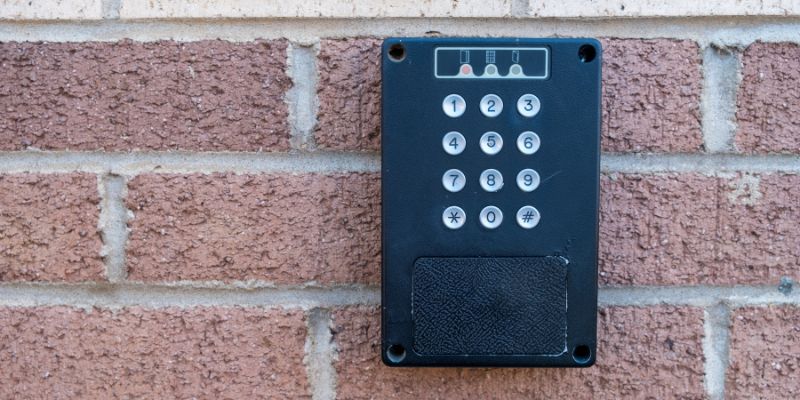
Maintaining Your Keypad Door Lock
A well-maintained lock works better and lasts longer. Here’s how I keep mine in shape:
- Clean the Keypad: I wipe it with a damp cloth and mild soap to remove grime. Avoid harsh chemicals—they can damage the keypad.
- Replace Batteries: I swap out batteries every 6–12 months. My RV lock started beeping randomly when the batteries were low.
- Lubricate the Bolt: I use graphite powder on the deadbolt every few months to keep it smooth.
- Check Alignment: Misaligned doors can jam the bolt. I adjusted my RV door’s hinges when it wouldn’t lock properly.
- Inspect for Wear: I look for loose screws or cracked keypads, especially on my shop lock, which gets heavy use.
Why Keypad Locks Are Great for Automotive Enthusiasts
Keypad locks are perfect for car folks like us. In my RV, I don’t worry about losing keys while camping at car shows. In my shop, the keypad lets me give codes to employees without handing out keys. For home garages with classic cars or tools, a keypad lock adds security without the hassle of carrying keys. I love the convenience and control, especially when I’m juggling wrenches and road trips.
My Personal Experience: Lessons Learned
When I got my first keypad lock, I was thrilled to ditch keys. But I made mistakes, like forgetting to test the lock and leaving my RV door unlocked overnight. Another time, my shop lock wouldn’t engage because of dead batteries—I felt silly replacing them in front of my crew. Each hiccup taught me something: always test the lock, keep spare batteries, and change codes regularly. My proudest moment was setting up a temporary code for a car show volunteer and locking the trailer securely in minutes. Now, I’m confident with my keypad locks, and I want you to feel that way too.
Advanced Features for Keypad Locks
Some keypad locks have cool extras. My Schlage Connect lets me lock the door via an app, which is great when I’m away from my shop. I can also set temporary codes for guests or check the lock’s status remotely. Other locks, like Yale, offer voice control with Alexa. I haven’t tried that yet, but it’s tempting for my home. If your lock has these features, read the manual to set them up. I spent an hour figuring out my app, but I love the control it gives me.
When to Call a Professional
If your lock won’t engage or the keypad is dead, you might need help. I called a locksmith when my RV lock’s keypad stopped working after a storm. For complex smart locks or damaged mechanisms, a pro is worth the $50–$150 cost in the USA. I keep a local locksmith’s number handy for emergencies, like when I’m stuck at a campsite or shop.
Where to Find More Help
If you’re stuck, check your lock’s manual or the brand’s website. Schlage and Kwikset have videos and FAQs that helped me. YouTube tutorials are great for visual guides—I watched one to fix my auto-lock. For automotive settings, RV forums or car club chats share lock tips. I learned about temporary codes from a fellow car show buddy. If you want to dive deeper, locksmith blogs have maintenance advice.
Conclusion: Lock It Up with Ease
Locking a keypad door is like checking your car’s mirrors before a drive—quick, simple, and keeps you safe. I’ve shared my journey—from rookie mistakes to confident locking—so you can secure your home, RV, or car shop without a hitch. With a few button presses and some know-how, you’ll keep your space protected and enjoy the keyless convenience. So, grab your user code, test that lock, and feel good knowing your door’s secure. Here’s to hassle-free locking and the freedom to focus on what you love—whether it’s cars, road trips, or just chilling at home!
Frequently Asked Questions
How do I know if my keypad door is locked?
Test it by trying to open the door without the code. I tug the handle gently to confirm the bolt is engaged.
What if my keypad lock won’t lock?
Check the batteries or ensure the door is closed fully. I replaced my RV lock’s batteries when it stopped locking.
Can I lock a keypad door without a code?
Some locks have a “Lock” button or thumb-turn. My Kwikset locks with one button press after closing the door.
How often should I change my keypad lock’s batteries?
I replace mine every 6–12 months. My Schlage beeps when batteries are low, so I swap them early.
What’s the best code for a keypad lock?
Pick a random 4-digit number you’ll remember, like a car’s model year. I avoid obvious codes like “1234” for security.