How to Reset a Yale Door Lock: Full Factory Reset Steps
Resetting a Yale door lock means removing the battery cover and holding the reset button while reinserting the batteries — not just changing the code from the keypad. This restores factory settings and erases every code, including the master, so it’s the fix for a stuck keypad or a lock you’re moving to a new door. If your master code isn’t set, most Yale keypad models default it to 123456. This guide covers locating your model, the full physical reset, and reprogramming new codes afterward.
What You’ll Need
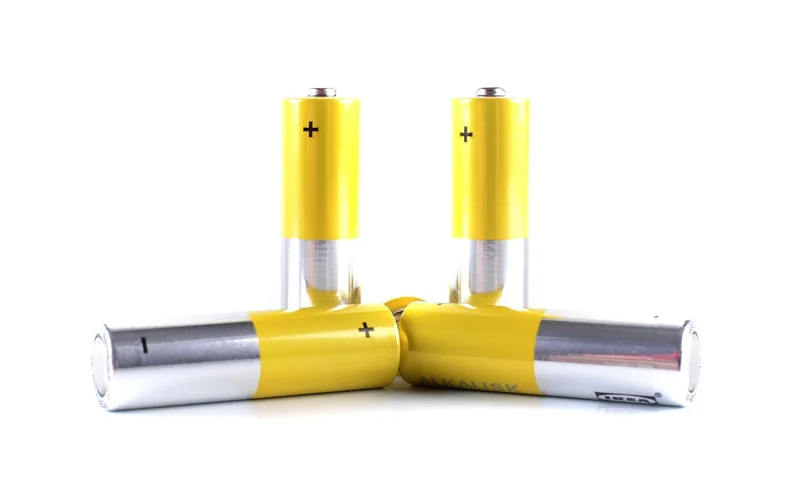
Resetting a Yale lock takes only a few basic items. A Phillips screwdriver that fits the battery cover screws is essential on most keypad models. Have 4 fresh AA batteries ready — a weak battery is the single most common reason a reset fails partway through. Keep a soft cloth handy to clean the lock face, and a small container to hold the screws so they don’t get lost mid-project.
Gather everything before starting — browse our full door hardware and lock guides if you also need help with the door itself, not just the lock — and check your lock’s printed user manual if you still have it — it lists your exact model’s reset-button hold time, which varies by model from 3 to 15 seconds.
Identifying Your Yale Lock Model
Every Yale lock has a model number that determines its exact reset procedure. Look for a label on the interior escutcheon (the plate facing inside your home) or on the original packaging — it’s usually a mix of letters and numbers, such as YRD216 or YRD226 for keypad deadbolts, or listed simply as an Assure Lock SL or Assure Lock 2 for touchscreen models.
Yale locks fall into three broad types: conventional keypad deadbolts (push-button, no app), Yale Assure smart locks (touchscreen or app-connected via Wi-Fi or the Yale Access app — see how a smart lock works for the connectivity basics), and Nest × Yale locks (integrated with Google Home). Each resets differently — smart, app-connected models must be factory-reset through their app first, or you won’t be able to remove the old lock connection afterward. If you can’t find a model number anywhere on the lock, Yale’s support site lists every lock by photo and feature set.
How to Reset a Yale Lock (Step-by-Step)
A factory reset restores a Yale lock to its out-of-box settings and erases every stored code, including the master. Here’s the physical process for most conventional Yale keypad deadbolts:
- Clear the workspace: keep the door unlocked during the reset to prevent an accidental lockout, and remove anything blocking your access to the lock.
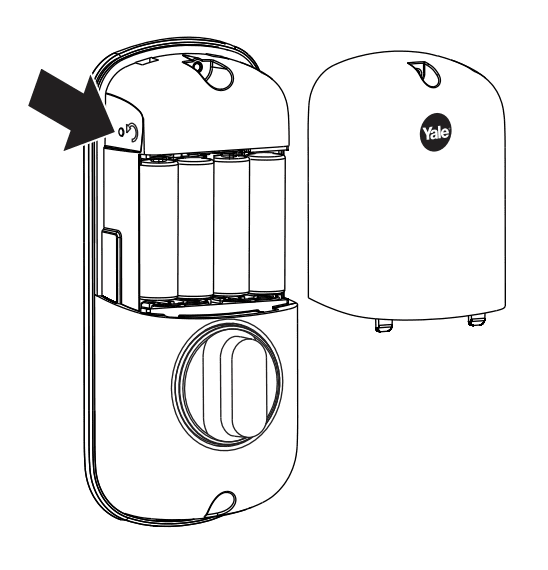
- Remove the battery cover: loosen the screws on the interior cover with your Phillips screwdriver and set them somewhere you won’t lose them.
- Take out the batteries: remove all 4 AA batteries from the compartment.
- Find the reset button: remove the interior escutcheon (the inside plate) to expose it — it sits beside the PCB cable connector, and is usually small, red, or recessed.
- Hold and reinsert: press and hold the reset button while reinserting the batteries, and keep holding for the full duration your model requires — commonly 3 seconds, though some touchscreen models need up to 15. Letting go too soon is the most common reason a reset doesn’t take.
- Confirm the reset: the lock will beep or flash to confirm. Release the button, reassemble the cover, and the lock is ready for a new master code.
📊 If a Yale keypad’s master code was never set, it defaults to 123456. A full factory reset erases this and every other stored code. — Source: Yale Home Support
Reprogramming Your Lock After a Reset
Once reset, your Yale keypad only accepts a new master code — nothing else works until you set one. On conventional Yale Real Living-style push-button deadbolts:
Press the program button, enter your new master code, then press the # key to confirm — you’ll hear a beep once it’s saved. To add codes for family members, press program, enter the master code, press #, then enter each new user code and press # again to save it. Test every code by unlocking the door with it before you consider the setup finished.
Most conventional Yale keypad deadbolts support up to 25 user codes on their own, or up to 250 when paired with a Network Module for remote management. Touchscreen Assure models use the on-screen menu instead of physical buttons, but the master-code-first logic is the same.
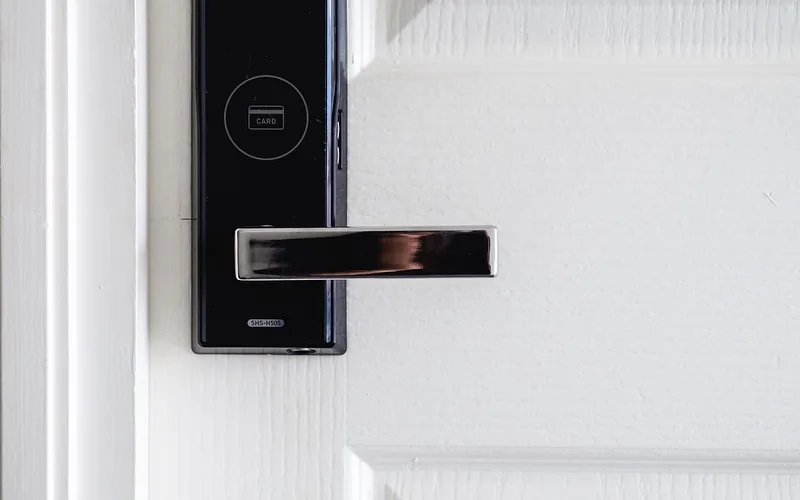
Best Yale Lock Reset Pick
Energizer Ultimate Lithium AA Batteries (10 Pack) – $22.95
A weak battery is the most common reason a Yale reset fails partway through — this pack covers a full 4-battery swap with 6 spares left for the next annual change.
- Best for: replacing all 4 AA batteries before starting a reset
- Why we picked it: rated for extreme temperatures, so it won’t die early in an exterior lock
- Main drawback: pricier per battery than basic alkaline
Compare more Yale lock reset options
 Option 1 JOREST Precision Screwdriver Set – $9.99
|
 Option 2 Yale Code Keypad Deadbolt – $78.99
|
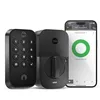 Option 3 Yale Assure Lock 2 with Wi-Fi – $169.99
|
As an Amazon Associate we earn from qualifying purchases.
Troubleshooting Common Reset Issues
A reset that doesn’t take is almost always one of three things. Weak batteries cause the majority of failed resets — the lock needs full power to complete the process, so swap in fresh AA batteries before trying again. Releasing the reset button too early is the second most common cause; hold it the full 3–15 seconds your model needs (check the manual for the exact time) while the batteries go back in, not before.
If the keypad shows an error like “low battery” or a door-jam warning, replace the batteries and confirm the door is properly aligned in the frame — misalignment can trigger false errors even on a freshly reset lock. If none of this works, the reset button itself may be stuck or the internal wiring may be damaged; at that point, contact Yale support or a locksmith rather than repeating the same steps indefinitely.
Maintenance Tips
Check the lock monthly for unusual sounds or sluggish movement, and test it with a couple of different codes to confirm it still responds correctly. Replace batteries once a year even if they haven’t died — cold weather and heavy daily use both drain them faster than the printed battery life suggests. Keep a spare set of 4 AA batteries at home so a dead battery never turns into an accidental lockout.
“A factory reset erases all user codes, including the master code, and returns the lock to its out-of-box default settings.”
Frequently Asked Questions
How To Factory Reset A Yale Lock?
Remove the battery cover and batteries, then remove the interior escutcheon to expose the reset button beside the PCB connector. Press and hold the reset button while reinserting the batteries, keep holding for 3 to 15 seconds depending on your model, then release. The lock beeps or flashes to confirm and is ready for a new master code.
How Do I Change The Code On My Yale Door Lock?
Press the program button, enter your current master code, press the # key, then enter your new master code and press # again to confirm. You’ll hear a beep once it’s saved. Always test the new code by unlocking the door with it before considering the change complete.
How To Reset Yale Door Lock Code Without Master Code?
A physical factory reset doesn’t require the master code — remove the batteries, hold the reset button, and reinsert the batteries as described above. For code-specific lockout recovery options, see our dedicated guide on resetting a Yale lock code without the master code.
How Do You Reset A Yale 4 Digit Combination Lock?
Open the lock with its current code, rotate the shackle or dial mechanism as specified in your model’s manual, and set a new combination. Test the new combination before relying on it, since combination padlocks reset differently from keypad deadbolts.
Why Would I Need To Reset My Yale Lock?
Common reasons include an unresponsive keypad, a forgotten or compromised master code, moving the lock to a different door, or preparing it for a new occupant. A factory reset clears every stored code so the lock starts completely fresh.
What If My Yale Lock Reset Isn’t Working?
Try fresh batteries first, since weak batteries cause most failed resets. Hold the reset button for the full time your model requires without letting go early. If it still fails after 2 to 3 attempts with new batteries, the reset button or internal wiring may be damaged, and Yale support or a locksmith can help.
Conclusion
Resetting a Yale door lock is a physical process, not just a code change: remove the batteries, hold the reset button, and reinsert them to restore factory settings. Fresh batteries and the correct hold time solve most failed attempts. Once reset, set a new master code immediately — the lock won’t accept user codes until you do.
Keep your model number and manual on hand for next time, and replace batteries annually so a low-power reset failure never turns into a lockout.
Sponsored / affiliate links. As an Amazon Associate I earn from qualifying purchases. I may earn additional commission from eligible campaigns.