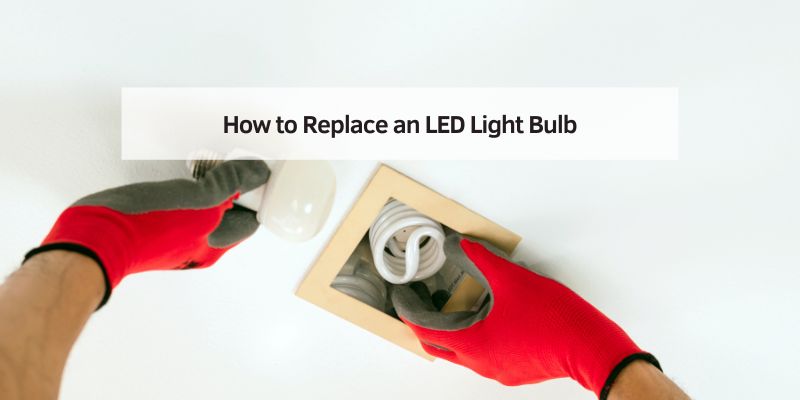
How to Replace an LED Light Bulb
Hey there! If you’ve ever found yourself squinting in a dimly lit room or staring at a flickering bulb, you know it’s time for a change. Replacing an LED light bulb might sound like a small task, but it’s one of those home improvement projects that can make a big difference. I’ve swapped out plenty of bulbs in my own home, from cozy bedroom lamps to bright kitchen fixtures, and I’m excited to walk you through the process. Whether you’re a first-time homeowner or just looking to refresh your space, this guide will make replacing an LED light bulb feel like a breeze. Let’s dive in and brighten up your home, one bulb at a time!
Why Choose LED Light Bulbs?
I remember the days of incandescent bulbs, where I’d have to replace them every few months. LED bulbs, though, are a game-changer. They last longer, use less energy, and give off a crisp, clean light that can transform any room. Before we get into the nitty-gritty of replacing them, let’s talk about why LEDs are worth it.
LEDs, or Light Emitting Diodes, are super efficient. They use up to 80% less energy than traditional bulbs, which means lower electricity bills. I noticed a difference in my own home after switching to LEDs a few years ago—my energy bill dropped noticeably. Plus, they can last 25,000 hours or more, compared to just 1,000 hours for incandescent bulbs. That’s years of worry-free lighting! They also come in various color temperatures, from warm yellows to cool whites, so you can set the perfect mood for any space.
Another perk? LEDs are eco-friendly. They don’t contain mercury like some compact fluorescent bulbs, and their long lifespan means less waste in landfills. Whether you’re lighting up your living room or your outdoor porch, LEDs are a smart choice for both your wallet and the planet.
Tools and Materials You’ll Need
Before you start, it’s good to have everything ready. I’ve learned from experience that scrambling for tools mid-task is no fun. Here’s what you’ll need to replace an LED light bulb:
| Item | Purpose |
|---|---|
| Replacement LED bulb | Matches the wattage, base type, and color temperature of your old bulb. |
| Step ladder or stool | Helps you safely reach ceiling fixtures or high lamps. |
| Soft cloth or gloves | Protects the bulb and keeps oils from your hands off the glass. |
| Flashlight (optional) | Handy if you’re working in a dark space or need to see inside a fixture. |
I always keep a small toolbox with these items in my garage. If you’re replacing a bulb in a ceiling fixture, a sturdy step ladder is a must—safety first! Also, make sure the replacement bulb matches the old one’s specifications. Check the base type (like E26 or GU10) and the wattage or lumens, which measure brightness. I once grabbed the wrong bulb size and had to make an extra trip to the store—not fun.
Safety First: Preparing to Replace Your LED Bulb
I can’t stress this enough: safety is key when dealing with anything electrical. Even though replacing a light bulb is simple, a little caution goes a long way. Here’s how I make sure I’m safe before I start.
First, always turn off the power to the light fixture. If it’s a lamp, unplug it from the outlet. For ceiling or wall fixtures, flip the switch off at the wall, and for extra safety, turn off the circuit breaker. I learned this the hard way when I got a mild shock from a “switched-off” lamp that was still plugged in. Trust me, double-check the power.
Next, let the old bulb cool down. LEDs don’t get as hot as incandescent bulbs, but they can still be warm after being on for a while. I usually wait about five minutes to be safe. If the bulb is in a tight fixture, use a flashlight to check for any damage or wear in the socket. Cracked or corroded sockets might need professional attention, so don’t ignore those warning signs.
Finally, wear gloves or use a soft cloth when handling the new LED bulb. The oils from your fingers can shorten the bulb’s lifespan. I keep a pair of clean cotton gloves in my toolbox just for this purpose—it’s a small step that makes a big difference.
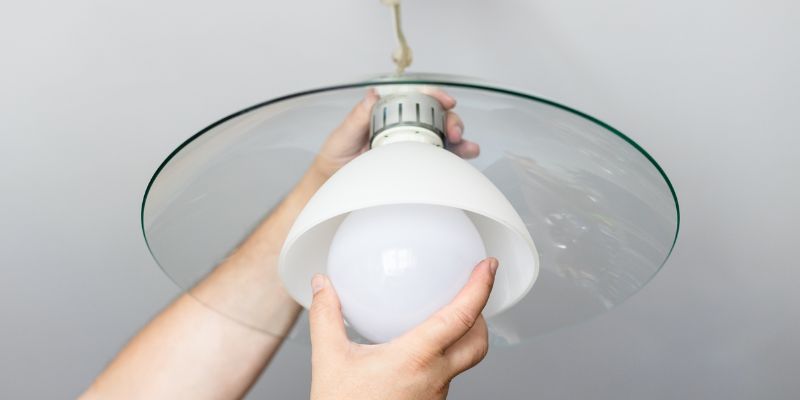
Step-by-Step Guide to Replacing an LED Light Bulb
Now, let’s get to the fun part—actually replacing the bulb! I’ve done this dozens of times, and it’s straightforward once you know the steps. Follow along, and you’ll have that new bulb glowing in no time.
Step 1: Turn Off the Power
As I mentioned earlier, make sure the power is off. For lamps, unplug them. For ceiling or wall fixtures, turn off the switch and the breaker. I always double-check by flipping the switch a couple of times to confirm the light doesn’t come on.
Step 2: Remove the Old Bulb
If the bulb is cool to the touch, gently twist or pull it out, depending on the base type. Most LED bulbs have a screw-in base (like E26) or a pin base (like GU10). For screw-in bulbs, turn counterclockwise to loosen. For pin-based bulbs, gently pull straight out or twist slightly—check the fixture’s instructions if you’re unsure. I’ve had a few stubborn bulbs that needed a little extra wiggle, but don’t force it. If it’s stuck, double-check the base type or call a professional.
Step 3: Check the Socket
Before popping in the new bulb, take a quick look at the socket. Is it clean and free of corrosion? I once found a dusty socket that was causing flickering issues, so I gave it a quick wipe with a dry cloth. If you see any damage, like burn marks or frayed wires, stop and call an electrician. Safety first!
Step 4: Install the New LED Bulb
Take your new LED bulb and handle it with a cloth or gloves. For screw-in bulbs, align the base with the socket and turn clockwise until it’s snug but not overly tight. For pin-based bulbs, line up the pins and push gently until it clicks into place. I always give it a slight tug to make sure it’s secure.
Step 5: Test the New Bulb
Turn the power back on—plug in the lamp or flip the breaker and switch. If the bulb lights up, you’re golden! If not, turn off the power again and check the bulb’s connection. I had one instance where the bulb wasn’t fully screwed in, and a quick twist fixed it. If it still doesn’t work, the bulb might be faulty, or there could be an issue with the fixture itself.
Choosing the Right LED Bulb
Picking the right LED bulb can feel overwhelming with all the options out there. I’ve stood in the lighting aisle, scratching my head over lumens and color temperatures, so let me break it down for you.
First, check the base type. The most common is E26, which fits standard lamps and fixtures. Others, like GU10 or MR16, are used for recessed or track lighting. Look at the old bulb or the fixture’s label to confirm.
Next, consider brightness, measured in lumens. A 60-watt incandescent bulb is about 800 lumens, so look for an LED with similar output. I usually go for 800-1000 lumens for living spaces and 400-600 lumens for softer lighting, like in bedrooms.
Color temperature is another big factor. It’s measured in Kelvin (K). Warm white (2700K-3000K) gives a cozy, yellowish glow, perfect for living rooms. Cool white (3500K-4100K) is brighter and great for kitchens or workspaces. Daylight (5000K-6500K) mimics natural light and works well for outdoor fixtures. I mix and match depending on the room—warm white for my living room, cool white for my home office.
Finally, check for dimmability if you have a dimmer switch. Not all LEDs are dimmable, and using a non-dimmable bulb with a dimmer can cause flickering. I learned this after installing a non-dimmable bulb in my dining room—lesson learned!
Troubleshooting Common Issues
Even with a simple task like this, things can go wrong. Here are some issues I’ve run into and how to fix them.
If the bulb doesn’t light up, check the connection first. Make sure it’s securely screwed or pushed in. If that doesn’t work, test the bulb in another fixture to rule out a defective bulb. I once thought a fixture was broken, but it turned out to be a dud bulb.
Flickering is another common problem. It could be a loose bulb, a faulty socket, or an incompatible dimmer. If you’re using a dimmer, ensure the bulb is dimmable. I had to replace an old dimmer switch in my home to stop the flickering with my new LEDs.
If the bulb feels loose or wobbly, the socket might be worn out. This happened in my garage, and I had to replace the entire fixture. If you’re not comfortable doing that, call an electrician.
Maintaining Your LED Bulbs
LEDs are low-maintenance, but a little care can extend their life even further. I dust my fixtures every few months to keep them clean—dust buildup can trap heat and shorten the bulb’s lifespan. Use a dry or slightly damp cloth, and never spray cleaner directly onto the bulb or socket.
Also, avoid turning LEDs on and off too frequently. While they’re more durable than incandescent bulbs, constant switching can wear them out over time. I leave my outdoor LEDs on a timer to avoid this issue.
If you’re using LEDs in enclosed fixtures, like recessed cans, make sure the bulb is rated for enclosed spaces. I didn’t know this at first and had a bulb burn out early because it overheated in a sealed fixture.
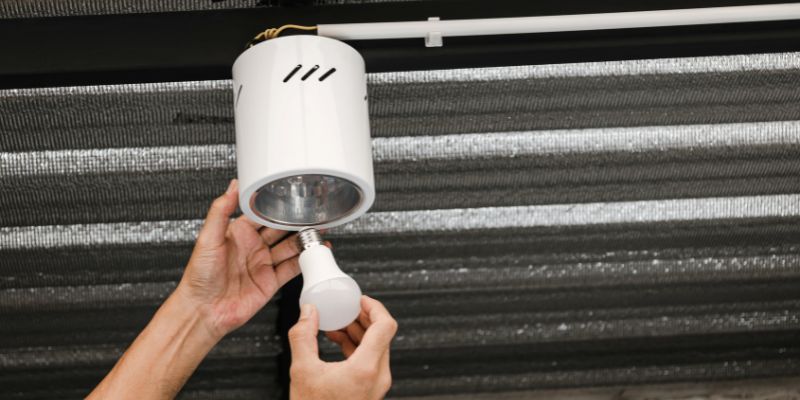
Benefits of Upgrading Your Home’s Lighting
Switching to LEDs isn’t just about replacing a bulb—it’s about upgrading your home. I’ve seen the difference in my own space, and it’s more than just brighter rooms. My home feels more inviting, and I love the flexibility of choosing different light temperatures for different moods.
LEDs also add value to your home. If you’re planning to sell, energy-efficient upgrades like LEDs can be a selling point. I’ve had friends in real estate tell me buyers love seeing modern, eco-friendly features.
Plus, the cost savings add up. I calculated that switching my entire home to LEDs saved me about $100 a year on my energy bill. That’s money I can spend on other home projects—or a nice dinner out!
Conclusion
Replacing an LED light bulb is one of those small tasks that can make a big impact. It’s quick, affordable, and something anyone can do with a little know-how. I’ve loved seeing how a simple bulb swap can brighten up my home and save me money in the long run. By following these steps—staying safe, choosing the right bulb, and troubleshooting any issues—you’ll be well on your way to a well-lit, energy-efficient home. So grab that new LED bulb, climb up that ladder, and let’s make your space shine!
Frequently Asked Questions
Can I replace an LED bulb myself, or do I need an electrician?
You can definitely replace an LED bulb yourself! It’s a simple task that doesn’t require special skills. Just make sure to turn off the power and follow the steps I outlined. If you notice any damage to the socket or wiring, though, it’s best to call an electrician.
How do I know if my LED bulb is dimmable?
Check the packaging or the bulb itself for the word “dimmable.” If it doesn’t say it, assume it’s not. I made the mistake of using a non-dimmable bulb with a dimmer switch once, and it caused annoying flickering.
What’s the difference between warm white and cool white LEDs?
Warm white (2700K-3000K) has a cozy, yellowish glow, great for living rooms or bedrooms. Cool white (3500K-4100K) is brighter and more neutral, perfect for kitchens or offices. I use warm white in my family room for a relaxed vibe and cool white in my kitchen for cooking.
Why is my new LED bulb flickering?
Flickering can happen if the bulb isn’t screwed in tightly, the socket is dirty, or the bulb isn’t compatible with a dimmer switch. Try tightening the bulb or cleaning the socket. If you’re using a dimmer, make sure the bulb is dimmable. I had this issue in my dining room and fixed it by swapping to a dimmable bulb.
How long do LED bulbs really last?
Most LED bulbs last 15,000 to 25,000 hours, depending on the brand and usage. That’s about 10-20 years if you use them a few hours a day. I’ve had some LEDs in my home for over five years, and they’re still going strong!
Can I use an LED bulb in any fixture?
Most fixtures work with LEDs, but check the base type (like E26 or GU10) and whether the fixture is enclosed. Enclosed fixtures need LEDs rated for that use to avoid overheating. I learned this after a bulb failed early in my recessed lighting.