How to Reverse Ceiling Fan Direction With Remote Hampton Bay Easily
Ever wondered why your ceiling fan isn’t quite doing the trick when seasons change? You might be missing out on a simple yet effective adjustment: reversing the fan’s direction.
This tweak can make a significant difference in how comfortable your home feels, whether it’s summer or winter. If you own a Hampton Bay ceiling fan with a remote, you’re in luck. Changing the direction is easier than you think, and it can enhance your comfort with just a few clicks.
Imagine walking into a room that instantly feels cooler in summer or warmer in winter, without cranking up the air conditioning or heating. By mastering the art of reversing your ceiling fan, you can optimize air circulation and even cut down on energy costs. You’re about to discover the steps to do just that, transforming your living space into a haven of comfort. Keep reading to learn how to make the most of your Hampton Bay ceiling fan’s capabilities.
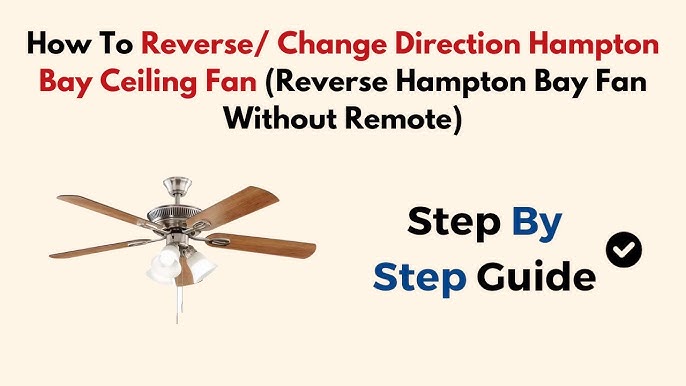
Credit: www.youtube.com
Understanding Ceiling Fan Direction
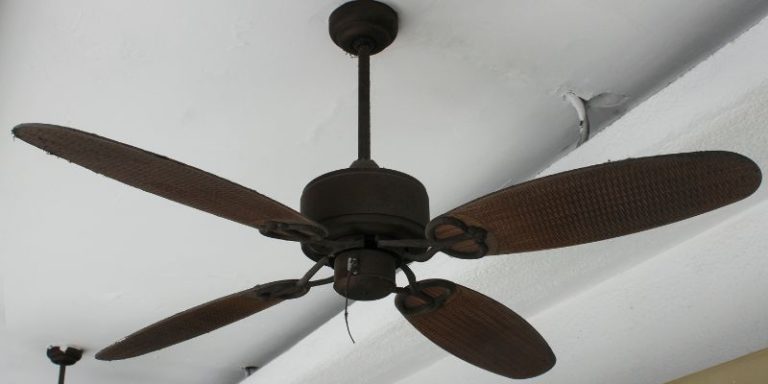
Fan directionchanges how air moves in a room. In summer, fans should turn counterclockwise. This creates a breeze that cools people. In winter, fans should turn clockwise. This pushes warm air down from the ceiling.
Using the right direction saves energy. It keeps rooms comfortable. This can lower heating and cooling costs. Fans help in both hot and cold seasons. They make the air feel just right.
Ceiling fans have benefits all year round. In summer, they keep rooms cool. In winter, they help circulate warm air. This means less need for heaters or air conditioners.
Fans also freshen up the air. They help remove stuffy air in rooms. This makes spaces feel more pleasant. It’s important to change fan direction with the seasons. This ensures the best comfort and savings.

Credit: www.youtube.com
Identifying Hampton Bay Ceiling Fans
Changing the direction of Hampton Bay ceiling fans with a remote is simple. Press the reverse button on the remote control. This action adjusts the fan blades to spin in the opposite direction, improving airflow in your space.
Common Models
Hampton Bay offers many ceiling fan models. The Glendaleand Littletonare popular choices. They often feature a simple designand affordable price. The Carroltonmodel is also well-known. It has a sleek look and modern features.
Features Of Hampton Bay Fans
These fans have many unique features. Most models include a remote controlair circulationduring different seasons. Many fans come with LED lightsfor energy savings. Some models have a quiet motorfor peaceful use.
Locating The Remote Control
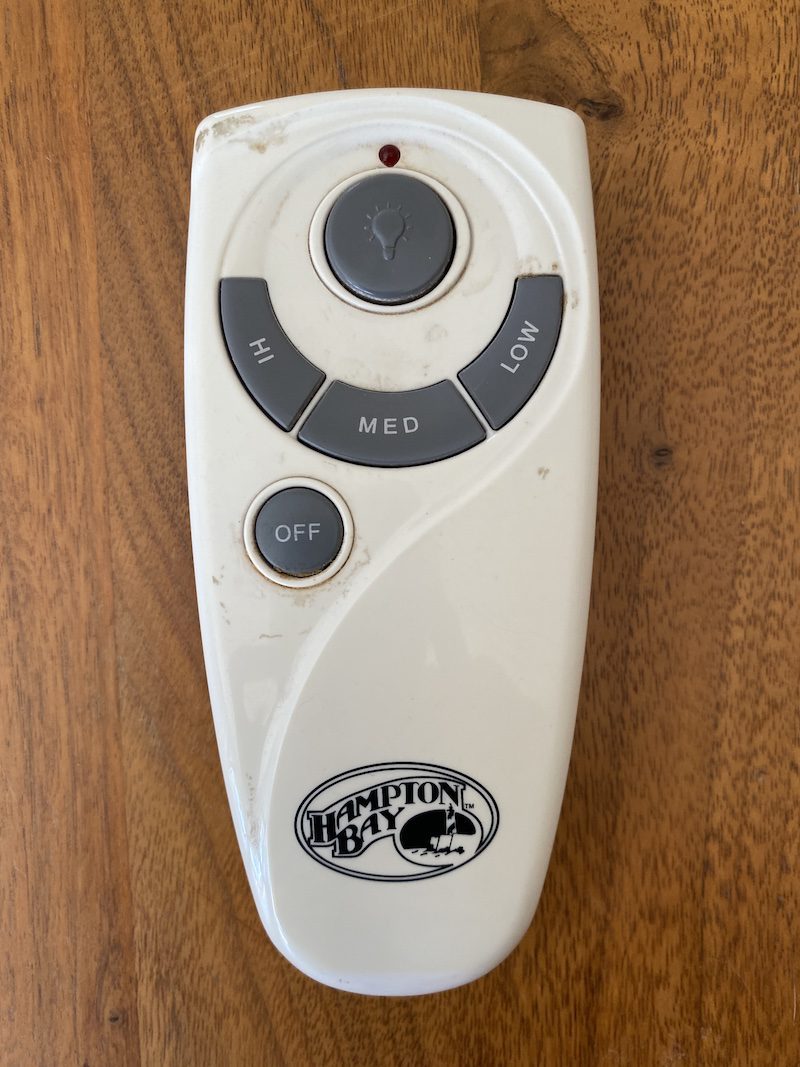
Find the remote control for your Hampton Bay fan. It should be near the fan or a safe place. Check the remote’s design and buttons. Each remote is different. Look for a direction button. This button changes the fan’s direction. Study the symbols carefully.
Ensure the remote matches your fan model. Hampton Bay fans have different remotes. Some remotes work only with specific models. Read the user manual for compatibility details. This helps you use the right remote.
Check the remote’s battery compartment. Remove old batteries carefully. Install new batteries if needed. Use the correct battery type. Put batteries in the right direction. Secure the battery cover back on. Test the remote to see if it works.
Steps To Reverse Fan Direction
First, locate the remote controlfor your Hampton Bay fan. Ensure the batteries are working. Press the power buttonto activate the remote. Look for the fan buttonon the remote. This button controls the fan’s direction.
Press the fan button to change the direction. Watch the fan blades. They will start moving in the opposite direction. Feel the air. It should change from warm to cool. Repeat if needed. Ensure the fan is set to your preference.
Troubleshooting Common Issues
Changing the direction of a Hampton Bay ceiling fan with a remote is easy. Locate the reverse button on your remote. Press it to switch fan direction for seasonal comfort.
Fan Not Responding
Ensure the remote control has new batteries. Weak batteries can cause connection issues. Check if the remote is pointed directly at the fan. Obstacles like walls can block the signal. Try to reset the remote by removing the batteries. Wait for 10 seconds. Then insert them back. This might fix any glitches. Make sure the fan’s power switch is turned on. Without this, the fan won’t work. If the fan still does not respond, check the fan’s receiver. It might have a loose connection. Secure any loose wires inside the fan.
If nothing works, consult the fan’s manual. The manual has specific troubleshooting steps. Following these may solve the issue. If problems continue, reach out to customer support. They can provide further help.

Credit: www.amazon.com
Additional Tips For Optimal Fan Use
Keep your fan clean. Dust can make it slow. Use a soft cloth to wipe the blades. Do this every month. Check the screws too. Loose screws can make noise. Tighten them with a screwdriver. Ensure the remote has fresh batteries. Weak batteries can cause problems. These simple steps help your fan work better.
Save energy with your fan. Use it with your AC. Set your AC higher. The fan will spread cool air. This uses less power. In winter, reverse the fan. It pushes warm air down. Your heater can be set lower. This also saves energy. Turn off the fan when you leave the room. Fans cool people, not rooms.
Faqs On Ceiling Fan Direction
Many ask why a ceiling fan’s direction matters. Changing direction can save energy. It can also improve comfort. Winter mode pulls cool air up. This helps warm the room. Summer mode pushes air down. This creates a cool breeze.
How do you know the direction? Stand under the fan. If you feel air, it’s in summer mode. No breeze? It’s in winter mode. Most fans have a switch. Some use a remote. Check your fan’s manual.
Why does the fan wobble after changing direction? It might be unbalanced. Check the fan blades. Tighten any loose screws. Balance kits can help too.
Frequently Asked Questions
How Do I Reverse My Hampton Bay Fan Direction?
To reverse your Hampton Bay fan direction, use the remote control. Locate the reverse button, usually marked with arrows. Press it to switch the fan’s rotation. This helps in optimizing airflow for different seasons.
Why Change Ceiling Fan Direction Seasonally?
Changing the fan’s direction optimizes heating and cooling efficiency. In winter, clockwise rotation pushes warm air down. In summer, counterclockwise creates a cooling breeze. This can reduce energy costs.
Can I Reverse Fan Direction Without A Remote?
Without a remote, use the fan’s pull chain or manual switch. Check the fan body for a small switch. Flip it to change the rotation direction. If unsure, consult the user manual for guidance.
What If My Fan Remote Doesn’t Work?
If the remote fails, check the batteries first. Ensure the remote is paired with the fan. Refer to the manual for pairing instructions. If it still doesn’t work, consider replacing the remote.
Conclusion
Switching your Hampton Bay ceiling fan direction is simple. Use the remote. Follow the steps outlined in this guide. Ensure the fan is off before changing direction. It improves comfort and efficiency. Proper direction saves energy all year. A cool breeze in summer.
Warmer air in winter. Regular checks keep your fan working well. This small task makes a big difference. Enjoy a comfortable home environment. Stay efficient with your Hampton Bay fan. Thank you for reading.