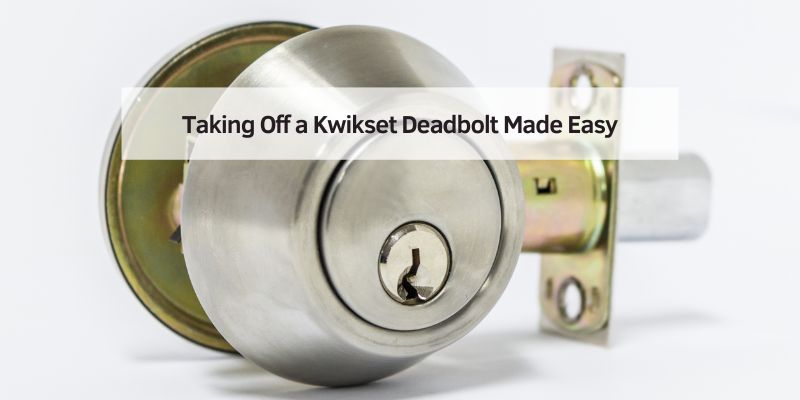
Taking Off a Kwikset Deadbolt Made Easy
I remember my first time trying to remove a Kwikset deadbolt. My front door lock was old, and I wanted a shiny new smart lock. I was nervous, but it was easier than I thought! In this guide, I’ll show you how to remove a Kwikset deadbolt step by step. Whether you’re a beginner or a DIY pro, you’ll find simple tips to make it fun and safe. Let’s get started!
What Is a Kwikset Deadbolt?
A Kwikset deadbolt is a strong lock on your door. It keeps your home safe by sliding a metal bolt into the door frame. People remove it to replace it, fix it, or upgrade to a smart lock. There are two main types: single-cylinder (key outside, thumb-turn inside) and double-cylinder (key on both sides). Knowing your type helps you remove it easily.
Why Remove a Kwikset Deadbolt?
You might want to remove a Kwikset deadbolt for a few reasons. Maybe it’s stuck, like mine was when I couldn’t turn the key. Or you’re moving and need a new lock. Sometimes, you just want a cooler lock, like a keypad model. Whatever the reason, it’s a simple job with the right tools and steps.
Tools You’ll Need
You don’t need fancy tools to take off a Kwikset deadbolt. Here’s what I used:
- Phillips screwdriver: For most screws.
- Flathead screwdriver: To pry off covers.
- Allen wrench (1/16-inch): For some models with set screws.
- Pliers: To pull stuck parts.
- Utility knife: To cut paint around the lock.
Here’s a quick table to help you pick tools:
| Tool | Use | Cost (Approx.) |
|---|---|---|
| Phillips screwdriver | Remove screws | $5-$10 |
| Flathead screwdriver | Pry off covers | $5-$10 |
| Allen wrench | Remove set screws | $3-$8 |
Caption: Basic tools for removing a Kwikset deadbolt.
How to Remove a Kwikset Deadbolt: Step-by-Step
Let’s dive into how to remove a Kwikset deadbolt. I’ll break it into easy steps for single-cylinder and double-cylinder locks. Follow along, and you’ll have it off in no time!
Step 1: Get Your Door Ready
Open your door wide. This keeps it steady while you work. If the deadbolt is locked, try to unlock it with the key or thumb-turn. A locked bolt can make removal tricky, so unlocking helps.
Step 2: Find and Remove the Screws
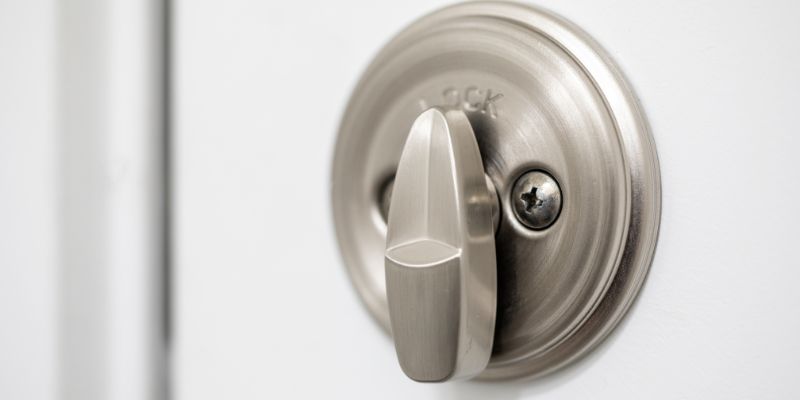
Look at the inside part of the lock (the thumb-turn side for single-cylinder). You’ll see two screws, usually above and below the thumb-turn. Use your Phillips screwdriver to take them out. Keep them in a cup so they don’t get lost. For double-cylinder locks, check both sides for screws.
Step 3: Check for a Set Screw
Some Kwikset models have a tiny set screw on the thumb-turn. It’s a small hole needing a 1/16-inch Allen wrench. Turn it counterclockwise to loosen it. If it’s stuck, don’t force it—try a little WD-40. This was a game-changer for me when my lock wouldn’t budge!
Step 4: Take Off the Faceplate
Once screws are out, gently pull the inside faceplate off. If it’s stuck, use a flathead screwdriver to pry it gently. Be careful not to scratch your door. Sometimes, paint sticks the plate to the door, so cut around it with a utility knife first.
Step 5: Remove the Exterior Part
Now, pull the outside part (key side) away from the door. It should slide out with the bolt mechanism. If it’s stuck, wiggle it gently. For double-cylinder locks, you may need to remove screws on the outside too.
Step 6: Take Out the Bolt Mechanism
The bolt is the metal piece in the door’s edge. Look for two small screws holding it in place. Unscrew them and pull the bolt out. If it’s stuck, use pliers to wiggle it free.
Here’s a table summarizing the steps:
| Step | Action | Tool Needed |
|---|---|---|
| 1. Get door ready | Open door, unlock deadbolt | Key (if needed) |
| 2. Remove screws | Unscrew inside faceplate | Phillips screwdriver |
| 3. Check set screw | Loosen set screw (if present) | Allen wrench |
| 4. Remove faceplate | Pry off inside plate | Flathead screwdriver |
| 5. Remove exterior | Pull out key side | Hands |
| 6. Remove bolt | Unscrew and pull bolt | Phillips screwdriver |
Caption: Steps to remove a Kwikset deadbolt.
Tips to Avoid Common Mistakes
When I first tried this, I made some mistakes. Here’s how to avoid them:
- Don’t force screws: If they’re stuck, spray WD-40 and wait a minute.
- Check for hidden screws: Some models hide screws under a cover. Pop it off with a flathead.
- Avoid scratching the door: Use a utility knife to cut paint first.
Benefits and Drawbacks of Removing a Deadbolt
Removing a Kwikset deadbolt is great for upgrading or fixing locks. You can install a smart lock, like I did, for keyless entry. But it leaves your door without a lock temporarily, so plan ahead. Another option is rekeying, which keeps the lock but changes the key. Rekeying is cheaper but needs special tools.
Here’s a comparison table:
| Option | Pros | Cons |
|---|---|---|
| Remove deadbolt | Upgrade to new lock, fix issues | Door is unlocked until replaced |
| Rekey deadbolt | Cheaper, keeps same lock | Needs special tools, more steps |
Caption: Removing vs. rekeying a Kwikset deadbolt.

From my experience, here are some tricks:
- Work in good light: It’s easier to see small screws.
- Take photos: Snap a picture of each step to remember how it goes back.
- Be patient: If it’s stuck, don’t rush—gentle wiggling works.
I suggest sketching a diagram of the deadbolt parts or a photo of the screwdriver in action. These visuals make it easier to follow along, though I haven’t included them here.
Other Ways to Handle a Deadbolt
If removing the deadbolt seems tough, you can try other fixes. Lubricating with WD-40 might free a stuck lock. Or, rekey it with a Kwikset SmartKey tool if you just need a new key. For tough cases, a locksmith can help, but that costs more. Check Kwikset’s support page for specific model tips.
Conclusion
Removing a Kwikset deadbolt is a fun DIY project. With a few tools and my steps, you can do it in minutes. Whether you’re fixing a stuck lock or upgrading, it’s rewarding to do it yourself. Try it out, and let me know how it goes! Share your story in the comments or ask me for more tips. Happy DIY-ing!
Frequently Asked Questions
How Do I Remove a Kwikset Deadbolt Without a Key?
If you don’t have a key, unlock the deadbolt with the thumb-turn if it’s single-cylinder. For double-cylinder locks, you may need a locksmith to pick the lock first. Then, follow the steps to unscrew and remove the faceplate and bolt. Be gentle to avoid damaging the door.
What If My Kwikset Deadbolt Is Stuck?
A stuck deadbolt might have paint or rust. Use a utility knife to cut around the faceplate. Spray WD-40 into the bolt mechanism and wiggle it gently. If it’s still stuck, a flathead screwdriver can help pry it loose carefully.
Can I Remove a Kwikset Smart Lock the Same Way?
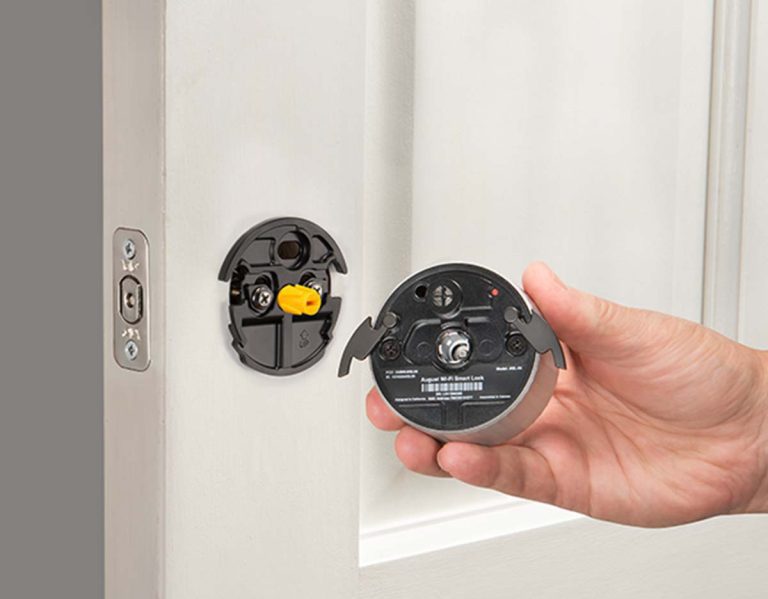
Yes, Kwikset smart locks are similar. Remove the battery cover first, then find the screws underneath. Unscrew them and follow the same steps to remove the faceplate and bolt. Check Kwikset’s electronic lock support for model-specific tips.
How Long Does It Take to Remove a Kwikset Deadbolt?
It usually takes 10-15 minutes with the right tools. If screws are stuck or the lock is old, it might take 20 minutes. Work slowly to avoid mistakes, and keep all parts in a cup for easy reassembly or replacement.
What Tools Do I Need to Remove a Kwikset Deadbolt?
You need a Phillips screwdriver, a flathead screwdriver, and sometimes a 1/16-inch Allen wrench for set screws. Pliers and a utility knife help with stuck parts or paint. These are cheap and easy to find at stores like Home Depot.
Can I Reuse a Kwikset Deadbolt After Removing It?
Yes, if it’s not damaged, you can reuse it. Keep all parts together and clean them with soapy water before reinstalling. If it’s old or sticky, consider replacing it with a new one for better security.
What If I Strip the Screws?
Stripped screws are annoying but fixable. Use a rubber band over the screw head to grip it with your screwdriver. Or, try a screw extractor tool from a hardware store. Work slowly to avoid making it worse.