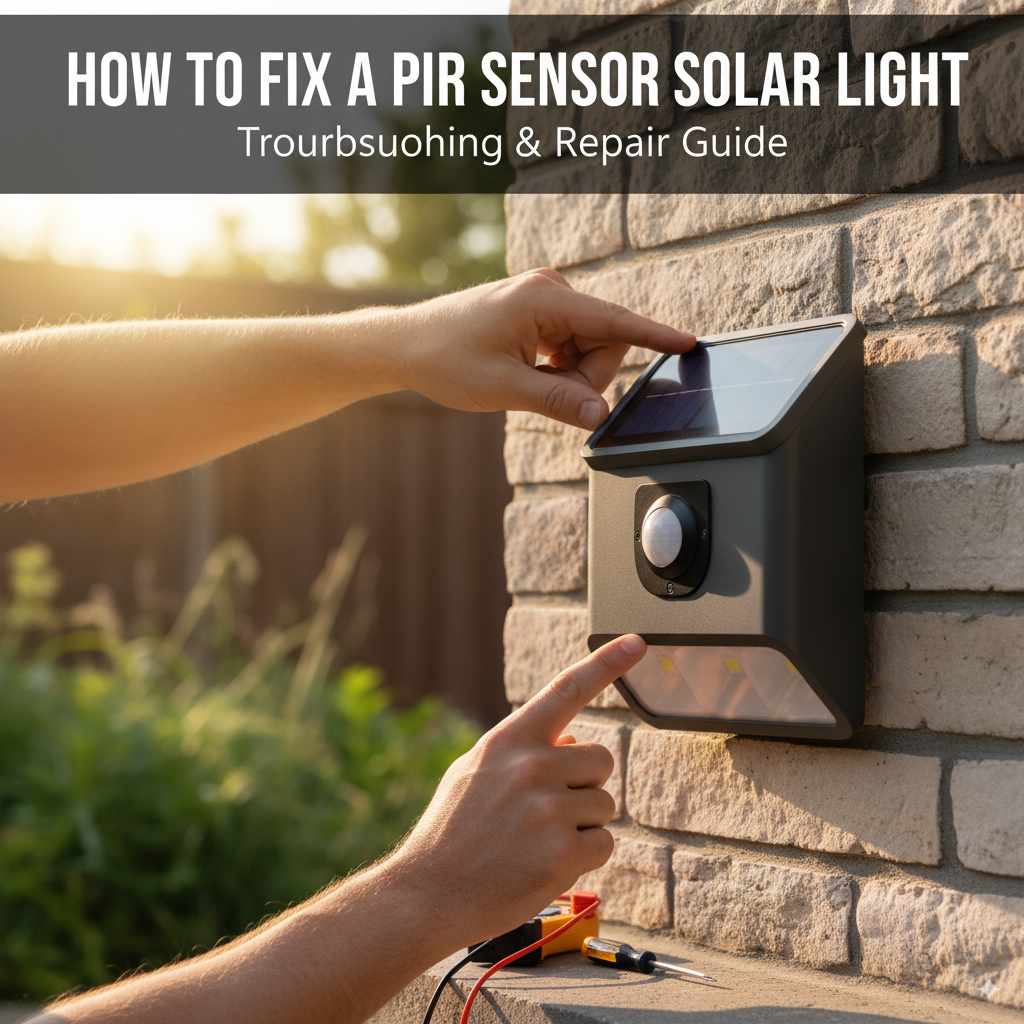
How to Fix a PIR Sensor Solar Light: Essential Guide
Quick Summary
Don’t let a flickering solar light dim your evening! Fixing a PIR sensor solar light is usually straightforward. Most issues stem from simple problems like low battery, dirty panels, or sensor obstruction. This guide will walk you through easy troubleshooting steps to get your solar light shining bright again.
Hello there, fellow homeowners and DIY enthusiasts! Md Meraj here, your guide to making home improvement projects feel less like a chore and more like a satisfying accomplishment. We’ve all been there: you install a neat solar-powered light, perhaps by your garden path or illuminating your front door, and it works like a charm for a while. Then, one day, it just… stops. Or maybe the motion sensor, the PIR (Passive Infrared) part, seems to have lost its spark. It’s frustrating when technology we rely on for safety and ambiance decides to take an unscheduled break. But before you think about replacements or calling for pricey help, take a deep breath. Many common PIR sensor solar light problems have simple, DIY-friendly fixes. We’re going to tackle these issues step-by-step, just like we would with any woodworking project, breaking it down into manageable parts. You’ve got this!
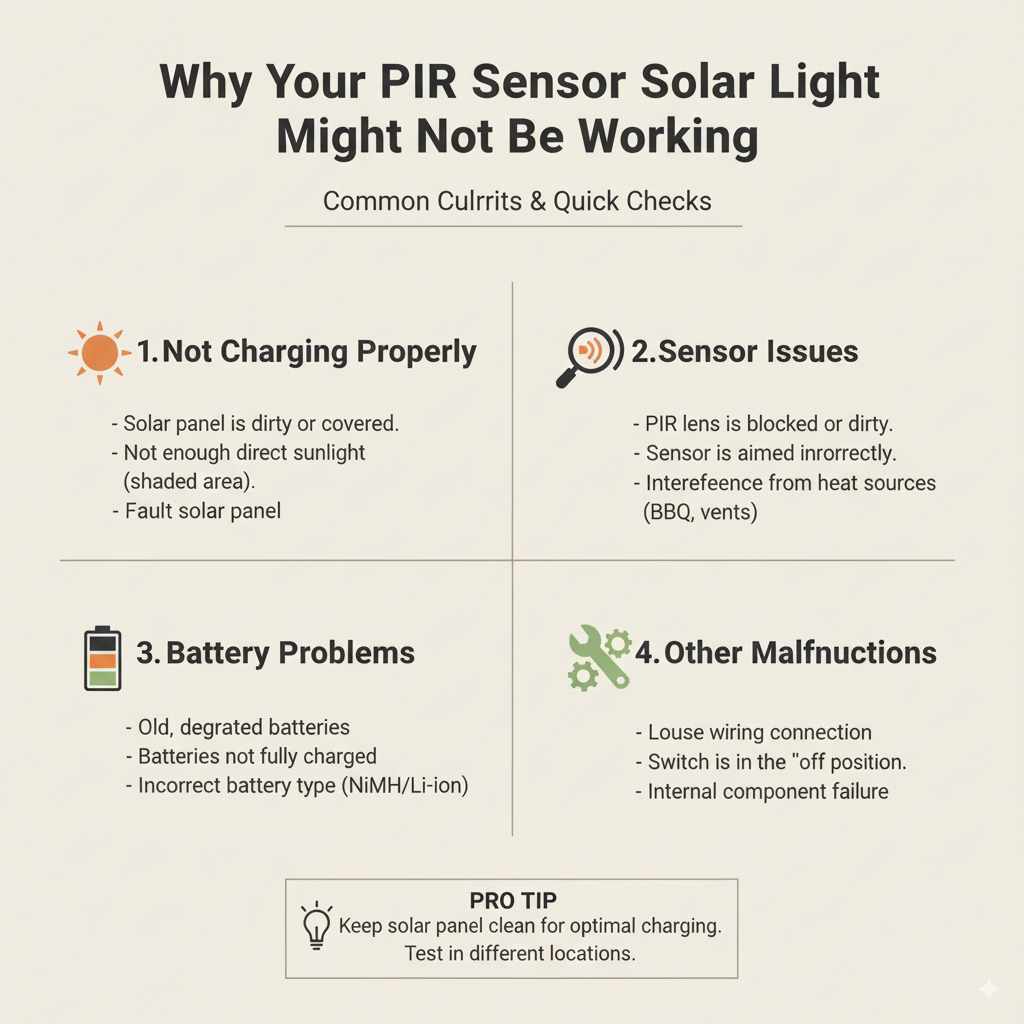
Why Your PIR Sensor Solar Light Might Not Be Working
Solar lights are fantastic for their eco-friendliness and ease of installation, but like any outdoor gadget, they can encounter a few hiccups. The PIR sensor, which detects movement by sensing body heat, is a key component. When it malfunctions, your light might not turn on at all, stay on constantly, or fail to detect motion. Several factors can contribute to this: the sun’s energy isn’t being stored properly, the sensor itself is blocked or dirty, or the internal battery needs attention. Understanding these common culprits is the first step to a successful repair.
Common PIR Sensor Solar Light Problems and Solutions
Let’s dive into the most frequent issues and how you can fix them with minimal fuss. We’ll start with the easiest checks and move towards slightly more involved steps.
1. The Light Isn’t Turning On At All
This is the most common complaint. It’s disheartening to see a dark spot where there should be light. Several things could cause this, but the good news is that they are usually easy to resolve.
Possible Causes and Fixes:
-
No Sunlight or Insufficient Charging: Solar lights need sunlight to charge their batteries. If it’s been cloudy for days, or if the panel is covered by leaves, dirt, or snow, the battery won’t get enough power.
- Fix: Ensure the solar panel is clean and free from obstructions. If the weather has been poor, give it a few consecutive sunny days to recharge. You might need to reposition the light if it’s in a shaded spot for most of the day.
-
The Light is Switched Off: Some solar lights have a manual on/off switch, often hidden or small. It might have been accidentally switched off during installation or maintenance.
- Fix: Locate the switch (check the back, bottom, or side of the unit) and ensure it’s in the ‘On’ position.
-
The Battery is Dead or Not Connecting: Over time, rechargeable batteries lose their capacity or might become dislodged.
- Fix: Most solar lights have a removable battery. Carefully open the battery compartment (usually a small screw or clip). Check if the battery is seated correctly. If it’s old, consider replacing it with a fresh rechargeable battery of the same type (e.g., AA NiMH). For battery recommendations, check out resources on rechargeable battery types and care.
-
Internal Fuse or Circuitry Issue: Less common, but sometimes an internal fuse can blow, or there might be a loose connection inside.
- Fix: This is a bit more advanced. If you’re comfortable, you can open the light unit to inspect for obvious loose wires or a blown fuse. However, if you’re not experienced with electronics, it might be best to consult the manufacturer or consider replacement.
2. The Light Stays On Constantly
This is the opposite problem but just as annoying, especially since it drains the battery quickly. Your light is supposed to turn on when it’s dark and motion is detected, not shine all night long.
Possible Causes and Fixes:
-
Light Sensor Malfunction: The ambient light sensor (photocell) tells the light when it’s dark enough to turn on. If this sensor is faulty or covered, it might think it’s always dark.
- Fix: Locate the small sensor, often a tiny dark lens on the unit. Clean it gently with a soft, dry cloth. Make sure nothing is physically blocking it, like a leaf or a cobweb. If it’s still staying on, the sensor might be faulty.
-
Faulty PIR Sensor: The PIR sensor itself could be stuck in an ‘on’ state, constantly detecting motion (even if there is none).
- Fix: Sometimes, a gentle tap on the sensor area can dislodge it. If the problem persists, the sensor module itself might need replacement, which can be difficult for DIYers depending on the model.
-
Mode Setting Error: Some solar lights have different modes (e.g., always on, motion-activated, dim then bright on motion). You might have accidentally set it to a mode where it’s supposed to stay on.
- Fix: Check the manual or any buttons on the light for mode settings. Cycle through them to ensure it’s set to motion-activated mode.
3. The PIR Sensor Isn’t Detecting Motion
The light might turn on when it’s dark, but it doesn’t illuminate when you walk past. The PIR sensor is the star of this show, and it might be having trouble seeing you.
Possible Causes and Fixes:
-
Dirty or Obstructed Sensor Lens: The PIR sensor has a “lens” (often a plastic dome or a series of small facets) that detects infrared radiation. If this is dirty, it can’t ‘see’ properly.
- Fix: Use a soft, damp cloth to gently wipe the sensor lens. Avoid abrasive cleaners that could scratch the plastic.
-
Incorrect Sensor Angle or Range: The PIR sensor has a specific detection angle and range. If it’s pointed away from the usual path of movement, it won’t trigger.
- Fix: Adjust the position or angle of the solar light. Ensure the sensor is facing the area where motion is expected. Consult your light’s manual for its specific detection angle and range.
-
Temperature Extremes: PIR sensors detect heat. On extremely hot days, the ambient temperature can be close to human body temperature, making it harder for the sensor to differentiate between the environment and a person.
- Fix: This is a limitation of PIR technology. While you can’t change the weather, the sensor should still work when there’s a reasonable temperature difference. If it only fails in extreme heat, it might be a temporary performance issue.
-
Low Battery Power: A weak battery might not provide enough power for the PIR sensor to function optimally, even if there’s enough power for the LED.
- Fix: Ensure the solar panel is clean and receiving ample sunlight for charging. Replace the battery if it’s old.
-
Sensor Component Failure: Like any electronic part, the PIR sensor itself can fail over time.
- Fix: If all other checks fail, the sensor module may need to be replaced. This is often difficult to do on many consumer-grade solar lights, and replacement of the unit might be more practical.
Essential Tools for Fixing Your Solar Light
You won’t need a full workshop for most of these fixes, but a few basic tools will make the job much easier and safer. Think of these as your essential toolkit for light maintenance.
Tool Checklist:
- Soft Cloths: For cleaning solar panels and sensor lenses. Microfiber cloths are ideal.
- Mild Soap and Water (Optional): For stubborn dirt on solar panels, use sparingly and ensure the unit is dry before reassembly.
- Screwdriver Set: Most solar lights use small Phillips head screws for battery compartments or casings. A precision screwdriver set is very handy.
- Replacement Rechargeable Batteries: If your batteries are old or dead, you’ll need new ones. Check your manual for the correct type and size (e.g., AA, AAA, 18650) and chemistry (NiMH is common).
- Gloves (Optional): To keep your hands clean and protect the light’s components.
- Safety Glasses (Optional): Always a good idea when working with small parts or potentially fiddly electronics.
Step-by-Step Guide to Troubleshooting Your PIR Sensor Solar Light
Let’s put it all together. Follow these steps methodically to diagnose and fix your solar light.
-
Step 1: Initial Inspection and Cleaning
Start with the basics. Is the light getting enough sun? Is the solar panel dirty? Is the sensor lens clean?
- Gently wipe the solar panel with a soft, dry cloth. If there’s grime, use a slightly damp cloth with a tiny bit of mild soap, then wipe dry.
- Clean the PIR sensor lens with a soft, dry cloth.
- Check the light’s casing for any obvious damage or blockages around the sensor.
-
Step 2: Check the Power Switch and Settings
It sounds simple, but this is often overlooked.
- Locate the on/off switch. Ensure it’s in the ‘On’ position.
- If your light has mode settings, cycle through them to confirm it’s in the desired mode (e.g., motion-activated).
-
Step 3: Assess Battery Health
The battery is the heart of your solar light.
- Carefully open the battery compartment.
- Ensure the battery is seated correctly and the contacts are clean.
- If the battery is old (more than 1-2 years, depending on usage and quality), it’s likely time for a replacement. Use only rechargeable batteries of the correct type and voltage.
- Install fresh rechargeable batteries if you suspect the current ones are depleted or faulty.
-
Step 4: Test the Sensor Functionality
Now, let’s see if the PIR sensor is responding.
- Wait until it’s dark (or cover the solar panel completely to simulate darkness).
- Stand in front of the light at a typical detection distance and wave your arms.
- Observe if the light turns on.
- If it doesn’t, try moving closer, further away, or changing your angle to see if the sensor picks up motion.
-
Step 5: Consider Environmental Factors
Sometimes, the environment plays a role.
- If it’s extremely hot, the PIR sensor might be less sensitive.
- Ensure the light is not in a location where it’s constantly being triggered by pets, passing cars, or swaying branches, which could drain the battery or confuse the sensor.
-
Step 6: Advanced Checks (If Comfortable)
For those who are a bit more adventurous with electronics.
- If the light has a removable casing, carefully open it to inspect for loose wires or obvious signs of damage to the circuit board or sensor module.
- Check for any internal fuses that might have blown.
- Important Safety Note: Always disconnect the battery before attempting any internal inspection. If you’re unsure about handling electronic components, it’s best to stop here.
Understanding PIR Sensor Technology
PIR sensors, also known as motion detectors, work by sensing changes in the infrared radiation emitted by objects. Everything with a temperature above absolute zero emits infrared radiation. Human bodies emit a significant amount. When a person moves into the sensor’s field of view, the amount of infrared radiation hitting the sensor changes, triggering the light. For more detailed information on how these sensors work and their limitations, you can explore resources on sensor technology from educational institutions like NVIDIA’s glossary on PIR sensors.
Troubleshooting Table: Quick Reference
Here’s a handy table to quickly pinpoint common issues and their likely solutions. It’s like having a cheat sheet for your solar light!
| Symptom | Possible Cause | Likely Solution |
|---|---|---|
| Light won’t turn on at all. | No charge / Low battery. | Clean panel, ensure sun exposure, replace battery. |
| Light won’t turn on at all. | Switch is off. | Find and toggle the power switch to ‘On’. |
| Light stays on constantly. | Faulty ambient light sensor. | Clean sensor, ensure it’s not obstructed. |
| Light stays on constantly. | Mode setting error. | Check and adjust the light’s operating mode. |
| PIR sensor doesn’t detect motion. | Dirty sensor lens. | Wipe sensor lens with a soft cloth. |
| PIR sensor doesn’t detect motion. | Sensor angle/range issue. | Reposition the light to face the motion area. |
| PIR sensor doesn’t detect motion. | Low battery power. | Ensure sufficient charging, consider battery replacement. |
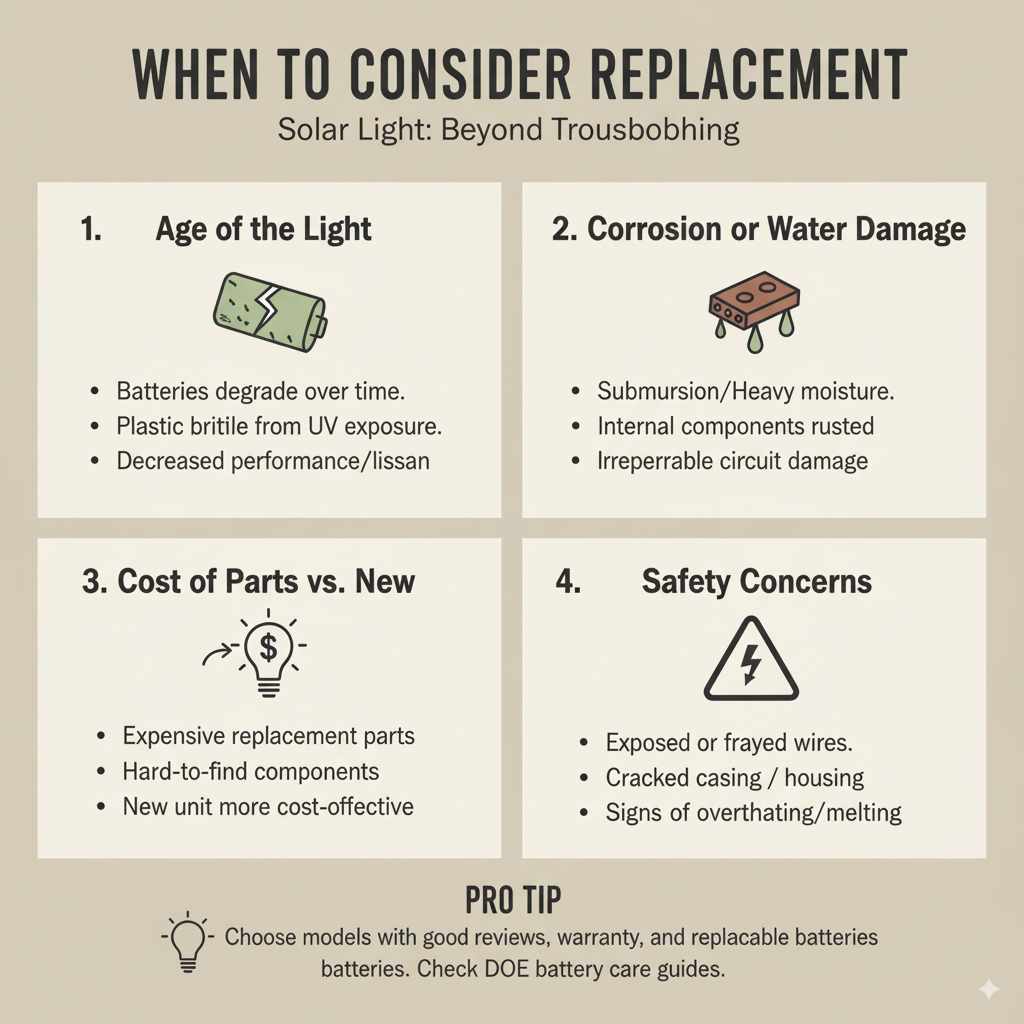
When to Consider Replacement
While many issues are fixable, there comes a point where it might be more cost-effective and less frustrating to replace the unit. If you’ve tried all the troubleshooting steps and your solar light still isn’t performing, consider these factors:
- Age of the Light: Solar lights, especially cheaper models, have a lifespan. Batteries degrade, and plastic components can become brittle from UV exposure.
- Corrosion or Water Damage: If the light has been submerged or exposed to significant moisture, internal components might be irrevocably damaged. Look for signs of rust or water ingress.
- Cost of Replacement Parts: If the specific sensor module or battery pack is hard to find or prohibitively expensive, a new light might be a better investment.
- Safety Concerns: If you notice exposed wires, cracked casings, or signs of overheating, it’s safer to replace the unit.
When choosing a new solar light, look for models with good reviews, a decent warranty, and easily replaceable batteries. Understanding battery care is also key; for best practices, you might find information on battery longevity from organizations like the U.S. Department of Energy’s guidance on energy efficiency and battery recycling.
Frequently Asked Questions (FAQ)
Q1: How long should a solar light battery last?
A rechargeable battery in a solar light typically lasts between 1 to 3 years. This depends heavily on the quality of the battery, how often the light is used (how many cycles of charging and discharging), and the environmental conditions. Extreme temperatures can shorten battery life.
Q2: Can I use regular batteries in a solar light?
No, you should not use regular (non-rechargeable) alkaline batteries. Solar lights are designed to use rechargeable batteries that can withstand constant charging and discharging. Using alkaline batteries can damage the light and is a safety hazard.
Q3: My solar light only works for a short time. What’s wrong?
This usually means the battery is not holding a full charge. It could be an old battery that needs replacing, or the solar panel isn’t getting enough sunlight to fully charge it during the day. Ensure the panel is clean and in direct sunlight for at least 6-8 hours.
Q4: How sensitive is a PIR sensor?
PIR sensors are designed to detect the infrared radiation emitted by warm bodies. Their sensitivity can be affected by ambient temperature (less sensitive in very hot weather) and distance. Most have a detection range of about 15-25 feet and a viewing angle of 100-120 degrees, but this varies by model.
Q5: Can I improve the solar panel’s charging efficiency?
Yes! The most effective way is to keep the solar panel clean. Dust, pollen, bird droppings, and leaves can significantly reduce the amount of sunlight reaching the photovoltaic cells. Regularly wiping it down with a soft cloth makes a big difference.
Q6: What does “PIR” stand for?
PIR stands for Passive Infrared. “Passive” means it doesn’t emit any energy; it just detects the infrared energy (heat) emitted by other objects. “Infrared” refers to the part of the electromagnetic spectrum that heat falls into.
Conclusion
See? Fixing a PIR sensor solar light is often well within your DIY reach. By systematically checking the power source, the sensors, and the basic settings, you can usually bring your solar lights back to life. Remember, a little patience and a few simple steps can save you money and keep your home safely and beautifully illuminated. Don’t be afraid to get your hands a little dusty; the satisfaction of a working solar light powered by your own efforts is truly rewarding. Keep these tips in mind, and you’ll be well-equipped to handle most common solar light issues. Happy tinkering!