How to Fix Flickering Lights: LED Bulb, Dimmer & Wiring Fixes
Flickering lights almost always trace back to one of four causes: a loose bulb, an incompatible dimmer, a voltage dip, or faulty wiring — in that order of likelihood. A loose LED bulb takes thirty seconds to fix; ignored wiring flicker can be a real fire-risk signal, according to electrical safety researchers. This guide covers LED-specific causes, dimmer compatibility, voltage testing, and when flicker means it’s time to call an electrician.
This post contains affiliate links. As an Amazon Associate we earn from qualifying purchases — see our Affiliate Disclosure for details.
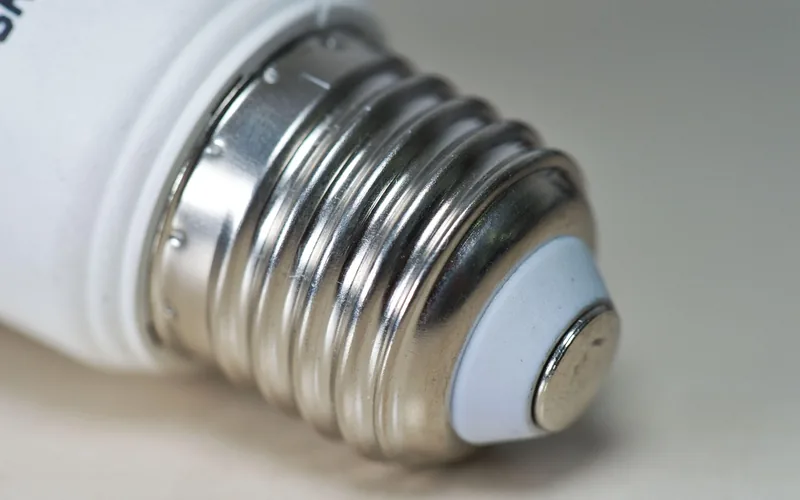
How to Fix Flickering Lights: LED, CFL, and Incandescent Differences
Flickering is a rapid, repeated change in a bulb’s brightness — often too fast to consciously notice but still detectable by peripheral vision, an effect researchers call the phantom array. What causes it differs by bulb type: LEDs flicker mainly from loose connections, incompatible dimmers, or driver failure; CFLs flicker during cold-start warm-up or as their phosphor coating ages; incandescent bulbs rarely flicker unless wiring or voltage is the problem, since their filament doesn’t respond to power dips the way electronic drivers do.
The broader causes worth ruling out beyond the bulb itself: an overloaded circuit, a loose neutral wire, a failing breaker, or — on the utility side — a shared transformer or brief grid fluctuation that flickers lights in more than one room at once. If only one fixture flickers, the problem is almost always local (bulb, socket, or switch); if the whole house flickers together, it’s more likely a panel or utility-side issue and worth a call to an electrician.
What Causes a Flickering LED Light Bulb?
LED bulbs flicker when something disrupts their power flow. Unlike old incandescent bulbs, LEDs need steady electricity to shine smoothly. A flicker can mean a loose bulb, bad wiring, or even a faulty bulb driver. It’s not just annoying — it can strain your eyes or signal a safety issue. Here are the main culprits:
- Loose Bulbs or Connections: A bulb not screwed in tight can flicker.
- Incompatible Dimmers: Old dimmer switches don’t always work correctly with LEDs.
- Voltage Fluctuations: Power surges or large appliances can disrupt your lights.
- Faulty Bulbs or Drivers: Cheap LEDs or worn-out internal drivers can cause issues.
Why Fixing Flickering Matters
Flickering isn’t just a nuisance — it can cause eye strain or headaches with prolonged exposure. In rarer cases, it signals a wiring problem: arcing connections are a documented residential fire-risk factor, which is exactly what AFCI (arc-fault circuit interrupter) breakers are designed to detect and shut off. Fixing flicker early saves you from replacing bulbs unnecessarily and catches a genuine wiring issue before it becomes a bigger repair.
📊 IEEE 1789 recommends LED drivers operate above 3,000 Hz to avoid any measurable effect on viewers, yet typical PWM-dimmed LED fixtures run at only 100–400 Hz — well below that threshold, which is the technical reason some dimmed LEDs flicker even when the dimmer itself is compatible. Source: Dial International, IEEE 1789 Standard Overview
Step-by-Step Guide to Fix a Flickering LED Light Bulb
I’ve broken this down into easy steps anyone can follow. You don’t need to be an electrician — just grab a few tools and some patience.
Step 1: Check the Bulb’s Fit
The first thing to check is whether the bulb is loose. A wobbly bulb can’t connect properly, which causes it to flicker.
- What to Do: Turn off the light switch for safety. Let the bulb cool down, then gently twist it clockwise to tighten it.
- Tip: Don’t overtighten — it can break the bulb or socket.
Step 2: Test with a Different Bulb
If tightening doesn’t work, the bulb itself might be faulty. Swap the flickering bulb with one from another room to test it.
- What to Do: Unscrew the flickering bulb and try it in another socket. Then put a working bulb in the problem socket. If the flicker follows the bulb, it’s the bulb’s fault. If the new bulb flickers too, it’s the socket or wiring.
- Tip: Use a high-quality bulb brand like Philips or Cree — cheaper LEDs flicker more often due to lower-quality internal drivers.
Step 3: Check for Dimmer Compatibility
A common cause is an old dimmer switch not made for LEDs. Many dimmers are designed for incandescent bulbs, which handle power differently than an LED’s electronic driver.
- What to Do: Check if your bulb is dimmable (it’ll say on the box). If it’s on a dimmer switch, make sure the switch is LED-compatible — brands like Lutron are built specifically for this.
- Cost-Saving Idea: If you don’t need dimming, replace the dimmer with a regular switch — it’s cheaper than replacing bulbs repeatedly.
Step 4: Look for Voltage Issues
Large appliances like air conditioners can cause voltage dips, making LEDs flicker briefly when they cycle on.
- What to Do: Notice if flickering happens when appliances turn on. If so, try unplugging them to test. A non-contact voltage tester confirms whether the circuit itself is stable; call an electrician if the dips are frequent.
- Safety Tip: Don’t ignore this — it could mean a wiring or panel issue.
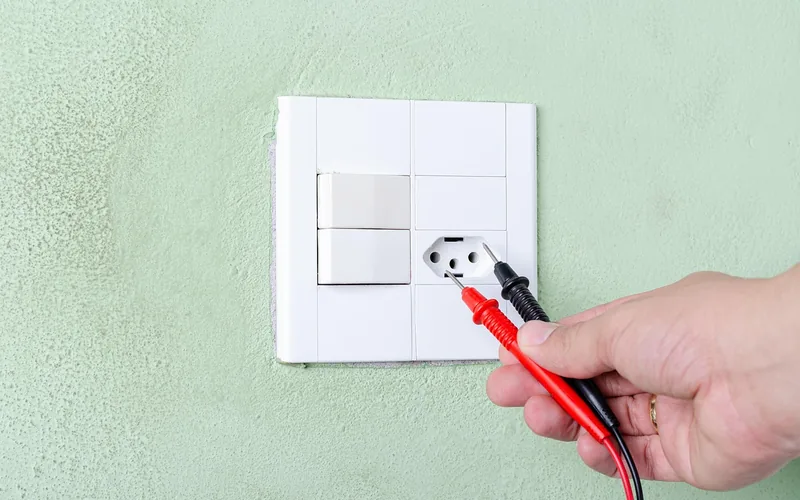
Step 5: Inspect Wiring (With Caution)
Loose wiring inside the fixture or socket is a common culprit in older lamps. If you’re comfortable with basic electrical work, check the socket or fixture for loose wires. If not, call a professional.
- What to Do: Turn off power at the breaker. Check the socket for burnt or loose wires. Tighten any loose connections with a screwdriver.
- Safety Warning: If you’re not sure, hire an electrician — messing with live wiring can be dangerous.
Tools and Materials You’ll Need
Here’s a quick list of what you’ll need to fix flickering lights:
- Screwdriver: For tightening sockets or switches.
- Replacement Bulb: A high-quality dimmable LED (Philips or Cree, about $5–$10).
- LED-Compatible Dimmer: Lutron or similar ($20–$50).
- Non-Contact Voltage Tester: To check power stability ($10–$25).
| Tool | Purpose | Approx. Cost |
|---|---|---|
| Screwdriver | Tighten sockets/switches | $5 |
| Dimmable LED Bulb | Test or replace a faulty bulb | $5–$10 |
| LED-Compatible Dimmer Switch | Fix dimmer incompatibility | $20–$50 |
| Non-Contact Voltage Tester | Check power stability | $10–$25 |
Table: Basic tools to diagnose and stop light flickering — affordable and easy to find.
Best Voltage Tester Pick
Klein Tools NCVT1P Voltage Tester Pen – $16.94
This is the exact tool Step 4 above calls for — confirms whether flickering is a voltage dip or a bulb/dimmer issue before you start swapping parts.
- Best for: Quickly confirming or ruling out a voltage problem
- Why we picked it: Trusted electrician-grade brand, no wire contact needed
- Main drawback: Detects live voltage only, doesn’t measure exact volts
Compare more flicker-fix options
 Option 1 Lutron Diva LED+ Dimmer – $31.99
|
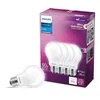 Option 2 Philips LED 60W Dimmable 4-Pack – $7.19
|
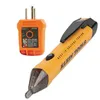 Option 3 Klein Tools Outlet Tester Kit – $26.99
|
As an Amazon Associate we earn from qualifying purchases.
Benefits and Drawbacks of Fixing LED Flickering
Fixing a flickering bulb is worth it. Here’s why, plus a few things to watch out for:
Benefits: Saves money by avoiding unnecessary new bulbs or fixtures, makes your home safer by catching wiring issues early, and easy fixes like tightening a bulb take minutes.
Drawbacks: Some fixes, like rewiring, need a licensed professional and cost more. Cheap bulbs may keep failing even after every other fix, so it’s worth investing in a quality brand from the start.
Personal Tips and Common Mistakes to Avoid
A few practical tips that make the biggest difference:
- Buy Quality Bulbs: Cheap LEDs from discount stores fail faster. Spend a bit more for a recognized brand like Philips or Osram.
- Check Compatibility First: A non-dimmable LED on a dimmer switch is close to guaranteed to flicker.
- Clean Sockets: Dust buildup inside a socket can cause a poor connection and flicker.
- Don’t Ignore Patterns: If flickering happens specifically when appliances turn on, it’s a voltage issue — don’t just keep swapping bulbs.
“Dust buildup inside a socket caused one lamp in my own home to flicker for weeks before I traced it — a quick wipe of the contact points fixed it completely, no bulb or dimmer replacement needed.”
Common mistakes to avoid: overtightening bulbs (which can crack them), pairing old dimmers with new LEDs without checking compatibility first, and ignoring flickering that could signal a bigger electrical problem.
Frequently Asked Questions
Why Do My LED Lights Flicker When Turned On?
LEDs flicker due to loose bulbs, incompatible dimmers, or voltage changes. Tighten the bulb or swap it to test. Check if your dimmer is LED-friendly, and if appliances trigger it, a voltage tester can confirm the cause.
Can a Bad Bulb Cause Flickering?
Yes, a faulty bulb or its internal driver can cause flickering. Test it in another socket. If it still flickers, replace it with a quality brand like Philips to avoid the same failure repeating.
Do All LED Bulbs Work with Dimmers?
No, only bulbs labeled “dimmable” work correctly with LED-compatible dimmers. Check the bulb’s box for that label and pair it with a dimmer built for LED loads, like Lutron, to stop flickering.
Is Flickering Dangerous?
Usually it’s just annoying, but persistent flickering can signal a wiring issue. If tightening or swapping bulbs doesn’t fix it, call a licensed electrician to check for loose connections, arcing, or voltage problems.
How Do I Know If It’s a Wiring Problem?
If swapping bulbs and checking the dimmer doesn’t stop the flicker, it’s likely wiring. Check for loose connections at the switch or socket, or call an electrician to inspect the fixture and panel safely.
Can Appliances Cause LED Flickering?
Yes, large appliances like air conditioners can cause brief voltage dips when they cycle on. Try unplugging them to test, and use a voltage tester or call an electrician if the dips happen frequently.
Can Flickering Lights Hurt Your Eyes or Cause Headaches?
Yes, prolonged exposure to flickering light — even flicker too fast to consciously notice — can contribute to eye strain and headaches in sensitive individuals. Fixing the flicker at the source resolves this; there’s no workaround that makes ongoing flicker safe to ignore.
Conclusion
Fixing a flickering LED light bulb is easier than it seems. Start with simple checks like tightening the bulb or swapping it out. If that doesn’t work, check the dimmer, then test for voltage issues. Persistent flicker after all of that points to wiring — that’s the point to call a licensed electrician rather than keep swapping parts. For more lighting troubleshooting guides, browse our Lighting & Ceiling Fan hub.
Sponsored / affiliate links. As an Amazon Associate I earn from qualifying purchases. I may earn additional commission from eligible campaigns.