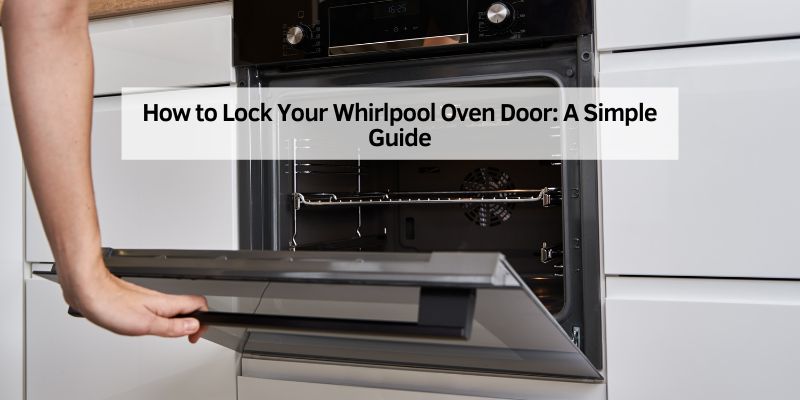
How to Lock Your Whirlpool Oven Door: A Simple Guide
Hey there! If you’ve ever wondered how to lock Whirlpool oven door, you’re in the right place. I’ve spent plenty of time in my kitchen, tinkering with my Whirlpool oven, and I know how important it is to keep things safe and secure, especially when you’re cooking up a storm. Whether you’re a busy parent or just want to make sure your oven is kid-proof, locking the door is a handy feature. Let’s dive into the details and walk through everything you need to know to lock Whirlpool oven door safely and easily.
Why Locking Your Whirlpool Oven Door Matters
Safety comes first in any kitchen. I learned this the hard way when my curious toddler tried to open the oven during a bake session. Locking the oven door keeps kids, pets, or even distracted adults from accidentally opening it while it’s hot. Whirlpool ovens come with a control lock feature that secures the door and prevents mishaps. This feature is a lifesaver during self-cleaning cycles or when you’re baking at high temperatures. It’s not just about safety, though—it also gives you peace of mind so you can focus on your recipe.
The oven safety lock is designed to withstand high heat and ensure the door stays closed until you’re ready to open it. Knowing how to use it properly can save you from burns, spills, or damaged dishes. Plus, it’s super easy once you get the hang of it. Let’s explore how to activate this feature step by step.
Understanding the Whirlpool Oven Lock Mechanism
Whirlpool ovens have a built-in locking system that’s either manual or electronic, depending on your model. I’ve used both types, and they’re straightforward once you know what to look for. Most modern Whirlpool ovens use an electronic control lock that’s operated through the control panel. Older models might have a manual lock, which involves a lever or latch.
The electronic lock is part of the oven’s control panel and is tied to features like the self-cleaning mode. When you activate the lock, the oven door seals shut, and you can’t open it until the lock is disengaged. This is especially useful during the self-cleaning cycle, which can reach temperatures up to 900°F. The manual lock, on the other hand, is a physical latch you move into place. Knowing your oven’s model helps you figure out which system you’re working with. You can usually find the model number on a sticker inside the oven door or on the back of the appliance.
Step-by-Step Guide to Lock Your Whirlpool Oven Door
Let me walk you through how I lock my Whirlpool oven door. It’s easier than you might think, but it does depend on whether your oven has an electronic or manual lock. Here’s how to do it for both types.
For Electronic Control Lock
Most Whirlpool ovens I’ve worked with have a digital control panel. Here’s what you do:
- Check the Oven’s Status: Make sure the oven is off or not in use. You can’t lock the door during active cooking unless it’s in self-cleaning mode.
- Locate the Control Lock Button: Look for a button labeled “Control Lock,” “Lock,” or a padlock icon on the control panel. On my oven, it’s right below the display.
- Press and Hold: Press and hold the control lock button for about 3 seconds. You’ll usually hear a beep or see a light indicating the lock is active.
- Confirm the Lock: Try gently pulling the oven door handle. If it doesn’t open, you’ve successfully locked it.
- Start Self-Cleaning (Optional): If you’re running a self-cleaning cycle, the door will lock automatically once you start the cycle. Just follow your oven’s self-clean instructions.
For Manual Lock
If your Whirlpool oven has a manual lock, it’s a bit more hands-on:
- Turn Off the Oven: Ensure the oven is off and cool before attempting to lock it.
- Find the Lock Lever: Look for a small lever or latch near the oven door handle or on the side of the door frame.
- Slide the Lever: Move the lever to the “locked” position. It should click into place.
- Test the Door: Tug lightly on the handle to confirm it’s secure.
Here’s a quick comparison of the two methods:
| Lock Type | How to Activate | Best For | Ease of Use |
|---|---|---|---|
| Electronic Control Lock | Press and hold the control lock button for 3 seconds | Self-cleaning cycles, frequent use | Very easy, no physical effort |
| Manual Lock | Slide the lever to the locked position | Older models, occasional use | Simple but requires manual adjustment |
Unlocking Your Whirlpool Oven Door
Once you’re done with the self-cleaning cycle or just want to access your oven, unlocking it is just as simple. For electronic locks, press and hold the control lock button again for 3 seconds until you hear a beep or see the lock indicator light turn off. The door should release immediately. For manual locks, slide the lever back to the “unlocked” position.
I’ve had moments where the door didn’t unlock right away, especially after a self-cleaning cycle. If this happens, give the oven a few minutes to cool down. The oven safety system might keep the door locked until it’s safe to open. Patience is key here—don’t force the door, as that could damage the lock mechanism.
Troubleshooting Common Locking Issues
Sometimes, things don’t go as smoothly as planned. I’ve run into a couple of hiccups with my Whirlpool oven, so let me share some fixes for common issues.
Door Won’t Lock
If the control lock isn’t engaging, check if the oven is in use. The lock won’t activate during active cooking modes (except self-cleaning). Also, make sure the door is fully closed—sometimes a slight misalignment can prevent locking. If the button still doesn’t work, try resetting the oven by unplugging it for a minute or turning off the circuit breaker.
Door Won’t Unlock
This happened to me once after a self-cleaning cycle. The oven was still too hot, so the oven safety system kept the door locked. Wait 30–60 minutes for the oven to cool down, then try unlocking again. If it’s still stuck, consult your oven’s manual for a reset procedure or contact Whirlpool support.
Error Codes
Some Whirlpool ovens display error codes like “F5” or “LOC” if there’s a locking issue. In my experience, these usually mean a sensor problem or a glitch in the control panel. Unplugging the oven for a few minutes often clears it. If not, you might need a technician to check the wiring or control board.
Tips for Safe Oven Use
Locking your oven door is just one part of keeping your kitchen safe. Here are a few extra tips I’ve picked up over the years:
- Keep Kids Away: Teach kids that the oven is off-limits, especially when it’s hot. The control lock is great, but supervision is even better.
- Regular Maintenance: Clean the door seal and check the lock mechanism regularly to ensure it’s working properly.
- Read the Manual: Every Whirlpool model is slightly different. Your oven’s manual will have specific instructions for locking and unlocking.
- Cool Down Time: Always let the oven cool completely after self-cleaning before trying to open the door.
Why I Love My Whirlpool Oven’s Safety Features
I’ve been using my Whirlpool oven for years, and the oven safety features, like the door lock, make it a standout. Whether I’m baking cookies for my kids or running a self-cleaning cycle, I feel confident that the oven is secure. The control lock is intuitive, and even my tech-averse husband figured it out in no time. It’s these little details that make Whirlpool a trusted brand in my kitchen.
FAQs
Why does my Whirlpool oven door lock automatically?
Your oven door locks automatically during the self-cleaning cycle to prevent burns or accidents. The high temperatures (up to 900°F) make it unsafe to open the door, so the oven safety system kicks in. Some models also lock when you activate the control lock manually.
Can I lock my Whirlpool oven while cooking?
Usually, you can’t lock the oven during regular cooking modes like baking or broiling. The control lock is designed for oven safety during self-cleaning or when the oven is off. Check your manual for model-specific details.
What should I do if the oven door is stuck?
If the door won’t unlock, wait for the oven to cool down completely, as the oven safety system may keep it locked until it’s safe. Try pressing the control lock button for 3 seconds. If it’s still stuck, unplug the oven for a minute to reset it or contact Whirlpool support.
Is the manual lock better than the electronic lock?
It depends on your needs. The electronic control lock is easier for frequent use, especially during self-cleaning cycles. The manual lock is simpler but requires physical effort. Both are effective for oven safety.
How do I know if my oven has a control lock feature?
Check your control panel for a “Control Lock” button or padlock icon. If you don’t see one, consult your oven’s manual or look for a manual latch near the door. Most modern Whirlpool ovens have an electronic control lock.
Conclusion
Learning how to lock Whirlpool oven door has been a game-changer in my kitchen. It’s such a simple feature, but it makes a huge difference in keeping things safe, especially with kids or pets around. Whether you’re running a self-cleaning cycle or just want to secure the oven when it’s not in use, the control lock is easy to master. I hope this guide has helped you feel more confident about using your Whirlpool oven’s safety features. Next time you’re baking or cleaning, you’ll know exactly how to keep that door locked tight. Happy cooking, and stay safe!