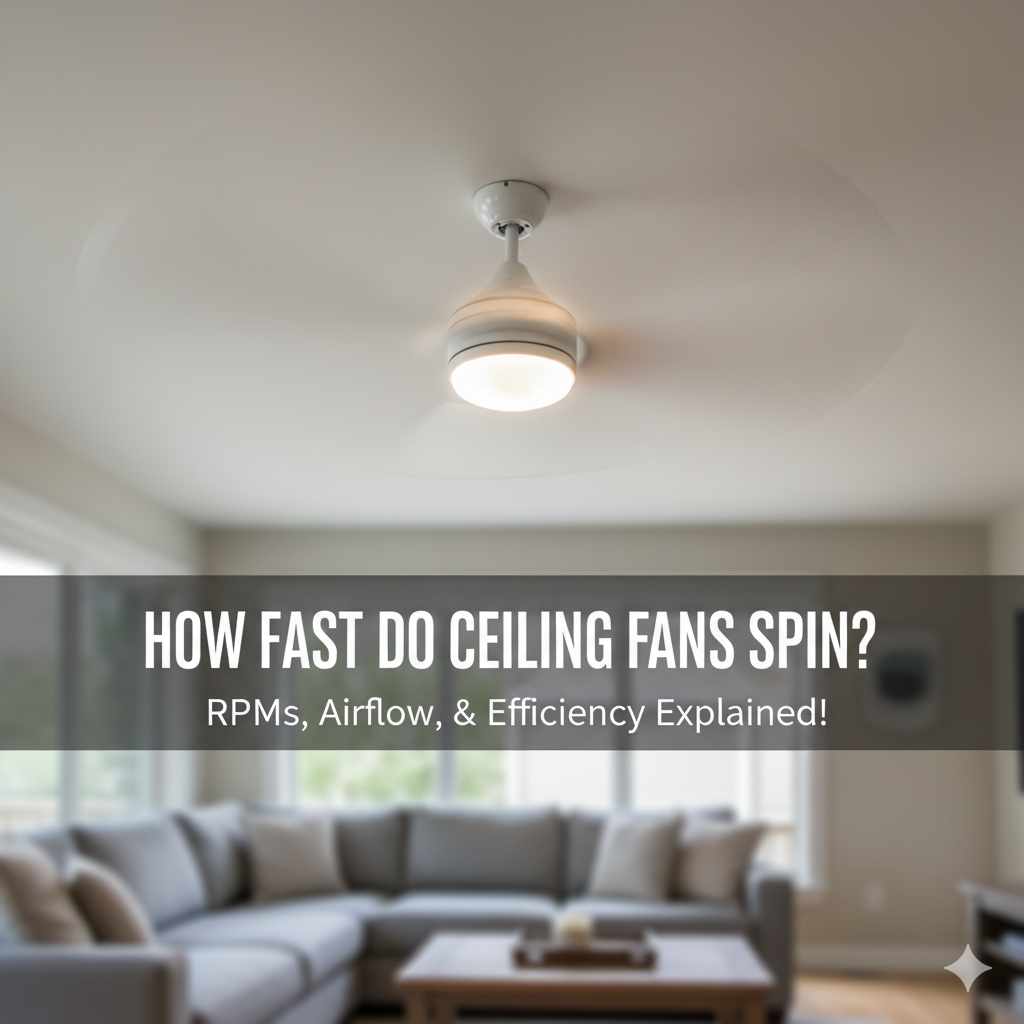
How Fast Do Ceiling Fans Spin: Essential Guide
Quick Summary: Ceiling fans typically spin between 50 and 200 RPM, with speed determined by fan size, motor power, and blade pitch. Higher RPMs move more air but can be noisier, while lower RPMs offer quieter operation.
Hello there! As your go-to guide for all things home improvement and woodworking, I know that sometimes the simplest things in our homes can leave us scratching our heads. Take ceiling fans, for example. You’ve got one humming away, but have you ever stopped to wonder, “How fast do ceiling fans actually spin?” It’s a common question, and understanding it can help you get the most comfort and efficiency from your fan. Don’t worry, we’ll break it down in a way that’s easy to grasp, just like assembling a simple birdhouse. We’ll cover everything you need to know, from what makes them spin to how to tell if yours is working just right. Let’s get started!
Understanding Ceiling Fan Speed: More Than Just a Whir
It might seem like a ceiling fan just spins, but there’s a bit of science and engineering behind its rotation. The speed at which a ceiling fan spins is crucial for how effectively it circulates air, which directly impacts your comfort and energy bills. While you can’t usually see the individual blades blur, their speed is measured in Revolutions Per Minute (RPM). This number tells us how many times the fan completes a full circle in one minute. Think of it like the gears on a bicycle – different speeds serve different purposes.
For most of us, the goal of a ceiling fan is to create a gentle breeze in the summer or help distribute warm air in the winter. The speed of the spin plays a huge role in achieving this. A fan that spins too slowly might not move enough air to make a difference, while one that spins too fast can create a draft that’s too strong or even become annoyingly noisy. So, knowing the typical speeds and what influences them is key to making your fan work for you, not against you.
What Does RPM Mean for Your Ceiling Fan?
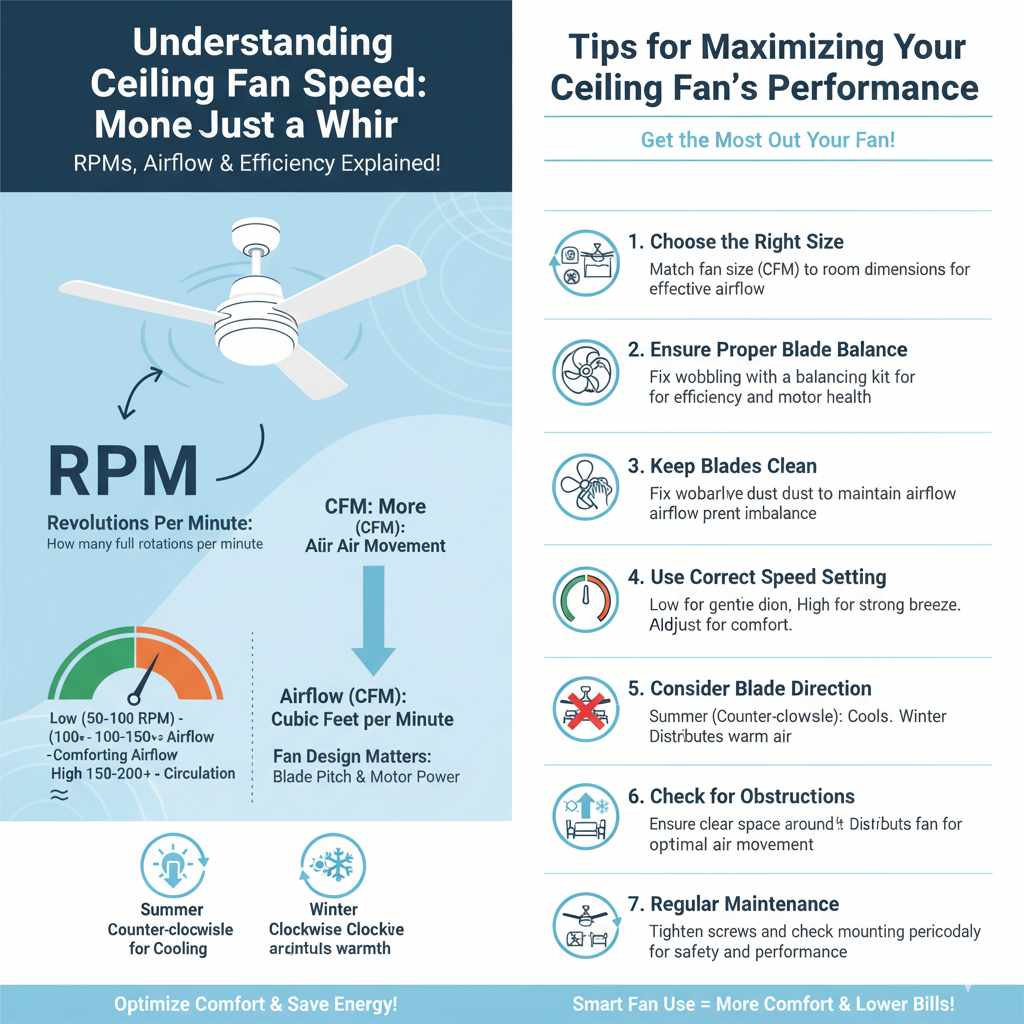
RPM stands for Revolutions Per Minute. In the context of a ceiling fan, it’s the measurement of how quickly the fan blades complete a full rotation. Most residential ceiling fans have multiple speed settings, typically labeled as low, medium, and high. Each setting corresponds to a different RPM range. For instance, a “low” setting might be around 50-100 RPM, “medium” could be 100-150 RPM, and “high” might range from 150-200 RPM or even slightly higher for some models.
The RPM directly affects the amount of airflow the fan produces. This is often measured in Cubic Feet per Minute (CFM). A higher CFM indicates that the fan is moving more air. However, it’s not just about raw speed. The design of the fan, including the pitch of the blades and the power of the motor, also plays a significant role in its overall performance. We’ll dive into these factors shortly.
Factors Influencing Ceiling Fan Spin Speed
Several elements come into play when determining how fast a ceiling fan spins. It’s not just a random speed; it’s a result of design and the settings you choose. Understanding these factors can help you appreciate the engineering behind your fan and troubleshoot if you feel it’s not performing as expected.
1. Motor Power and Type
The heart of any ceiling fan is its motor. The power and type of motor are primary determinants of how fast the blades can spin and how much torque it can generate to keep them moving. Ceiling fans use either AC (Alternating Current) or DC (Direct Current) motors.
- AC Motors: These are the traditional motors found in most ceiling fans. They are reliable and cost-effective. AC motors typically operate within a certain voltage range, and their speed is controlled by adjusting the electrical current. They tend to be a bit less energy-efficient and can produce a slight hum at higher speeds compared to DC motors.
- DC Motors: Newer to the market, DC motors are becoming increasingly popular, especially in energy-efficient models. They use significantly less energy (up to 70% less than AC motors) and are often much quieter. DC motors also offer a wider range of speed settings and smoother transitions between them. Because they are more efficient and controllable, DC motors can often achieve higher RPMs with less effort and noise. For example, a DC motor fan might offer 6-9 speed settings compared to the typical 3-4 speeds on an AC motor fan.
The strength of the motor directly impacts its ability to spin the blades at higher RPMs. A more powerful motor can overcome more resistance from the air and maintain a consistent speed, even with larger or more steeply pitched blades.
2. Blade Pitch (Angle)
The angle at which the fan blades are set, known as the blade pitch, is another critical factor. Blade pitch is measured in degrees. A steeper blade pitch means the blade is angled more aggressively to cut through the air.
- Steeper Pitch (e.g., 12-15 degrees): Fans with a steeper blade pitch are designed to move more air at slower rotational speeds. This is because the steeper angle “grabs” more air with each rotation. These fans can often achieve a higher CFM rating even if their RPMs are not exceptionally high.
- Shallower Pitch (e.g., 10-12 degrees): Fans with a shallower blade pitch may require higher RPMs to move the same amount of air as a fan with a steeper pitch.
Manufacturers often balance motor power with blade pitch to achieve optimal airflow and efficiency. A fan with a powerful motor and steep blade pitch can move a lot of air at a moderate RPM, providing a strong breeze without excessive noise or energy consumption.
3. Blade Size and Weight
The size and weight of the fan blades also influence how fast the fan can spin.
- Larger/Heavier Blades: These require more power from the motor to get moving and to maintain speed. While they can move more air per rotation once up to speed, the motor might struggle to reach very high RPMs.
- Smaller/Lighter Blades: These are easier for the motor to accelerate and can typically reach higher RPMs more quickly and easily.
The design and material of the blades are also important. While wood or composite blades might be heavier, their aerodynamic design can still allow for efficient air movement. Metal blades can be lighter but might be more prone to vibration if not balanced properly. The goal is usually to create a balance between moving air effectively and not overworking the motor.
4. Fan Speed Settings
This is the most direct influence on how fast your fan spins, as controlled by you! Most ceiling fans come with a remote control, pull chain, or wall switch that allows you to select different speed settings. These settings are engineered to correspond to different RPM ranges.
- Low Speed: Generally around 50-100 RPM. This is ideal for gentle air circulation, maintaining a comfortable ambient temperature, or when you want a very subtle breeze.
- Medium Speed: Typically around 100-150 RPM. This setting offers a noticeable breeze, good for moderately warm days or when you want more air movement without it being too strong.
- High Speed: Usually 150-200 RPM or more. This setting provides the strongest airflow and is best for quickly cooling a room or during very hot weather.
The exact RPM for each setting will vary depending on the fan’s design and motor. You can often find the CFM rating and sometimes even the RPM range for each speed in the fan’s manual or on the manufacturer’s website. For instance, the U.S. Department of Energy highlights that ceiling fans can significantly reduce air conditioning costs by improving comfort, allowing you to set your thermostat a few degrees higher.
5. Electrical Input and Voltage
The electrical input to the fan motor plays a role. While most homes have standard voltage (e.g., 120V in North America), fluctuations or the specific way the fan’s internal components regulate power can affect motor speed. For DC fans, the power supply unit converts AC power to DC, and the efficiency of this conversion can impact the motor’s performance and speed capabilities.
Typical Ceiling Fan Spin Speeds: A Closer Look
Let’s put some numbers to the speeds. While there’s no single universal speed for all ceiling fans, we can establish some typical ranges based on common fan types and settings. Remember, these are general guidelines, and your specific fan might differ.
Speed Settings and Corresponding RPMs
Here’s a breakdown of what you can generally expect for each speed setting:
| Speed Setting | Typical RPM Range | Airflow Feel | Typical Use Case |
|---|---|---|---|
| Low | 50 – 100 RPM | Gentle, subtle breeze | Maintaining air circulation, quiet operation, cooler evenings. |
| Medium | 100 – 150 RPM | Noticeable, comfortable breeze | Moderately warm days, general comfort, active rooms. |
| High | 150 – 200+ RPM | Strong, cooling breeze | Very hot weather, quickly cooling a room, high-traffic areas. |
It’s important to note that the RPM is just one piece of the puzzle. A fan with a higher RPM doesn’t automatically mean it moves more air than a fan with a lower RPM if the blade pitch and design are different. The Federal Trade Commission (FTC) suggests checking the CFM rating on the fan’s packaging to understand its actual air-moving capability.
Factors Affecting Actual Spin Speed
Even within these ranges, the actual speed can be influenced by:
- Room Size: Larger rooms might require higher speeds to circulate air effectively.
- Ceiling Height: Higher ceilings can affect airflow. Fans designed for high ceilings often have longer downrods and sometimes more powerful motors.
- Blade Balance: If blades are unbalanced, the fan might vibrate and the motor might work harder, potentially affecting speed.
- Obstructions: Furniture or other objects can impede airflow, making the fan seem less effective even if it’s spinning at its set speed.
How to Check Your Ceiling Fan’s Spin Speed (The Easy Way!)
As a DIYer, you’re probably hands-on, so let’s talk about how you can get a sense of your fan’s speed. You won’t need a specialized tachometer for this; we’ll use simple observation and estimation.
The Observation Method
The most straightforward way is to simply observe the blades on each setting.
- Start with the fan off.
- Turn the fan on to its lowest setting. Watch the blades. Can you easily count how many times they go around? If you can, it’s likely in the lower RPM range (around 50-70 RPM). You should feel a very gentle movement of air.
- Increase to the medium setting. Now, try to count the rotations. It will be faster. Can you still distinguish individual rotations, or is it a blur? If it’s still somewhat discernible, you’re likely in the 100-130 RPM range. You should feel a more noticeable breeze.
- Set to high. On the high setting, the blades should be a clear blur. It will be very difficult, if not impossible, to count individual rotations. This indicates you’re in the higher RPM range (150+ RPM). You should feel a strong airflow.
This method is subjective but effective for most homeowners. It gives you a practical understanding of how the speeds feel and look.
Using a Smartphone App (With Caution)
There are smartphone apps that claim to measure RPMs using your phone’s camera and motion detection. While these can be interesting, they are generally not highly accurate for fast-moving objects like fan blades and can be affected by lighting and phone stability. Use them more for fun or a rough estimate rather than precise measurement.
Consulting Your Fan’s Manual
The most reliable way to know the intended speed range for your specific fan is to check its manual or the manufacturer’s specifications. Look for information regarding CFM (Cubic Feet per Minute) and sometimes even the RPM range for each speed setting. This data is usually found on the product tag attached to the fan motor housing or in the documentation that came with it.
For example, a fan might state its high-speed CFM rating and mention that it operates at approximately 190 RPM on high. This gives you a concrete number to compare against.
Troubleshooting Common Ceiling Fan Speed Issues
Sometimes, your ceiling fan might not seem to be spinning as fast as it should, or it might be making unusual noises. Here are some common issues and how to address them. Remember, safety first! Always turn off the power to the fan at the breaker box before attempting any physical inspection or work.
Fan Not Spinning Fast Enough
- Check the Speed Setting: This might sound obvious, but ensure the fan is actually set to a higher speed. Sometimes pull chains can get out of sync.
- Dust Buildup: Excessive dust on the blades can add weight and drag, slowing down the fan. Clean the blades gently with a microfiber cloth or a duster.
- Blade Balance: If the blades are not balanced, the fan might wobble. This can cause the motor to work harder and potentially reduce speed. Most fans come with balancing kits. You can find helpful guides on how to balance your fan blades from reputable sources like This Old House.
- Motor Issues: If you’ve tried everything else and the fan is still sluggish, the motor itself might be failing or have an issue. This could require professional repair or replacement of the fan.
- Capacitor Failure (AC Motors): For AC motor fans, a common culprit for slow or inconsistent speed is a faulty capacitor. This is a small electronic component that helps start and run the motor. Replacing a capacitor can be a DIY job for those comfortable with basic electrical work, but always ensure the power is off and consult your fan’s manual.
Fan Spinning Too Fast or Erratic Speed
- Faulty Speed Control: The switch, remote, or wall control that regulates speed might be malfunctioning. This is more common with older AC fans or cheaper electronic controls.
- Loose Wiring: Ensure all connections are secure. Loose wires can lead to inconsistent power delivery to the motor.
- DC Motor Issues: If you have a DC fan and it’s behaving erratically, the issue might be with the motor driver or the remote receiver. These are often integrated units and might require professional attention or replacement.
Noisy Fan Operation
While not directly about speed, noise can sometimes be an indicator of an issue affecting speed or performance.
- Loose Screws: Check that all screws holding the blades to the blade arms, and the blade arms to the motor, are tight.
- Wobbling Blades: As mentioned, unbalanced blades cause wobble and noise. Use a balancing kit.
- Motor Hum: AC motors can sometimes produce a slight hum, especially at higher speeds. DC motors are generally quieter. If the hum is loud or new, it could indicate a motor issue.
- Light Kit Issues: If your fan has a light kit, ensure the bulbs are secure and the glass shades are properly fitted.
If you’re ever unsure about troubleshooting electrical components, it’s always best to consult a qualified electrician. Safety is paramount when working with electrical appliances.
Ceiling Fan Speed vs. Airflow (CFM): What’s the Real Measure?
We’ve talked a lot about RPM, but it’s crucial to understand that RPM isn’t the only factor determining how well a fan cools you. The real measure of a fan’s effectiveness in moving air is its Cubic Feet per Minute (CFM) rating.
CFM tells you how much air the fan can move in one minute. A higher CFM rating means the fan is more powerful and will create a stronger breeze. Think of it this way: a small, fast-spinning fan might have a high RPM but shallow blades that don’t capture much air. Conversely, a larger fan with slower-spinning but wider, more deeply pitched blades might have a lower RPM but a much higher CFM because it’s moving a larger volume of air.
When you’re looking to buy a new ceiling fan, or even just trying to understand your current one, pay close attention to the CFM rating. The U.S. Environmental Protection Agency (EPA) also touches on ventilation and air movement in its resources, underscoring the importance of proper airflow for indoor air quality and comfort.
Why CFM Matters More Than Just RPM
- Cooling Effect: The “wind chill” effect you feel from a ceiling fan is due to the air movement. Higher CFM means more air movement, leading to a greater cooling sensation.
- Room Size: A fan’s CFM rating should be appropriate for the size of the room. A small fan in a large room won’t be effective, regardless of its RPM.
- Energy Efficiency: Some fans achieve high CFM with low RPMs due to efficient motor and blade design. These are often more energy-efficient and quieter.
A good rule of thumb for selecting a fan based on CFM is:
- Small rooms (up to 75 sq ft): Look for fans with CFM ratings around 1,000-2,000.
- Medium rooms (75-150 sq ft): Aim for fans with CFM ratings of 2,000-4,000.
- Large rooms (150-250 sq ft): Consider fans with CFM ratings of 4,000-6,000.
- Extra-large rooms (over 250 sq ft): You might need fans with CFM ratings above 6,000, or even multiple fans.
You can usually find the CFM rating on the fan’s packaging, in the manual, or on the manufacturer’s website. For example, a fan might be advertised as “6,000 CFM.” This is a much more useful metric for understanding its performance than just knowing its RPM.
DC vs. AC Motor Fans: Speed and Efficiency Comparison
As we touched upon earlier, the motor type significantly impacts a ceiling fan’s speed capabilities, efficiency, and noise level. Let’s compare DC and AC motors in more detail.
AC Motor Fans
-
Pros:
- Typically less expensive upfront.
- Simple, robust technology.
- Widely available.
-
Cons:
- Less energy-efficient (can use up to 70% more energy than DC motors).
- Fewer speed options (usually 3-4 speeds).
- Can produce a noticeable hum at higher speeds.
- Speed control might be less precise.
- Typical Speed Range: Often operate in the 50-200 RPM range, with speed controlled by varying voltage or using capacitor-based speed controls.
DC Motor Fans
-
Pros:
- Highly energy-efficient.
- Extremely quiet operation.
- More speed options (often 6-9 speeds), allowing for finer control.
- Smoother speed transitions.
- Often come with advanced features like smart home integration.
-
Cons:
- Generally more expensive upfront.
- More complex electronics, potentially harder to repair outside of replacing modules.
- Typical Speed Range: Can achieve similar RPMs to AC motors (50-200+ RPM), but with greater precision and control. Their efficiency means they can maintain these speeds with less power.
When considering speed, DC fans offer a more nuanced experience. Their wider range of speeds means you can find that “just right” airflow more easily, and their efficiency means you get that airflow using less electricity. This is why many modern, high-performance fans opt for DC motors.
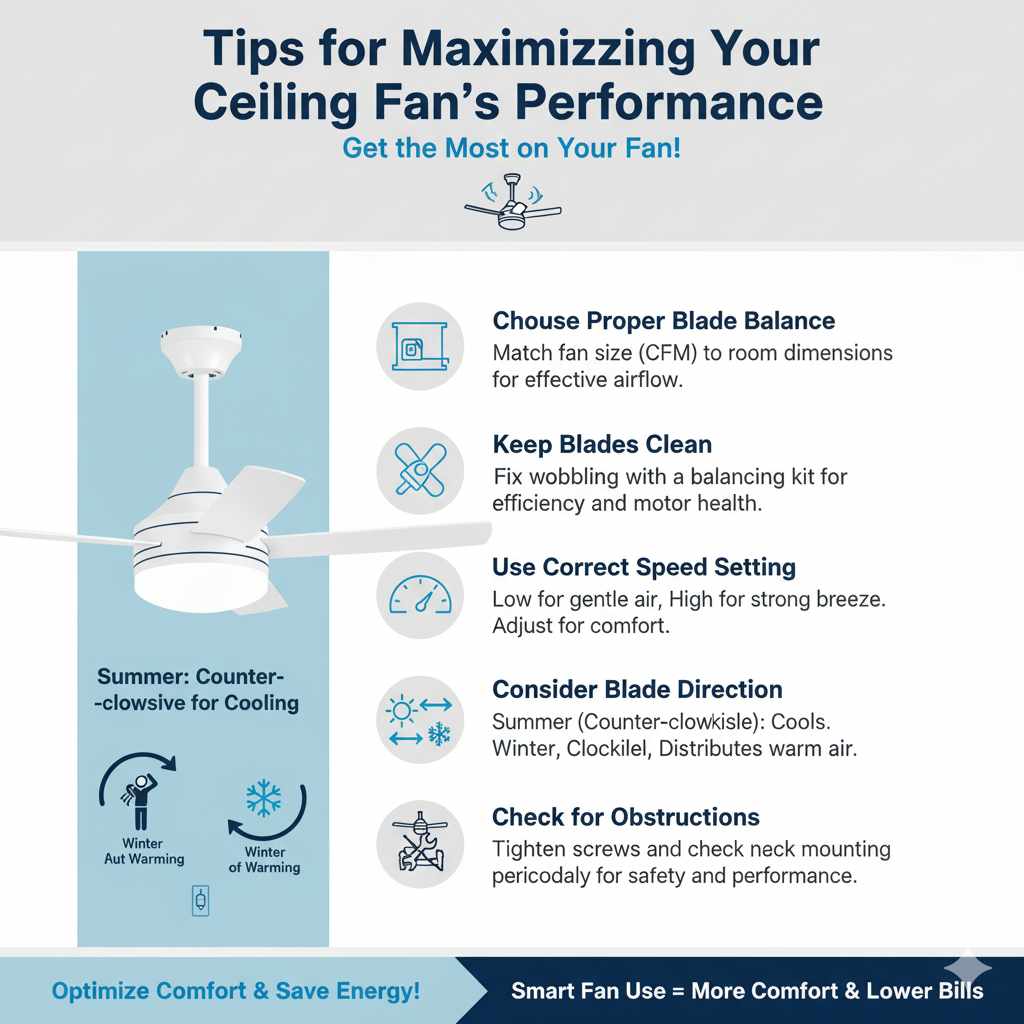
Tips for Maximizing Your Ceiling Fan’s Performance
Getting the most out of your ceiling fan is all about understanding how it works and how to use it effectively. Here are some practical tips to ensure you’re enjoying optimal airflow and comfort.
1. Choose the Right Fan for Your Room Size
As we discussed with CFM, the size of the fan matters. A fan that’s too small for a large room won’t move enough air, while an oversized fan in a small room might create too much draft. Check the recommended room size for the fan you’re considering or already have.
2. Ensure Proper Blade Balance
A wobbly fan is not only annoying but also less efficient and can put extra strain on the motor. Use a ceiling fan balancing kit if you notice wobbling. These kits usually involve small weights that you attach to the blades to counteract imbalances. It’s a simple fix that can make a big difference.
3. Keep Blades Clean
Dust accumulation can weigh down the blades, reduce airflow, and even cause imbalances. Regularly wipe down the fan blades with a microfiber cloth or a long-handled duster. For tougher grime, use a slightly damp cloth and dry thoroughly.
4. Use the Correct Speed Setting
Don’t always run your fan on high. Use the speed setting that provides the comfort you need. On cooler days, a low setting can help circulate warm air trapped near the ceiling. On warmer days, a medium or high setting will create a noticeable breeze. Experiment to find what works best for you.
5. Consider Blade Direction (Summer vs. Winter)
Most ceiling fans have a small switch on the motor housing that reverses the direction of the blades.
- Summer (Counter-clockwise rotation): Blades spin counter-clockwise, pushing air downwards to create a cooling breeze. This is the most common setting.
- Winter (Clockwise rotation): Blades spin clockwise, pulling air upwards. This helps to gently circulate warm air that has risen to the ceiling without creating a direct draft. This can help you feel warmer and potentially reduce your heating costs. You can learn more about this from resources like Houzz.
Make sure to switch this setting with the fan turned off and the power disconnected.
6. Check for Obstructions
Ensure there’s nothing blocking the fan’s airflow, such as tall furniture, curtains, or light fixtures that are too close to the blades. Adequate clearance is essential for efficient air circulation.
7. Regular Maintenance
Beyond cleaning, periodically check that all mounting screws are tight, especially where the fan is attached to the ceiling bracket and the downrod. A secure installation is vital for safety and performance.
Frequently Asked Questions (FAQ) About Ceiling Fan Speed
Here are some common questions homeowners have about how fast ceiling fans spin:
Q1: What is the average speed of a ceiling fan in RPM?
A: The average speed for most residential ceiling fans typically falls between 50 and 200 RPM. Low settings are usually 50-100 RPM, medium is 100-150 RPM, and high is 150-200+ RPM. This can vary based on the fan’s motor and design.
Q2: Does a faster spinning fan always mean more cooling?
A: Not necessarily. While higher RPMs generally move more air, a fan with a lower RPM but a steeper blade pitch and wider blades can move more air (higher CFM) and provide a stronger cooling effect. Always check the CFM rating for true airflow performance.
Q3: How can I tell if my ceiling fan is spinning too fast?
A: If your fan is on a low or medium setting but feels excessively strong, is making a loud humming or whistling noise, or is causing objects to vibrate, it might be spinning too fast for that setting. This could indicate a problem with the speed control or motor.
Q4: Can I adjust the maximum speed of my ceiling fan?
A: You cannot directly adjust the maximum RPM capability of your fan’s motor. However, you can control the speed through the fan’s built-in settings (low, medium, high) or a variable speed control if your fan is equipped with one. If you need more or less speed than your current fan offers, you may need to replace the fan with one that has different performance characteristics.
Q5: Why is my ceiling fan slower in the winter?
A: Ceiling fans typically have a switch to reverse the direction of the blades. In winter, you’ll want to set the fan to spin clockwise (usually on a low speed). This pulls air upwards, circulating warm air from the ceiling without creating a direct downdraft. The fan itself isn’t spinning slower, but the direction of airflow is different, creating a warming effect rather than a cooling one.
Q6: What does CFM mean, and why is it important?
A: CFM stands for Cubic Feet per Minute and measures the volume of air a fan moves. It’s a more accurate indicator of a fan’s cooling power than RPM alone. A higher CFM means more air circulation and a greater cooling effect.
Q7: My fan makes a clicking noise. Does that mean it’s spinning too fast?
A: A clicking noise is usually not related to the speed of the fan but rather to loose parts. It could be a loose blade screw, a loose light fixture, or something caught in the mechanism. It’s important to address clicking noises to ensure the fan is safe and operating correctly, regardless of its speed.
Conclusion
Understanding how fast ceiling fans spin is more than just a curious fact; it’s about optimizing your home’s comfort and energy efficiency. We’ve learned that typical speeds range from 50 to 200 RPM, influenced by motor power, blade pitch, size, and the speed setting you choose. While RPM is a measure of rotation, it’s the CFM rating that truly tells us how much air a fan moves and how effective it will be at cooling your space.
Whether you have an AC or a DC motor fan, knowing these factors can help you troubleshoot issues like slow speeds or excessive noise. Remember to keep your fan clean, balanced, and set to the appropriate speed for the season and your comfort needs. By paying attention to these details, you can ensure your ceiling fan is a valuable asset, providing gentle breezes in the summer and helping to distribute warmth in the winter, all while keeping your energy bills in check. Happy fan-ing!