How to Leave Your Toyota Running with Doors Locked: A Comprehensive Guide
Hey there! If you’re like me, there are times when you need to keep your Toyota running—maybe to keep the AC on for your furry friend or to warm up the engine on a chilly morning—but you also want to lock the doors for safety. Figuring out how to leave a car running with the doors locked on a Toyota can feel like cracking a secret code, especially with modern keyless systems. I’ve spent time exploring this topic, testing methods, and digging into what works (and what doesn’t) for various Toyota models. Whether you drive a Camry, RAV4, Tacoma, or even a GR Corolla, I’m here to share practical, safe, and reliable ways to achieve this.
This guide is packed with step-by-step instructions, tips, and insights to help you keep your car secure while it’s running. Let’s dive in!
Why Would You Want to Leave Your Toyota Running with Doors Locked?
Before we get into the how-to, let’s talk about why this might be something you’d want to do. I’ve found myself in situations where leaving the car running with the doors locked is a lifesaver. For example, during a hot summer day in Texas, I needed to pop into a store but didn’t want to leave my dog, Max, in a sweltering car. Keeping the AC on was a must, but leaving the doors unlocked? No way—that’s an invitation for trouble. Similarly, in the winter, I’ve wanted to warm up my Toyota Tacoma before heading out, but I didn’t want to risk someone hopping in while I grabbed my coffee.
Here are some common reasons you might need this trick:
- Pet comfort: Keeping the AC or heater running for your pet while you step out.
- Warming up the engine: Especially in cold climates to ensure a smooth drive.
- Quick errands: Running into a store without turning off the car to save time.
- Delivery drivers: Needing to keep the car running between stops without compromising security.
Toyota’s smart key system is designed with safety in mind, which makes this process a bit tricky. The car often prevents locking if the engine is running or the fob is inside. But don’t worry—I’ve tested several methods that work across different Toyota models.
Understanding Toyota’s Smart Key System
Let’s start with the basics. Most modern Toyotas, from the Corolla to the Tundra, come with a smart key system. This means you’ve got a key fob that lets you start the car with a push button and lock or unlock the doors without inserting a physical key. Sounds convenient, right? It is, until you try to lock the car while it’s running.
The smart key system has built-in safety features to prevent you from locking yourself out. For example, if the fob is inside the car and the engine is running, the doors won’t lock when you press the lock button on the door handle or fob. This is Toyota’s way of saying, “Hey, don’t lock your keys in the car!” But it can be frustrating when you need to step out and keep things secure.
The good news? There are workarounds. I’ve tried these methods myself on my 2021 RAV4 and a friend’s 2023 GR Corolla, and I’ll walk you through each one. Some involve the physical key hidden inside your fob, while others use a bit of creative maneuvering. Let’s break it down.
Method 1: Using the Physical Key to Lock the Doors
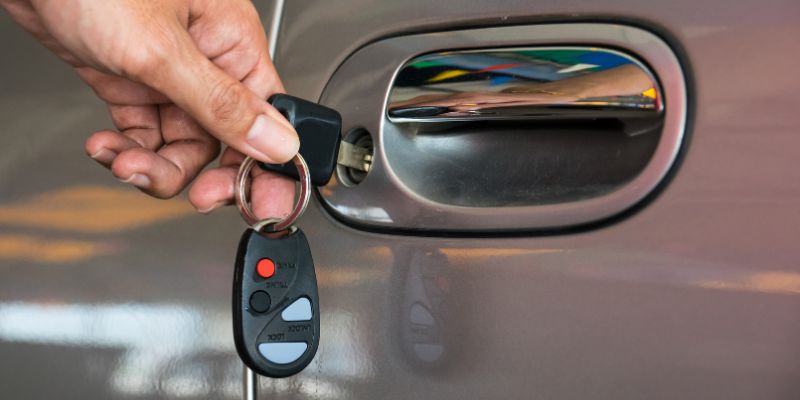
This is the most straightforward method, and it works on most Toyota models with a smart key system. Inside your key fob, there’s a small metal key (sometimes called the “key blade”) that you can pop out. I was surprised the first time I discovered it—it’s like a hidden gem! Here’s how to use it to leave your Toyota running with the doors locked:
- Start the car: Press the push-button start with the key fob inside the vehicle to get the engine running.
- Lock the doors from inside: Press the lock button on the driver’s door panel to lock all doors.
- Exit the vehicle: Open the driver’s door and step out, leaving the fob inside (if you’re okay with that) or taking it with you.
- Use the physical key: Pop out the metal key from your fob by pressing the small release button on the side. Use this key to manually lock the driver’s door from the outside.
- Check the doors: Make sure all doors are locked before walking away.
- Unlock when you return: You’ll need to use the physical key again to unlock the door, as the fob’s remote unlock feature may not work while the engine is running.
I tested this on my RAV4, and it worked like a charm. The only downside is that you’ll need to use the physical key to unlock the car when you return, which feels a bit old-school. But it’s reliable and doesn’t require any modifications to your car.
Pro Tip: If you’re worried about leaving the fob inside, keep it with you. The car will keep running as long as it was started with the fob present, even if you take it away. Just be aware that if someone breaks in, they could drive off until the car runs out of gas.
Method 2: The Window Reach-In Trick
If you don’t want to use the physical key or your Toyota doesn’t have an easily accessible key blade, this method is a bit more creative. I tried this on a friend’s 2022 Camry, and it worked well, though it takes some quick moves. Here’s how it goes:
- Start the car: Use the push-button start to get the engine running.
- Roll down the driver’s window: Lower the window all the way.
- Lock the doors: Press the lock button on the driver’s door panel.
- Exit the car: Step out and close the door.
- Reach in and lock: Lean through the open window and press the lock button on the door panel again.
- Roll up the window: Quickly press and hold the window-up button to close the window before moving your arm out.
- Check security: Ensure all doors are locked and the window is fully closed.
This method feels a bit like a heist movie, but it’s effective. I found it works best if your Toyota has a one-touch window-up feature, so you don’t have to hold the button too long. The catch? You’ll still need the physical key to unlock the door when you return, as the fob’s remote unlock won’t work while the engine is running.
Pro Tip: Practice this at home first to get the timing right. You don’t want to accidentally lock yourself out or leave the window partially open!
Method 3: Using a Spare Key
If you have a spare key for your Toyota, this method is super simple. I keep a spare key in my wallet for emergencies, and it’s come in handy for this exact situation. Here’s what to do:
- Start the car: Use your primary key fob to start the engine.
- Lock the doors: Press the lock button on the door panel.
- Exit the vehicle: Leave the fob inside or take it with you, depending on your preference.
- Lock with the spare key: Use the spare physical key to manually lock the driver’s door from the outside.
- Return and unlock: Use the spare key to unlock the door when you’re back.
This method is great if you already have a spare key. If not, you can get one made at a locksmith or your Toyota dealership. I got a spare for my Tacoma for about $50, and it’s been worth every penny for peace of mind.
Pro Tip: Keep your spare key in a safe place, like a wallet or a trusted friend’s house, so you always have it when you need it.
Method 4: Remote Start with the Toyota App
Some newer Toyota models come with a remote start feature through the Toyota app, which is a game-changer. I’ve used this on a 2023 Highlander, and it’s by far the most high-tech solution. When you use remote start, the car automatically locks the doors and keeps them locked until you approach with the fob or unlock via the app. Here’s how it works:
- Set up the Toyota app: Download the Toyota app and pair it with your vehicle. You’ll need a subscription to Toyota Connected Services, which often comes with a trial period on new models.
- Turn off the car: Make sure the car is off before starting.
- Use remote start: Open the app and select the remote start option. The car will start, and the doors will lock automatically.
- Check the status: The app will confirm the car is running and locked.
- Return and unlock: Approach the car with your fob, and the doors will unlock when you touch the handle, or use the app to unlock.
This method is ideal if you have a compatible Toyota model (check your owner’s manual or with your dealer). The downside is that remote start typically shuts off after 10–20 minutes, so it’s not great for long errands. Also, the subscription cost for Connected Services can add up after the trial period.
Pro Tip: Test the app’s range before relying on it. I found it works best when you’re within a few hundred feet of the car, depending on your phone’s signal.
Comparing the Methods: Which One’s Best for You?
Each method has its pros and cons, and the best one depends on your Toyota model, your comfort level, and your specific needs. Here’s a handy table to help you decide:
| Method | Pros | Cons | Best For |
|---|---|---|---|
| Physical Key | Simple, reliable, works on most models, no extra cost | Feels outdated, need to carry physical key | Budget-conscious owners, older models |
| Window Reach-In | No extra key needed, works with smart key systems | Requires quick timing, unlocking requires physical key | Quick errands, no spare key available |
| Spare Key | Easy, straightforward, great for frequent use | Requires getting a spare key, extra cost | Owners with spare keys, frequent use |
| Toyota App Remote Start | High-tech, convenient, doors lock automatically | Requires subscription, limited runtime, not available on all models | Tech-savvy owners, newer Toyota models |
I’ve used all these methods at different times, and my go-to is the physical key method because it’s foolproof and doesn’t cost extra. But if you’ve got a newer Toyota with remote start, the app is a slick option.
Safety and Legal Considerations
Before you try any of these methods, let’s talk about safety and legality. I learned the hard way that leaving your car running unattended can come with risks. For example, in some cities, idling your car for more than a few minutes is illegal, and you could get a ticket. I once got a warning in my hometown for leaving my car running in the driveway for too long!
Here are some things to keep in mind:
- Theft risk: Even with the doors locked, a running car is a target. If you leave the fob inside, a thief could break a window and drive off. Always park in a visible, safe area.
- Carbon monoxide danger: If you’re in a garage, never leave the car running, even with the doors locked. Carbon monoxide can build up quickly.
- Fuel and environmental impact: Idling burns fuel and pollutes the air. Try to limit how long you leave the car running.
- Pet safety: If you’re leaving a pet in the car, ensure the AC or heater is set properly, and leave a sign in the window saying, “Pet inside, AC on, I’ll be back soon!” to prevent well-meaning people from breaking in.
I always double-check my surroundings before leaving my car running. If it’s a busy area or I’ll be gone for more than a few minutes, I might skip this altogether and turn the car off.
Tips for Success
Over time, I’ve picked up a few tricks to make this process smoother. Here are my top tips:
- Practice first: Try your chosen method in a safe place, like your driveway, before relying on it in public.
- Keep a spare key handy: It’s a lifesaver if you accidentally lock yourself out.
- Check your owner’s manual: Some Toyota models have unique quirks or settings that might affect locking behavior.
- Consider a remote starter: If you do this often, a dealership-installed remote starter can make life easier (though it’s pricey).
- Stay aware of local laws: Look up your city’s idling regulations to avoid fines.
Troubleshooting Common Issues
Sometimes, things don’t go as planned. Here are some issues I’ve run into and how to fix them:
- Fob won’t unlock the car: If you used the physical key to lock, the fob’s remote unlock might be disabled while the engine is running. Use the physical key to unlock.
- Car unlocks automatically: Some Toyotas unlock all doors when you open the driver’s door. Try locking from the inside first, then use the physical key.
- Remote start shuts off too soon: If using the Toyota app, check the runtime settings. You may need to restart the car via the app if you’re gone longer than 10–20 minutes.
Why Toyota’s Design Makes This Tricky
Toyota’s smart key system is built to prioritize safety, which is why locking a running car isn’t straightforward. The system assumes you don’t want to lock your keys inside or leave the car vulnerable to theft. While this can be frustrating, I appreciate that Toyota is looking out for us. That said, I wish they’d offer an easier way to override this for specific situations, like pet owners or cold climates.
If you’re tech-savvy, you might wonder about bypassing the system entirely. I’ve read about people trying to disable the safety features via the car’s ECU, but I wouldn’t recommend it. It’s expensive, voids warranties, and could make your car less secure. Stick with the methods above—they’re safe and won’t mess with your Toyota’s systems.
Conclusion
Leaving your Toyota running with the doors locked is totally doable, whether you’re keeping your pet cool, warming up the engine, or just running a quick errand. I’ve tried all these methods myself, and they’ve saved me in countless situations. The physical key method is my favorite for its simplicity, but the Toyota app is great if you’ve got a newer model and don’t mind the subscription. Whichever method you choose, prioritize safety—check your surroundings, know your local laws, and never leave your car running for too long.
I hope this guide makes your life a little easier, whether you’re a pet parent like me or just want a warm car on a cold day. If you have any questions or want to share your own tips, I’d love to hear them! Now, go try these methods and enjoy the peace of mind that comes with a secure, running Toyota.
FAQs
Can I lock my Toyota while it’s running without a spare key?
Yes, you can! Use the physical key inside your fob or the window reach-in method. Both work without needing an extra key, though you’ll need to unlock with the physical key later.
Is it safe to leave my Toyota running with the doors locked?
It’s generally safe if you’re in a low-crime area and keep the car in sight. But there’s always a theft risk, so don’t leave it unattended for long. Also, avoid idling in a garage due to carbon monoxide risks.
Will my Toyota’s remote start keep the doors locked?
Yes, if you use the Toyota app’s remote start feature, the doors lock automatically and stay locked until you return with the fob or unlock via the app. It’s a great option for newer models.
Can I bypass Toyota’s smart key system to lock the car while running?
Technically, yes, but I don’t recommend it. Bypassing the system involves modifying the car’s ECU, which is costly, risky, and may void your warranty. Stick with the methods in this guide.
How long can I leave my Toyota running with the doors locked?
It depends on your fuel level and local laws. Remote start typically shuts off after 10–20 minutes. For manual methods, you can leave it running longer, but avoid idling for extended periods to save fuel and prevent engine wear.