How to Open Electronic Door Locks Using Codes
Many people wonder about how to open an electronic door lock with a code. It might seem tricky at first, especially if you’re new to these types of locks. But don’t worry!
It’s usually quite simple once you know the steps. This guide will show you exactly what to do. We’ll break it all down step by step so you can open your electronic door lock with confidence.
Get ready to learn an easy process that anyone can follow.
Understanding Electronic Door Lock Codes
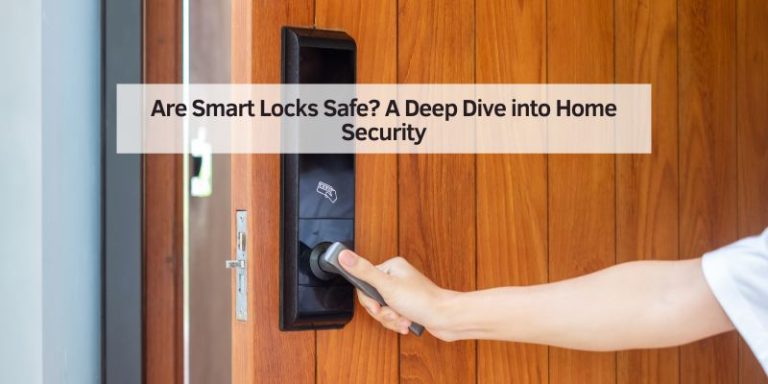
Electronic door locks use a keypad or touchscreen to enter a specific number sequence, or code, to unlock the door. This is different from traditional locks that use a physical key. These smart locks offer convenience and enhanced security. Many models allow you to set your own unique code. You can often change this code whenever you need to, making it a flexible security option for homes and businesses.
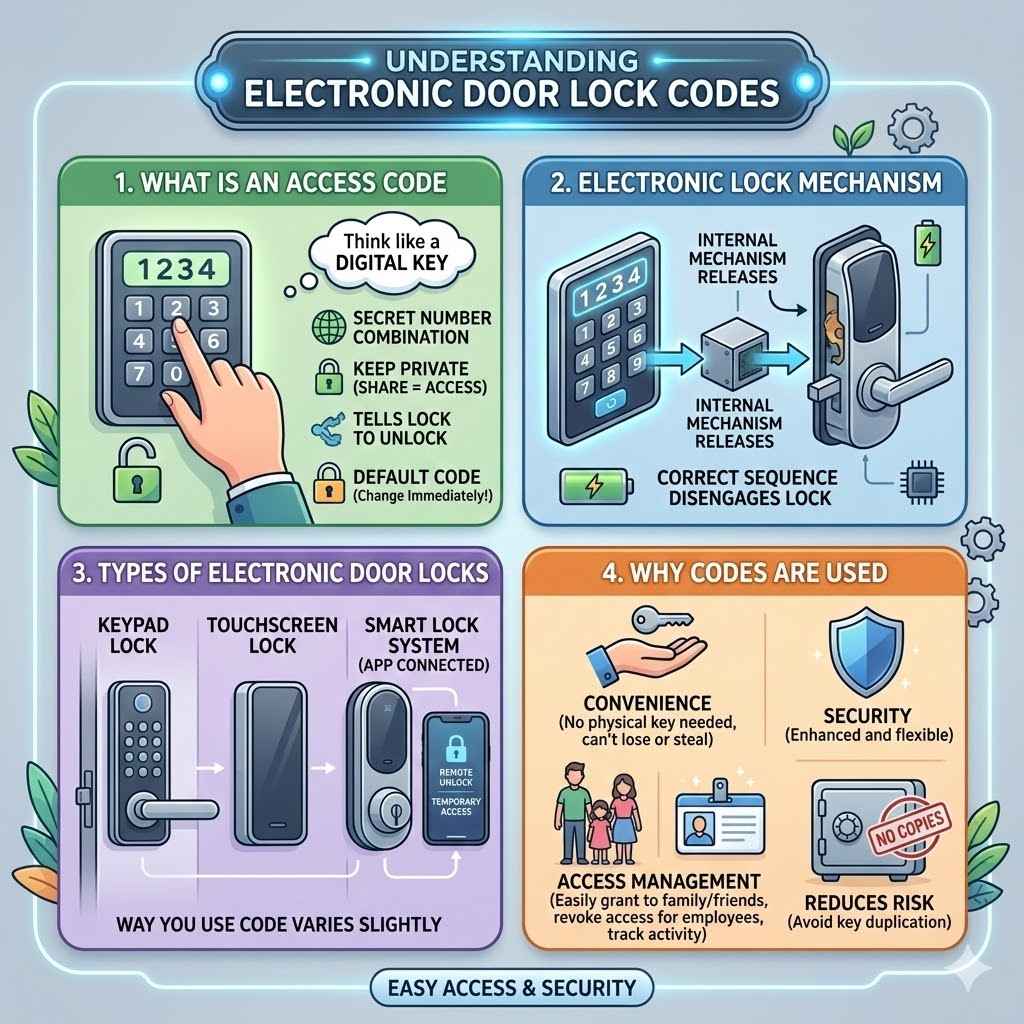
What is an Access Code
An access code is the secret number combination that tells the electronic lock to disengage and allow entry. Think of it like a digital key. When you punch in the correct code, the lock’s internal mechanism releases, letting you open the door. It’s important to keep this code private. Sharing it with others gives them access to your property.
When you get a new electronic door lock, it often comes with a default code set by the manufacturer. This is usually printed in the manual. It’s one of the very first things you should do to change this default code to something you’ll remember but others won’t easily guess.
Types of Electronic Door Locks
There are several kinds of electronic door locks. Some are battery-powered and mount onto your existing door. Others are part of a complete smart lock system that replaces your entire deadbolt.
Keypad locks are very common. You simply press the numbers on a built-in keypad. Touchscreen locks are similar but use a smooth surface instead of physical buttons. Some advanced smart locks also connect to your phone via an app, allowing you to unlock the door remotely or grant temporary access to guests.
The way you use the code might vary slightly between types, but the basic principle remains the same: enter the correct sequence to unlock.
Why Codes Are Used
Codes are used for convenience and security. You don’t need to carry a physical key, which can be lost or stolen. This also means you can grant access to family members or trusted friends without needing to give them a spare key.
For businesses, codes are great for managing employee access. Different codes can be assigned to different people, and access can be revoked easily when an employee leaves. This makes tracking who enters and exits much simpler. It also reduces the risk of unauthorized duplication of keys.
How to Open an Electronic Door Lock with a Code Step by Step
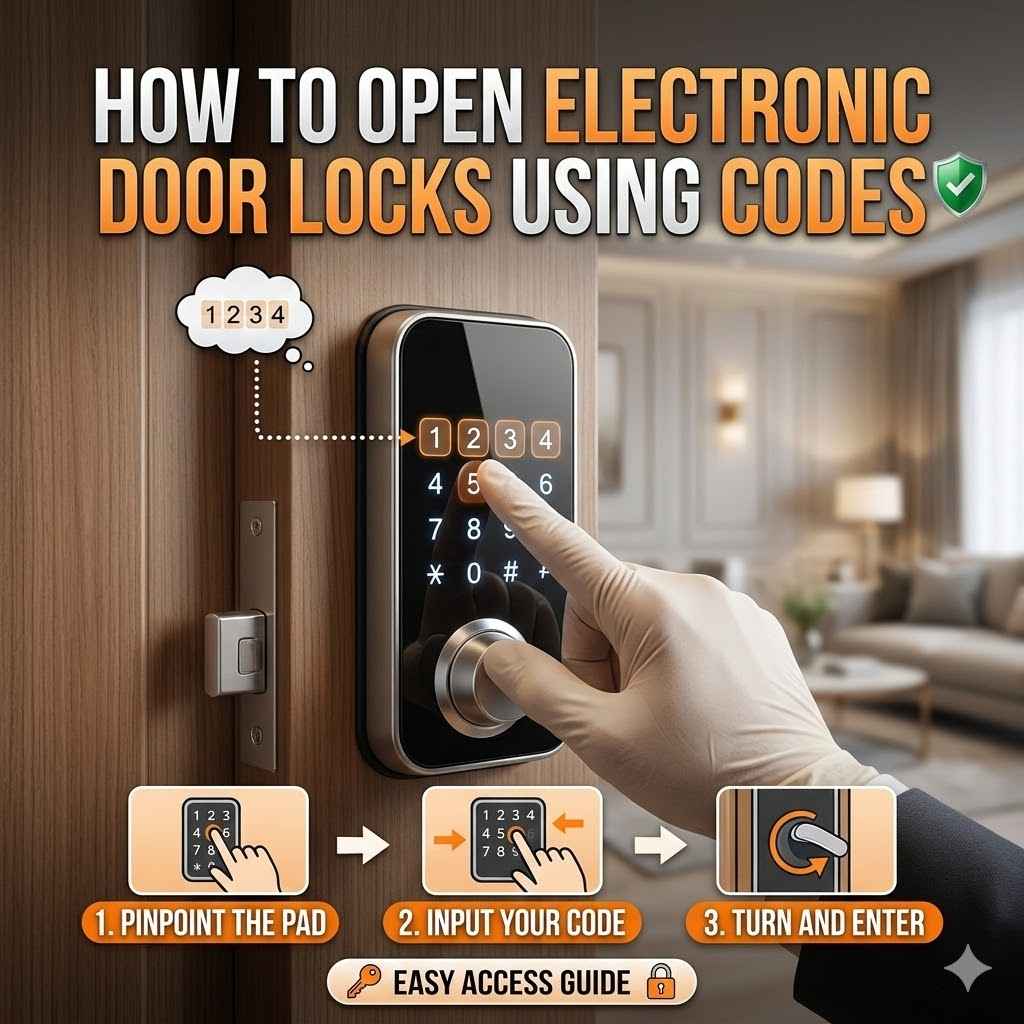
Opening an electronic door lock with a code is usually a straightforward process. Most locks are designed to be user-friendly. You will typically follow a few simple steps.
The first step is always to approach the lock. Ensure you are close enough for the keypad or touchscreen to register your input. Some locks have a wake-up feature, so you might need to touch the screen or press a button to activate it.
Next, you will need to enter your personal access code. This is the sequence of numbers you have set for yourself. Carefully press each digit of the code. It is important to enter the numbers accurately.
After entering the code, you usually need to press a final button to confirm it. This button often has an “Enter” or “Lock” symbol on it. Some locks may automatically unlock after the correct code is entered without needing a final confirmation button.
If the code is correct, you will hear a click or see a light signal indicating the lock has disengaged. Then, you can turn the doorknob or push the door open. If the code is incorrect, the lock will usually remain engaged, and you might see a red light or hear a different sound. In that case, you can try entering the code again.
Preparing to Enter Your Code
Before you start typing, take a moment to make sure you have the right code. If you’ve forgotten it, you might need to check your manual or a place where you securely stored it. Some smart locks can send a reset code to your registered email or phone.
It’s also good to check the lock itself. Make sure the battery has enough power. Most electronic locks have a low battery indicator, often a flashing light or a specific beep pattern. If the battery is dead, the lock won’t open, even with the correct code.
Ensure the area around the keypad or touchscreen is clean. Dirt or debris can sometimes interfere with the lock’s operation. You don’t need to scrub it, but a quick wipe with a dry cloth is usually enough.
Entering the Access Code
When you’re ready, locate the keypad or touchscreen on the lock. If it’s a keypad, press the numbers firmly. If it’s a touchscreen, tap the numbers clearly. Most codes are between 4 and 10 digits long.
Pay close attention to the order of the numbers. Entering them in the wrong order is a common mistake. Double-check each digit as you press it.
After you’ve entered all the digits of your code, look for a confirmation button. This is often labeled with a checkmark, an “OK,” or a lock symbol. Press this button to submit your code. Some locks might have a timeout feature, meaning you have a limited time to enter the code and confirm it.
Confirming the Lock Release
Once you press the confirmation button, listen for an audible cue. A pleasant chime or a single beep usually means success. You might also see a green light illuminate on the lock. This indicates that the electronic mechanism has released and the door is now unlocked.
If you hear a buzzing sound or see a red light, the code was likely incorrect. Don’t panic. Simply wait a few seconds, and try entering the code again. It’s common to make a mistake, especially if you are in a hurry or under stress.
If the lock still doesn’t open after a few tries, you might need to check your code again or consult the lock’s manual. Some locks have a lockout feature that temporarily disables the keypad after too many incorrect attempts to prevent unauthorized entry.
Troubleshooting Common Issues
Even the best electronic door locks can sometimes present challenges. Many problems are easy to fix with a little patience and knowledge. It’s helpful to know what to do when things don’t go as planned.
One of the most common issues is an incorrect code entry. This can happen if you misremember the code or accidentally press the wrong number. Always take your time and ensure each digit is correct.
Another frequent problem is a dead battery. Electronic locks rely on batteries to function. If the batteries run out, the lock won’t respond, regardless of the code you enter.
Sometimes, external factors can cause issues. Extreme weather, like very cold temperatures, can affect the electronics of some locks. Dust and grime can also accumulate on keypads, making them harder to use.
When the Lock Doesn’t Respond
If the lock doesn’t respond at all when you approach it or touch the keypad, the first thing to suspect is the power source. Electronic door locks run on batteries. Check if there’s a low battery indicator, often a blinking red light or a specific sound.
If there’s no indicator and the lock is completely unresponsive, the batteries might be completely dead, or there might be an internal issue. Most battery-powered locks have a backup battery compartment, usually accessible from the outside. You can try inserting a fresh battery into this backup slot to see if it wakes up the lock.
You can usually find information about how to access and replace batteries in your lock’s user manual. It’s a good idea to keep this manual in a safe place.
Incorrect Code Lockout
Many electronic locks are programmed with a security feature to prevent “brute force” attacks, where someone tries many codes hoping to guess the right one. If you enter the wrong code too many times in a row, the lock will typically enter a lockout mode. This means the keypad will be temporarily disabled.
The duration of this lockout varies by manufacturer, but it can range from a few minutes to half an hour or even longer. During the lockout period, the lock will not accept any code entries. This is a security measure to deter unauthorized access.
If you’re locked out by an incorrect code entry, the best course of action is to wait patiently until the lockout period is over. Then, carefully re-enter your code. It’s wise to confirm your correct code before attempting entry again to avoid another lockout.
When the Lock Opens But Won’t Close
Sometimes, an electronic lock might open successfully with the correct code, but you might find it difficult to close or re-lock the door. This could be due to a few reasons.
One common cause is that the door is not properly aligned with the frame. Over time, doors can sag or shift, which can misalign the deadbolt with the strike plate in the door frame. If the deadbolt hits the edge of the strike plate instead of entering the hole, the door won’t close and lock properly. You might need to adjust the door or the strike plate.
Another possibility is that the internal mechanism of the lock itself has an issue. This could be a mechanical problem or an electronic glitch. If the lock is new, it might be a manufacturing defect. If it’s older, wear and tear could be the culprit.
If you suspect an alignment issue, try gently pushing or lifting the door while you attempt to close it. If you believe it’s a lock mechanism problem, consult your user manual for troubleshooting steps or contact the manufacturer’s support.
Maintaining Your Electronic Door Lock
Keeping your electronic door lock in good working order ensures it functions reliably when you need it most. Regular maintenance can prevent many common problems and extend the life of the lock. It’s a proactive approach to security.
The most crucial aspect of maintenance is managing the batteries. Most electronic locks are battery-operated. They typically use standard AA or AAA batteries. It’s recommended to replace the batteries at least once a year, or whenever the low battery indicator appears. This prevents unexpected lockouts.
Keeping the lock clean is also important. Dust, dirt, and moisture can get into the keypad or touchscreen. This can make it difficult to enter your code correctly. Periodically wipe down the exterior of the lock with a soft, dry cloth. Avoid using harsh chemicals or abrasive cleaners, as these can damage the finish or electronics.
Battery Replacement Schedule
A good rule of thumb for battery replacement is to do it at least once a year. Many manufacturers recommend replacing batteries every 6 to 12 months, depending on usage. If your lock has a low battery warning, always heed it. Don’t wait for the batteries to die completely.
For example, if you use your lock frequently, you might consider replacing the batteries every six months. If it’s a less frequently used door, once a year might be sufficient. A simple way to remember is to change them when you change your smoke detector batteries, perhaps in the spring or fall.
It’s also helpful to keep a spare set of the correct type of batteries handy. This way, if your lock does give you a low battery warning, you can replace them immediately.
Cleaning the Keypad or Touchscreen
A dirty keypad or touchscreen can lead to misreads or non-responses. This can be frustrating when you just want to get inside your home. Use a soft, lint-free cloth to wipe down the surface regularly.
For tougher grime, you can slightly dampen the cloth with water. Never spray liquid directly onto the lock, as this can damage the internal electronics. For touchscreens, a specialized screen cleaner designed for electronics can be used sparingly on the cloth.
Avoid using solvents, ammonia, or abrasive cleaners. These can scratch the screen or damage the keypad’s coating. A gentle wipe down every few weeks should keep it in good working condition.
Checking for Software Updates
For smart electronic door locks that connect to an app or Wi-Fi, software updates are often released by the manufacturer. These updates can improve performance, fix bugs, and sometimes add new features.
Make sure your lock’s firmware is up to date. You can usually check for updates through the lock’s companion mobile app. Follow the app’s instructions to download and install any available updates. This process is typically straightforward and may require the lock to be in close proximity to your phone during the update.
Regularly checking for and installing updates ensures your smart lock is running optimally and securely. It’s a simple step that contributes to the overall reliability of your lock.
Advanced Features and Security Considerations
Electronic door locks offer more than just basic code entry. Many models come with advanced features that enhance security and convenience. Understanding these features can help you make the most of your smart lock.
One important aspect is the ability to create multiple user codes. This allows you to assign unique codes to family members, friends, or service providers. You can often set these codes to expire after a certain time or be active only during specific hours.
Some locks also offer activity logs. This means you can see a record of when the lock was accessed and by which code. This can be useful for monitoring comings and goings, especially in a busy household or small business.
Creating and Managing User Codes
Most electronic door locks allow you to set up multiple user codes. This is incredibly useful for family members, house sitters, or trusted friends. Instead of sharing one master code, each person can have their own unique code.
When you set up a new user code, you typically enter it through the lock’s keypad or via its mobile app. You can usually assign a name to each code, like “John,” “Sarah,” or “Dog Walker.” This makes it easy to identify who is using which code.
Many advanced locks also let you set time restrictions for user codes. For example, you can allow your dog walker access only between 10 AM and 2 PM on weekdays. After those times, their code will no longer work. This adds an extra layer of security and control.
Activity Logs and Audit Trails
For enhanced security and peace of mind, many electronic door locks provide activity logs. These logs record every time the lock is accessed, including the time, date, and which code was used.
If your lock has a mobile app, you can usually access these logs through the app. This lets you see who entered your home and when. For instance, you might check if your kids got home from school safely.
This audit trail can be invaluable in case of any security concerns. It provides a clear record of access events. Some advanced systems can even send notifications to your phone when the lock is used.
Temporary Access and Guest Codes
One of the most convenient features of smart electronic locks is the ability to grant temporary access. This is perfect for when you have guests staying over or need to let a repair person into your home while you’re away.
You can generate a temporary code that will only work for a specific period. For example, you could create a code that is active for three days. After those three days, the code will automatically become invalid, and the person will no longer be able to unlock the door.
This eliminates the need to worry about remembering to collect a key or disable a code after it’s no longer needed. It offers a secure and easy way to manage access for short-term visitors.
How to Open an Electronic Door Lock with a Code When You Forget It
Forgetting your code is a common concern. Fortunately, there are usually ways to regain access without having to call a locksmith. The method depends on the type of electronic lock you have.
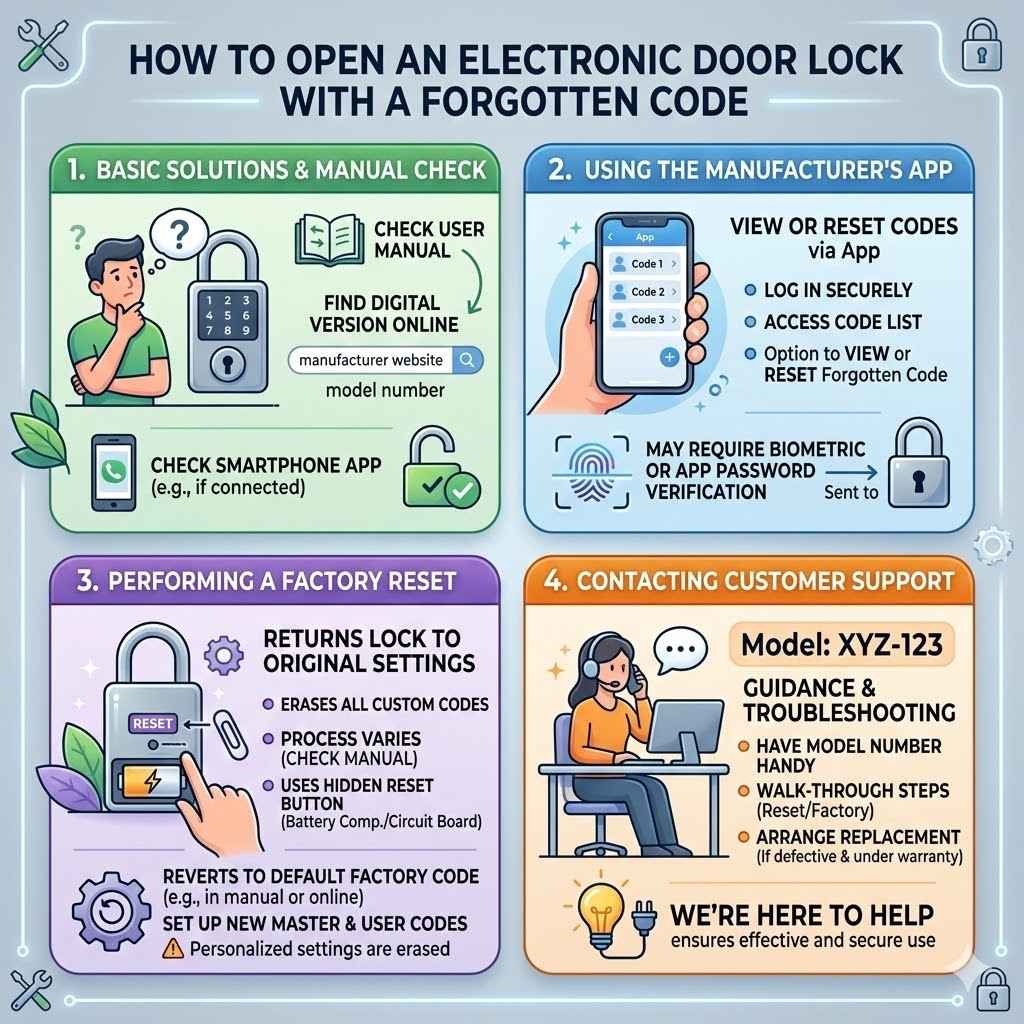
The easiest solution is often to check your user manual. Many people keep the manual in a safe place or digitally. If you don’t have it, you can usually find a digital version on the manufacturer’s website by searching for your lock’s model number.
If your lock is connected to a smartphone app, that’s usually your best bet. Most smart lock apps allow you to remotely view or reset your codes. You might need to verify your identity through the app, such as by entering your app password or using biometric authentication.
Using the Manufacturer’s App
If you have a smart electronic door lock that connects to a mobile app, this is your primary tool for managing codes, including when you forget them. Most apps allow you to log in securely and access a list of all programmed codes.
From the app, you can usually view your master code or any individual user codes you’ve set. If you’ve forgotten your personal access code, you can often find it listed within the app. If not, the app will likely have an option to reset the code.
To reset a forgotten code, you might be prompted to enter your app password again or use a fingerprint or facial scan for verification. Once verified, you can enter a new code through the app. The app then sends this new code to the lock. After the update, your lock will work with the new code.
Performing a Factory Reset
If you’ve forgotten your code and cannot access the manufacturer’s app, a factory reset is often the last resort. A factory reset returns the lock to its original settings, just like when it was new. This means all custom codes, including your forgotten one, will be erased.
The process for a factory reset varies greatly depending on the lock model. It typically involves pressing a small reset button hidden on the lock mechanism, often inside the battery compartment or on the circuit board. You may need a paperclip or a small tool to press this button.
After the reset, the lock will revert to its default factory code. This code is usually found in the user manual or on the manufacturer’s website. You will then need to set up your lock again, including creating a new master code and any user codes you need. Be aware that performing a factory reset will erase all personalized settings.
Contacting Customer Support
If all else fails, or if you’re uncomfortable performing a factory reset, contacting the lock manufacturer’s customer support is always an option. They have trained professionals who can guide you through the troubleshooting process.
When you call customer support, have your lock’s model number handy. This will help them quickly identify your lock and provide relevant instructions. They can walk you through the steps to reset your code, perform a factory reset, or diagnose any other issues you might be experiencing.
In some cases, if the lock is defective, customer support might arrange for a replacement under warranty. Don’t hesitate to reach out to them if you’re stuck. They are there to help ensure you can use your lock effectively and securely.
Frequently Asked Questions
Question: What is the main advantage of using an electronic door lock with a code
Answer: The main advantage is convenience and keyless entry, meaning you don’t have to carry physical keys, which can be lost or forgotten.
Question: How long should an electronic door lock code be
Answer: Most codes range from 4 to 10 digits, but it’s best to use a longer code for better security.
Question: What happens if I enter the wrong code too many times
Answer: Many locks will enter a lockout mode, temporarily disabling the keypad to prevent unauthorized access.
Question: Can I change the code on my electronic door lock
Answer: Yes, you can almost always change the code. This is usually done through the lock’s keypad or a companion app.
Question: How do I know when the batteries in my electronic lock need replacing
Answer: Most locks have a low battery indicator, such as a blinking light or a specific beep pattern, to alert you.
Summary
Learning how to open an electronic door lock with a code is simple. By following these steps, you can easily access your home or office. Remember to keep your codes secure and maintain your lock. Enjoy the convenience and peace of mind that comes with modern security. You’ve got this.