What Smart Locks Work with Ring: A Comprehensive Guide for Your Smart Home
Hey there! If you’re like me, you’ve probably fallen in love with the convenience and peace of mind that comes with a Ring home security system. Those video doorbells and cameras make it so easy to keep an eye on your home, whether you’re at work or on vacation. But here’s the thing: to take your smart home setup to the next level, you need a smart lock that works seamlessly with your Ring system. I’ve been down this road myself, researching and testing locks to figure out which ones integrate perfectly with Ring. So, grab a coffee, sit back, and let me walk you through everything I’ve learned about what smart locks work with Ring and how they can make your home safer and smarter.
Why Pair a Smart Lock with Your Ring System?
Let’s start with the basics. Why should you even care about integrating a smart lock with your Ring setup? Well, imagine this: you’re out running errands, and your neighbor texts you saying they need to drop off a package inside your house. With a Ring-compatible smart lock, you can unlock your door right from your phone using the Ring app. No need to rush home or hide a key under the mat. Plus, you can see who’s at your door through your Ring doorbell and let them in with a tap. It’s convenient, secure, and just plain cool.
Smart locks also add an extra layer of security. You can create unique access codes for family, friends, or even the dog walker. These codes can be temporary or time-specific, so you control who gets in and when. And here’s the kicker: some locks let you link actions, like disarming your Ring Alarm when you unlock the door with a code. It’s all about making your life easier while keeping your home safe.
Now, not every smart lock works with Ring. Most compatible locks use Z-Wave technology, which connects directly to your Ring Alarm base station. Some use Wi-Fi or Bluetooth, but those often need extra certifications or devices to play nice with Ring. After digging into this, I’ve found a handful of locks that stand out for their reliability, features, and ease of use. Let’s dive into the best options.
Top Smart Locks That Work with Ring
I’ve spent hours researching and even installed a couple of these locks at my own home to see how they perform with Ring. Below are my top picks, each with its own strengths depending on what you’re looking for—whether it’s budget, style, or advanced features.
Schlage Connect Smart Deadbolt: The All-Around Champion
When I first started looking for a Ring-compatible smart lock, the Schlage Connect Smart Deadbolt kept popping up as a top choice, and I can see why. This lock uses Z-Wave technology, which means it connects directly to your Ring Alarm base station. Once it’s set up, you can lock or unlock your door, manage access codes, and check the lock’s status right from the Ring app. It’s like having a security guard in your pocket.
The Schlage Connect is sturdy, with a Grade 1 ANSI/BHMA rating—the highest for residential locks. That means it’s built to withstand serious attempts at forced entry. It also has a touchscreen keypad, which I found super handy for creating up to 30 unique access codes. I gave one to my sister when she was house-sitting, and it was a breeze to set up. The lock even has a built-in alarm that goes off if someone tries to tamper with it, which gave me extra peace of mind.
One thing to note: you’ll need a Ring Alarm or Alarm Pro to use this lock with the Ring app. Installation was straightforward for me—just a screwdriver and about 20 minutes. The only downside? It’s a bit pricey, often retailing around $300. But for its durability and seamless Ring integration, I think it’s worth every penny.
Yale Assure Lock 2: Sleek and Modern
If you want a lock that looks as good as it performs, the Yale Assure Lock 2 is a fantastic option. I was drawn to its sleek, modern design—no bulky keyhole if you don’t want one, just a clean touchscreen keypad. It’s Z-Wave compatible, so it pairs easily with your Ring Alarm system. You can control it through the Ring app, create up to 250 access codes (yes, 250!), and even set it to auto-lock if you forget to secure the door.
What I love about the Yale Assure Lock 2 is its flexibility. You can get it with or without a keyhole, depending on whether you want a backup key. I went keyless, and it feels so futuristic. The lock runs on four AA batteries, and there’s a 9-volt battery connector for emergencies if the batteries die. I had a moment of panic when my batteries ran low, but the backup feature saved the day.
The Yale lock is also highly rated for security, with a deadbolt that’s tougher than most. My only gripe is that some users report the auto-lock feature can be a bit sensitive, engaging before the door is fully closed if you accidentally brush the keypad. But overall, it’s a solid choice, especially if you want a lock that’s both stylish and Ring-friendly.
Kwikset SmartCode 916: Budget-Friendly and Reliable
If you’re watching your wallet, the Kwikset SmartCode 916 is my go-to recommendation. It’s under $200, which is a steal for a Z-Wave lock that works with Ring. Like the others, it connects to your Ring Alarm system, letting you control it via the Ring app. You can lock or unlock the door, set up to 30 access codes, and even use Alexa for voice control if you’re into that.
The Kwikset 916 has a Grade 2 ANSI/BHMA rating, which isn’t as high as the Schlage but still better than most consumer locks. I installed one at my rental property, and tenants love the touchscreen keypad and one-touch locking feature. The SmartKey technology is a nice touch, letting you re-key the lock yourself if you have other Kwikset locks and want them to match.
One thing to keep in mind: some users mention the battery life isn’t as long as they’d like, so you might need to replace the batteries every six months or so. But for the price and Ring compatibility, it’s hard to beat.
Level Lock Touch: The Discreet Powerhouse
The Level Lock Touch is a bit of a dark horse, but it’s one of my favorites for its minimalist design. Unlike traditional smart locks, this one looks like a regular deadbolt—no bulky keypad or obvious tech. It uses Bluetooth and Wi-Fi, which makes it a bit trickier to integrate with Ring, but it’s certified for use with the Ring Home subscription and Amazon’s Sidewalk network.
What sets the Level Lock Touch apart is its versatility. You can unlock it with a tap on your phone, a key card, or even a touch if you have the right settings. I tried it at a friend’s house, and it felt like magic. It’s not Z-Wave, so you’ll need specific Ring devices (like the Ring Home Bridge) for full integration. But once it’s set up, you can control it through the Ring app, and it works like a charm.
The downside? It’s expensive, often around $330, and you’ll need to buy a separate keypad if you want one. But if you want a lock that blends into your door while still offering Ring compatibility, this is the one to beat.
August Smart Lock Pro: Keep Your Existing Deadbolt
Maybe you love your current deadbolt and don’t want to replace it. That’s where the August Smart Lock Pro comes in. This lock attaches to the inside of your existing deadbolt, so you keep your keys and exterior look. It uses Z-Wave to connect to your Ring Alarm, giving you full control through the Ring app.
I recommended this to a neighbor who didn’t want to mess with their fancy brass deadbolt. They were thrilled with how easy it was to install—no need to replace the whole lock. The August Smart Lock Pro supports features like auto-locking and DoorSense, which tells you if your door is fully closed. It’s also compatible with Alexa, Google Assistant, and other smart home systems, making it a versatile choice.
The catch? It’s not the cheapest option, often around $250, and you’ll need a Ring Alarm base station for full integration. But if you want to keep your existing hardware while adding smart features, it’s a great pick.
Comparing the Top Ring-Compatible Smart Locks
To make things easier, I’ve put together a quick comparison of these locks based on my experience and research. This table should help you decide which one fits your needs.
| Smart Lock | Connectivity | Price (Approx.) | Key Features | Pros | Cons |
|---|---|---|---|---|---|
| Schlage Connect | Z-Wave | $300 | Touchscreen keypad, 30 access codes, built-in alarm, Grade 1 security | Durable, secure, easy to install | Pricey, requires Ring Alarm |
| Yale Assure Lock 2 | Z-Wave | $280 | Sleek design, 250 access codes, keyless option, auto-lock | Modern look, high code capacity, emergency battery feature | Auto-lock can be sensitive |
| Kwikset SmartCode 916 | Z-Wave | $190 | Touchscreen keypad, SmartKey re-keying, 30 access codes, Grade 2 security | Affordable, reliable, Alexa-compatible | Shorter battery life |
| Level Lock Touch | Bluetooth/Wi-Fi | $330 | Minimalist design, touch/card unlock, Ring Home integration | Discreet, versatile unlock options | Expensive, needs separate keypad, requires specific Ring devices |
| August Smart Lock Pro | Z-Wave | $250 | Attaches to existing deadbolt, DoorSense, auto-locking, multi-platform support | Keeps existing hardware, versatile | Requires Ring Alarm, not the cheapest |
How to Set Up a Smart Lock with Ring
Setting up a smart lock with Ring is easier than you might think, but it does require a few steps. Here’s what I did when I installed my Schlage Connect, and the process is similar for most Z-Wave locks.
First, you’ll need a Ring Alarm or Alarm Pro base station. This acts as the hub that connects your lock to the Ring app. If you only have a Ring Doorbell, you’re limited to Wi-Fi or Bluetooth locks like the Level Lock Touch, and even then, you might need extra devices like the Ring Home Bridge.
Once you’ve installed the lock on your door (most come with clear instructions and only need a screwdriver), open the Ring app and go to “Set Up a Device.” Choose “Locks,” and follow the prompts to pair your lock. For Z-Wave locks, you’ll need to put the lock in pairing mode—usually by pressing a button on the lock itself. The app will find the lock and guide you through connecting it to your Wi-Fi or Z-Wave network.
After that, you can customize settings like access codes or auto-lock features. I set up a code for my dog walker that only works on weekdays, and it’s been a game-changer. Just make sure your Ring app is updated to avoid any hiccups.
Things to Consider Before Buying
Before you rush out to buy a smart lock, there are a few things I learned the hard way that you should keep in mind.
- Connectivity: If you have a Ring Alarm, Z-Wave locks are your best bet for direct, reliable integration. Wi-Fi or Bluetooth locks might need extra devices or certifications, which can complicate things.
- Budget: Prices range from under $200 to over $300. Decide what features matter most to you, like keyless entry or a high security rating, and weigh that against your budget.
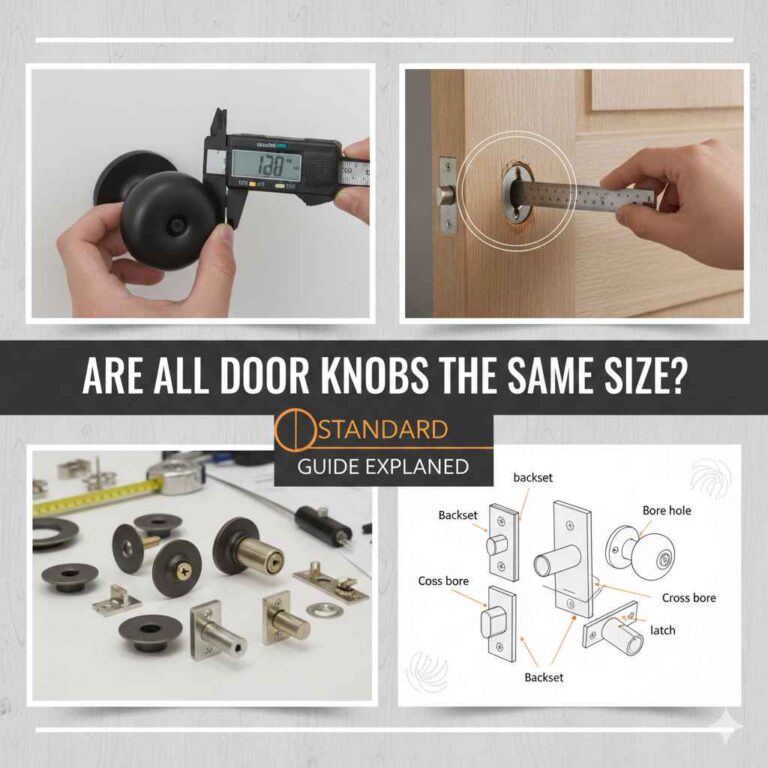
- Door Compatibility: Check your door’s thickness (usually 1.37 to 1.75 inches for most locks) and whether you need a deadbolt or lever lock.
- Aesthetics: Some locks, like the Level Lock Touch, are sleek and subtle, while others, like the Kwikset, have a more traditional look. Pick one that matches your home’s vibe.
- Battery Life: Most smart locks run on AA batteries, but some last longer than others. The Kwikset 916, for example, might need more frequent battery changes.
Benefits of Ring-Compatible Smart Locks
Why go through the trouble of integrating a smart lock with Ring? For me, it’s all about convenience and control. Here are the biggest perks I’ve noticed:
- Remote Access: I can lock or unlock my door from anywhere, which is perfect for letting in guests or service providers when I’m not home.
- Access Codes: No more hiding keys or worrying about copies floating around. I can create and delete codes as needed, and some locks let you set schedules.
- Integration: Linking your lock to your Ring Alarm means you can arm or disarm your security system just by locking or unlocking the door. It’s a small thing, but it saves time.
- Real-Time Alerts: I get notifications if someone tries to tamper with the lock or if it’s left unlocked. That’s a huge relief when I’m traveling.
- Voice Control: If you have Alexa, you can control some locks with your voice. I’ve caught myself saying, “Alexa, lock the front door,” more times than I’d like to admit.
My Personal Experience
When I first got my Ring Video Doorbell, I was thrilled with how easy it was to see who was at my door. But I kept thinking, “What if I could let someone in without leaving my couch?” That’s when I started exploring smart locks. I ended up choosing the Schlage Connect because of its robust security and easy integration with my Ring Alarm. Setting it up was a breeze, and now I can’t imagine going back to a regular lock. Whether it’s letting my mom in to water my plants or giving a temporary code to a delivery person, it’s made my life so much easier.
I also tried the Kwikset SmartCode 916 at my rental property, and it’s been a hit with tenants. The price was right, and it’s held up well over the past year. The only time I ran into an issue was when the batteries died faster than expected, but a quick swap fixed that.
Conclusion
Adding a smart lock to your Ring system is like giving your home a security upgrade and a personal assistant all in one. Whether you go for the high-end Schlage Connect, the sleek Yale Assure Lock 2, the budget-friendly Kwikset SmartCode 916, the discreet Level Lock Touch, or the versatile August Smart Lock Pro, you’re making your home smarter and safer. Each lock has its own strengths, so think about what matters most to you—price, design, or extra features like keyless entry.
For me, the peace of mind that comes with controlling my lock from anywhere and knowing my home is secure is priceless. If you’re ready to take your Ring setup to the next level, I hope this guide helps you find the perfect smart lock. Trust me, once you go smart, you’ll never want to go back to a regular lock again.
FAQs
Do I Need a Ring Alarm to Use a Smart Lock with Ring?
Yes, for most Z-Wave smart locks, you need a Ring Alarm or Alarm Pro base station to connect them to the Ring app. Wi-Fi or Bluetooth locks, like the Level Lock Touch, might work with other Ring devices, but they often require specific certifications or a Ring Home subscription.
Can I Control My Smart Lock with the Ring App?
Absolutely! Once your smart lock is connected to your Ring Alarm, you can lock, unlock, manage access codes, and check the lock’s status directly in the Ring app. It’s super convenient.
Are Ring-Compatible Smart Locks Secure?
Yes, the locks I’ve mentioned, like the Schlage Connect and Yale Assure, have high security ratings and features like tamper alarms and encryption. They’re designed to be tough against picking, bumping, and other break-in attempts.
Can I Use Alexa with These Smart Locks?
Many Ring-compatible smart locks, like the Schlage Connect and Kwikset SmartCode 916, work with Alexa for voice control. You can say things like, “Alexa, lock the door,” or ask about the lock’s status.
How Many Access Codes Can I Create?
It depends on the lock. The Schlage Connect and Kwikset SmartCode 916 support up to 30 codes, while the Yale Assure Lock 2 can handle up to 250. That’s plenty for family, friends, or service providers.