I Learned to Lock My LiftMaster Garage Door the Easy Way
Use a physical LiftMaster garage door lock when you want real security; smart app control is enough only for remote opening and monitoring, and only when the opener already has a strong password plus 2-factor login. A weak setup can still leave the door easy to force open or the account easy to take over. This guide shows the simplest lock method, when app control is enough, and how to choose between them.
What you’ll need


- LiftMaster opener model number from the motor unit label
- Garage door type and track layout
- LiftMaster 841LM automatic garage door lock, if choosing the physical option
- MyQ app access on a phone, if comparing smart control
- Owner’s manual for the opener and door hardware
- Basic hand tools for mounting and testing hardware
How do I lock my LiftMaster garage door manually?
Close the door fully, slide the inside manual lock into place if the door has one, and check that the door will not lift from the outside. The opener only moves the door; it does not become the lock. If the door has no inside lock, add one or use the 841LM.
Do the basic lock check
- Close the garage door until it rests on the floor.
- Find the inside slide lock or manual latch on the door.
- Engage the lock and try to lift the door a few inches.
- Check that the door stays down and the trolley does not give a false sense of security.
If the door lifts easily, the opener is not the problem. The door still needs a lock point or a locking accessory that holds the door panels together at the track.
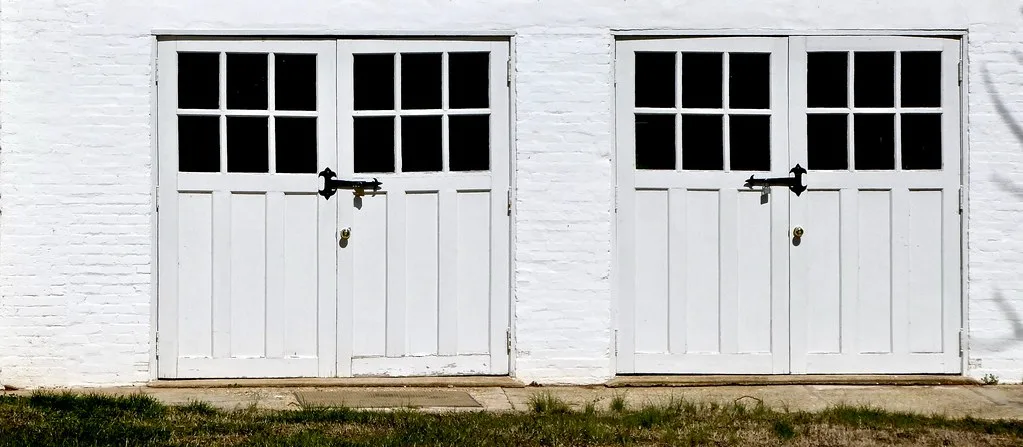
How do I use the LiftMaster 841LM automatic garage door lock?
The 841LM appears to be a LiftMaster-branded physical locking accessory that closes and locks the door after the opener finishes its cycle. It fits the opener and door system, not the phone app. Before buying, check that your opener model and door layout support it, because not every LiftMaster setup is a match.
Install and test it in order
- Match the opener model number to the 841LM compatibility list in the manual.
- Mount the lock where the opener layout allows the bolt to engage the track side.
- Connect the lock per the opener’s wiring and mounting path.
- Run one full open-close cycle and listen for the lock to extend after the door shuts.
- Cut power at the opener and confirm the lock remains engaged on the closed door.
That last test matters. A lock that only works when the opener has power is not enough for most homes.
Does MyQ make my LiftMaster garage door secure?
MyQ gives remote open, close, and monitoring functions on many LiftMaster garage door openers, and LiftMaster and Chamberlain are related brands. That helps with control. It does not create a physical barrier by itself. If the garage door is the weak point, app access alone does not stop someone from lifting the door by force.
Smart control versus physical locking
MyQ is about command and status. A lock is about resistance. Those are different jobs.
MyQ launched in 2011, and Chamberlain has over 10 million users, according to its CTO. That scale explains why connected garage control is common, but it does not make app control equal to a deadbolt or a track lock.
The Nexx smart garage door opener is a good warning sign. It had a vulnerability that let hackers control it remotely, open or close doors from anywhere in the world, and identify devices through details such as email address, deviceId, or first name and last initial. App dependence can be fragile when the control path is the only layer.
What can I do if my LiftMaster opener is connected to Wi-Fi?
If the opener is connected to Wi-Fi, keep the app for convenience, then decide whether you also need physical locking. Wi-Fi control still depends on the home network, the app service, and the account. A connected opener can be useful while still leaving the door physically easy to move.
Use the right control path
- Open the MyQ app and confirm the opener shows the correct door status.
- Change the account password to a strong one.
- Turn on 2-factor login if the account offers it.
- Decide whether the door needs a physical lock, not just remote control.
Chamberlain shut off access to MyQ APIs, breaking third-party smart home integrations. The Verge said the change hit users who relied on Homebridge and Home Assistant. That is the problem with building security around software paths that can change.
Compatibility and failure-mode checklist

Use this one-page check before buying the 841LM or trusting app control alone. One competitor page was not usable because of Cloudflare protection, so the safer approach is to verify compatibility and failure behavior from the opener model and the lock’s own manual.
| Condition | MyQ app control | 841LM physical lock | What still secures the door |
|---|---|---|---|
| Wi-Fi outage | Local app commands and remote access stop | Works if already installed and powered | Physical lock, if fitted |
| Power outage | Stops if the opener and router lose power | Does not cycle, but a closed lock still holds | Manual lock or engaged 841LM |
| App outage | Stops until the service returns | Still locks the door after a normal close cycle | Physical lock |
| API shutdown | Third-party integrations can fail | Unaffected by outside app connections | Physical lock |
Simple decision tree
- If the goal is only remote open and close, MyQ may be enough.
- If the goal is to resist forced lifting, add the 841LM or another physical lock.
- If the opener model is unclear, check the model label before buying anything.
- If third-party automation matters, assume API changes can break it later.
Common mistakes
People assume a connected opener is physically locked. It is not. They buy the 841LM without checking the opener model and door setup, then find the lock cannot mount correctly. They skip the post-install test. They also treat a third-party integration as the only control layer.
A better habit is simple: close the door, verify the lock action, and test the door after any outage or app change. If the lock cannot be confirmed in person, the setup is incomplete.
Prevention: after any app update, Wi-Fi change, or opener service work, run one close-and-lock test so the door’s actual state matches the app’s status.
How do I lock a garage door from inside?
From inside, close the door fully, engage the interior slide lock or latch, and verify the door cannot be lifted at the center panel. If the door has no inside lock, add a compatible locking point or use the 841LM. Inside control is useful, but the lock has to hold the door, not the wall switch.
Is the LiftMaster garage door lock compatible with my opener?
Compatibility depends on the opener model, door hardware, and track layout. Check the opener label first, then compare it with the 841LM manual before buying. A garage with a nonstandard track or a mismatched opener layout may need a different solution. Do not assume every LiftMaster opener accepts the same accessory.
Do I need a separate lock if I already have MyQ?
Yes, if you want physical security. MyQ can open, close, and monitor the garage door, but it does not stop a person from forcing the door upward once the opener has stopped. A separate lock is the better answer when the garage needs to stay shut during outages or service failures.
Can someone hack my smart garage door opener?
Any connected opener can be exposed if the account is weak, the integration is untrusted, or the service path changes. Nexx had a vulnerability that allowed remote control from anywhere in the world, which is a reminder that software control can fail in ways hardware locks do not. Use app control carefully, then add physical locking where needed.
What is the easiest way to secure a LiftMaster garage door?
The easiest real-world fix is a physical lock, usually the LiftMaster 841LM if the opener is compatible. It gives the door a mechanical hold that still matters during Wi-Fi loss, app outages, and API shutdowns. If the opener only needs remote control, MyQ can stay in place as a convenience layer.
Sponsored / affiliate links. As an Amazon Associate I earn from qualifying purchases. I may earn additional commission from eligible campaigns.