Are Smart Locks Worth It Pros Cons and Costs
Deciding if smart locks are right for you can feel a bit tricky when you’re just starting out. You’ve probably wondered, Are Smart Locks Worth It? Pros, Cons, and Costs, and that’s perfectly normal!
There’s a lot of information out there, and it’s easy to get lost. But don’t worry, we’ll break it all down in a simple, step-by-step way. Get ready to learn all about the good, the bad, and the price of smart locks, and what that means for your home.
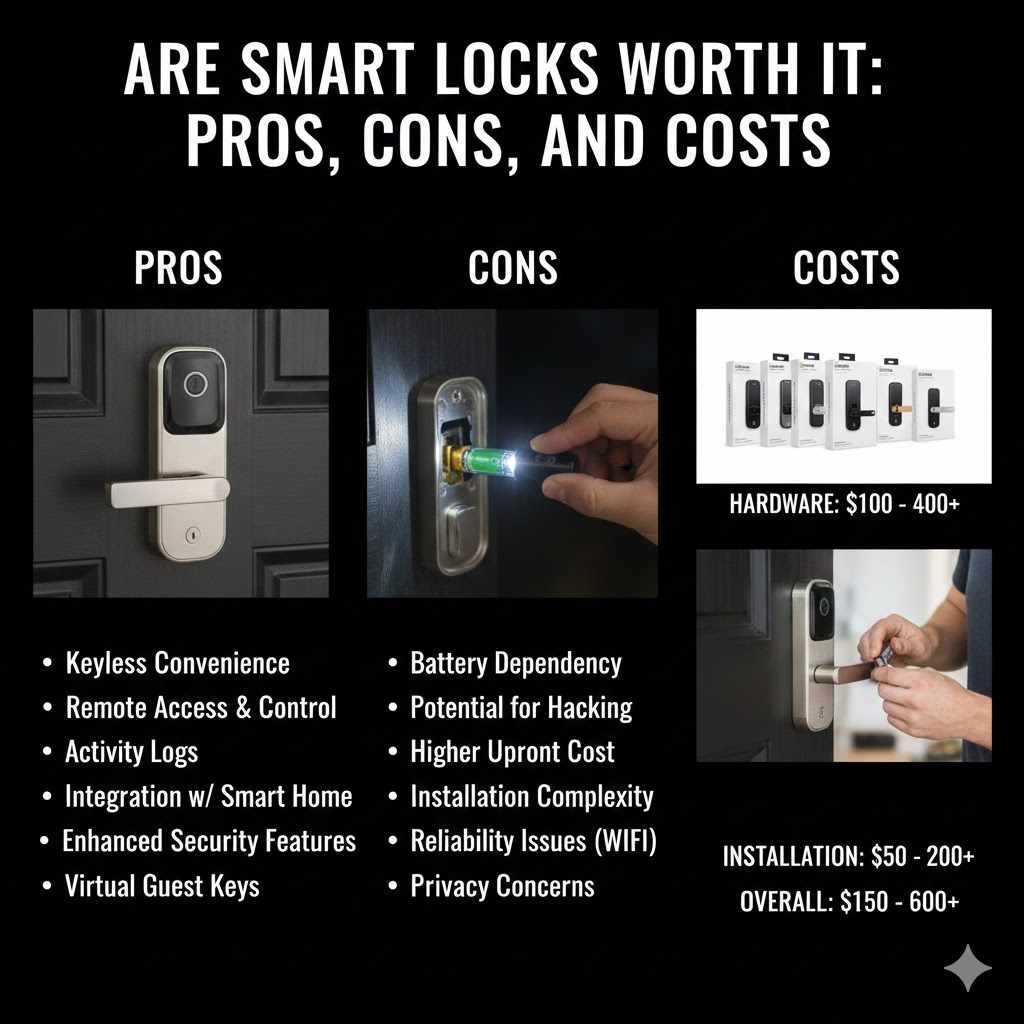
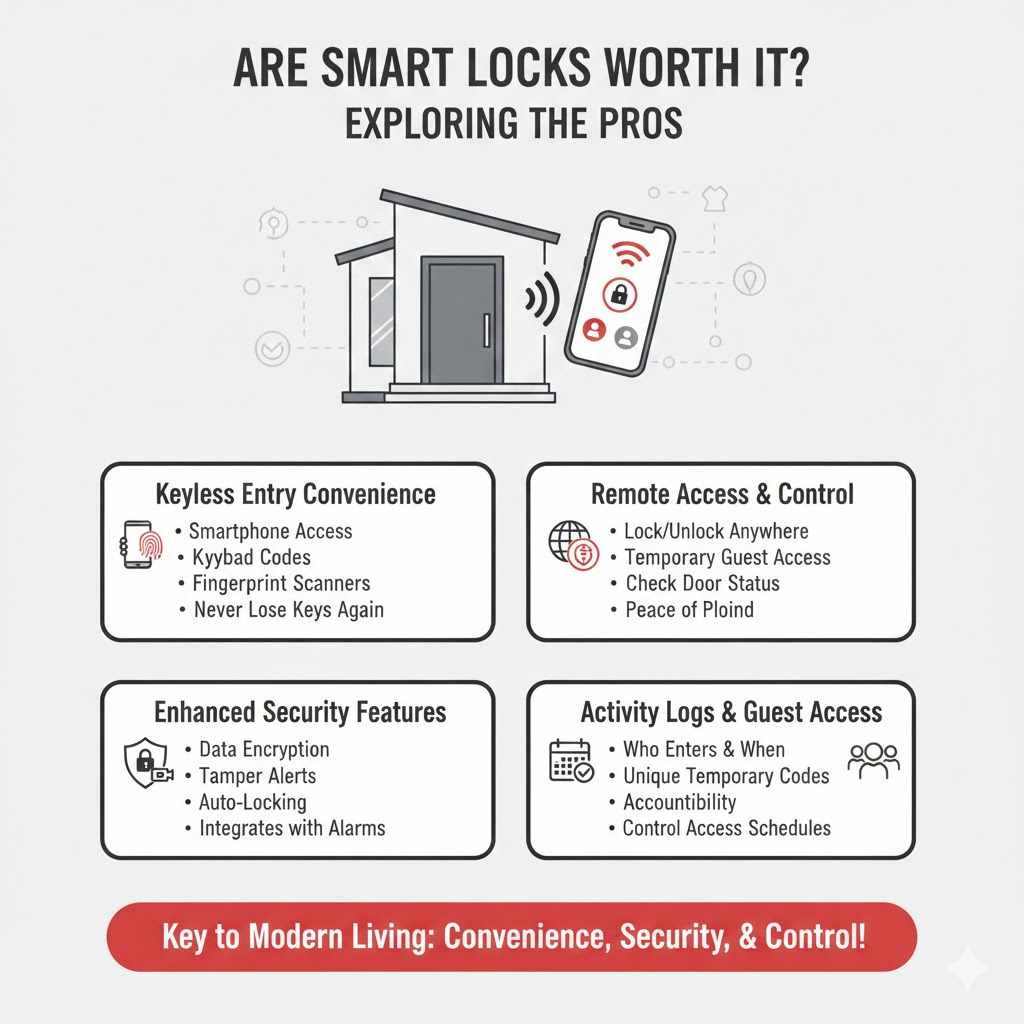
Are Smart Locks Worth It Exploring The Pros
Smart locks offer a lot of convenience and new ways to secure your home. They connect to your Wi-Fi or Bluetooth, letting you control your doors from your phone. This is a big change from traditional keys and can make life easier in many situations.
Think about not having to dig for keys when your hands are full or letting someone in remotely.
Keyless Entry Convenience
One of the biggest selling points for smart locks is the ability to go keyless. This means no more fumbling for keys in your pocket or purse. You can unlock your door with a simple tap on your smartphone, a passcode entered on a keypad, or even with your fingerprint, depending on the model.
This convenience is especially helpful when you’re carrying groceries, managing children, or rushing out the door. Imagine never having to worry about losing your keys again. This feature alone makes many people consider if are smart locks worth it.
Remote Access And Control
Remote access is another major advantage. With a smart lock connected to your home’s Wi-Fi, you can lock or unlock your door from anywhere in the world using a smartphone app. This is incredibly useful for various scenarios.
For example, if a friend or family member needs to get into your house while you’re away, you can grant them temporary access remotely. You can also check the status of your door – whether it’s locked or unlocked – at any time. This peace of mind is invaluable.
Consider a situation where you’ve left for vacation but forgot to lock the front door. Instead of panicking or needing to ask a neighbor, you can simply open your smart lock app and secure your home with a few taps. This capability truly changes how we think about home security and accessibility.
Enhanced Security Features
While some might worry about smart locks being less secure, many advanced models offer features that can actually boost your home’s security. They often come with encryption to protect your data and can send you alerts for unusual activity. Tamper alerts can notify you if someone tries to force the lock open.
Auto-locking functions ensure your door is always secured, even if you forget to lock it manually.
Many smart locks also integrate with home security systems. This means your smart lock can work together with cameras and alarm systems for a more comprehensive security setup. For instance, if an alarm is triggered, the smart lock might automatically lock all doors.
This multi-layered approach offers a higher level of protection than traditional locks.
Activity Logs And Guest Access
Smart locks keep a record of who enters and when. This activity log is a powerful tool for home security and management. You can see exactly when family members arrive home, when a pet sitter leaves, or if a service worker has entered your property.
This detailed history provides accountability and an extra layer of security.
Guest access is also made incredibly simple. You can create unique temporary or permanent access codes for visitors, cleaners, or contractors. These codes can be set to expire after a certain time or date, so you don’t have to worry about unauthorized access later on.
This control over who can enter your home is a significant upgrade from handing out physical keys that could be lost or copied.
For example, a homeowner expecting a delivery person while they are at work can grant a temporary code that only works for a few hours. Once the delivery is made and the time expires, the code becomes invalid. This prevents the delivery person, or anyone who might have seen the code, from accessing the home later.
Are Smart Locks Worth It Considering The Cons
Even though smart locks offer many cool features, they also come with potential downsides. It’s important to look at these before deciding if they are a good fit for your home and lifestyle. Understanding the drawbacks helps you make a more informed choice about whether are smart locks worth it for your specific needs.
Dependence On Power And Wi-Fi
A significant concern with smart locks is their reliance on power and internet connectivity. If your home loses power or your Wi-Fi goes down, your smart lock might not function correctly. Some models have battery backups, but these will eventually run out.
Without power or an internet connection, you might be locked out of your own home, or unable to unlock it for guests.
This dependence can be a major inconvenience, especially in areas prone to frequent power outages or unreliable internet service. Imagine needing to get inside during a storm and finding your smart lock unresponsive due to a power cut. This is why many smart locks still include a backup physical key override, but it’s something to be very aware of.
Potential For Hacking And Cyber Threats
As with any connected device, smart locks are potentially vulnerable to hacking. Cybercriminals could try to gain access to your network and bypass your lock’s security. While manufacturers use encryption and security protocols, no system is completely impenetrable.
A successful hack could compromise your home’s security, allowing unauthorized entry.
It’s crucial to choose smart locks from reputable brands that regularly update their security software. You should also ensure your home Wi-Fi network is secured with a strong password and up-to-date security settings. Staying informed about potential threats and taking preventive measures is key to mitigating this risk.
Installation And Compatibility Issues
Installing a smart lock can sometimes be more complex than installing a standard deadbolt. While many are designed for easy DIY installation, some may require professional help, adding to the overall cost. Compatibility is also a factor; not all smart locks will fit every door or existing deadbolt mechanism.
You need to ensure the smart lock you choose is compatible with your specific door type and size.
Before purchasing, measure your door’s backset, bore hole size, and door thickness. Check the manufacturer’s specifications to confirm compatibility. If your door has unusual dimensions or an older locking system, you might need to explore specialized smart lock models or consult with a locksmith.
Cost And Battery Replacement
Smart locks are generally more expensive than traditional deadbolts. The initial purchase price can range from $100 to over $300, depending on features and brand. On top of the purchase price, you’ll need to consider the ongoing cost of battery replacement.
Smart locks run on batteries, and these will need to be replaced periodically, typically every few months to a year, depending on usage and battery type.
While many smart locks offer low-battery indicators, you still need to budget for this recurring expense. For those on a tight budget, the upfront and ongoing costs of smart locks might outweigh the benefits. This is a key point when considering if are smart locks worth it for your financial situation.
Smart Lock Costs What To Expect
The price of smart locks varies quite a bit, depending on the brand, features, and the type of technology used. Understanding these cost factors can help you budget effectively and choose a lock that fits your needs without breaking the bank. The question of “Are Smart Locks Worth It?” often comes down to balancing these costs with the benefits.
Basic Smart Locks
Basic smart locks usually offer core functionalities like keyless entry via a keypad and Bluetooth connectivity for smartphone control when you’re nearby. These models are often the most affordable, typically ranging from $100 to $150. They are a good entry point for those curious about smart home technology but don’t require advanced features like remote access or integration with other smart home devices.
These locks are great for individuals or families who primarily want the convenience of not using a physical key for daily entry. They usually connect to a smartphone app via Bluetooth, meaning you need to be within a certain range (usually around 30 feet) for your phone to communicate with the lock. This is still a significant step up from traditional locks in terms of convenience.
Mid-Range Smart Locks
Mid-range smart locks, priced between $150 and $250, offer more features. These often include Wi-Fi connectivity, allowing for remote access and control from anywhere with an internet connection. They may also have additional security features like activity logs, tamper alerts, and advanced encryption.
Some models in this range might also offer voice assistant compatibility with systems like Alexa or Google Assistant.
These locks provide a good balance of features and cost. They are suitable for homeowners who want the full benefits of smart lock technology, including the ability to manage access remotely and monitor activity, without paying for the most premium options. The added security and convenience make many people feel that are smart locks worth it at this price point.
Premium Smart Locks
Premium smart locks can cost $250 and upwards. These top-tier models boast the most advanced features. This can include biometric fingerprint scanners, integrated cameras, video doorbells, and extensive integration with a wide range of smart home ecosystems.
They often feature the highest levels of security, longer battery life, and more durable construction.
These locks are for those who want the ultimate in home access control and security. They offer features like facial recognition, advanced geofencing capabilities (unlocking the door automatically when you arrive home), and robust integration with smart home hubs for complex automation routines. For users prioritizing cutting-edge technology and comprehensive control, these expensive models might justify their cost.
Installation And Professional Services
The cost of installation can vary. Many smart locks are designed for DIY installation, which can save you money. However, if you are not comfortable with DIY projects, you might need to hire a professional.
Locksmiths or handymen typically charge between $75 and $200 for installation, depending on your location and the complexity of the job. This is an important factor to consider when calculating the total cost of a smart lock.
It’s also worth noting that some smart locks might require additional accessories for Wi-Fi connectivity, such as a separate Wi-Fi bridge or hub. These accessories can add another $30 to $60 to the total price. Always check what’s included in the box and what might be an additional purchase.
Smart Lock Features To Consider
When you’re looking at smart locks, there are several key features that can make a big difference in how you use and benefit from them. Thinking about these will help you decide which lock is best for your home and your lifestyle. It all ties back to the question of whether are smart locks worth it for you.
Connectivity Options
Smart locks connect using different technologies, and each has its advantages. Bluetooth is common for basic models; it’s energy-efficient and works well for nearby control, but you need to be close to the door. Wi-Fi is essential for remote access, allowing you to control your lock from anywhere.
Some locks use Z-Wave or Zigbee, which are low-power wireless protocols often used in smart home systems; these require a compatible hub but can offer more stable connections than Wi-Fi for certain setups.
The choice of connectivity often dictates the lock’s features. If you want to unlock your door for a guest while you’re at work, you’ll absolutely need Wi-Fi. If you just want to avoid using keys when you’re coming home with groceries, Bluetooth might be enough.
Some advanced locks offer multiple connectivity options, giving you the best of both worlds.
Power Source And Battery Life
Smart locks are battery-powered. The type of batteries used (e.g., AA, AAA, or rechargeable lithium-ion) and the lock’s energy efficiency will determine how often you need to replace them. Most smart locks will give you ample warning when the battery is low, often through the app or an indicator light on the lock itself.
Battery life can range from a few months to over a year, depending on usage and the lock’s features.
Consider how frequently your lock will be used. A busy household with many people coming and going will drain batteries faster than a single person’s home. Some high-end models have rechargeable batteries, which can be more convenient and cost-effective in the long run, but they still require regular charging.
Integration With Smart Home Ecosystems
Many smart locks can work with other smart home devices and platforms like Amazon Alexa, Google Assistant, and Apple HomeKit. This integration allows for voice control of your lock and the creation of automated routines. For example, you could set up a routine where saying “Hey Google, goodnight” locks your doors, turns off the lights, and adjusts the thermostat.
This makes your home more convenient and responsive.
If you already have a smart home system in place, choosing a smart lock that is compatible with it can create a seamless experience. This interconnectedness is a key benefit of smart homes, allowing different devices to communicate and work together efficiently. It can also enhance security by allowing your lock to trigger other security devices.
Security And Encryption Standards
When choosing a smart lock, pay close attention to its security features. Look for strong encryption standards to protect your data and communications. Reputable brands use advanced encryption protocols to prevent unauthorized access.
Additionally, consider features like tamper alerts, which notify you if someone tries to force the lock open, and auto-locking capabilities, which ensure your door is secured after a set period.
Some locks offer multi-factor authentication for app access, adding another layer of security. This means you might need to enter a password and then confirm via a text message or authenticator app to log into your smart lock’s control panel. This extra step is crucial for protecting against account takeovers.
User Codes And Access Management
The ability to create and manage unique user codes is a major convenience of smart locks. You can assign temporary codes to guests, service providers, or family members, and set them to expire after a specific time or number of uses. This eliminates the need for physical keys and provides a detailed log of who entered and when.
For example, you can give a house sitter a code that only works during the hours they are scheduled to be there. This granular control over access is a significant security upgrade from traditional locks, where a lost or copied key can grant indefinite access. The management interface, usually an app, should be user-friendly.
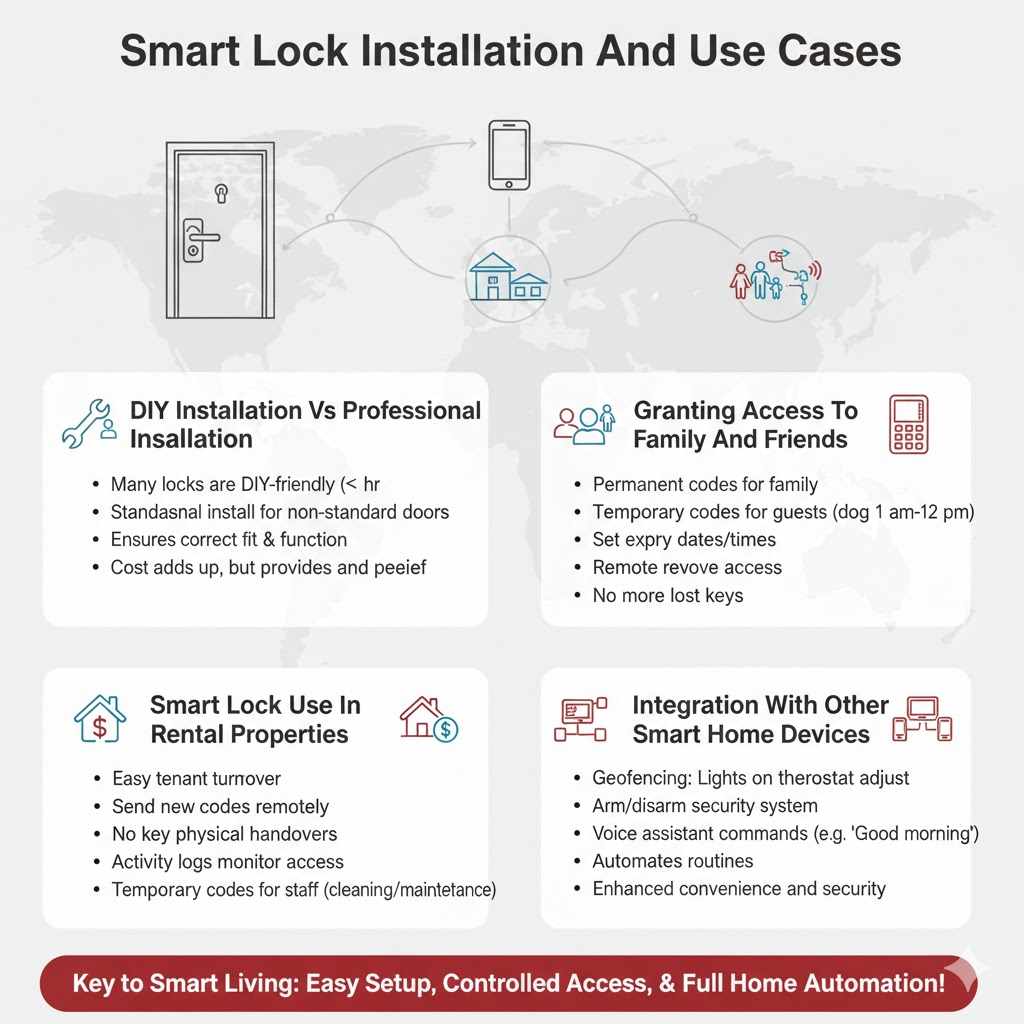
Smart Lock Installation And Use Cases
Getting a smart lock set up and using it effectively involves a few considerations. Installation can range from simple to requiring a professional, and the way you use it will depend on your home and daily routine. Understanding these aspects is key to appreciating the full value proposition when asking if are smart locks worth it.
DIY Installation Vs Professional Installation
Many smart locks are designed for straightforward DIY installation, often taking less than an hour. They usually
However, if your door is non-standard, or if you’re not confident in your DIY skills, professional installation is a good option. Locksmiths and specialized installers can ensure the lock is fitted correctly, which is crucial for its proper functioning and security. Professional installation can add an extra cost but provides peace of mind.
Granting Access To Family And Friends
Smart locks excel at managing access for loved ones. You can easily grant permanent access codes to family members, so they can enter without needing a key. For guests, like visiting relatives or contractors, you can create temporary codes that expire automatically.
This flexibility is a major advantage over traditional locks. For instance, you can set a code for your dog walker that is only valid between 10 AM and 12 PM on weekdays.
The ability to grant and revoke access remotely is particularly useful. If a guest is arriving earlier than expected, you can unlock the door for them from your phone. If someone moves out, you can instantly disable their access code without needing to rekey the entire lock.
Smart Lock Use In Rental Properties
For landlords or those managing rental properties, smart locks can be a game-changer. They allow for easy and secure guest turnover between tenants. Instead of physically handing over keys, you can send new access codes remotely.
This saves time and reduces the risk of lost keys. Activity logs can also help monitor property access.
Furthermore, property managers can create temporary codes for maintenance or cleaning staff, ensuring access is granted only when needed. This level of control can improve efficiency and security for rental units. It also provides a clear record of who has accessed the property and when, which can be useful for accountability.
Integration With Other Smart Home Devices
Pairing your smart lock with other smart home devices can create a more connected and automated living experience. For example, when your smart lock detects you arriving home (geofencing), it can trigger your smart lights to turn on and your smart thermostat to adjust to your preferred temperature. If the lock is armed in a “secure” mode, it can also ensure that other connected doors or windows are locked.
This interconnectedness enhances convenience and security. Imagine a scenario where you’re leaving home and say “Good morning” to your voice assistant. The system could then unlock your smart lock if it’s set to a specific schedule, while also starting your coffee maker.
This level of automation streamlines daily tasks.
Troubleshooting Common Smart Lock Issues
Like any technology, smart locks can sometimes encounter issues. Common problems include connectivity problems, where the lock won’t respond to the app. This can often be resolved by checking your Wi-Fi signal or restarting your router.
Battery issues are also common; ensure you’re using fresh, high-quality batteries and replace them promptly when the low-battery warning appears.
Sometimes, the lock mechanism itself might require adjustment or lubrication. If the door is sticking or not aligning properly with the strike plate, it can cause the lock to jam. Ensure your door is properly aligned and that the strike plate is adjusted correctly.
Most manufacturers provide troubleshooting guides on their websites to help resolve common problems.
Frequently Asked Questions
Question: How long do smart lock batteries typically last
Answer: Battery life for smart locks can vary greatly depending on the model, usage, and battery type. Generally, you can expect batteries to last anywhere from 6 months to over a year. Some locks have indicators to warn you when the battery is low.
Question: Can smart locks be used without a smartphone
Answer: Many smart locks can be used without a smartphone for basic functions like keypad entry or even with a physical key override. However, to access advanced features like remote control or activity logs, a smartphone is usually required.
Question: Are smart locks more secure than traditional locks
Answer: Smart locks can offer enhanced security through features like encryption, activity logs, and remote monitoring. However, they also introduce new vulnerabilities like hacking risks. The overall security depends on the specific model, its features, and how securely your home network is set up.
Question: What happens if my smart lock runs out of battery
Answer: Most smart locks have a low-battery warning system. If the battery completely dies, many models include a physical key override or a way to temporarily power the lock from an external source (like a 9V battery) to allow entry.
Question: Do I need a Wi-Fi connection for a smart lock to work
Answer: Not all smart lock functions require Wi-Fi. Bluetooth connectivity allows for nearby control. However, to manage your lock remotely (from outside your home), a Wi-Fi connection and a compatible hub or bridge are typically necessary.
Summary
So, are smart locks worth it? They offer undeniable convenience and enhanced control over home access through features like keyless entry and remote management. However, potential drawbacks like reliance on power, Wi-Fi, and the risk of hacking need careful consideration.
Weighing the pros, cons, and costs of different models will help you decide if a smart lock is the right upgrade for your home security.