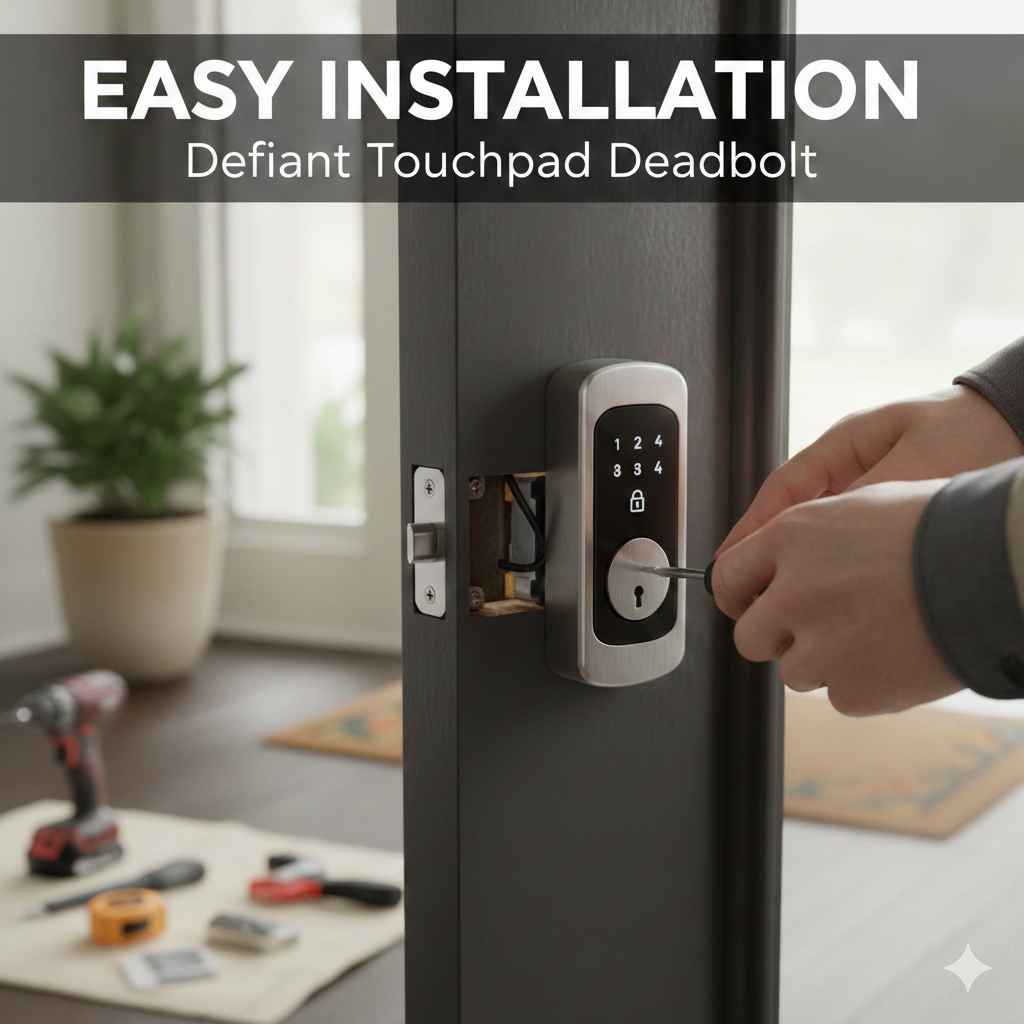
How to Install a Defiant Touchpad Deadbolt Easily
Installing a new deadbolt might seem like a project for experienced DIYers. Many people think it’s tricky, with wires, screws, and complicated instructions. Don’t worry, though! The good news is that How to Install a Defiant Touchpad Deadbolt Easily is something you can absolutely do, even if you’re a beginner. This guide breaks it down step-by-step, making the entire process simple and manageable. We’ll explore everything you need to know, from the tools to the final testing phase. Let’s get started!
Choosing Your Defiant Touchpad Deadbolt
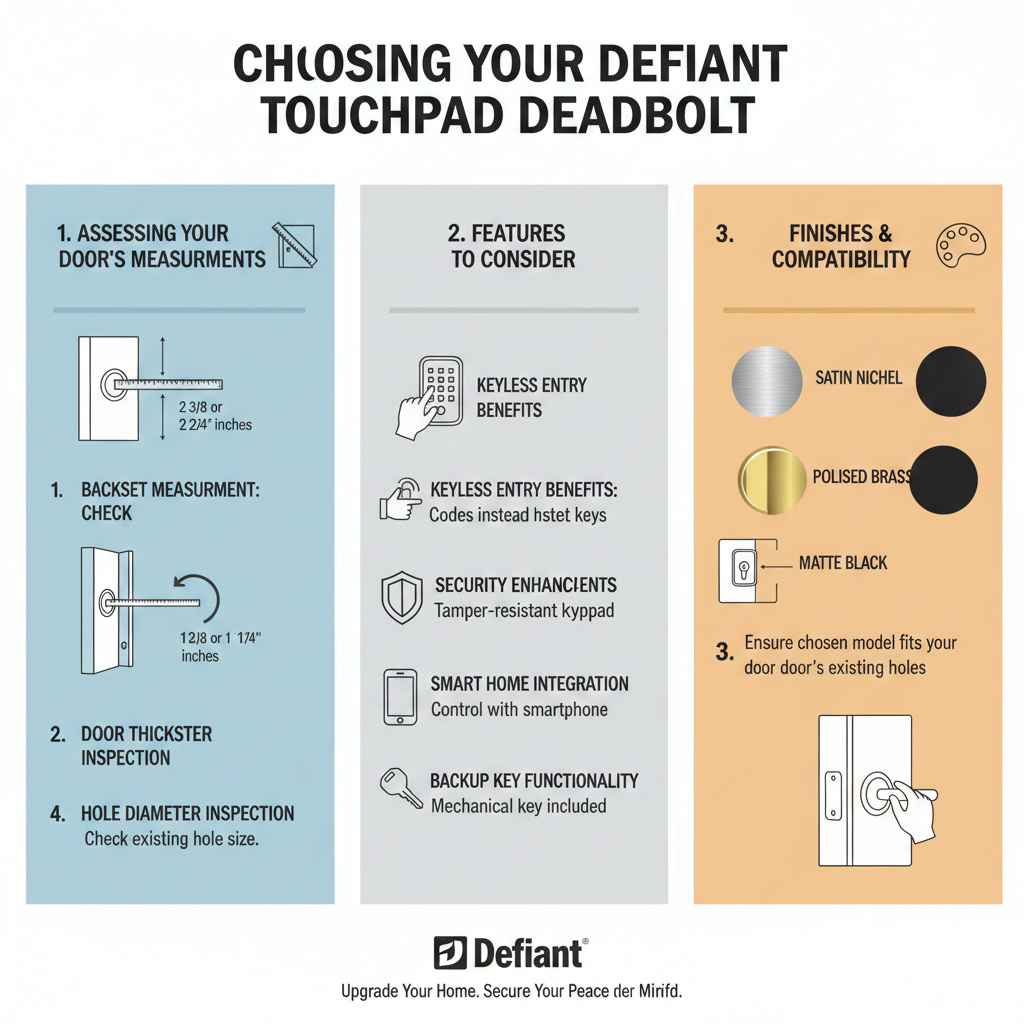
Before you even touch a screwdriver, you need to pick the right deadbolt. Defiant offers several models, so you need one that fits your door’s existing holes. Most standard doors are pre-drilled, but it’s always wise to measure. Check the backset (the distance from the edge of your door to the center of the hole), and the thickness of your door. Touchpad deadbolts come in different finishes like satin nickel, polished brass, and matte black, so select one that complements your door’s style.
Research what features the different models offer. Consider factors like whether you want keyless entry, a keypad, or fingerprint recognition. Some models also have features like temporary codes for guests or a history log of who has entered.
Assessing Your Door’s Measurements
Getting the measurements right is super important. First, check the backset. This is the distance from the edge of your door to the center of the hole where the deadbolt goes. Most doors have a backset of either 2 3/8 inches or 2 3/4 inches. Use a ruler to measure accurately. Next, figure out the door’s thickness. Standard doors are usually 1 3/8 inches or 1 3/4 inches thick. Knowing this helps to choose the correct hardware that will fit your door. Getting the wrong size can cause the deadbolt to not fit properly, so taking these measurements carefully ensures a smooth installation.
- Backset Measurement: Use a ruler or tape measure to find the exact distance from the door edge to the center of the existing deadbolt hole. Confirm the size needed, typically 2 3/8 or 2 3/4 inches.
- Door Thickness Check: Measure your door’s thickness. Standard door thicknesses are 1 3/8 inches or 1 3/4 inches. Your chosen deadbolt needs to be compatible.
- Hole Diameter Inspection: Ensure that the diameter of the existing holes is large enough to accommodate the new deadbolt’s components.
- Existing Hardware Examination: Take a look at the existing hardware. This lets you know what size the holes are, helping you determine if you need to make any adjustments.
Features to Consider
Defiant touchpad deadbolts provide a variety of features, so deciding which ones you need can help you select the ideal model. Keyless entry is a popular choice, letting you lock and unlock your door with a code rather than a key. Some models have a physical key as a backup. Look for models with a tamper-resistant keypad for extra security. Also, think about additional features like a low battery indicator and auto-locking. Some of the more advanced options can include smartphone connectivity, which allows you to control and monitor your lock remotely, receiving notifications and providing access to others. Choose what helps your needs best.
- Keyless Entry Benefits: Keyless entry removes the need for physical keys, providing convenience and the ability to easily grant temporary access codes.
- Security Enhancements: Look for models that include features like tamper-resistant keypads to prevent unwanted access.
- Smart Home Integration: Consider models that integrate with smart home systems, letting you control the lock through your smartphone.
- Backup Key Functionality: Although keyless is convenient, ensure that a mechanical key is included.
Gathering Your Tools and Preparing for Installation
Having the right tools is half the battle. You’ll need a few common items to make the installation easy. Start with a screwdriver – both a Phillips head and a flathead will be useful. A drill with various drill bits can come in handy if you need to make any adjustments to the door frame. You’ll likely need a measuring tape to confirm sizes and alignment. A pencil or marker will help you mark spots. Also, consider having a level to ensure everything is straight and a safety pin or small wire to help align the parts. Preparing your workspace is just as important. Clear away any obstacles near your door, and spread out a drop cloth to protect your floors.
Essential Tools for the Job
You probably have most of the necessary tools already. A Phillips head screwdriver is essential for most of the screws. A flathead screwdriver can be useful for minor adjustments or for prying off any old hardware. If you do not have a power drill, a manual drill is just fine; a power drill just makes the process quicker. A measuring tape is key for confirming measurements and for making sure everything lines up correctly. A level can ensure that the deadbolt is installed perfectly straight. It might be helpful to have a pencil or marker on hand to mark positions. A drop cloth or protective surface will prevent scratches and spills.
- Screwdrivers: A Phillips head screwdriver and a flathead screwdriver are essential.
- Drill and Drill Bits: These are optional, but useful for enlarging holes or making adjustments.
- Measuring Tape: Crucial for checking backsets and door thickness.
- Pencil or Marker: Helpful for marking locations and alignment points.
- Level: To ensure the deadbolt is installed straight.
Preparing the Door and Old Hardware Removal
Before installing the new deadbolt, remove the old one. This involves unscrewing the existing deadbolt from both the door and the door frame. First, unscrew the inside portion of the deadbolt. Then, remove the outside portion, including the key cylinder or keypad. Next, remove the strike plate from the door frame by unscrewing it. Keep the screws from the old hardware; you may need them for the new deadbolt or strike plate. Check the holes to be sure they are in good shape. Clean out any debris or loose material from the holes before proceeding.
- Unscrewing the Old Deadbolt: Carefully unscrew the existing deadbolt components from both the interior and exterior sides of the door.
- Removing the Strike Plate: Unscrew the strike plate from the door frame, which receives the bolt.
- Cleaning the Holes: Make sure you clean out the holes, so that you can install the new deadbolt.
- Storing Old Hardware: Keep the screws from the old hardware, as you may use them for installing the new deadbolt.
Installing the Defiant Touchpad Deadbolt
The installation process for a Defiant Touchpad Deadbolt is generally straightforward. Start by inserting the new deadbolt into the hole in the door’s edge. Then, install the interior and exterior components, following the instructions included with your specific model. Secure these components with the provided screws. The strike plate also needs to be installed on the door frame. If the existing hole in your door frame isn’t aligned perfectly, you might need to adjust it slightly for the deadbolt to work smoothly. Finally, test the deadbolt to make sure it locks and unlocks smoothly. Install the batteries and program the keypad with your desired access code.
Installing the Deadbolt Mechanism
Insert the deadbolt mechanism (the part that goes inside the door) into the hole. Make sure the bolt itself extends fully. Align the mechanism so the screws can be attached to both the interior and exterior parts. The included screws will secure the mechanism to the door. Once the mechanism is in place, you can move on to the interior and exterior components. Use the screws included in your Defiant Touchpad Deadbolt kit for the best fit. Be careful not to overtighten the screws. This can damage the mechanism and prevent smooth operation. Make certain the bolt slides easily in and out of the door.
- Inserting the Bolt: Place the deadbolt mechanism into the edge hole. Make certain it extends correctly.
- Attaching Interior and Exterior Components: Affix the interior and exterior components, ensuring they align correctly.
- Securing the Mechanism: Use the provided screws to fasten the mechanism.
- Checking Bolt Operation: Test the bolt to make certain it moves freely within the door frame.
Securing the Exterior and Interior Components
Once the mechanism is in place, you can attach the outside keypad and the inside control unit. Place the exterior keypad on the outside of the door, making sure it aligns with the mechanism. Then, attach the inside control unit. Most models will involve threading wires through the door. Secure both components with the screws that came with your Defiant Touchpad Deadbolt. Ensure that the exterior keypad is flush against the door’s surface. On the inside, make sure the unit is securely attached and that the locking mechanism is aligned. Double-check all screws to ensure they are properly tightened, but avoid over-tightening.
- Aligning the Exterior Keypad: Position the keypad correctly and make certain it lines up with the mechanism.
- Attaching the Interior Unit: Fix the interior unit, ensuring that the components are well-aligned.
- Wiring (if applicable): If your deadbolt has wiring, follow the installation instructions to connect the wires.
- Tightening the Screws: Verify all screws are correctly tightened to secure the components.
Installing the Strike Plate and Making Adjustments
The strike plate is what the deadbolt extends into when the door is locked. Place the strike plate on the door frame, aligning it with the deadbolt. Use the screws provided with the kit to attach it. Ensure the strike plate is flush against the door frame. If the door frame’s hole isn’t perfectly aligned with the deadbolt, you may need to adjust the hole. Sometimes, a slight adjustment is needed to the strike plate or the latch on the door to ensure smooth locking and unlocking. Use a chisel to make the hole a bit deeper if needed. Test that the bolt engages smoothly and fully when locked and unlocked. The strike plate secures the lock and provides a secure locking point.
- Positioning the Strike Plate: Place the strike plate onto the door frame. Align it to the deadbolt.
- Securing the Strike Plate: Use screws to attach the strike plate.
- Checking Alignment: Ensure the deadbolt lines up correctly with the strike plate.
- Making Hole Adjustments: Use a chisel to make the hole larger to allow the deadbolt to move smoothly.
Testing and Programming the Keypad
With everything installed, it’s time for the final tests. Try locking and unlocking the deadbolt with the key (if applicable) and the manual turn on the interior side. If everything works smoothly, you can proceed to the keypad setup. Install the batteries in the interior unit, usually in a compartment. Follow the instructions to create your master code and any additional user codes.
Test the keypad by entering your code and making sure the deadbolt locks and unlocks correctly. Test again for any problems, like a sticking bolt or a keypad that doesn’t respond. This final step is key to making sure everything functions properly before you fully rely on the new deadbolt.
- Key and Manual Test: Test the locking mechanism.
- Install Batteries: Place the batteries inside the unit.
- Program the Keypad: Follow the instructions and create the master and user codes.
- Keypad Testing: Use the new code and test all the features.
Addressing Common Installation Issues
While installing a Defiant Touchpad Deadbolt is generally easy, you might run into a few minor issues. Sometimes, the bolt might not fully extend or retract. This could be due to misalignment, the strike plate needing adjustment, or a screw that’s too tight. The keypad may not work. First, make sure the batteries are correctly installed and that you have entered the correct code. Review the installation instructions carefully if you are facing any problem. It is easy to troubleshoot common problems, like a sticking bolt or keypad issues.
Troubleshooting a Sticky Bolt
If the bolt sticks when you try to lock or unlock the door, it’s frustrating. This is usually due to one of three things. The first is misalignment between the bolt and the strike plate. The solution is to adjust the strike plate position. Loosen the screws and shift the strike plate slightly until the bolt engages smoothly. The second problem is an obstruction or something that is blocking the bolt’s movement. You will need to inspect the area around the bolt and clear any obstructions.
The third problem is a screw that is too tight. Check all the screws to see if any are over-tightened. Loosen them slightly. Use a pencil to mark the original locations and see if anything moves. Try lubricating the bolt with a dry lubricant to help it move more smoothly.
- Strike Plate Alignment: Confirm the strike plate is aligned correctly. Loosen screws if necessary, and shift it to the correct position.
- Bolt Obstruction: Check for anything that is blocking the bolt’s movement.
- Screw Tightness: Verify the screws. Loosen any that are too tight.
- Lubrication: Use a dry lubricant to help smooth out the bolt’s action.
Keypad Not Responding?
When your keypad won’t respond, it might be due to a few common issues. First, check that the batteries are new and correctly installed. Then, make sure you are pressing the buttons firmly and following the correct entry sequence. You also might want to check the programming to make sure the right codes are entered. Review the instructions and try resetting the keypad. Sometimes, a simple reset can fix the problem.
Look for a small reset button. If the keypad is still not working, it may indicate a problem with the keypad unit. Contact Defiant customer support. Have your model number and purchase details ready to aid in quick assistance. Review the manual, as it often has troubleshooting instructions for the keypad.
- Battery Check: Ensure the batteries are properly installed and have enough power.
- Correct Code: Verify you are entering the correct master code.
- Programming Review: Carefully review the programming instructions.
- Reset: Try resetting the keypad to factory settings.
Door Alignment Problems
Sometimes, the door itself isn’t perfectly aligned with the frame. This can make the deadbolt difficult to operate. The first step is to check how the door closes. Does it rub against the frame? If so, the hinges may need adjusting. Check the door’s level. If the door leans, you might need to adjust the hinges or the strike plate. If the door isn’t aligned properly, the bolt may bind against the strike plate.
The strike plate may need adjusting. Remove the strike plate and examine the door frame. Shave down the wood around the bolt. Ensure the strike plate and the latch meet. If the frame is the problem, you may need to shim the strike plate to bring it closer or further from the bolt. Consider calling a professional. They have experience.
- Hinge Inspection: Determine if the hinges require adjustment or tightening.
- Level Check: See if the door is level within the frame.
- Strike Plate Adjustment: Alter the strike plate to enhance alignment with the deadbolt.
- Professional Help: When needed, seek a professional for frame or door corrections.
Safety and Security Tips
Installing a Defiant Touchpad Deadbolt is all about improving your home’s security. But, there are a few extra tips that will make your home even safer. When choosing a code, avoid the obvious choices like birthdays or addresses. Use a code that is hard to guess. Keep the code secret, and never share it with people you don’t trust. Periodically change your master code to keep your home safe. Always ensure that the deadbolt is securely engaged when locking the door. Consider adding additional security measures, like a chain lock. Take time to secure your home.
Choosing a Secure Keypad Code
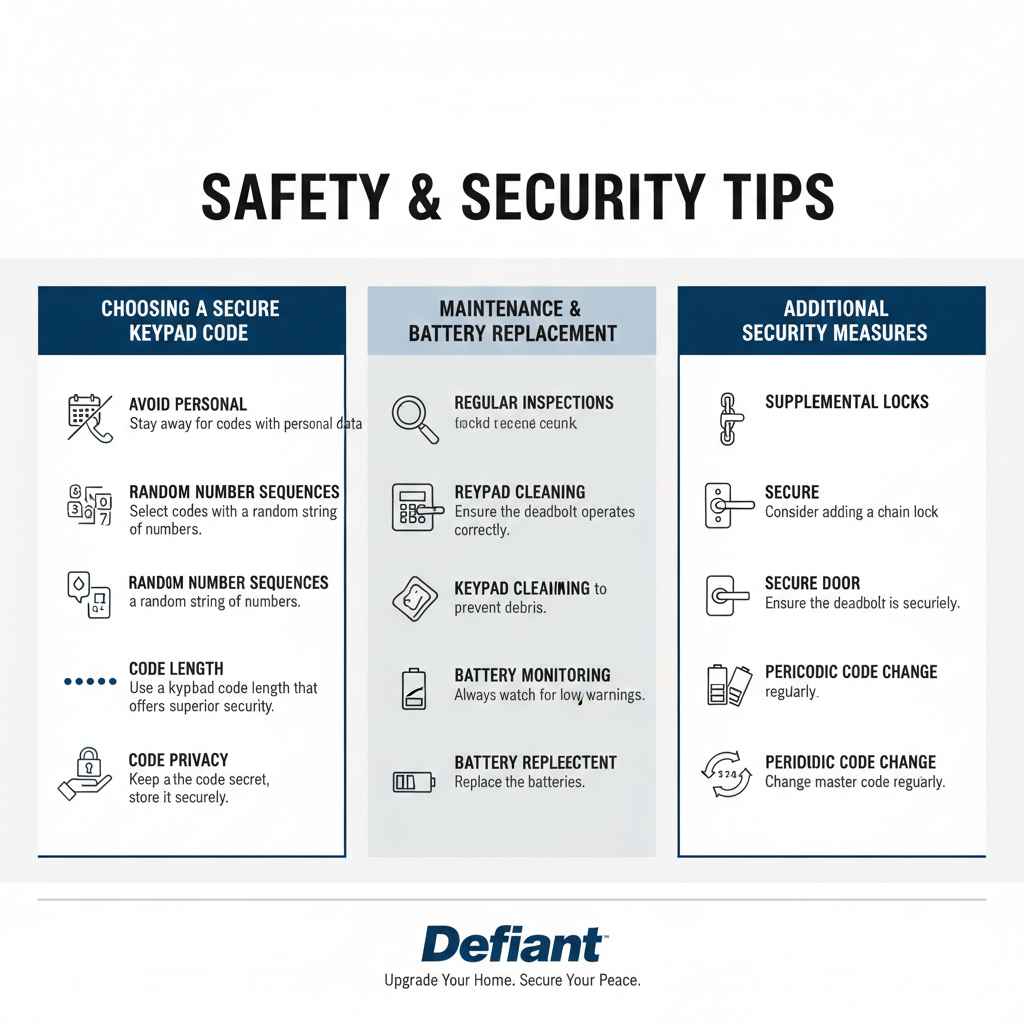
The keypad code is a key component to your door’s safety, so you need to choose wisely. Avoid codes like birth dates or house numbers. Those are the first codes a person may try. Use a random sequence of numbers that you can easily remember but that is hard for others to guess. Consider using a code that is longer than the minimum requirement, because longer codes give better security. Also, never write down your code where someone can find it. If you need to write it down, store it in a secure location and change the code after a period. This will increase the security of your home.
- Avoid Personal Information: Stay away from codes with personal data, like birthdates or phone numbers.
- Random Number Sequences: Select codes that have a random string of numbers.
- Code Length: Use a keypad code length that offers superior security.
- Code Privacy: Keep the code secret, and never store it where people can discover it.
Maintenance and Battery Replacement
To keep your Defiant Touchpad Deadbolt working smoothly, a little maintenance goes a long way. Check the deadbolt regularly to make sure it’s operating. Clean the keypad to avoid any debris. Always test the lock for proper function. The batteries will need to be replaced periodically. The deadbolt will usually provide a low battery warning. When this happens, replace the batteries as soon as possible. Use quality batteries to ensure optimal performance. Keep a spare set of batteries around. This will let you replace them immediately. Perform these checks regularly for best performance.
- Regular Inspections: Ensure the deadbolt operates correctly.
- Keypad Cleaning: Clean the keypad to prevent debris.
- Battery Monitoring: Always watch for low battery warnings.
- Battery Replacement: Replace the batteries.
Frequently Asked Questions
Question: How long does it usually take to install a Defiant Touchpad Deadbolt?
Answer: For most people, the installation process takes about 30 to 60 minutes, assuming you have the necessary tools and your door is pre-drilled. The time might be longer if you need to make adjustments to your door frame.
Question: What happens if the batteries die while the door is locked?
Answer: Most Defiant Touchpad Deadbolts have a backup key. This allows you to open the door if the batteries fail. The battery compartment is usually easy to access, so you can replace the batteries quickly.
Question: Can I use any type of batteries in the Defiant Touchpad Deadbolt?
Answer: You should use high-quality alkaline batteries. Always refer to the specific instructions for your Defiant Touchpad Deadbolt model. Using different types of batteries might affect performance or damage the unit.
Question: How do I reset the master code if I forget it?
Answer: The process varies by model. You will usually need to remove the deadbolt from the door. Then, press the reset button (often located on the interior unit). Consult the manual that came with your lock.
Question: Is it possible to rekey a Defiant Touchpad Deadbolt?
Answer: Yes, some models provide rekeying capabilities, allowing you to change the key. Make sure to check the specific details for your deadbolt model, and follow the instructions to get this done.
Final Thoughts
Installing a Defiant Touchpad Deadbolt is a great way to boost your home’s security. From picking the right model to programming the keypad, the process is something you can manage with some basic tools and the steps we’ve covered. Remember to take careful measurements. Make sure you select the right model and always take your time. If you encounter any problems, don’t worry. Troubleshoot the minor issues that can sometimes appear. When you’re all done, you’ll have a secure and convenient entry solution. Enjoy the peace of mind knowing you’ve increased your home’s security, all by completing a successful DIY project!