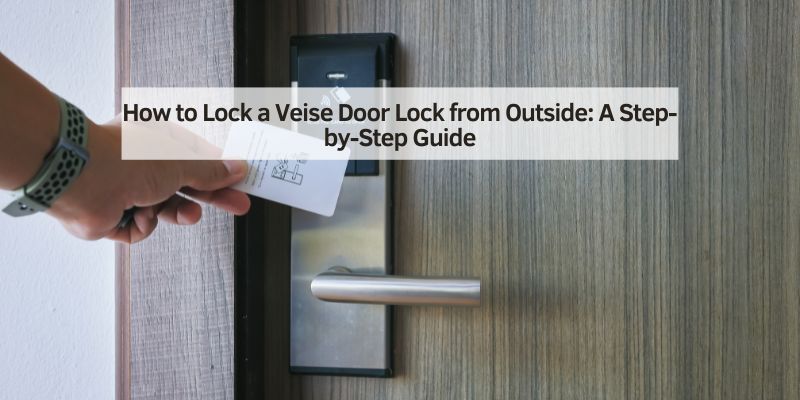
How to Lock a Veise Door Lock from Outside: A Step-by-Step Guide
Hey there! So, you’ve got a Veise door lock on your car, RV, or maybe a storage compartment, and you’re wondering how to lock a Veise door lock from the outside. I totally get it—figuring out a new lock can feel like solving a puzzle. A couple of years ago, I installed a Veise smart lock on my camper’s door, and at first, I was stumped on how to secure it properly when I was heading out. After some trial and error, a few calls to customer support, and a lot of practice, I’ve mastered it.
In this article, I’m going to walk you through everything I’ve learned about locking a Veise door lock from the outside, whether it’s on your vehicle or another type of door. I’ll share clear steps, handy tips, and some mistakes I made so you don’t have to. Let’s get started and make sure your stuff stays safe!
Understanding Veise Door Locks
Let me start by explaining what makes Veise door locks special. Veise is a brand known for smart locks, often used in homes, RVs, and sometimes vehicles like vans or trailers. These locks combine traditional key mechanisms with modern tech, like keypads, fingerprints, or smartphone apps. I chose a Veise lock for my camper because it offered keyless entry, which felt safer than carrying a key I could lose.
The first time I used it, I was confused by all the options—keypad, app, and even a backup key. Each Veise model is a bit different, so knowing your specific lock is key. Some have touchscreens, others have physical buttons, and some are biometric. My camper’s lock was a keypad model with a Bluetooth app, which made locking it from outside a breeze once I got the hang of it. Let’s break down the types of Veise locks you might encounter.
Types of Veise Door Locks
Not all Veise locks work the same way, and the locking method depends on the model. Here’s a quick table to help you identify yours:
| Lock Type | Features | Common Use |
|---|---|---|
| Keypad Lock | Numeric or touchscreen keypad, sometimes with app | RVs, storage doors, home entry |
| Biometric Lock | Fingerprint scanner, often with keypad or app | High-security vehicles, homes |
| Key + Smart Lock | Traditional key with app or keypad backup | Cars, trailers, utility vehicles |
| Bluetooth/App-Only Lock | Controlled via smartphone app, no physical keypad | Modern RVs, smart vehicles |
When I got my Veise lock, it was a keypad model with a Bluetooth option. I mostly used the keypad because my phone’s battery isn’t always reliable on camping trips. Knowing your lock type helps you figure out how to lock it from the outside, so let’s dive into the steps.
Tools and Setup You’ll Need
Before you lock your Veise door from outside, you need a few things ready. Here’s what I keep handy:
- Access Code or Fingerprint: For keypad or biometric locks, make sure you have the code or your fingerprint registered. I set up a simple 4-digit code for my camper.
- Smartphone (for App-Based Locks): If your lock uses an app, download the Veise app and pair it with your lock. I had to do this on my phone before my first trip.
- Backup Key: Most Veise locks come with a physical key. I keep mine in a zipped pocket in my backpack.
- User Manual: This is a lifesaver for troubleshooting. I stashed mine in my glovebox after struggling with the app once.
- Charged Battery: Smart locks need power. My lock uses AA batteries, and I always carry spares.
When I first set up my lock, I forgot to check the battery level. Big mistake—it died mid-trip, and I had to use the backup key. Now, I check the battery every month. Let’s move on to locking the door with a keypad.
Locking a Veise Keypad Lock from the Outside
Most Veise locks for vehicles or RVs have a keypad, which is what I use on my camper. Here’s how I lock it from the outside:
- Close the Door: Make sure the door is fully shut. I once left my camper door slightly ajar, and the lock wouldn’t engage.
- Enter Your Code: On the keypad, type in your access code. Mine’s a 4-digit number I chose during setup. The keypad lights up, which is handy at night.
- Press the Lock Button: Some models have a dedicated lock button (mine has a padlock icon). Press it after entering the code. You’ll hear a click as the lock engages.
- Check the Lock: Tug gently on the door handle to confirm it’s locked. I do this every time to avoid leaving my camper unsecured.
- Double-Check the Keypad: If the keypad flashes red or doesn’t respond, the battery might be low, or the code was wrong. I had to re-enter my code once when I typed too fast.
This method is super straightforward once you get used to it. It took me a couple of tries to memorize my code, but now it’s second nature. Let’s talk about biometric locks next.
Locking a Veise Biometric Lock from Outside
If your Veise lock uses a fingerprint scanner, it’s a bit different. I helped a friend with a biometric lock on their van’s storage door. Here’s how it works:
- Close the Door: Like with the keypad, ensure the door is fully closed.
- Place Your Finger: Press your registered finger on the scanner. My friend used their thumb, and it took a second to read.
- Wait for Confirmation: The lock usually beeps or flashes green when it recognizes the fingerprint. My friend’s lock made a loud click when it locked.
- Test the Door: Pull the handle to make sure it’s secure. We had to try twice because the scanner didn’t read properly the first time.
- Use the Backup Code: If the scanner fails (like in cold weather), enter the backup keypad code. My friend had a 6-digit backup code ready.
Biometric locks are cool, but can be finicky. Dirt or moisture on your finger can mess up the scanner, so I keep a cloth handy. Next, let’s cover app-based locking.
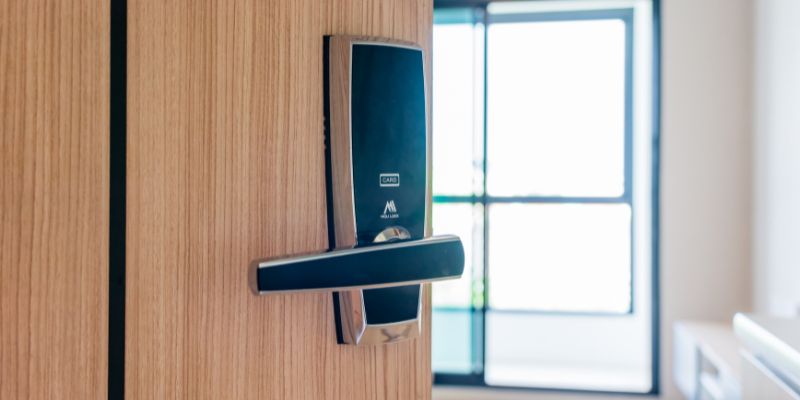
Locking a Veise Lock with the Smartphone App
My Veise lock has a Bluetooth app option, which I use when I’m feeling techy. Here’s how I lock it from outside using my phone:
- Open the Veise App: Make sure your phone’s Bluetooth is on and the app is updated. I had to update mine once after it crashed.
- Connect to the Lock: The app shows your lock when you’re within range (about 10 feet). Tap to connect. Mine connects in a couple of seconds.
- Select Lock Option: In the app, there’s a big “Lock” button. Tap it, and the lock engages. You’ll hear a click or see a confirmation on the screen.
- Verify the Door: Tug the handle to ensure it’s locked. I forgot to check once and found my camper unlocked hours later—oops!
- Check Battery Status: The app shows the lock’s battery level. I check this every time to avoid surprises.
The app is convenient, but I don’t rely on it if my phone’s battery is low. That’s when the keypad or key comes in handy. Speaking of keys, let’s talk about using the physical key.
Using the Backup Key to Lock from Outside
Every Veise lock I’ve seen comes with a physical key as a backup. This saved me when my camper’s battery died. Here’s how I use it:
- Locate the Keyhole: It’s usually hidden under a small cover on the lock. I had to pop off a plastic cap on my camper’s lock.
- Insert the Key: Slide the key in gently. Mine fits snugly, so I don’t force it.
- Turn to Lock: Turn the key clockwise until you hear a click. My lock takes a half-turn to secure.
- Remove the Key: Pull it out and store it safely. I keep mine in a separate pocket to avoid losing it.
- Test the Door: Pull the handle to confirm it’s locked. This is a must every time.
The key is old-school but reliable. I always carry it on trips in case the smart features fail. Let’s go over some common mistakes I made so you can avoid them.
Mistakes I Made (So You Don’t Have To)
I’ve had my share of slip-ups with my Veise lock. Here’s what to watch out for:
- Forgetting the Code: I once forgot my keypad code and had to dig out the manual. Now, I write it down in a secure place.
- Low Battery: I didn’t check the battery level before a trip, and the lock died. Always carry spare batteries.
- Not Closing the Door Fully: If the door isn’t shut tight, the lock won’t engage. I learned this after leaving my camper unlocked by mistake.
- App Connection Issues: The Bluetooth wouldn’t connect once because my phone was too far. Stay close to the lock when using the app.
- Dirty Fingerprint Scanner: My friend’s biometric lock failed because of dirt on their finger. Keep the scanner clean.
These mistakes taught me to be prepared and double-check everything. Next, let’s talk about troubleshooting when things go wrong.
Troubleshooting Common Issues
Sometimes, your Veise lock won’t cooperate. Here’s how I handle problems:
- Keypad Not Responding: Check the battery. I replace mine every 6 months or when the keypad flashes red. Use the backup key if needed.
- Fingerprint Not Recognized: Clean the scanner with a dry cloth. If it’s cold, warm your finger slightly. My friend’s scanner worked better after cleaning.
- App won’t connect: Ensure Bluetooth is on and you’re close to the lock. Restart the app or your phone. I had to reboot my phone once to reconnect.
- Key won’t turn: Don’t force it. Check for debris in the keyhole. I used a small brush to clean mine out once.
If all else fails, Veise’s customer support is helpful. I called them when my app kept crashing, and they walked me through a reset. Let’s cover some safety tips to keep your lock secure.
Safety and Security Tips
Locking your vehicle door lock is about more than just pressing buttons. Here’s what I do to keep things safe:
- Change Codes Regularly: I update my keypad code every few months. It’s like changing a password—keeps things secure.
- Don’t Share Codes: I only give my code to trusted family members. Once, I shared it with a friend, and they accidentally told someone else.
- Hide the Keyhole: If your lock has a cover for the keyhole, keep it on. It protects the lock and makes it less obvious to tamper with.
- Check for Tampering: Before locking, inspect the lock for damage. I once found a loose screw on my camper’s lock and tightened it before leaving.
- Use the App Securely: Set a strong password for the Veise app. I use a mix of letters and numbers to keep it safe.
These habits have kept my camper secure on every trip. Let’s talk about maintaining your Veise lock to keep it working smoothly.
Maintaining Your Veise Lock
A little care goes a long way with Veise locks. Here’s how I keep mine in top shape:
- Check Batteries: I replace the batteries every 6 months, even if they’re not dead. It’s cheap insurance.
- Clean the Keypad/Scanner: Use a dry cloth to wipe down the keypad or fingerprint scanner. I do this monthly to remove dirt and grime.
- Lubricate the Keyhole: A drop of lock lubricant every few months keeps the key turning smoothly. I use graphite-based lubricant.
- Inspect for Wear: Check the lock for loose screws or rust, especially on outdoor locks like my camper’s. Tighten or replace parts as needed.
- Update the App: Keep the Veise app updated for security and performance. I learned this after an old version crashed.
Regular maintenance has saved me from lockouts and kept my lock working like new. Now, let’s wrap this up.
Conclusion
There you have it—everything I’ve learned about how to lock a Veise door lock from outside! From my camper’s keypad to my friend’s biometric van lock, I’ve tackled these smart locks and figured out what works. Whether you’re using a code, fingerprint, app, or backup key, the key is knowing your lock and being prepared. Check those batteries, keep your code safe, and don’t skip the maintenance. I hope this guide makes locking your Veise door a breeze, whether you’re securing your RV for a road trip or locking up a storage compartment. Now, go enjoy your adventures knowing your stuff is safe and sound!
FAQs
What do I need to lock a Veise door lock from the outside?
You need your access code, registered fingerprint, or the Veise app for smart locks. Keep a backup key and spare batteries handy.
Can I lock a Veise lock without the app?
Yes, most Veise locks have a keypad or physical key option. My camper’s lock uses a keypad code when I don’t want to use my phone.
What if my fingerprint isn’t recognized?
Clean the scanner with a dry cloth and try again. Use a backup code or key if it still doesn’t work. Cold weather can affect scanners, so warm your finger slightly.
How often should I change the batteries in my Veise lock?
I replace mine every 6 months or when the keypad flashes red. Always carry spares to avoid being locked out.
Only share it with trusted people. I made the mistake of sharing mine once, and it caused a security scare. Change your code regularly for safety.