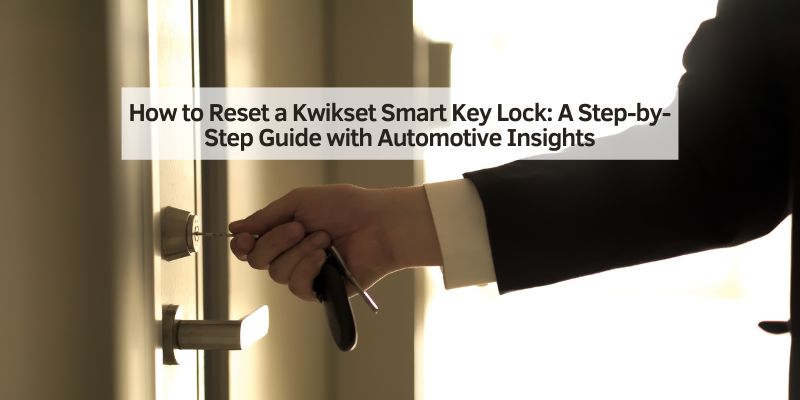
How to Reset a Kwikset Smart Key Lock: A Step-by-Step Guide with Automotive Insights
Hey there! I’m so excited to sit down with you and dive into a topic that’s been a game-changer for me: how to reset a Kwikset Smart Key lock. You might be wondering why an automotive blog is tackling a door lock, but hear me out—I’ve reset these locks for my home and even my garage, where I keep my car tools, and the process reminds me so much of the precision we use in car repairs.
I’ve fumbled through this myself, called locksmiths, watched tutorials, and learned the tricks to make it work. Whether you’ve lost a key, moved into a new place, or just want to change your lock’s key, I’m here to walk you through it. So, grab a soda, get comfy, and let’s unlock the secrets of resetting a Kwikset Smart Key lock together—it’s easier than you think!
Why Resetting a Kwikset Smart Key Lock Matters
Let’s start with why you’d want to reset a Kwikset Smart Key lock. These locks are super cool because you can rekey them without a locksmith. I’ve used them on my front door and garage, where I store my automotive gear. Resetting the lock lets you change the key that works with it, which is great if you lose a key, move into a new house, or want to limit access. It’s like swapping out a car’s ignition cylinder when you get a new key—security and control are everything. Plus, doing it yourself saves money, which I love, whether I’m buying car parts or home supplies.
Understanding the Kwikset Smart Key System
Before we jump in, let me explain how these locks work. The Kwikset Smart Key system is designed to be user-friendly. It uses a special cylinder that you can rekey in minutes with a small tool called the SmartKey tool. I got one with my lock, but you can buy replacements for about $5. The lock has wafers inside that adjust to a new key when you reset it. It’s like reprogramming a car’s computer to accept a new key fob—clever engineering makes it quick and secure.
I’ve reset my lock a few times, and it’s straightforward once you get the hang of it. You need the current key (if you have it), a new key, and the SmartKey tool. If you’ve lost the current key, it’s trickier, but I’ll cover that too. Knowing how the system works helps you avoid mistakes, like forcing the key and jamming the lock.
Tools You’ll Need to Reset the Lock
I’m all about being prepared, whether I’m fixing a car or tackling a lock. For resetting a Kwikset Smart Key lock, you don’t need much. Here’s what I used:
- The current key (if you have it).
- A new key you want the lock to work with.
- The SmartKey tool (a small metal tool that came with the lock).
- A flathead screwdriver (optional, for removing the lock if needed).
If you’ve lost the SmartKey tool, a paperclip or small pick can sometimes work, but I recommend getting the real tool for safety. It’s like having the right wrench for a car repair—makes the job easier. I keep these tools in my toolbox, right next to my automotive gear.
Step-by-Step Guide to Resetting with the Current Key
Let’s walk through the standard reset process, which I’ve done a few times. This is for when you have the current key that works with the lock. It’s super simple and takes about a minute. Here’s what I do:
First, I make sure the lock is in the locked position. I turn the current key to lock it, just to be safe. Then, I insert the current key into the lock and turn it 90 degrees counterclockwise so the key is horizontal. This puts the lock in “rekey mode.” Next, I insert the SmartKey tool into the small hole next to the keyway. I push it in firmly but gently—you’ll feel a slight click.
Now, I remove the current key without turning it. I grab the new key and insert it, then turn it 90 degrees clockwise back to the vertical position. I pull the new key out to test it, then reinsert it and turn it to unlock and lock the door. If it works smoothly, the reset is done! It’s like recalibrating a car’s sensor—precise steps lead to success.
Resetting Without the Current Key
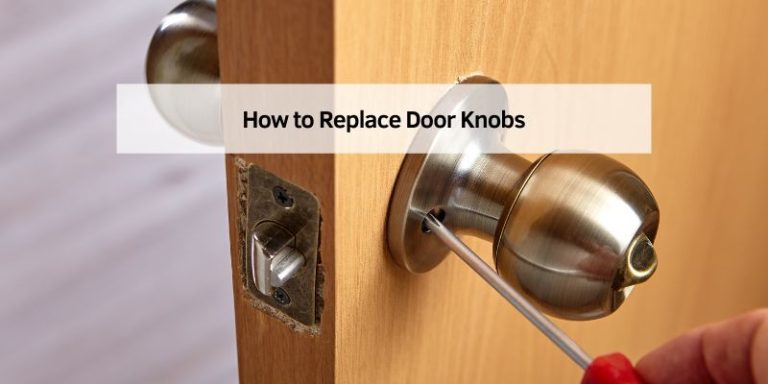
Okay, what if you’ve lost the current key? I’ve been there, and it’s a bit trickier but doable. I’ve tried a couple of methods, and here’s what worked for me. You’ll need a new key, the SmartKey tool, and maybe a paperclip or small pick. First, I remove the lock from the door. I use a screwdriver to take off the deadbolt or knob, depending on the lock type. This exposes the cylinder.
Then, I insert the SmartKey tool into the hole on the cylinder and wiggle it to release the wafers inside. This part takes patience—it’s like finessing a stuck bolt on a car. I gently insert the new key and angle the cylinder slightly to let the wafers adjust. Once I feel it click into place, I turn the key to lock and unlock the cylinder. I put the lock back on the door and tested it. This method worked when I moved into a new place and didn’t have the old key. If it feels too tricky, I’d call a locksmith to avoid damaging the lock.
Using the Kwikset Reset Cradle (Optional)
Kwikset sells a reset cradle, which I’ve used once for a smoother reset without the key. It’s a small plastic tool that holds the cylinder and helps align the wafers. I got one for about $10 at a hardware store. You remove the lock cylinder, place it in the cradle, and insert the new key. The cradle guides the wafers to reset to the new key.
I found it easier than the paperclip method, but it’s not necessary for most resets. It’s like using a specialty tool for a car repair—nice to have, but you can manage without it. If you reset locks often, it’s worth the investment.
Troubleshooting Common Issues
I’ve hit a few snags resetting these locks, so let me share what I’ve learned. Sometimes, the key won’t turn after inserting the SmartKey tool. I found that jiggling the tool gently or reinserting the key fixes it. It’s like wiggling a stuck spark plug to get it loose. If the new key doesn’t work, I double-check that the lock was in the locked position when I started.
Another issue is a misprogrammed lock, where neither the old nor the new key works. This happened to me once, and I had to repeat the process from scratch, making sure to follow each step exactly. If the lock jams completely, I’d stop and call a locksmith rather than force it. It’s like knowing when to take your car to a mechanic instead of breaking something.
The Automotive Connection: Precision and Problem-Solving
You’re probably wondering how this ties to cars. Well, I’ve noticed some awesome parallels. Resetting a Kwikset Smart Key lock is all about precision, just like tuning a car’s engine. One wrong move, and the lock won’t work—same as a misaligned belt in your car. The SmartKey tool is like a diagnostic scanner—you need the right tool for the job.
Security is another link. A reset lock keeps your home or garage safe, just like a good car alarm protects your vehicle. I store my automotive tools in my garage, so a secure lock is a must. Plus, the problem-solving mindset I use for car repairs—patience, double-checking, and not forcing things—applies perfectly to resetting a lock. It’s all about keeping things running smoothly, whether it’s your home or your ride.
Tips for a Successful Reset
Here are some tips I’ve picked up. First, always work in good lighting. I tried resetting a lock in my dimly lit garage and missed the SmartKey hole—frustrating! Use the right key—Kwikset keys are specific to their locks, so don’t try a random one. I keep my SmartKey tool in a labeled bag so I don’t lose it.
Test the lock multiple times after resetting. I lock and unlock it a few times to make sure it’s smooth. If you’re resetting multiple locks (like I did for my house and garage), do them one at a time to avoid mix-ups. It’s like working on one car part at a time to stay organized.
Cost of Resetting a Kwikset Smart Key Lock
I love saving money, and resetting a Smart Key lock is a budget win. Doing it yourself costs almost nothing if you have the key and tools. A new key is $2 to $5 at a hardware store, and the SmartKey tool is $5 if you need a replacement. A reset cradle is $1,0 but optional.
Hiring a locksmith, though, can cost $50 to $150, depending on your area. I called one in my town, and they quoted $75 for a house call. It’s like doing your oil change versus paying a shop—DIY is cheaper if you’re confident. I’ve saved hundreds by resetting my locks myself, leaving more cash for car upgrades!
Maintenance Tips for Your Kwikset Lock
Once your lock is reset, keep it in good shape. I clean mine every few months with a damp cloth to remove dirt. I also spray a little graphite lubricant into the keyway to keep it smooth, like lubing a car’s hinges. Don’t use oil-based lubes—they attract dust and gum up the lock.
Check the lock’s screws to ensure they’re tight, especially after heavy use. I had a loose screw once that made the lock wobbly. Test your key regularly to make sure it works. It’s like checking your car’s tire pressure—small maintenance prevents big problems.
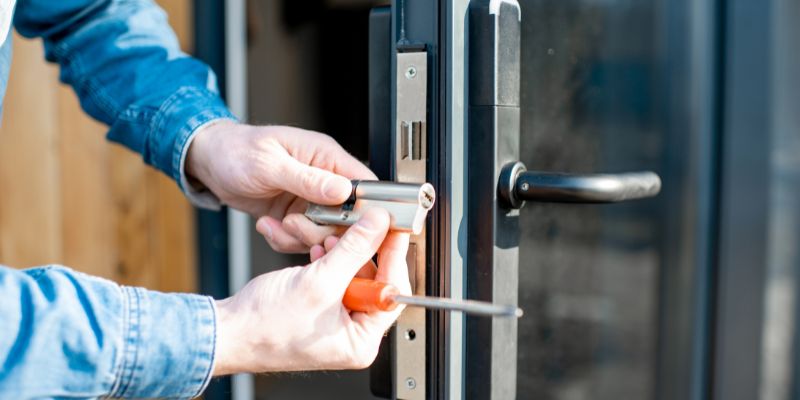
Table: Tools and Costs for Resetting a Kwikset Smart Key Lock
Here’s a table I put together based on my experience:
| Item | Cost Range | Notes |
|---|---|---|
| Current Key | $0 (if you have it) | Needed for standard reset. |
| New Key | $2–$5 | Kwikset-specific key. |
| SmartKey Tool | $0–$5 | For removing the lock if needed. |
| Reset Cradle | $10 | Optional for no-key resets. |
| Screwdriver | $0–$10 | For removing lock if needed. |
| Locksmith (if hired) | $50–$150 | For complex resets or no key. |
This helped me budget my project, and I hope it helps you too!
When to Call a Locksmith
I’m all about DIY, but sometimes you need a pro. If you’ve lost the key and can’t get the no-key reset to work, a locksmith is worth it. I almost broke a lock once by forcing it, so I learned my lesson. Locksmiths have tools to reset or replace the cylinder without damage. It’s like taking your car to a mechanic for a tricky repair—you don’t want to make it worse.
If your lock is damaged or the keyway feels stuck, don’t mess with it. I called a locksmith when my garage lock jammed, and they fixed it for $80. Get quotes from a few pros to find a fair price, just like shopping for car repairs.
Safety Tips
Safety’s big for me, whether I’m in the garage or working on a lock. Don’t force the key or SmartKey tool—it can break the lock. I made that mistake and had to buy a new cylinder. Work in a well-lit area to see what you’re doing. If you’re removing the lock, unplug any electronic components if it’s a smart lock model.
Keep kids and pets away while you work—small tools can be a hazard. It’s like keeping your workspace clear when changing a car’s battery. If you’re unsure, stop and get help to avoid damaging your lock or door.
Conclusion
Wow, we’ve covered a lot, haven’t we? I’ve loved sharing my journey on how to reset a Kwikset Smart Key lock with you. From fumbling with the SmartKey tool to mastering the process, I’ve learned it’s all about precision and patience, whether you have the current key or not. The automotive connection is clear to me: just like tuning a car, resetting a lock takes care, the right tools, and a bit of know-how. My locks are now secure, protecting my home and garage full of car gear, and I’ve saved money doing it myself.
I hope this guide empowers you to reset your own Kwikset lock or know when to call a pro. Thanks for hanging out with me—let’s keep tackling projects with confidence, from locks to the open road!
FAQs
How do I reset a Kwikset Smart Key lock with the current key?
I insert the current key, turn it 90 degrees counterclockwise, push in the SmartKey tool, remove the old key, insert the new key, and turn it back. It takes a minute!
Can I reset the lock without the current key?
Yes, I’ve done it! Remove the lock, use the SmartKey tool to release the wafers, and insert a new key. It’s tricky, so be patient or call a locksmith.
What tools do I need to reset the lock?
I use the current key, a new key, and the SmartKey tool. A screwdriver helps if you need to remove the lock. A reset cradle is optional.
How much does it cost to reset a Kwikset Smart Key lock?
DIY costs $0 to $10 for a key or tool. I paid $5 for a new key. A locksmith might charge $50 to $150.
Why won’t my new key work after resetting?
I had this issue when I didn’t follow the steps exactly. Make sure the lock is locked, and try again. If it jams, don’t force it—call a pro.
How do I maintain my Kwikset lock?
I clean it with a damp cloth and use graphite lube in the keyway. Check screws regularly, like maintaining car parts.
When should I call a locksmith?
I’d call if I lost the key and can’t reset it, or if the lock is damaged. It’s like getting a mechanic for a complex car repair.