How to Reverse a Hunter Ceiling Fan with Remote
Press and hold the fan button on a Hunter remote until the light blinks to reverse a Hunter ceiling fan’s spin direction, no ladder needed on remote-equipped models. Running the wrong direction in winter wastes warm air at the ceiling instead of pushing it down, per the U.S. Department of Energy. This guide covers the remote button, the SIMPLEconnect app, the manual switch, and what to do when a Hunter fan has no visible reverse switch.
What You Need to Reverse a Hunter Ceiling Fan
Most Hunter fans need nothing more than the remote that came with the fan. Keep these on hand in case the remote method fails and you need the manual switch instead:
- Hunter remote or wall control: the one paired to your fan at install.
- Replacement battery: most Hunter remotes use a CR2032 coin cell; a few older models use AAA batteries.
- Step ladder: only needed for the manual switch method on fans without a remote.
- Non-contact voltage tester: confirms power is off before you touch the motor housing.
- Phone flashlight: the reverse switch on the motor housing is small and easy to miss in low light.
Best Hunter-Compatible Remote Pick
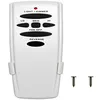
CENMING Hunter-Compatible Ceiling Fan Remote – $15.98
A direct replacement when a Hunter remote is lost or the reverse button stops responding after a battery swap covered in this guide’s troubleshooting section.
- Best for: replacing a lost or unresponsive Hunter remote
- Why we picked it: includes a dedicated reverse button and wall cradle, matching the button layout this guide describes
- Main drawback: AC-motor fans only – check your fan’s motor type before ordering
Compare more remote and battery options
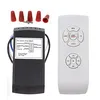 Option 1 LPHUMEX Universal AC Remote Kit – $14.88
|
 Option 2 CR2032 Lithium Battery 5-Pack – $4.91
|
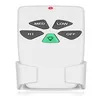 Option 3 FAN-53T Remote Replacement – $14.37
|
As an Amazon Associate we earn from qualifying purchases.
Why Reverse a Ceiling Fan?
Reversing a ceiling fan flips the direction its blades spin. Counterclockwise rotation blows air straight down for a cooling breeze in summer. Clockwise rotation pulls air up the walls and pushes the warm air that collects near the ceiling back down in winter — see why fan direction matters for the physics behind it.
Getting the direction right year-round improves air circulation, reduces the dust that settles when air sits still, and can lower heating costs since less warm air is trapped uselessly at the ceiling.
How Does a Hunter Ceiling Fan Remote Work?
Hunter ceiling fan remotes control the fan without a ladder or wall switch. The handheld unit sends a radio-frequency (RF) signal to a receiver hidden inside the fan’s canopy or motor housing, which is why range and obstructions can affect whether a button press registers.
Most Hunter remotes have separate buttons for power, three fan speeds, light dimming, and reverse. Newer SIMPLEconnect Wi-Fi models add app and voice-assistant control on top of the physical buttons.
When Should You Reverse Your Hunter Ceiling Fan?
- Summer (downward airflow): blades spin counterclockwise to create a direct cooling breeze. Switch this over in spring.
- Winter (upward airflow): blades spin clockwise at low speed to pull warm ceiling air back down. Switch this over in fall.
- After a power outage or motor repair: fans can default to the wrong direction after being rewired or reset — check it once power is restored.
- Rooms with high or vaulted ceilings: these benefit the most from winter reversal, since more warm air stratifies near the ceiling.
Checking Your Hunter Fan’s Current Direction
Confirm which way the fan is already spinning before reversing it — guessing wastes a trip up the ladder if you get it backward.
- Turn the fan on to medium speed.
- Stand directly below it and look up at the blades.
- Watch the rotation: counterclockwise means downward airflow (summer mode); clockwise means upward airflow (winter mode).
- Feel for a direct breeze underneath the fan — a strong downdraft confirms summer mode.
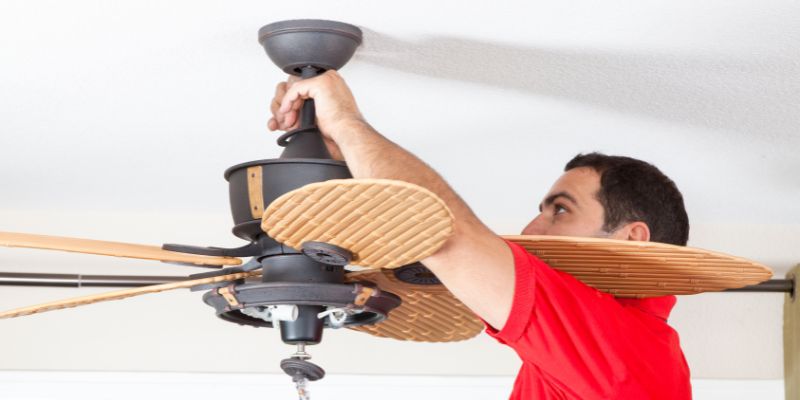
How to Reverse a Hunter Ceiling Fan with Remote
Once the fan is off and the blades have fully stopped, reversing it with the remote takes under a minute:
- Turn off the fan and wait for the blades to come to a complete stop.
- Find the reverse control: a button labeled “Reverse” with two circling arrows, or on some models the fan-speed button doubles as reverse.
- Press and hold reverse for 2–3 seconds. A blinking light on the remote confirms the command was received.
- Wait for the change: the fan may pause briefly before spinning in the new direction, usually within 5 seconds.
- Turn the fan back on and confirm the new rotation matches the direction check above.
If nothing happens after holding the button, the most common cause is a dead remote battery — covered in the troubleshooting section below.
How to Reverse a Hunter Fan Using the SIMPLEconnect App or Wall Control
Hunter SIMPLEconnect Wi-Fi fans and hardwired wall-control fans don’t always use a handheld remote, but they still support reversing without touching the motor housing.
- Wall control: press and hold the fan button on the wall unit until the indicator light blinks — the same hold-to-reverse action as a handheld remote.
- SIMPLEconnect app: open the fan’s profile in the app and toggle the direction setting; no physical button press is required.
- Smart-home voice command: on fans paired to Amazon Alexa or Google Home, a voice command to reverse the fan direction works through the same Wi-Fi connection as the app.
If your model has a simple pull-chain and no remote at all, the general ceiling fan reverse-switch guide covers pull-chain and non-Hunter models in more depth.
What if My Hunter Fan Has No Reverse Switch at All?
A visible reverse switch is a physical toggle on the motor housing that only appears on older, non-remote Hunter fans. Newer remote and SIMPLEconnect models control direction entirely through the remote, wall control, or app instead — there is no separate switch to find, so check those controls first before assuming the fan is defective.
Troubleshooting: When the Reverse Won’t Work
- Dead remote battery: the most common cause. Replace the CR2032 (or AAA on older models) and try again.
- Out of range: RF signal weakens with distance and obstructions — stand closer, directly under the fan.
- Wrong button: confirm you’re pressing reverse, not fan speed — the two are easy to mix up on compact remotes.
- Power off at the wall: the fan’s wall switch must stay on for a remote or wall control to function.
- Unpaired or faulty receiver: reset by cutting power for 10 seconds, then re-pair the remote following the dip-switch settings in the fan’s manual, or reprogram your remote from scratch.
If the fan still won’t reverse after trying all of the above, the receiver inside the canopy may have failed — that’s a repair, not a settings issue, and typically needs a technician.
Using the Manual Reverse Switch
Older Hunter fans without a remote — and some remote models as a backup — have a physical slide switch on the motor housing.
- Cut power at the breaker or wall switch, then confirm with a voltage tester.
- Set up a stepladder rated for the ceiling height — never stand on a chair.
- Locate the switch: a small slide switch on the motor housing, usually near the light kit.
- Flip it to the opposite position from where it currently sits.
- Restore power and confirm the new direction with the check above.
Safety note: never slide the reverse switch while the fan is still spinning — wait for the blades to fully stop first, both for your safety and to avoid straining the motor.
📊 ENERGY STAR–certified ceiling fans can be up to 60% more efficient than conventional models, and running a fan in the correct seasonal direction is part of realizing that efficiency. — Source: U.S. Department of Energy, Energy Saver
Benefits of Reversing Your Hunter Ceiling Fan
- Comfort year-round: a direct downdraft in summer, gentle recirculation in winter.
- Lower heating costs: pulling warm ceiling air back down means the thermostat can be set slightly lower without losing comfort.
- Less dust settling: steady air movement in winter mode keeps dust from concentrating on surfaces below.
- Reduced motor strain: alternating direction seasonally distributes wear more evenly than running one direction year-round.
Maintaining Your Hunter Ceiling Fan
- Clean the blades monthly with a damp cloth so dust doesn’t throw off the fan’s balance.
- Test the remote yearly and replace the battery proactively before it fails mid-season.
- Tighten the canopy and blade screws annually — a common source of wobble and rattling.
- Check for a lubrication port per your model’s manual; many newer Hunter motors are sealed and need no oil.
- Balance the blades with an inexpensive balancing kit if you notice a wobble after reversing — see oiling a Hunter fan motor for models that do take oil.
“Simply press and hold the fan button on the remote or wall control; you’ll know it was successful when the light on the control blinks.”
Summer vs. Winter Fan Settings at a Glance
| Setting | Direction | Airflow | Best For |
|---|---|---|---|
| Summer | Counterclockwise | Downward | Direct cooling breeze |
| Winter | Clockwise, low speed | Upward | Recirculating trapped warm air |
Common Mistakes When Reversing a Hunter Ceiling Fan
- Flipping the switch while the fan is still spinning. Always wait for a full stop first — doing it live risks a shock and can damage the reversing mechanism.
- Assuming every Hunter fan has a visible switch. Remote and SIMPLEconnect models control direction electronically with no physical switch to find.
- Confusing fan speed with fan direction. On compact remotes, these buttons sit close together and are easy to mix up.
- Running winter mode at high speed. Winter reversal works best at low speed — a fast clockwise fan just creates a cold draft instead of gently recirculating warm air.
FAQ
How do I reverse a Hunter ceiling fan with a remote?
Turn the fan off, wait for the blades to stop, then press and hold the reverse button (or the fan-speed button on some models) for 2–3 seconds until the remote’s light blinks. Turn the fan back on to confirm the new direction.
Which direction should a Hunter ceiling fan spin in summer vs. winter?
Counterclockwise in summer, which pushes a direct cooling breeze downward. Clockwise at low speed in winter, which pulls warm air that collects near the ceiling back down into the room.
Some Hunter remotes reverse direction by pressing and holding the fan-speed button for about 5 seconds instead of a dedicated reverse button. Check your model’s manual, or use the manual switch on the motor housing as a backup.
Can I reverse a Hunter ceiling fan without a remote?
Yes. Cut power to the fan, locate the manual slide switch on the motor housing near the light kit, flip it to the opposite position, and restore power. This works on any Hunter fan that has a physical reverse switch.
Why does my Hunter LED ceiling fan have no reverse switch?
Newer Hunter fans, including most LED-light models, control direction through the remote, wall control, or SIMPLEconnect app instead of a physical switch. This isn’t a defect — check those controls before assuming the fan needs repair.
Does reversing a ceiling fan actually save energy?
Yes, when paired with an ENERGY STAR–certified fan and the correct low-speed clockwise setting in winter, reversing helps redistribute warm air instead of letting it sit uselessly near the ceiling, per the U.S. Department of Energy.
Bottom Line
Reversing a Hunter ceiling fan is a two-minute job once you know which button to press: hold the reverse control until the light blinks, confirm the new rotation, and repeat each spring and fall. If your model has no visible switch, the remote, wall control, or SIMPLEconnect app is the actual control point — not a hidden switch on the housing.
Sponsored / affiliate links. As an Amazon Associate I earn from qualifying purchases. I may earn additional commission from eligible campaigns.