What Is The Black Button On Car Door Handle: Essential Guide
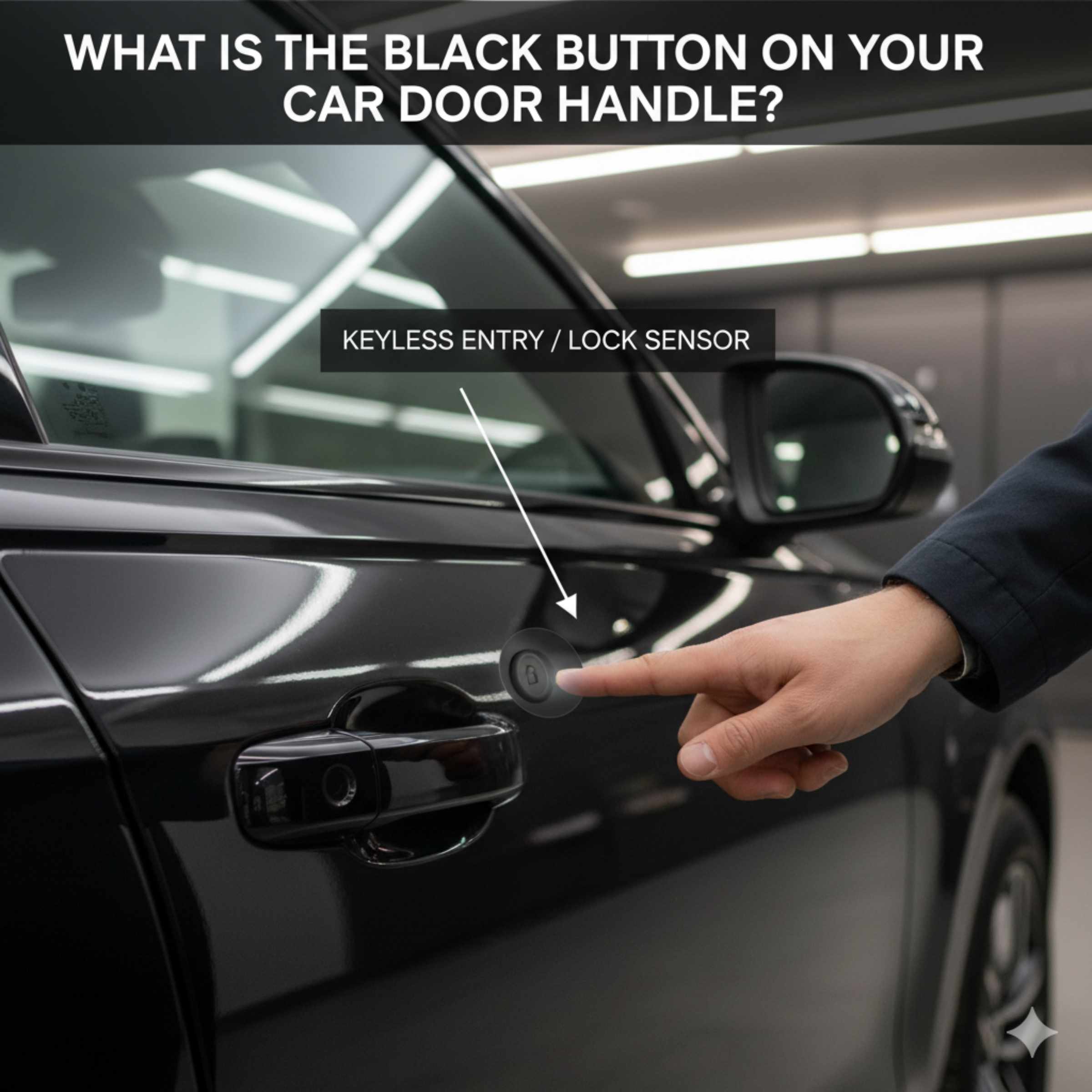
The black button found near a modern car door handle is usually a Passive Entry/Keyless Go feature, often serving as the lock or unlock switch. It allows you to lock your car without pulling out your keys, making daily access secure and incredibly convenient.
Have you ever walked up to your car, key fob safely tucked away, and noticed that little black button right next to the handle? You push it, and click—your doors lock. It seems simple, but what exactly is that button, and how does it work? For many of us doing home maintenance or just trying to understand our vehicles better, these modern additions can feel a little mysterious. Don’t worry! This little button is actually a fantastic safety and convenience feature. We are going to break down exactly what this button is, how it interacts with your car’s locking system, and why it’s become standard on so many vehicles today. Get ready to feel more confident about using this handy tool on your daily commute!
That small, unassuming black button—sometimes rubberized, sometimes glossy—is a crucial component of your car’s modern security system. It’s not just a random piece of plastic; it’s your direct, physical link to the electronic locking mechanism when you are holding the smart key fob.
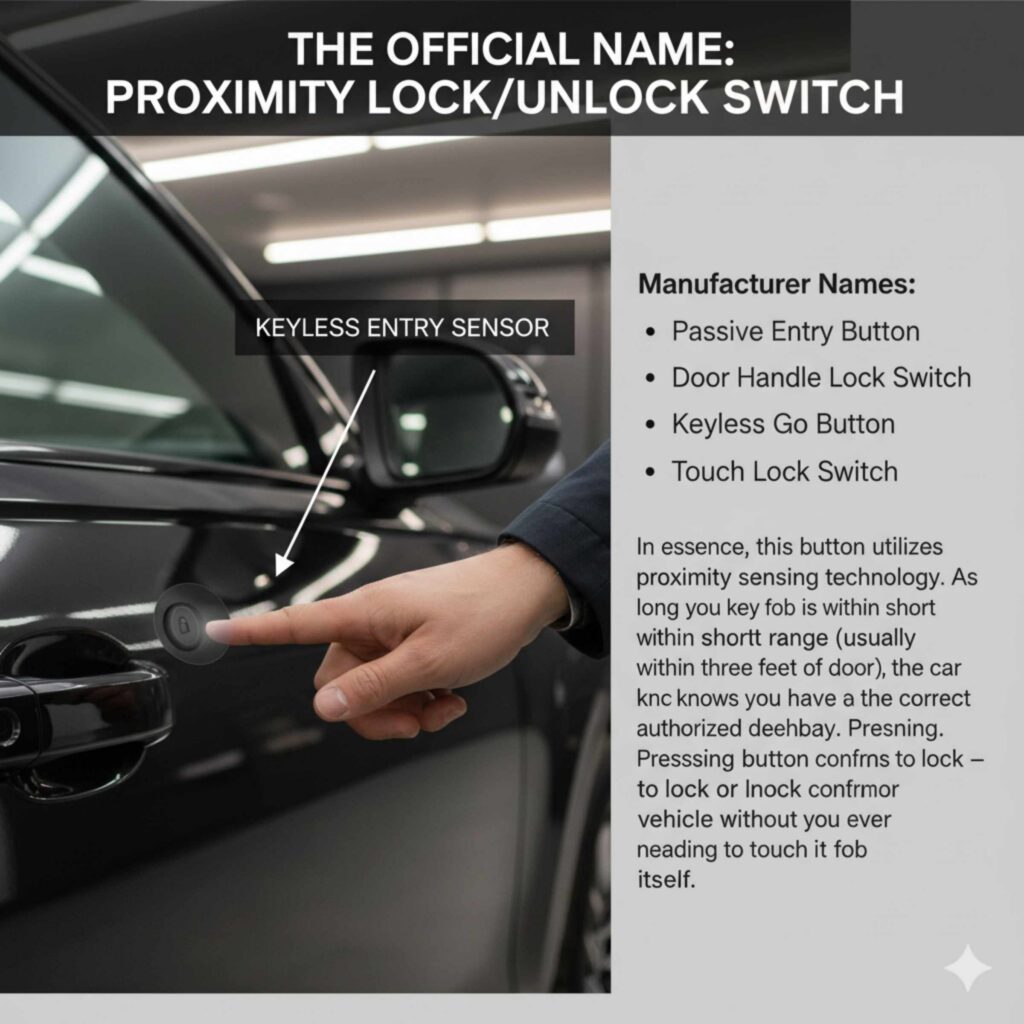
The Official Name: Proximity Lock/Unlock Switch
While you might call it the “black button,” manufacturers often refer to this feature by more technical names depending on the brand:
- Passive Entry Button
- Door Handle Lock Switch
- Keyless Go Button (common in Mercedes-Benz)
- Touch Lock Switch
In essence, this button utilizes proximity sensing technology. As long as your key fob is within a short range (usually within three feet of the door), the car knows you have the correct authorized device nearby. Pressing the button confirms your intention to lock or unlock the vehicle without you ever needing to touch the fob itself.
Why Do Cars Have This Button Instead of Just Touching the Handle?
Many high-end and newer vehicles are moving toward full flush-mounted handles where you just pull the handle, and the car unlocks (if unlocked already). However, the dedicated black button offers a few key advantages, especially regarding security and battery life:
- Confirmed Intent: It ensures you only lock the car when you intend to. Without the button, simply grabbing the handle might unlock it if the system is overly sensitive. The button provides a clear signal to the car’s computer.
- Anti-Theft Measure: It works alongside sophisticated anti-theft systems. The car usually requires a unique radio frequency signal from the fob and the physical press of the button to override the locked state.
- Battery Conservation: Constantly scanning for a hand near the handle drains the car battery more quickly. The button requires a dedicated action, saving power when you are simply walking past your vehicle.
How Does the Keyless Entry System Actually Work?
Understanding the mechanics behind the button helps you trust the technology. It’s a blend of radio waves and microchips working together seamlessly.
The Role of the Key Fob (Smart Key)
Your key fob is much more than just a remote control; it’s a sophisticated transmitter. It constantly emits a low-frequency radio signal. This signal is unique to your car.
When you approach the door, your car’s receiver antennae pick up this signal. If the fob is authenticated, the system is ready to communicate.
The Button as the Trigger
When you press the black button, you send a direct electrical signal to the car’s Body Control Module (BCM). The BCM is the computer brain that manages all the accessories, including the locks, lights, and windows.
The BCM checks two things instantly:
- Is the key fob present and authenticated?
- Is the button being pressed (confirming the lock/unlock command)?
If both conditions are met, the BCM sends power to the door latch actuator, locking or unlocking the door.
Understanding Range and Security
This system relies on precise distance measurement, often using Ultra-Wideband (UWB) technology in the newest models. This helps prevent “relay attacks,” where thieves use devices to trick your car into thinking your key fob is nearby when it’s actually inside your house. For more information on vehicle security standards, you can review resources from organizations like the National Highway Traffic Safety Administration (NHTSA) regarding modern vehicle safety features.
Step-by-Step: Using the Black Button Correctly
Using this feature is easy once you know the routine. Follow these simple steps to master locking and unlocking your vehicle using only the button.
Step 1: Approaching the Vehicle (Unlocking)
This step usually only applies if your car is already set to automatically unlock upon approach (which is less common than the locking feature.
- Ensure your key fob is on your person (in your pocket, purse, or hand).
- Approach the driver’s side door handle. You might feel or hear a faint “chirp” indicating the car has detected the key.
- To unlock, simply pull the door handle while the key is near. (On some models, pressing the black button while the fob is near unlocks the door—check your manual!)
Step 2: Locking the Vehicle (The Primary Function)
This is the most common and appreciated use of the black button.
- Ensure all doors and the trunk are closed securely.
- Make sure the key fob is not inside the vehicle (this is critical, or the car will not lock).
- Stand outside the vehicle, holding the fob on your person.
- Firmly press the black button located near the exterior door handle.
- Listen for the confirmation sound (usually a beep or the lights flashing once) and visually confirm the locks have engaged.
Step 3: Troubleshooting Common Lock Failures
If the button doesn’t work, here are the top three reasons, presented in a quick troubleshooting table:
| Problem | Likely Cause | Simple Fix |
|---|---|---|
| Button unresponsive. | Key fob battery is weak or dead. | Replace the fob battery (usually a CR2032 coin cell). |
| Car locks, then immediately unlocks. | A door, hood, or trunk is slightly ajar. | Check all entry points and close them firmly. |
| Button works only when very close. | The car’s main battery is low, reducing antenna range. | Run the engine for 15–20 minutes to recharge the main battery. |
Why Your Black Button Might Stop Working (And How to Fix It)
As a DIY enthusiast, you know that electronics don’t always behave perfectly. When the convenience feature fails, it usually comes down to a few simple culprits, most of which are easy fixes.
Fob Battery Depletion
This is the number one reason for keyless entry failure. The fob needs sufficient power to broadcast its secure signal to the car’s antennae. If the fob battery is dying, the car might not “see” it, and thus, the black button press will be ignored.
Action Item: Check your owner’s manual for the specific battery type (often CR2032, CR2025, or CR2016). Replacing this battery is usually a very quick, simple task that costs just a few dollars.
System Synchronization Issues
Sometimes, if the car battery has been disconnected or replaced, or if the fob battery died suddenly, the car and the fob can temporarily lose their synchronized pairing.
How to Re-Sync (General Steps):
- Check the car battery connection first to ensure it’s tight.
- Get inside the car with the fob.
- If your car has a physical slot for the fob (some older keyless systems do), insert it.
- Follow the procedure listed in your owner’s manual for key re-learning. This often involves turning the ignition on and off rapidly while pressing a button on the fob.
Physical Damage or Water Intrusion
Since the black button is exposed to the elements (rain, heat, dust), it can sometimes fail mechanically. If you notice the button feels mushy, sticky, or doesn’t click satisfyingly, it might be physically broken or have debris lodged inside.
If debris is the issue, a gentle clean with a soft cloth and mild cleaner (applied to the cloth, not sprayed directly) might help.
If the button is physically cracked or has completely stopped depressing, you will need a replacement switch assembly, which might require removing the door panel. This is a slightly more advanced repair, but detailed videos are often available online for specific models.
Comparing Keyless Entry Systems: Button vs. Touch Sensor
Not all modern cars use the same method for keyless interaction. It helps to know which system your car uses so you don’t get confused.
| System Type | Mechanism Description | Where is the Sensor/Button? | Typical User Experience |
| :— | :— | :— | :— |
| The Black Button System | Requires a positive physical press of the dedicated button while the fob is near. | Clearly visible button next to the exterior handle. | Reliable, requires deliberate action. Excellent for preventing accidental unlocks. |
| Capacitive Touch Sensor | The handle itself acts as the sensor; a slight touch registers. | Built into the main door handle surface (often a small marked area). | Very fast; feels sleek, but sometimes less obvious when it works. |
| Full Proximity Unlock | The car unlocks as soon as you grab the handle, provided the fob is detected. | No visible button or sensor; the entire handle is the sensor. | Most seamless, but requires excellent software to avoid false unlocks. |
For DIYers tackling basic maintenance, the Black Button System is often the easiest to diagnose because the button provides a clear point of failure (either the button is broken, or the fob isn’t being detected).
Safety Considerations When Using Keyless Systems
While these systems are fantastic for convenience, they introduce new ways thieves might try to exploit them. Being aware of how your system operates is your first line of defense.
Understanding “Walk Away Lock”
Many cars equipped with this button feature also have “Walk Away Lock.” This feature automatically locks the car a minute or two after you walk away, even if you forget to press the button.
Safety Check: Always verify the car is locked! If you have noisy children or pets, the system might falsely register someone is still inside, preventing the automatic lock from engaging. A quick manual press of the black button ensures peace of mind.
Protecting Against Signal Theft
As mentioned earlier, sophisticated thieves can use equipment to amplify the signal from your key fob (even if it’s sitting on your kitchen counter) to trick your car into unlocking.
Simple Protection Tips:
- Faraday Pouches: Store your key fob in a specialized signal-blocking pouch (Faraday cage) when at home, especially near exterior walls or doors. These pouches are affordable and highly effective.
- Distance is Your Friend: Never leave your key fob right next to your front door or a window where the car is parked nearby. Keeping it deeper inside your home disrupts the signal amplification attempt.
- Use the Button: Since the button requires a close-range signal and a physical press, it offers better security than systems that rely only on proximity.
Maintenance Tips for Long-Term Reliability
Keeping this small feature functional means looking after the two components involved: the button itself and the fob.
Cleaning the Exterior Switch
Dirt, road grime, and UV exposure can degrade the rubber or plastic covering the button over time, making it stick or become less sensitive.
Use a soft microfiber cloth slightly dampened with water or a mild, non-abrasive automotive interior cleaner.
Gently wipe around the edges of the button to remove any built-up dirt that might prevent a full press.
Avoid using harsh solvents or high-pressure washing directly on the button seam, as this can force water past the seals and damage the internal circuitry.
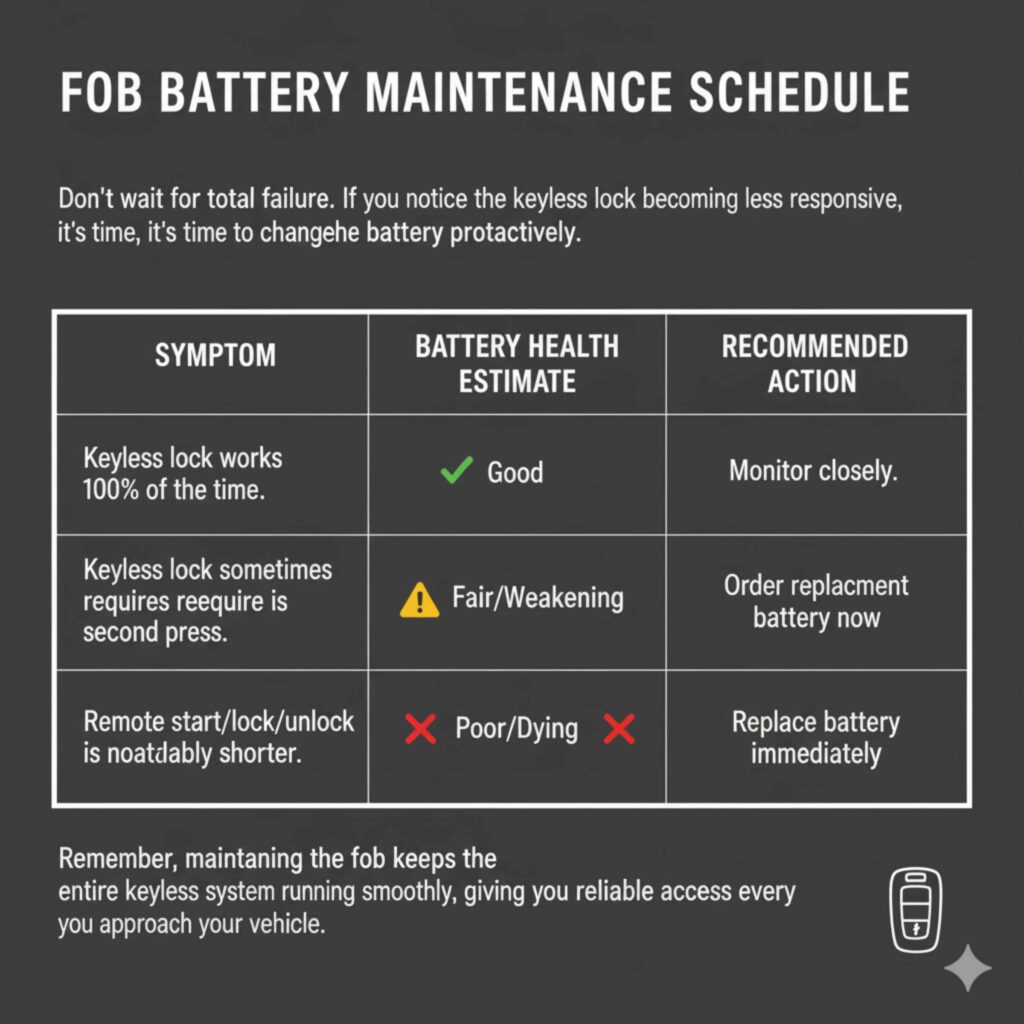
Fob Battery Maintenance Schedule
Don’t wait for total failure. If you notice the keyless lock button becoming less responsive, it’s time to change the battery proactively.
| Symptom | Battery Health Estimate | Recommended Action |
| :— | :— | :— |
| Keyless lock works 100% of the time. | Good | Monitor closely. |
| Keyless lock sometimes requires a second press. | Fair/Weakening | Order replacement battery now. |
| Remote start/lock/unlock range is noticeably shorter. | Poor/Dying | Replace battery immediately. |
Remember, maintaining the fob keeps the entire keyless system running smoothly, giving you reliable access every time you approach your vehicle.
Frequently Asked Questions (FAQ) About Car Door Handle Buttons
Here are some common questions homeowners have about this feature:
A: Generally, no. The car must receive a radio signal from the fob to confirm authorization before it will execute the lock command via the button press. If the fob is dead, you must use the physical metal key hidden inside the fob to manually unlock and lock the driver’s side door.
A: It depends entirely on your vehicle model. On many sedans, the button only controls the four passenger doors. Luxury vehicles or SUVs might have a separate dedicated button on the rear hatch handle or a button on the interior trim panel to activate the liftgate lock.
Q3: What happens if I lose my smart key fob entirely?
A: If you lose the fob, you will have to use the physical metal key to enter the car. You cannot start the car or use any keyless features. You must contact an authorized dealer or a specialized automotive locksmith to purchase a new, programmed fob, which can be an expensive process.
Q4: Can I disable the keyless entry feature if I don’t want to use it?
A: Most modern vehicles do not allow the owner to completely disable the proximity sensing system through user settings, as it is tied deeply into the security module. However, storing the fob in a Faraday pouch when parked effectively disables the system until you take it out.
A: Mild car wash soap is usually fine, but avoid harsh degreasers or strong chemicals. The rubber seals around these buttons can dry out and crack over time when exposed to harsh chemicals, leading to water infiltration. Gentle cleaning is always best for exterior rubber components.
A: This is often related to your car’s “walk away” or “auto-lock” settings. Many cars are programmed so that the first press of the lock button locks only the doors other* than the driver’s door (to allow you to leave something in the car while running inside quickly). A second, quick press will lock the driver’s door as well.
Conclusion: Embracing Modern Convenience Safely
The black button on your car door handle may seem like a minor detail, but as your guide clearly shows, it plays a major role in modern vehicle convenience, security, and everyday ease of use. It’s a key part of the passive entry / keyless access system, designed to let you lock or unlock your car quickly—without fumbling for keys—while still confirming that you are the authorized driver.
By understanding how this button works alongside your smart key fob, you’re no longer just pressing it out of habit—you’re using it with purpose. You now know why the car responds (or doesn’t), what common issues like weak fob batteries look like, and how to troubleshoot problems before they turn into frustration. That’s real, practical knowledge.
Just as importantly, you’ve learned that convenience and security must work together. Using the button correctly, keeping your fob battery fresh, cleaning the exterior switch gently, and protecting your key signal at home all help ensure the system stays reliable and safe. Technology works best when the user understands it—and now, you do.
In the end, that little black button is a perfect example of modern design done right: simple on the outside, smart on the inside. With this knowledge, you can confidently rely on it every day, knowing exactly how it protects your vehicle and makes your routine smoother!