How To Charge A Drill Battery Without A Charger (It Works)
It’s a familiar drill. You need to finish that project. Your drill battery is dead.
But wait, where is the charger? It’s lost, broken, or you just can’t find it. This can stop you dead in your tracks.
It’s frustrating when your tools can’t keep up. We’ve all been there, staring at a powerless drill. This guide is here to help.
We’ll explore ways to get your drill battery charged. We’ll look at what works and what definitely does not.
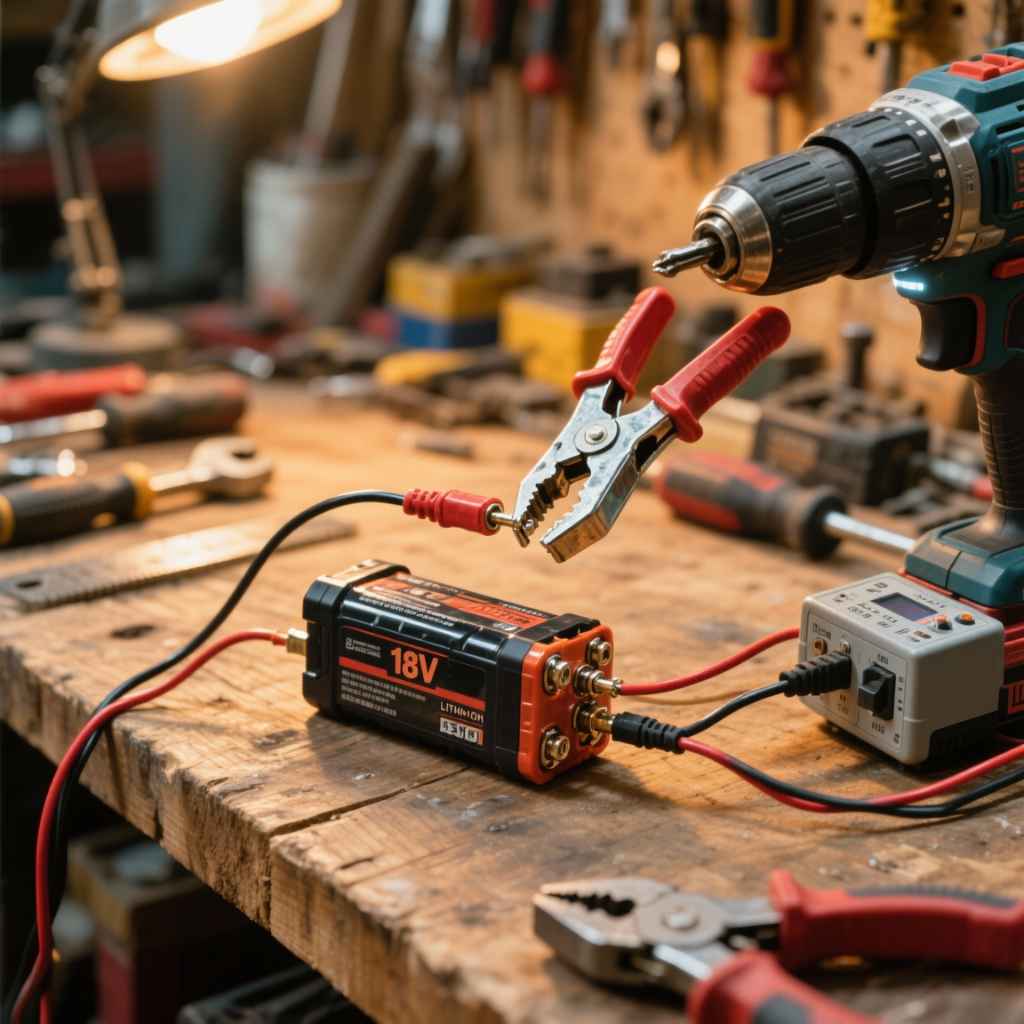
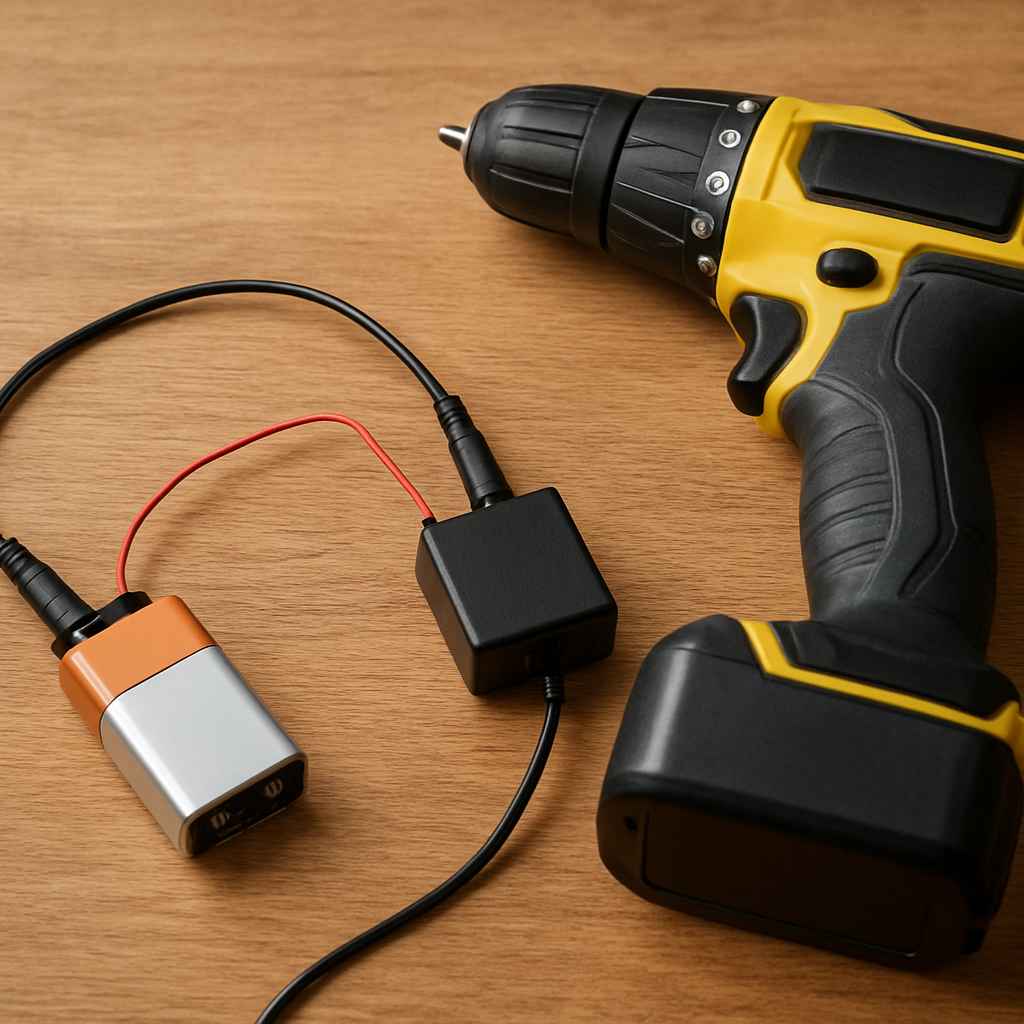
Charging a drill battery without its original charger is possible in some situations. It often involves using a compatible charger from another brand or a universal charger. However, attempting to rig up makeshift charging methods using incorrect voltage or wires is extremely dangerous and can damage the battery or cause a fire.
Always prioritize safety and use recommended or compatible charging solutions.
Understanding Your Drill Battery
Drill batteries are not all the same. They come in different types. The most common are Nickel-Cadmium (NiCd), Nickel-Metal Hydride (NiMH), and Lithium-Ion (Li-ion).
Each type has its own needs for charging. They also have different safety features. Li-ion batteries are the most popular now.
They hold more power and last longer. They are also lighter. But they can be more sensitive to incorrect charging.
NiCd and NiMH are older types. They are more forgiving but heavier. Knowing your battery type is step one.
Your original charger is built for your specific battery. It knows the right voltage. It knows the right amperage.
It knows when the battery is full. This prevents overcharging. Overcharging can ruin a battery.
It can even be a fire risk. That’s why using the correct charger is so important. It’s designed to be safe.
It’s designed to make your battery last. So, when the original is missing, we need to be smart.

Why an Original Charger is Usually Best
Think of your charger as a chef. It knows the perfect recipe for your battery. It adds just the right amount of energy.
It stops at the perfect time. This keeps your battery healthy. It ensures it works well for a long time.
Using a different method can be like giving your battery the wrong food. It might seem okay at first. But over time, it can cause damage.
This can lead to a battery that doesn’t hold a charge. Or worse, it can become a safety hazard.
The battery management system (BMS) in modern batteries is smart. It talks to the charger. It tells the charger how it’s doing.
It signals when it’s getting too hot. It signals when it’s full. The original charger understands these signals perfectly.
An aftermarket or rigged charger might not. This gap in communication is where danger lies. It’s why professionals always tell you to use the charger that came with your tool.
But life happens, and sometimes we need options.
My Own Battery Nightmare
I remember one time, I was in the middle of building a deck. It was a huge job. The sun was starting to set.
I needed to drill the last few holes. I reached for my drill. The battery was as dead as a doornail.
I looked for the charger. It wasn’t on my workbench. It wasn’t in the truck.
Panic started to set in. I searched everywhere. My workshop was a mess.
Tools were everywhere. Papers were piled high. I felt a knot of frustration in my stomach.
The whole project felt like it would stall. I ended up having to borrow a drill from my neighbor. It wasn’t the same.
It wasn’t as powerful. It made the job take much longer. That day taught me a valuable lesson about keeping track of my charging gear.
It also made me wonder about backup charging methods.
Compatible Aftermarket Chargers
This is often the safest and best alternative. Many companies make chargers that are designed to work with batteries from different brands. These are not cheap knock-offs.
They are made with safety standards in mind. They often have similar features to original chargers. They also have protections against overcharging.
They check the voltage and amperage carefully. It’s like finding a good friend for your battery. They understand its needs.
They can do the job well.
When looking for an aftermarket charger, check the compatibility list. It will say which battery brands and models it works with. Look for chargers that mention safety features.
Things like overcharge protection, short-circuit protection, and temperature control are good signs. Read reviews from other users. See if people with similar drills have had good luck.
It’s worth a bit of research to find a reliable option. This can save you money and headaches down the line. It also ensures your batteries live a longer, healthier life.
Quick Charger Compatibility Check
Always verify:
- Battery Type: Does it support Li-ion, NiMH, or NiCd?
- Voltage: Does the charger voltage match your battery voltage (e.g., 18V, 20V)?
- Brand Compatibility: Check the charger’s stated compatibility for your drill brand.
- Amperage: While less critical for basic charging, some chargers offer fast-charging options.
Some universal chargers are also available. These are designed to charge multiple battery types and brands. They usually have settings or adapters to ensure a correct connection.
Again, choose a reputable brand for these. A cheap universal charger might not have the same level of safety as a good one. It’s like buying a tool.
You want one that will last and do the job right.
The Dangerous World of DIY Charging
Now, let’s talk about what you absolutely should NOT do. I’ve heard stories. I’ve seen people try to rig things up.
They use car batteries. They use old power supplies. They try to connect wires directly.
This is incredibly risky. It’s a recipe for disaster. Drill batteries have complex internal circuits.
They need precise power. They need specific charging cycles.
Trying to “jury-rig” a charger can lead to several bad outcomes. You could damage the battery cells permanently. This means it will never hold a charge again.
You could cause the battery to overheat. This can lead to smoke, fire, or even an explosion. Lithium-ion batteries, in particular, can be volatile if mishandled.
The risk is not worth the reward. There are safer ways to get power to your tools.
DIY Charging Dangers
What Happens If You Try:
- Battery Damage: Incorrect voltage or current can fry battery cells.
- Fire Hazard: Overheating can cause thermal runaway in Li-ion batteries.
- Explosion Risk: Damaged Li-ion cells can rupture or explode.
- Tool Damage: A damaged battery can send incorrect power to your drill.
- Voided Warranty: Any DIY attempt will void the warranty on your battery and drill.
Even if you think you know what you’re doing with electronics, avoid it. These batteries are not simple power sources. They are complex systems.
They have built-in safety systems. These systems rely on a proper charger to work correctly. When you bypass the charger, you bypass the safety.
That’s a risk you don’t want to take, especially in your home or workshop.
The “Car Battery” Method (A Big No-No)
Some people suggest using a car battery to charge a drill battery. This sounds like a powerful option. But it’s a terrible idea.
Car batteries are 12-volt. Most drill batteries are 18V, 20V, or even higher. Trying to connect them directly would send way too much power.
It would instantly damage the drill battery. It could even cause it to catch fire. You would need a very specific voltage converter and charging circuit to do this safely.
This is beyond a simple DIY fix. It’s complicated and dangerous.
Even if you had the right converter, you still need to manage the charging process. You need to know when to stop. You need to monitor the temperature.
Without this, you’re just playing with fire. A car battery is designed for a different purpose. It provides a massive burst of power to start an engine.
It’s not meant for the steady, controlled charge that a drill battery needs. Stick to chargers designed for your power tools.
What About Older NiCd or NiMH Batteries?
If you have older tools, you might have NiCd or NiMH batteries. These are less volatile than Li-ion. But they still have specific charging needs.
While they might be slightly more tolerant of slightly off voltages, it’s still not recommended to guess. An incorrect charge can still degrade the battery. It can lead to reduced capacity.
It can also cause them to not hold a charge as long.
For NiCd batteries, a slow, steady charge is often best. Overcharging can cause a “memory effect” in older NiCd cells. This means they might seem to lose capacity.
NiMH batteries don’t have this problem as much. But they still need the right charge to perform well. Again, a compatible aftermarket charger is your best bet.
It will be designed to meet the needs of these older battery types.
Battery Type Key Differences
NiCd (Nickel-Cadmium):
- Older technology.
- Heavier.
- Can suffer from memory effect.
- Needs a specific charging profile.
NiMH (Nickel-Metal Hydride):
- Improvement over NiCd.
- Lighter than NiCd.
- Less memory effect.
- Still requires proper charging.
Li-ion (Lithium-Ion):
- Most common now.
- Lightest and most powerful.
- Sensitive to charging errors.
- Requires precise charging and management.
Using a “Smart” Universal Charger
As technology advances, so do chargers. Some universal chargers are quite sophisticated. They have microprocessors.
They can detect the battery type. They can adjust the charging current and voltage. These are often called “smart” chargers.
They are designed to be safe for a wide range of batteries.
When looking for one of these, make sure it explicitly states it supports your battery type and voltage. Read the user manual carefully. It should explain how to select the correct setting for your battery.
These are a good option if you have multiple brands of tools. They can consolidate your charging needs. Just remember that “universal” doesn’t always mean “works with everything.” Always check compatibility.
It’s crucial for safety and battery life.
What About Charging from a Different Brand?
Can you use a charger from Brand B on a battery from Brand A? Generally, no. While some brands might use similar voltage, the connection points on the battery and charger are often proprietary.
They are designed to only fit specific combinations. This is a physical barrier to stop you from using the wrong charger. Even if you could force it, the internal charging protocols are likely different.
The battery management system (BMS) is key here. It’s expecting signals from its own brand’s charger. A different brand’s charger might not send the right signals.
It might not understand the battery’s needs. This can lead to improper charging, reduced battery life, or safety risks. Unless a charger is explicitly marketed as compatible across brands (like some universal chargers), assume it’s not.
When a Different Brand Charger Might Work (Rarely)
Only if explicitly stated:
- Universal Chargers: Designed for multiple brands.
- Specific Cross-Brand Models: Some aftermarket companies make chargers for a defined set of brands/models.
- Physical Compatibility: The plug on the charger must physically fit the battery’s charging port.
- Voltage and Chemistry Match: The charger must output the correct voltage and be designed for your battery chemistry (Li-ion, NiMH, etc.).
Disclaimer: Even with these, proceed with extreme caution. When in doubt, don’t.
Checking the Battery and Charger Specs
This is the most important step if you are considering an alternative. You need to know two things:
1. Your Battery’s Specifications:
- Voltage (V): This is usually printed on the battery. Common voltages are 12V, 18V, 20V, 24V.
- Chemistry: Li-ion, NiMH, NiCd.
2. The Charger’s Specifications:
- Output Voltage: This is what the charger puts out. It should match your battery’s voltage.
- Chemistry Supported: Does it support Li-ion, NiMH, etc.?
You can usually find this information on a label on the battery itself or on the original charger. If you can’t find it, search online for your drill model. The manual or product page should list the battery specs.
For example, if you have an 18V Li-ion battery, you need a charger that outputs 18V and is designed for Li-ion batteries. If you try to charge an 18V battery with a 12V charger, it won’t work. If you try to charge it with a 24V charger, you risk damaging it.
My Experience with a “Cross-Compatible” Charger
I once bought a cordless multi-tool. It came with a small battery and a charger. A few months later, I needed to buy a spare battery for it.
The brand was a bit obscure. Finding their official spare battery was hard. I found a listing on an online marketplace.
It was for a battery from a different brand. The seller claimed it was “compatible” with my tool. It looked exactly the same.
It had the same voltage rating.
I was desperate, so I bought it. I put it on my original charger. It didn’t seem to fit quite right.
But with a bit of wiggling, it connected. The charger light came on. I thought, “Great!
It worked.” I let it charge overnight. The next morning, I put it in my tool. It powered on.
But it felt weak. It didn’t have the same punch as my original battery. After about ten minutes of use, it died.
It wouldn’t take a charge after that. It was completely ruined. That battery cost me money, and my original charger might have been stressed by trying to charge an incompatible battery.
It was a costly mistake. It taught me to trust the labels and avoid vague compatibility claims.
Using a Power Supply Unit (PSU) – With Extreme Caution
This is still in the realm of “not recommended for the average user.” However, for electronics hobbyists, it’s a possibility. You can use a DC power supply unit (PSU). But you MUST control the voltage and current very carefully.
This is not something you just “plug in.”
You would need a PSU that can output the correct voltage for your battery. You would also need a way to limit the current. Drill batteries have a high current draw when charging.
You need to match this. You also need a way to stop charging when the battery is full. This usually involves a charge controller circuit.
This is advanced stuff. If you don’t know what you’re doing, do not attempt this. It’s far safer to get a proper charger.
Advanced Charging Considerations (Not for Beginners)
Power Supply Unit (PSU) Method:
- Requires: Adjustable DC Power Supply, Current Limiter, Voltage Meter, Amp Meter, Charge Controller (optional but recommended).
- Process: Set PSU voltage to match battery. Set current limit to a safe level (check battery specs or consult experts). Monitor voltage and current constantly. Stop charging when voltage reaches full charge level or current drops significantly.
- Risks: Incorrect settings can cause fire, explosion, or battery damage. Requires deep understanding of electronics.
The battery management system (BMS) in Li-ion batteries is especially critical. It monitors cell health. It balances the charge across cells.
A simple PSU bypasses all of this. Without a proper charge controller, you’re essentially just dumping power into the battery. This is highly unsafe for Li-ion.
Even for older types, it’s a gamble.
The “Jump Start” Method (For Li-ion Only and Risky)
Sometimes, Li-ion batteries can go into a deep discharge state. This is when their voltage drops so low that the BMS thinks the battery is dead or damaged. Some chargers won’t even recognize these batteries.
In very specific cases, you can “wake up” these batteries. This involves briefly applying a slightly higher voltage from a known good source. This is often done using another identical battery or a special tool.
This method is extremely risky. You are essentially trying to bypass the safety systems. You need to know exactly what you are doing.
You need to apply the voltage for a very short time. You need to monitor the battery’s reaction closely. If the battery gets warm, stop immediately.
If you see any swelling, put it in a safe place outside. This is not a general charging solution. It’s a last-ditch effort for a specific problem with Li-ion batteries.
For most people, if a Li-ion battery is in a deep discharge state, it’s often safer to assume it’s near the end of its life. Trying to revive it can be dangerous. Replacement might be the better option.
Always prioritize safety over saving a battery. A new battery is cheaper than a house fire.
When to Just Buy a New Battery
Let’s be honest. Sometimes, the best solution is to get a new battery. If your battery is old, it might not hold a charge well anymore.
Even with the right charger, it might not perform like it used to. If you’ve tried a compatible charger and it still doesn’t charge, the battery itself might be the problem.
Consider the age of your battery. Most Li-ion batteries have a lifespan of 3-5 years or a certain number of charge cycles. If yours is older than that, its performance will naturally degrade.
Also, if a battery has been damaged (dropped, exposed to extreme temps), it might be compromised. Replacing it ensures you have reliable power for your tools. It also keeps you safe.
Signs Your Battery Might Be Dying
- Short Run Time: Dies much faster than it used to.
- Slow to Charge: Takes much longer to reach full charge.
- Doesn’t Hold Charge: Loses charge quickly even when not in use.
- Reduced Power: The drill feels weaker, even with a “full” battery.
- Physical Damage: Cracks, swelling, or leaks.
- Charger Errors: The charger shows an error light or won’t recognize the battery.
Buying a new battery is an investment in your tools. It means you can get the job done without interruption. It means your tools will perform at their best.
It’s often the most practical and safest long-term solution when your old battery is giving up.
The Importance of Storage
How you store your drill batteries matters. For Li-ion batteries, storing them partially charged is best. Don’t store them fully charged for long periods.
Don’t store them completely dead. Extreme temperatures are also bad. Keep them in a cool, dry place.
Avoid leaving them in a hot car or a cold garage.
Proper storage helps the battery maintain its health. It can extend its lifespan. It also makes them less likely to go into a deep discharge state.
If you’re not going to use a drill for a while, check the battery charge. Top it off a bit if it’s low. But don’t leave it plugged in for weeks on end.
Most smart chargers have a maintenance mode for this.
In Summary: Safety First!
So, can you charge a drill battery without its charger? Yes, but with significant caveats. The safest and most reliable methods involve using a compatible, reputable aftermarket charger or a high-quality universal charger.
These are designed with safety in mind. They understand the needs of modern batteries.
Avoid any DIY methods involving wires, car batteries, or unknown power sources. These are incredibly dangerous. They can lead to damaged batteries, fires, or worse.
If your battery is old or damaged, consider replacing it. Your tools, your home, and your safety are worth more than a risky workaround.
Frequently Asked Questions
Can I use a charger from a different brand of the same voltage?
Generally, no. Even if the voltage matches, the physical connectors and internal communication protocols between the battery and charger are often proprietary. Using a charger from a different brand is risky and can damage the battery or charger.
How do I know if a universal charger is safe?
Look for reputable brands with good reviews. Universal chargers should clearly state compatibility with your battery’s voltage and chemistry (Li-ion, NiMH, etc.). They should also mention built-in safety features like overcharge protection and temperature control.
What happens if I overcharge a drill battery?
Overcharging can damage the battery cells, reduce its capacity, and shorten its lifespan. For Lithium-Ion batteries, overcharging can also lead to overheating, fire, or even explosion.
Is it safe to charge a Li-ion battery with a NiCd charger?
No, it is not safe. Li-ion and NiCd batteries have different voltage requirements and charging characteristics. Using the wrong charger can severely damage the battery and create a safety hazard.
My drill battery is old. Will a new charger help it perform better?
A new, compatible charger can ensure your old battery is charging correctly. However, if the battery’s cells are degraded, a new charger won’t restore its lost capacity or lifespan. Eventually, older batteries need to be replaced.
What is the best way to store my drill batteries?
Store drill batteries in a cool, dry place. For Li-ion batteries, it’s best to store them at about 40-50% charge. Avoid storing them fully charged or completely depleted for extended periods, and keep them away from extreme temperatures.
Final Thoughts on Battery Charging
Keeping your tools ready to go is important. When your charger goes missing, it feels like a crisis. But remember, there are safe ways to handle this.
Always put safety and battery health first. A little research into compatible chargers can save you a lot of trouble.
Sponsored / affiliate links. As an Amazon Associate I earn from qualifying purchases. I may earn additional commission from eligible campaigns.