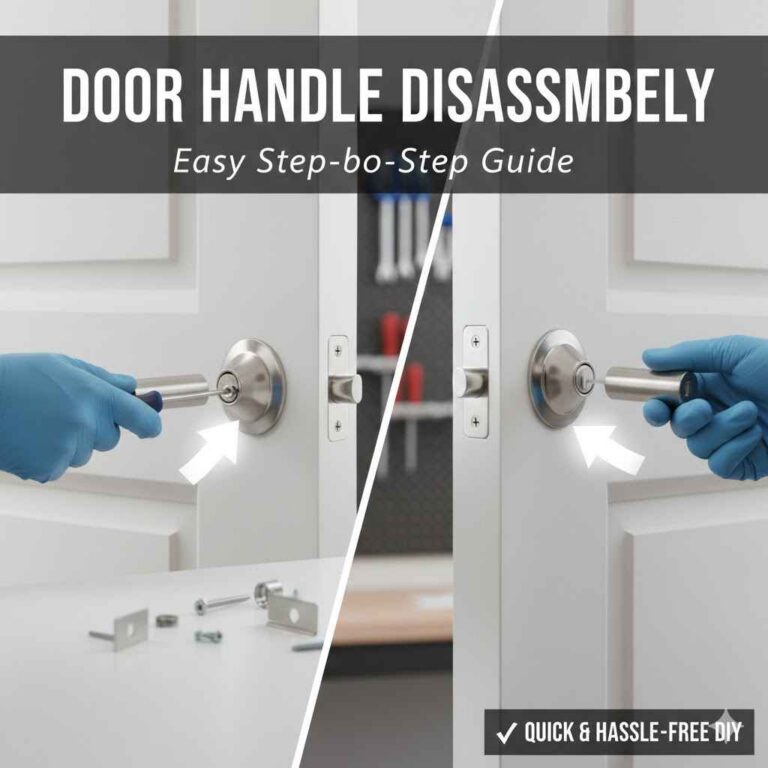
How to Program a Reliabilt Door Lock: Default Codes & Reset
Reliabilt keypad deadbolts ship with two default codes — Programming Code 0000 and User Code 1234 — and both must be changed before the lock is secure. Leaving the factory codes active means anyone with the manual can open your door. This guide covers programming a new code, deleting old ones, resetting to factory defaults, and setting up auto-lock, using the exact steps from Reliabilt’s own instructions.
Quick Answer
To program a Reliabilt keypad deadbolt, enter the default Programming Code 0000, press the Lock/Unlock button, then press 1 to add a new 4-10 digit User Code. Change the default User Code (1234) the same way immediately after installation — the lock stores up to 10 user codes at once.
What Is a Reliabilt Door Lock?
A Reliabilt door lock is a keyless or smart lock sold exclusively at Lowe’s. It uses a keypad to enter codes, so no keys are needed. Programming means setting a unique code to unlock your door — think of it as giving your door a private password you can share with family or change whenever you want.
Why Programming Matters
Programming your Reliabilt lock keeps your home safe, and it starts with getting off the factory defaults covered in our door hardware and lock guides. A custom code stops strangers from guessing it. Plus, you can change codes anytime, like after a guest leaves. My first code was “1234” – the exact factory default – which is about the easiest code there is to guess. A strong, unique code is what actually makes the lock reliable and secure.
Tools and Materials You’ll Need
You don’t need much to program a Reliabilt lock. Here’s what to grab before starting:
- Screwdriver: A small Phillips screwdriver to open the battery cover.
- Batteries: Usually 4 AA batteries (check your model’s manual).
- User Manual: Find it on Reliabilt’s Lowe’s product page or in the box.
- A New Code: Pick a 4-10 digit code you’ll remember but others won’t guess.
I keep spare batteries handy — nothing’s worse than a lock going dead mid-programming. Check your manual for model-specific needs, like the Reliabilt Keyless Entry Deadbolt or Lever.
| Tool | Purpose | Where to Get |
|---|---|---|
| Screwdriver | Open battery cover | Hardware store |
| AA Batteries | Power the lock | Any store |
| User Manual | Model-specific instructions | Lowe’s / Reliabilt product page |
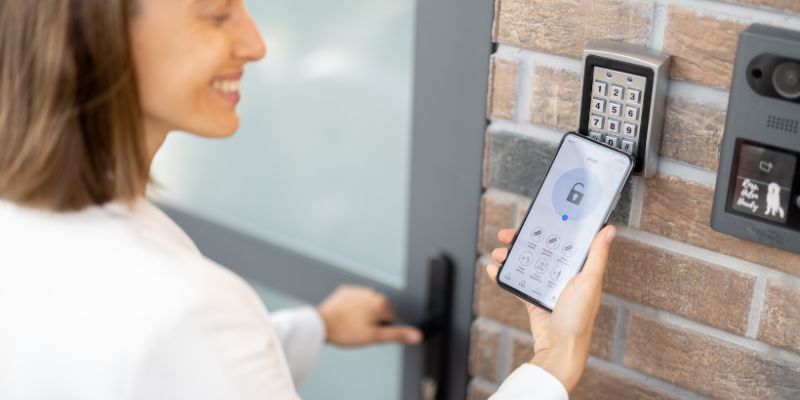
Best Keypad Deadbolt Upgrade Pick
Schlage Electronic Keypad Deadbolt, Camelot Trim – $116.93
If your Reliabilt deadbolt’s keypad is wearing out or won’t hold a program, this is the same style of 4-10 digit keypad deadbolt covered in the steps above, from a brand with wider parts availability.
- Best for: Front doors where you want a longer-lasting keypad mechanism
- Why we picked it: Uses the same PC/UC-style programming logic covered in this guide
- Main drawback: Costs more than most Reliabilt models
Compare more keypad deadbolt options
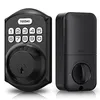 Option 1 TEEHO TE001 Keyless Entry Deadbolt – $35.99
|
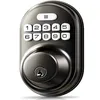 Option 2 Veise RZ-A Electronic Keypad Deadbolt – $30.66
|
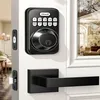 Option 3 Zowill Keypad Deadbolt with Handles – $54.98
|
As an Amazon Associate we earn from qualifying purchases.
How to Program a Reliabilt Door Lock
Programming a Reliabilt keypad deadbolt uses two separate codes: the Programming Code (PC), which unlocks the lock’s settings menu, and the User Code (UC), which is what you actually type in daily to open the door. The factory-set PC is 0000 and the factory-set UC is 1234 on most Reliabilt electronic deadbolts. Always keep your exact model’s manual nearby, since keypad icon layouts vary slightly between the Reliabilt Bragg, Rollins, and older Keyless Entry Deadbolt lines.
Step-by-Step Guide to Programming
- Open the Battery Cover: Use a screwdriver to remove the cover on the lock’s indoor side and install fresh AA batteries. My first time, I used old batteries – bad idea. The lock misread every code I entered until I swapped them out.
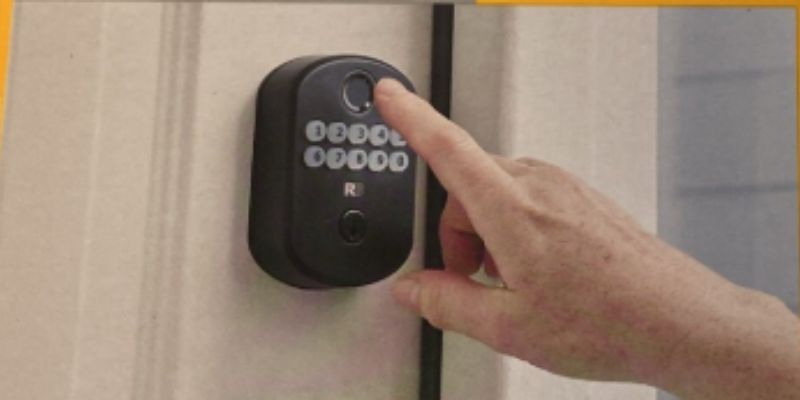
- Enter the Default Programming Code: With the door open, type 0000 on the keypad, then press the button showing the lock/unlock icons. A working keypad beeps and the light flashes to confirm you’re in programming mode.
- Add Your New User Code: Enter the Programming Code again, press the lock/unlock button, then press 1 to select “add user code.” Type your new 4-10 digit code and press the lock/unlock button to save it. I use a number that means something to me but isn’t a birthday – birthdays are the first thing anyone guessing a code will try.
- Confirm the Code Works: With the door still open, enter your new User Code on its own and press the lock/unlock button. The deadbolt should extend and retract. Test it two or three times before closing the door.
- Change the Default Programming Code Too: Don’t stop at the User Code – the factory Programming Code (0000) still works until you change it. Enter the current PC, press the lock/unlock button, then follow your manual’s option for changing the PC and enter a new 4-10 digit code.
- Replace the Cover: Screw the battery cover back on once both codes are confirmed working.
📊 A Reliabilt electronic deadbolt can store up to 10 separate user codes at once — useful for giving family members or regular guests their own code instead of sharing one. Source: Reliabilt Electronic Door Locks, Lowe’s
How to Delete a Code or Reset a Reliabilt Lock to Factory Settings
If a code stops working, a guest’s code needs removing, or you’ve inherited a lock with an unknown Programming Code, you have two options: delete a single User Code, or wipe the lock back to factory defaults.
To delete one User Code, enter the current Programming Code, press the lock/unlock button, then follow your manual’s delete-user-code option and select the code slot to remove. This is the better choice when only one person’s code needs to go – it leaves everyone else’s codes untouched.
To reset everything back to factory defaults, locate the small reset button (often labeled “R”) inside the battery compartment, next to where the batteries sit. Press and hold it with a pin or paperclip until you hear several long beeps — this clears every stored code, including the one you can’t remember, and restores PC 0000 / UC 1234. You’ll need to run through the full programming steps above again afterward.
Should You Turn On Auto-Lock?
Most Reliabilt electronic deadbolts include an auto-lock feature that re-locks the door on its own a set number of seconds after it’s opened, adjustable in your manual’s settings menu (commonly a 10 to 99 second delay). Turning it on means you can’t forget to lock up behind you – but it also means a door can lock while you’re still holding groceries in the doorway if the delay is set too short. Start with a longer delay, like 30 seconds, and shorten it only once you know your household’s habits.
Tips for Success
- Test Right Away: Lock and unlock the door with your new code before closing it. I locked myself out once by closing the door before testing – not fun, and it meant a locksmith call.
- Write Down Your Code: Keep it in a safe place, like a phone note. Don’t stick it on the fridge.
- Use Fresh Batteries: Old ones can cause misreads during programming. Replace them every 6 to 12 months, or as soon as the lock beeps a low-battery warning.
| Model | Features | Best For |
|---|---|---|
| Keyless Entry Deadbolt | Keypad, 4-10 digit codes | Front doors |
| Keyless Entry Lever | Keypad, handle design | Garage doors |
| Smart Lock comparison | App control, Wi-Fi optional | Tech lovers |
Benefits of a Reliabilt Door Lock
Reliabilt locks are convenient — no more fumbling for keys with groceries in hand. You can share codes with family or guests, and they’re typically more affordable than name-brand keypad deadbolts like Schlage, since Reliabilt is Lowe’s own in-house hardware brand.
Drawbacks to Consider
Every lock has quirks. Reliabilt locks run on batteries, which can die unexpectedly — plan on replacing them during a low-battery beep, not after the lock stops responding entirely. Some models don’t connect to apps, so you’re stuck with keypad codes only. Keypads can also wear out over time in harsh weather, especially on exterior-facing doors that get direct sun or rain.
Alternative Approaches If Programming Fails
If the steps above don’t work, try these before assuming the lock is broken:
- Double-Check the Door Is Open: Most Reliabilt locks refuse to enter programming mode with the door closed and the deadbolt extended.
- Confirm You’re Using the Programming Code, Not the User Code: Mixing up PC and UC is the most common reason programming mode won’t start.
- Call Support: Reliabilt’s customer service (available through Lowe’s) can help with tricky models — have your model number ready.
Common Mistakes to Avoid
I’ve made plenty of these mistakes myself while programming locks. Here’s what to dodge:
- Using Weak Codes: Avoid “1234” or birthdays strangers might know — 1234 is the factory default, so it’s the first guess anyone would try.
- Skipping the Manual: Each model’s exact button icons differ slightly. Read it before you start.
- Ignoring Battery Life: Low batteries cause misreads and failed programming attempts. Replace them at the first low-battery beep.
- Only Changing the User Code: Leaving the factory Programming Code (0000) active still leaves a backdoor into the lock’s settings.
My Top Programming Tips
- Start Simple: Program one User Code first. Adding multiple codes before you’ve confirmed the basics works confused me early on.
- Keep a Backup Key: Most Reliabilt deadbolt models have a physical key cylinder alongside the keypad. Store a spare key safely in case the electronics ever fail.
“The one habit that’s saved me the most hassle: I test a new code twice, with the door propped open, before I ever let it close. I locked myself out exactly once by skipping that step — once was enough to make it a rule.”
| Do | Don’t |
|---|---|
| Test code before closing door | Use obvious codes like “1234” |
| Keep manual handy | Ignore low-battery warnings |
| Change both PC and UC from factory defaults | Skip testing after programming |
Frequently Asked Questions
What if my Reliabilt lock won’t program?
Check that the door is open and the batteries are fresh, and confirm you’re entering the Programming Code (default 0000), not the User Code. If it still fails, use the reset button to restore factory defaults and start over.
Can I program multiple codes on a Reliabilt lock?
Yes. Most Reliabilt electronic deadbolts store up to 10 separate User Codes. Add each one using the Programming Code plus the add-user-code option in your manual, then test every code individually.
How do I reset my Reliabilt lock to factory settings?
Open the battery cover, find the small reset button (often labeled “R”) near the batteries, and press and hold it with a pin until you hear several long beeps. This clears all codes and restores PC 0000 / UC 1234.
How do I delete a single user code without a full reset?
Enter the current Programming Code, press the lock/unlock button, then use your manual’s delete-user-code option to remove just that one code slot. The rest of the stored codes stay active.
How do I turn off auto-lock on a Reliabilt lock?
Auto-lock is set in the same programming menu as your codes — enter the Programming Code, then follow your manual’s auto-lock option to disable it or change the delay, typically adjustable between 10 and 99 seconds.
What batteries does a Reliabilt lock use?
Most models use 4 AA batteries. Check your manual for your specific model, and replace them every 6 to 12 months or immediately when the lock gives a low-battery beep.
Is a Reliabilt lock secure?
Yes, once both the default Programming Code (0000) and default User Code (1234) are changed. Leaving either factory code active is the main security weakness, since both defaults are publicly documented.
Conclusion
Programming a Reliabilt door lock takes a few minutes once you know the difference between the Programming Code and User Code. Change both away from the factory defaults (0000 and 1234), test your new code with the door open, and you’ve got a secure, keyless entry set up the right way. Avoid the mistakes above — weak codes, dead batteries, forgetting the Programming Code — and your lock will keep working reliably for years.
Sponsored / affiliate links. As an Amazon Associate I earn from qualifying purchases. I may earn additional commission from eligible campaigns.