Smart Lock and Keypad Deadbolt Problems by Brand
Most Schlage, Kwikset, Yale, August, and similar smart lock problems come back to six fault groups: batteries, door alignment, keypad or motor hardware, app pairing, firmware, or jammed mechanics. Manufacturer support flows from Schlage, Kwikset, Yale, and August all start by separating local operation at the door from remote or app control, because the lock can fail in one layer while the other still works. This guide sorts symptoms by brand and failure type so you can pick the right fix quickly.
Start here: identify the failure type
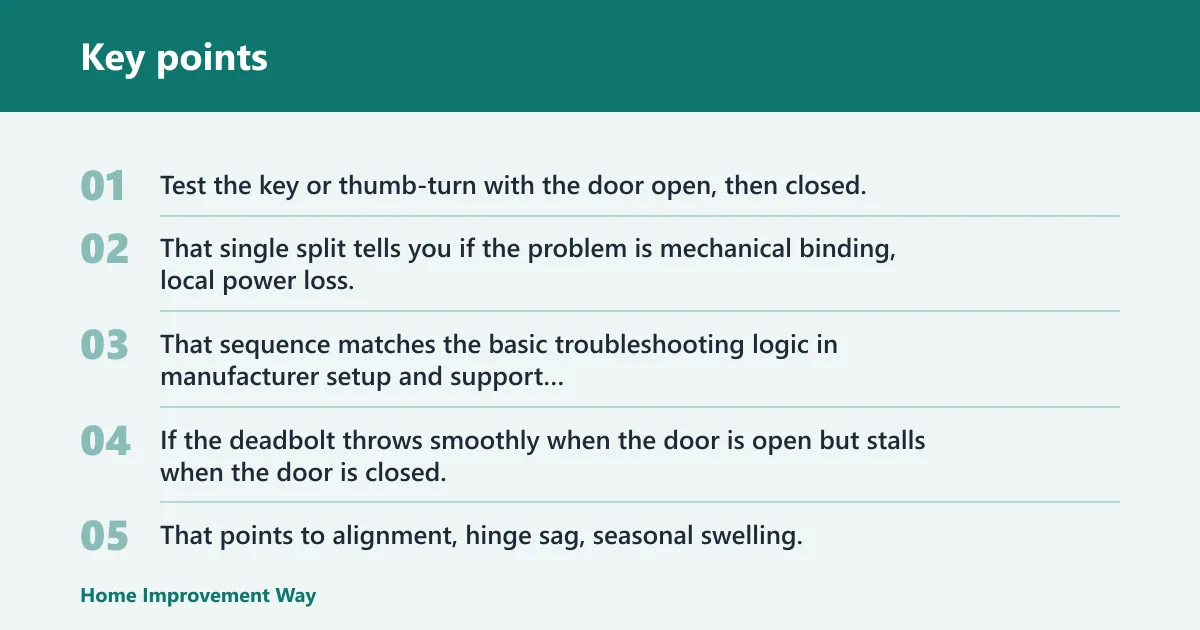
Start with the lock itself, not the app. Test the key or thumb-turn with the door open, then closed. That single split tells you if the problem is mechanical binding, local power loss, code or keypad trouble, or a remote-only failure tied to Wi‑Fi, Bluetooth, Thread, firmware, or account sync. That sequence matches the basic troubleshooting logic in manufacturer setup and support documents for keypad and connected deadbolts.
What changes when the lock fails open versus closed
If the deadbolt throws smoothly when the door is open but stalls when the door is closed, the lock is fighting the strike plate or frame. That points to alignment, hinge sag, seasonal swelling, or a strike opening that sits too high, too low, or too tight. Schlage, Kwikset, Yale, and August installation guidance all depend on free bolt travel; smart lock motors are not intended to force a misaligned door.
If it binds both open and closed, look harder at the bolt, mounting, or internal gear train. A bad app cannot make a bolt scrape metal.
Manual key or thumb-turn works, but electronics fail
When the key or inside thumb-turn works normally but the keypad, motor, or app does not, split local failure from remote failure. A blank keypad, repeated beeps, dim lighting, or weak motor pulses usually starts with batteries, contacts, or battery orientation. A working keypad with no remote access points instead to pairing, network, or account issues.
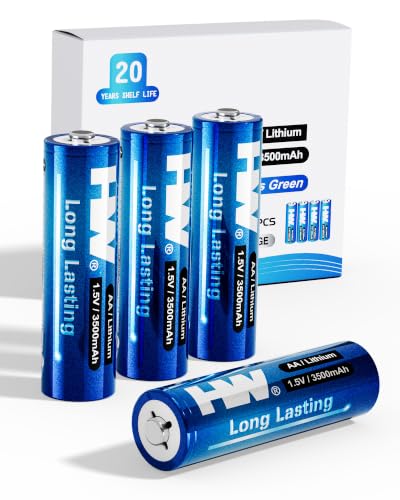
Install a full set of new alkaline batteries if the lock maker specifies alkaline cells. Schlage, Kwikset, Yale, and August user materials commonly call for replacing the complete set together and caution that battery chemistry can affect behavior under motor load, so avoid assuming a partially used or mixed set is “good enough.”
Keypad works, but motor will not throw the bolt
This is the classic “electronics are alive, mechanics are loaded” symptom. If the keypad accepts a code and the motor hums or clicks but the bolt stops halfway, reduce door pressure first. Open the door and try again. If it now works, fix alignment before replacing electronics.
Suppose the lock opens reliably at noon with the door open, then fails at night only when latched. That change points to frame movement or strike friction, not a bad code database.
Remote access fails, but local entry still works
Local success with remote failure narrows the field fast. On a Schlage Encode smart Wi‑Fi deadbolt or Kwikset Halo, built-in Wi‑Fi and app pairing are in play. On Yale Assure Lock 2, variant and module setup matter. On August Wi‑Fi, Bluetooth, Wi‑Fi, and account ownership can each break remote control while the motor still works at the door. Manufacturer support for all four brands treats this as a connectivity or setup branch, not a deadbolt-alignment branch, once open-door local operation is confirmed.
Should you check the battery, keypad, or strike plate first?
Check them in symptom order, not by habit: manual operation first, battery state second, strike alignment third, then keypad or app behavior. If the bolt fails only with the door closed, inspect alignment before blaming power. If local controls are dead, start with batteries and contacts before any reset. That order is consistent with manufacturer troubleshooting and with ANSI/BHMA durability context: standards describe test classes, but they do not override basic diagnosis.
The fastest first test for local power loss
- Open the door and leave it open.
- Run the bolt with the thumb-turn or key.
- If manual operation is smooth, enter a code or press the lock button.
- Replace all cells with fresh alkaline batteries, matching polarity exactly.
- Check battery contacts for corrosion, spring collapse, or a loose pack.
Repeated beeps, slow motor action, or a keypad that wakes only sometimes often comes from weak cells or poor contact pressure. On the Schlage BE365, Schlage support documents identify low battery and programming-state issues as common reasons for keypad problems, so code rejection or weak locking action after long service should be treated as a power or programming check first, not an automatic hardware failure.
The open-door test that exposes alignment problems
Run every electronic command with the door open. If a code, button press, or app command works open but not closed, the lock is doing its job and the door is not. Tighten hinge screws, check for door sag, and inspect where the bolt hits the strike opening.
A common first-time mistake is resetting a lock that already works perfectly with the door open. The reset wastes time and may erase codes, while the real problem is a rubbing bolt and a strike plate shifted by a loose jamb screw.
What repeated beeps, flashes, or stalls usually mean
Short warning patterns often mean low power, motor overload, or an incomplete bolt throw. The pattern matters less than the conditions around it: open versus closed, local versus remote, and manual versus motorized. On keypad-only models, beeps with no movement often point to power. On connected locks, beeps plus app errors can still come from batteries that sag under motor load, even if the app makes the failure look like pairing trouble. Use the model’s user guide for the exact alert meanings rather than assuming one brand’s beeps mean the same thing on another.
When to move from basic checks to reset or re-pairing
Reset only after you install fresh batteries, inspect the contacts, and confirm the lock passes or fails the open-door alignment test. Re-pair when local locking works but app control fails after a router change, phone change, account sign-out, or firmware interruption. If the motor still stalls open with fresh batteries, the issue is no longer basic setup.
Lock fault matrix
How to use the brand-by-brand symptom table
Find the brand row that matches the symptom you can see right now, then do the first test before the second. The replace decision belongs at the end. That order keeps a simple strike or battery fix from turning into a needless reset, lockout, or full replacement.
| Brand | Symptom | Likely cause | First test | Second test | Replace/repair threshold |
|---|---|---|---|---|---|
| Schlage | BE365 rejects codes or beeps; Encode loses app control but keypad still works; Encode Plus has HomeKey or Home app trouble while PINs still work | BE365: battery or programming issue. Encode: Wi‑Fi/account sync if local entry works. Encode Plus: HomeKit/HomeKey/Thread path if PIN and manual operation still pass. Any model: strike friction if failure changes when the door closes. | Install a full fresh battery set and run the bolt with the door open, then test key or thumb-turn, keypad, and lock button in that order. | If local operation passes, recheck the exact code or user credential first; then re-pair only the failed path, such as Schlage Home, Apple Home, or HomeKey, instead of wiping the whole lock. | Repair if the lock runs normally open-door and only one credential path fails. Replace or rebuild if the motor stalls with the door open on fresh batteries, or if keypad inputs repeatedly fail after reprogramming. |
| Kwikset | SmartCode keypad is dead or inconsistent; Halo keypad works but app, Alexa, or Wi‑Fi control lags or fails | SmartCode: batteries, contacts, handing, or keypad failure. Halo: network or account issue if local keypad use still works. Any model: alignment if the motor strains only when the door is closed. | Use the mechanical key if equipped, replace all batteries, inspect contacts, and test lock/unlock with the door open. | If open-door local control works, redo handing or model-specific setup as Kwikset directs; for Halo, reconnect Wi‑Fi and the app account before considering reset. | Repair if fresh batteries or handing correction restores open-door operation. Replace if the keypad stays dead, certain keys do not register, or the motor cannot throw the bolt with the door open. |
| Yale | Assure Lock 2 loops during setup, drops connection, or shows keypad/touchscreen input issues | Battery seating, wrong pairing path for the exact Assure Lock 2 variant, radio/module setup, phone permissions, or door load. Keypad and touchscreen versions can fail differently at the input layer. | Reseat batteries, verify the interior assembly is fully closed, and test local lock/unlock with the door open. | If local operation passes, confirm the correct Yale app, pairing mode, and variant path; then retry setup or reconnect the radio path that matches the model. | Repair if local controls remain stable and only setup or app control fails. Replace if input problems persist on fresh batteries or the motor remains unreliable even with the door open. |
| August | August Wi‑Fi works manually but fails in the app; Bluetooth works nearby but Wi‑Fi remote access fails; battery drain or auto-lock misses continue | Network change, Bluetooth/Wi‑Fi handoff issue, account ownership or phone permission conflict, calibration drift, adapter fit problem, or door alignment load. | Confirm smooth manual thumb-turn operation and nearby Bluetooth control with the door open. | If Bluetooth works, redo Wi‑Fi setup and recalibrate lock state and door-sense-related behavior as August directs; then retest auto-lock with the door open and closed. | Repair if local Bluetooth control is stable and recalibration restores status accuracy. Replace if the motor chatters or drains batteries rapidly after correct calibration and fresh batteries, or if local operation remains unreliable. |
Repair-versus-replace thresholds and short cost column
The lowest-cost fixes are usually batteries and strike adjustment. A reinforced strike is often a better use of money than changing the lock body, because the frame and strike take the load when the bolt meets resistance. Use 3-inch screws into framing where the jamb allows it, a long-standing locksmith and door-hardening practice that improves both alignment retention and kick-in resistance.
That advice matters here because alignment and security meet at the same hardware. A rubbing bolt needs correction. A weak strike also deserves reinforcement. For product-specific replacement value, use current retailer pricing rather than stale article numbers, because smart lock pricing changes often.
Why is my Schlage keypad lock not accepting my code?
If a Schlage keypad lock rejects a known code, separate the model first. The BE365 is keypad-only and has no Wi‑Fi path to blame. Encode and Encode Plus add app, network, and sync variables. Start with open-door operation, fresh batteries, and a clean code entry sequence before resetting programming. Schlage’s model-specific manuals and support articles are the right authority for programming steps and error behavior.
Schlage BE365: programming mode, non-backlit keypad, and code rejection
The Schlage BE365 is simpler than connected models, so diagnosis is narrower. It is a keypad deadbolt, not a Wi‑Fi lock, so app troubleshooting is irrelevant. If the keypad is hard to read in low light or entry timing is rushed, user-input error can look like a lock failure; Schlage’s own programming instructions are the standard to follow here.
Because the BE365 has no Wi‑Fi dependency, focus on battery state, correct programming steps, and whether the bolt throws freely with the door open. If manual operation is smooth and the code still fails after fresh batteries, suspect worn keypad contacts or lost programming.
Schlage Encode: keypad entry failure versus Wi‑Fi or app pairing failure
The Schlage Encode smart Wi‑Fi deadbolt uses built-in Wi‑Fi, remote access, keypad entry, and battery power in one housing. If the keypad rejects a code but the app still controls the lock, the code database or keypad input path is the target. If the keypad works locally but remote control fails, the app or Wi‑Fi layer is the problem instead.
Use Schlage Home support steps for pairing, account, and firmware issues, and keep replacement decisions separate from connectivity issues. Do not replace an Encode because of pairing trouble alone.
Schlage Encode Plus: HomeKey, Thread, and local code issues
Schlage Encode Plus adds Apple Home support, including HomeKey compatibility, so it can fail in a different layer than a standard keypad code. If HomeKey fails but a PIN succeeds, the lock hardware may be fine and the issue is more likely in Apple Home setup, credential state, or network path than in the bolt itself.
If only one or two users fail, rebuild the bad credential first instead of wiping the entire lock. Test local locking with the door open, then app sync, then Apple Home or HomeKey behavior. That order keeps a credential issue from being mistaken for a motor or keypad failure.
Schlage beeping, low-battery warnings, and motor stall patterns
“Low battery” is easy to misread when alignment is adding load. A fresh set of batteries may still trigger warnings if the bolt grinds into the strike every cycle. If beeping comes with a stall only when the door is closed, fix alignment. If beeping and stalling happen with the door open, the motor or internal drive is the concern.
ANSI/BHMA grade and cycle testing describe durability class, not immunity to battery issues or bad jamb alignment. Treat standards as build context, not as proof that a current symptom must be electronic.
What a Red Flash Usually Means on a Schlage Keypad Lock
A red flash on a Schlage keypad lock usually points to a simple problem: weak batteries, an invalid code entry, or a mechanical issue that keeps the bolt from moving freely. The pattern matters because it tells you whether to start with power, re-entering the code, or checking door alignment and strike plate contact.
The Schlage red flash guide breaks down the flash patterns model by model and shows the fastest fixes for each one, so you can stop guessing and avoid unnecessary resets or replacements.
Add a New User Code to Your Schlage Keypad Deadbolt
If the lock works but a family member or guest needs access, adding a user code is the fastest fix. This guide explains the usual Schlage button sequence, how the programming code fits into the process, and why the steps can vary by model family. It also covers what to do when you don’t have the programming code and need to reset the lock first.
That matters because one wrong button order can leave the lock unchanged, which is frustrating when you’re trying to update access quickly. For the exact steps, including model-specific differences and troubleshooting if the new code is rejected, see Schlage keypad code steps.
Keypad vs fingerprint locks for front doors
If you’re deciding between these two smart lock styles, the main question is convenience versus reliability. The supporting article explains why a keypad lock is usually the safer everyday choice for most front doors, especially when multiple people need access, while fingerprint locks can feel faster for a single user who wants hands-free entry.
It also breaks down the practical trade-offs that matter most: weather performance, guest access, backup entry, and how each option behaves in real daily use. If you’re narrowing down a purchase, this keypad vs fingerprint lock comparison helps you avoid choosing a lock that seems modern but creates more hassle at the door.
Why is my Kwikset keypad lock not responding?
If a Kwikset keypad lock does nothing when pressed, start by treating it as a local power or contact problem, then rule out lock handing and bolt load. On SmartCode models, there may be no app path at all. On Halo, local keypad health and Wi‑Fi pairing are separate checks. Kwikset’s own installation and handing instructions are especially important because incorrect handing can produce motor strain that looks like an electrical defect.
Kwikset SmartCode: dead keypad, battery contacts, and lockout risks
Kwikset SmartCode models are often keypad-first products, so a dead exterior keypad can feel like total failure. It may not be. Check for a mechanical key override if that version includes one, then replace the batteries, inspect contacts, and test with the door open.
Dead-battery lockout risk varies by model. Some SmartCode versions allow emergency entry with a physical key. Others use a different recovery method. Confirm the exact model from the label or manual before forcing anything, because exterior features differ across SmartCode versions.
How to unlock a Kwikset keypad lock when the batteries are dead
Use the model’s built-in recovery method, not a generic trick. If the lock has a key cylinder, use the physical key first. If it uses an approved emergency power method, apply power as the maker directs, then enter the code. If neither exists, interior access may be the only safe route.
After entry, replace the full battery set, not one cell. Then run the bolt with the door open. If the lock wakes up but strains only when closed, correct the strike before assuming the dead batteries were the whole story.
Kwikset Halo: Wi‑Fi pairing, Alexa response delays, and app-side failure
With Kwikset Halo, built-in Wi‑Fi creates a separate fault lane from keypad input. If Alexa delays or the app spins while the keypad still locks and opens, keep the hardware diagnosis short. Reconnect Wi‑Fi, confirm the account link, and check firmware only after local controls pass.
Picture a Halo that locks instantly from its keypad but takes a minute through voice control after a router swap. That symptom points to network or cloud re-linking, not a weak deadbolt spring.
When a Kwikset works manually but fails electronically
If the thumb-turn or key works and the electronics do not, stay out of the strike plate for a moment unless the motor also sounds weak. First inspect the battery pack, contacts, and any loose interior cable. If the keypad wakes yet the motor cannot move an open-door bolt, replacement is closer than repair.
Why won’t my Yale or August lock stay connected?
Yale and August failures often look similar in the app but differ at the door. Yale Assure Lock 2 may fail through battery seating, setup path, or module choice, while August often breaks after Wi‑Fi, Bluetooth, battery, or account changes. Confirm stable local operation before chasing remote reconnection loops. Use Yale and August support flows for the exact variant, because radio options and app paths differ by model generation.
Yale Assure Lock 2: battery change procedure, setup errors, and reconnect loops
Yale Assure Lock 2 comes in keypad or touchscreen variants, and setup paths can differ by platform and radio option. After a battery change, make sure the batteries seat firmly and the interior assembly closes without pinching wires. Then test local locking and opening with the door open.
If the app keeps rediscovering the lock but will not finish setup, verify that the lock is in the right pairing mode for that exact variant. A local pass and remote fail usually means account, module, phone permission, or setup-state trouble rather than deadbolt hardware.
Yale keypad versus touchscreen failure patterns
With keypad Yale models, suspect dead zones, worn buttons, or battery delivery when certain digits fail. With touchscreen versions, look for wake issues, delayed response, or partial touch registration. In either case, if the motor runs the bolt cleanly from inside, the fault is input-side, not mechanical.
August Wi‑Fi: Bluetooth, Wi‑Fi, and account conflicts after network changes
August Wi‑Fi locks are retrofit units, so they can work manually while remote features collapse. If Bluetooth works at the door but Wi‑Fi access disappears after a router or password change, redo network setup in the app. If the app cannot see the lock even nearby, check account ownership and phone permissions.
August also depends heavily on correct calibration of locked and unlocked positions. A battery swap, door adjustment, or firmware change can leave the app unsure of state even though the thumb-turn still moves.
August battery drain and auto-lock problems after installation or firmware changes
Rapid drain after setup changes usually means the motor is working too hard, scanning too often, or calibrating badly. Recheck the adapter fit on the thumb-turn, run calibration again, and test auto-lock with the door open first. If auto-lock misses only when the door is fully latched, alignment is back in the picture.
What problems come from alignment instead of electronics?
Alignment problems show up when the lock works with the door open but not closed, or when fresh batteries do not stop stalls and low-power warnings. Electronics can command the motor, but they cannot fix a sagging door, rubbing bolt, tight strike opening, or frame movement. Installation manuals and locksmith practice both put free deadbolt travel at the center of reliable smart lock operation.
The door-open versus door-closed test
This is the fastest branch point in the whole process. Open the door and run the bolt several times. Then close the door gently and repeat. Any change in sound, speed, or success rate points away from app pairing and toward physical load.
Bolt rub, hinge sag, and seasonal swelling
Look for shiny wear marks on the bolt or strike. Check whether the door has dropped at the latch side, whether hinges are loose, and whether humidity has tightened the fit. A smart lock motor has less tolerance for drag than a firm hand on a key.
Strike plate correction and frame reinforcement with 3-inch screws
Correct the strike before replacing the lock. Elongating the strike opening slightly, re-centering the plate, or pulling the jamb tighter with 3-inch screws often fixes both reliability and security. Long screws into framing are also a standard hardening step because they secure the strike to structure rather than only trim and jamb material.
That matters because a stronger strike resists kick-in loads better than many lock-body swaps. If the lock itself is sound, put effort into the frame.
Why reinforcement changes security more than changing the lock body
A stronger deadbolt on a weak jamb still leaves the door system vulnerable. ANSI/BHMA grade claims apply to the lock or deadbolt assembly under defined test methods, but forced entry at a residence often exploits the door frame and strike area. In other words, standards help compare lock classes; they do not make the frame optional.
For standards context, BHMA and ANSI references are useful when you are comparing lock categories, including electromechanical residential products and conventional bored deadbolts. They help compare durability classes. They do not diagnose a crooked strike.
When should you repair, reset, or replace the lock?
Repair first when the fault is batteries, contacts, strike alignment, or app pairing and the lock works mechanically. Reset when local hardware works but codes, app sync, or setup state do not. Replace when the motor stalls with fresh batteries and no door load, the keypad is worn out, or mounting points are stripped. That sequence aligns with manufacturer support logic and reduces unnecessary code loss or reinstallation work.
Battery swap, strike adjustment, reset, and re-pair: expected time and cost
A battery change is the cheapest path. Strike adjustment costs more in time than parts. Factory reset and re-pairing usually cost time, not hardware money, but they can force code re-entry and smart-home setup again. That is why reset belongs after local tests, not before it.
Motor, keypad, and mounting failures that point to replacement
- Motor stalls with the door open after fresh batteries.
- Keypad digits fail intermittently or certain buttons never register.
- Interior mounting posts or screw bosses are stripped.
- Repeated app dropouts continue after reset and firmware update, while local controls stay unreliable too.
- Replacement parts or platform support are no longer practical for the model.
If an older platform no longer fits the home’s network, phone ecosystem, or access needs, replacement can make more sense than repeated workarounds. Use current support status from the manufacturer rather than old review comparisons when making that call.
How ANSI/BHMA Grade 1 and BHMA A156.40 or A156.3 fit the decision
Use grade and standard context to judge build class, not to excuse persistent faults. A Grade 1 deadbolt or smart lock body should still be replaced if its motor drive, keypad, or mount has failed. Keep the reinforced strike and frame upgrade even if the lock changes.
Choosing a replacement when the current setup includes Wi‑Fi, Thread, or HomeKey
Match the replacement to the failure you actually had. If built-in Wi‑Fi drained batteries and remote control was rarely used, a keypad-only deadbolt may be the cleaner choice. If Apple HomeKey or Thread matters, keep those features on the shortlist and avoid stepping backward into a platform mismatch.
Replace the battery before you chase a bigger lock problem
If your Schlage keypad is dim, unresponsive, or acting inconsistent, battery replacement is one of the fastest fixes to rule out first. The supporting guide explains which battery your model uses, how to open the interior compartment, and the exact replacement sequence so you do not end up with a dead keypad or an uncalibrated deadbolt. It also covers the three common post-replacement failures: the wrong battery, poor contact, and skipping the reset or test step.
For the step-by-step process and troubleshooting details, see Schlage battery replacement.
Frequently asked questions
Why does my Schlage lock keep beeping or showing low battery?
Beeping and low-battery warnings usually point to weak cells, poor battery contacts, or extra motor load from a rubbing bolt. Replace the whole set with fresh alkaline batteries, then test with the door open. If warnings return only when the door is closed, fix strike alignment before replacing the lock.
How do I unlock a Kwikset keypad lock when the batteries are dead?
Use the exact recovery method built into that model. A physical key cylinder comes first if present. Some models use exterior emergency power contacts or another model-specific recovery path. After entry, replace all batteries and run the open-door test so alignment problems do not drain the new set again.
Why won’t my Yale Assure lock connect or stay connected?
If a Yale Assure Lock 2 will not connect or keeps dropping off, confirm local lock and unlock first, then recheck the battery seating, setup mode, and the right app or module path for that variant. Stable local operation with bad remote setup points to sync, permissions, or radio configuration, not the bolt.
Why is my August smart lock not working after battery or Wi‑Fi changes?
August locks often need both network setup and calibration checked after battery or Wi‑Fi changes. First confirm manual operation and nearby Bluetooth control. Then redo Wi‑Fi setup and recalibrate lock position. If auto-lock or status remains wrong only when the door is closed, add alignment checks to the list.
What lock problems are caused by batteries versus installation alignment?
Batteries cause dim keypads, random resets, repeated low-power warnings, and weak or inconsistent motor action in any door position. Alignment causes failures that change when the door closes: scraping, stalling, partial throws, and battery drain under load. The open-door versus closed-door test separates those two causes quickly.
Sponsored / affiliate links. As an Amazon Associate I earn from qualifying purchases. I may earn additional commission from eligible campaigns.