Faucet Handle Loose? Tighten the Set Screw or Replace the Stem
If the handle wobbles but the faucet still turns normally, tighten the set screw first. If the handle spins, slips, or won’t stay tight, inspect the stem, adapter, or cartridge next. Skip the guesswork. A loose screw can become a stripped part, a leak, or a larger faucet repair. This guide shows how to separate a backed-out screw from worn internal parts before you replace anything.
What you’ll need


- 2.5 mm, 3/32-inch, or 1/8-inch Allen wrench or hex key
- Small screwdriver for a decorative cap or index button
- Clean cloth
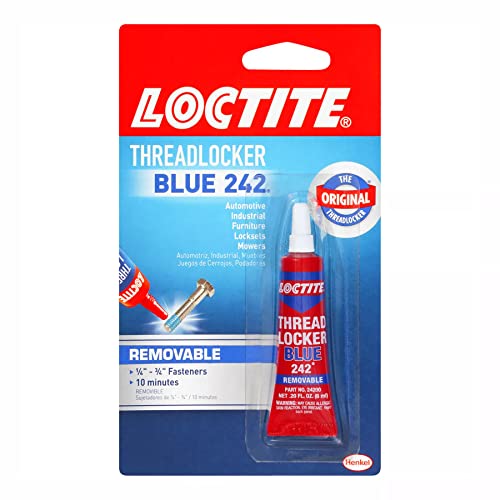
- Blue threadlocker for a screw that keeps backing out
- Replacement stem, cartridge, retainer ring, or retaining parts if inspection shows wear
Why is the faucet handle loose?

A loose handle usually means the fastener that clamps it to the stem has backed out. If the handle only rocks a little, the fix is often simple. If it wobbles and drops shut, turns too far, or loosens again after tightening, the problem is more likely worn internal parts, a stripped adapter, or a loose retaining part.
Loose but stable
When the handle stays aligned and still turns the valve normally, check the set screw first. Many faucet handles hide that screw under a decorative cap, index button, or on the back or side of the handle. A common rule of thumb is that a quarter- to half-turn is enough to seat it again.
Wobbles and drops shut
That pattern points away from a simple screw adjustment. A loose cartridge, a loose cartridge retaining nut, or a worn stem can let the handle rock and close on its own. Pfister identifies a loose retainer ring as one cause of a handle that turns the water off by itself.
Tightens, then loosens again
If the handle feels snug after tightening but loosens again within a few days, look for worn threads, a stripped handle adapter, or internal wear at the stem or cartridge. A quick retighten may hold for a day or two, but repeat loosening usually means the fastener is no longer gripping sound material.
Loose handle decision table
| Symptom | Likely cause | Access point | Tool size | Next action |
|---|---|---|---|---|
| Wobbles only | Backed-out set screw | Back or side of handle, often under a cap | 3/32-inch or 2.5 mm hex key | Tighten clockwise until snug |
| Wobbles and drops shut | Worn cartridge or loose retainer ring | Under the handle after removal | 3/32-inch hex key or screwdriver | Inspect retaining parts before tightening further |
| Tightens then loosens again | Stripped adapter or worn stem threads | Handle hub and stem interface | Match the screw head; often 1/8-inch | Check for wear; replace the worn part |
| No visible screw | Hidden fastener under cap or index button | Decorative cap or hot/cold button | Small flat screwdriver | Pop off the cover, then search the back or side |
| Handle spins freely | Stripped stem spline or failed cartridge connection | After handle removal | 2.5 mm or 3/32-inch hex key | Stop tightening and inspect internal parts |
| Handle lifts or rocks at the base | Loose retaining nut or ring | Beneath the handle | Screwdriver or wrench, model dependent | Tighten the retainer clockwise |
| Screw strips before it tightens | Rounded fastener or damaged threads | Set screw hole | Correct-size hex key | Replace the screw or handle part |
| Handle loosens after a few days | Recurring wear or poor thread grip | Fastener and stem interface | Same tool used for tightening | Add blue threadlocker or replace worn parts |
How do you tighten the set screw?
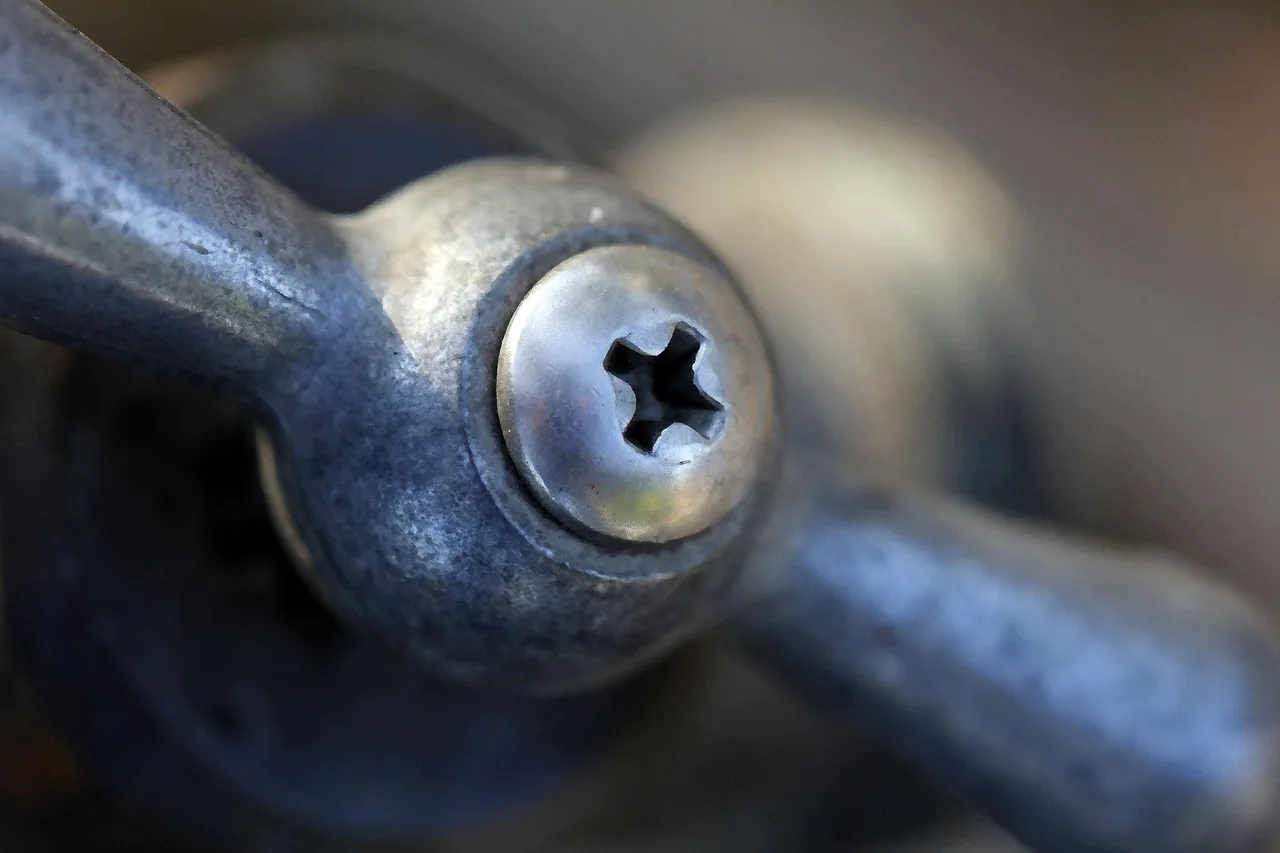
Open the cap, find the fastener, and turn it clockwise until the handle feels snug. Many kitchen faucets use a 1/8-inch or 3/32-inch Allen wrench, and some faucets use a 2.5 mm or 3/32-inch hex screw. The water can stay on for this step, since you are only tightening the handle fastener and not opening the valve body.
- Cover the drain with a cloth so the cap or screw does not fall in.
- Pop off the decorative cap or index button with a small screwdriver.
- Find the screw on the back or side of the handle.
- Insert the correct hex key and turn clockwise in a quarter- to half-turn.
- Stop when the handle is snug, not forced.
- Reinstall the cap and test the handle through its full travel.
- If the screw backs out again, remove it, add a tiny dot of blue threadlocker, and reinstall it.
Say your kitchen handle uses a 3/32-inch hex screw and still rocks after one quarter-turn. That usually means the screw was only part of the problem, so the next check should be the stem or cartridge, not more force on the same fastener.
Where is the set screw on a faucet handle?
Many manufacturers place the set screw under a decorative cap, index button, or on the back or side of the handle. The cap may be marked hot or cold, or it may be a plain button that pops off. Once the cover is off, the screw is usually easy to see.
What size Allen wrench do I need for a faucet handle?
Start with a 3/32-inch hex key, then check 2.5 mm or 1/8-inch if it does not seat fully. The correct size should fit cleanly with little side play. If the key feels loose in the screw head, stop and try the next size before the head rounds out.
When should you replace the stem or cartridge?
Replace the internal part when tightening no longer holds, the handle spins freely, or the faucet turns off by itself. A worn stem, stripped adapter, loose retaining nut, or worn cartridge can all create the same symptom. Moen notes that some models need the cartridge nut tightened or the cartridge replaced.
- Remove the handle and inspect the stem spline or cartridge top for wear.
- Check the handle-retaining nut for looseness beneath the handle.
- Look for a retainer ring on models that use one, then tighten it clockwise if it has drifted.
- Replace a worn cartridge on models that use one when tightening does not hold.
- Stop if the screw head or threads are stripped; forcing it usually makes the repair larger.
A common first-timer mistake is chasing a loose handle with tighter turns after the screw has already started to strip. Suppose the screw is a 3/32-inch hex, the handle still lifts at the base, and the retaining ring beneath it is loose. Tightening the ring may fix the movement immediately, while more force on the screw will not.
How do I know if the stem is worn out instead of the screw?
Look for a handle that still moves after the screw is snug, or one that loosens again within days. A worn stem usually shows up as recurring wobble, poor grip at the spline, or a handle that feels solid for a moment and then shifts again under normal use.
Common mistakes
Most avoidable failures come from using the wrong size key, overtightening the screw, or missing the hidden cap. Another common miss is replacing the handle before checking the retaining nut or ring underneath. If the handle still moves after a normal snug turn, stop and inspect the next part in the stack.
- Do not overtighten the set screw; it can strip the screw or damage the stem.
- Do not use a hex key that rocks in the head.
- Do not assume every loose handle is a screw problem.
- Do not skip the cap or index button on top of the handle.
- Do not replace the stem or cartridge until you check the retaining nut or ring.
Frequently asked questions
Can I fix a loose faucet handle without turning off the water?
Yes, tightening the set screw usually does not require shutting off the water. You only need the handle exposed, the correct hex key, and a snug fit. Shut the water off before disassembly if you plan to remove the cartridge, stem, or retaining parts under the handle.
What if the handle stays loose after tightening the screw?
Move to the stem, cartridge, adapter, or retainer ring. If the screw is snug and the handle still rocks, the grip point is worn or loose underneath. Remove the handle, check the retaining nut, and replace worn parts instead of forcing the screw tighter.
When should I replace the stem or cartridge instead of tightening?
Replace it when the handle loosens again within days, spins freely, or drops shut. Those symptoms usually mean internal wear rather than a backed-out screw. On some models, tightening the cartridge nut is enough; on others, the cartridge itself must be replaced.
How do I tighten a loose faucet handle?
Pop off the cap, insert the correct hex key into the set screw, and turn clockwise until the handle is snug. A quarter- to half-turn is usually enough. If the screw still feels loose after that, inspect the handle base and internal parts instead of adding more force.
Why is my faucet handle loose?
The most common cause is a backed-out set screw, but a loose bathroom faucet handle can also come from a worn cartridge retaining nut or a stripped handle adapter. If the handle only wobbles, start with the screw. If it spins, slips, or self-closes, inspect the internal parts first.
Sponsored / affiliate links. As an Amazon Associate I earn from qualifying purchases. I may earn additional commission from eligible campaigns.