How to Replace Thermostat Batteries
Replace thermostat batteries as soon as you see a low-battery warning, blank display, or unresponsive controls. If the thermostat still powers up but won’t call for heat after fresh batteries, the fault is likely elsewhere. Weak batteries can leave you without heat and send you after the wrong HVAC fix. This guide shows how to replace thermostat batteries, reset the thermostat, and tell a battery problem from a furnace or wiring fault.
This guide is part of our Furnace Troubleshooting: Fix Common Winter Heating Problems series.
What you’ll need


- Correct replacement batteries from the thermostat manual
- AA alkaline batteries, AAA batteries, a 3V coin cell, or a 9-volt battery if your model calls for that type
- Small screwdriver if your model uses a screw
- Phone photo of the old battery orientation
- Circuit breaker identification before you start
📊 Honeywell thermostats may show a low-battery symbol or warning up to 60 days before failure. Source: Wikihow.
Which battery does your thermostat use?
Use the exact battery type and voltage listed in the manual or on the thermostat compartment. Many thermostats use AA, AAA, a 9-volt, or a 3V coin cell, but the correct choice depends on the model. Do not substitute by size alone, because voltage and contact layout matter.
Common battery types by model
| Battery type | Typical thermostat use | Match this exactly |
|---|---|---|
| AA alkaline batteries | Common in wall thermostats, often in pairs | Voltage, quantity, and polarity |
| AAA batteries | Used by some smaller wall thermostats | Exact model instructions |
| 3V coin cell battery | Used by some thermostats with voltage-specific holders | Exact voltage and size |
| 9-volt battery | Used by some model-specific designs | Voltage and polarity |
Many Honeywell thermostats use either one or two AA or AAA batteries. Some Honeywell models also show a low-battery symbol or warning up to 60 days before failure, so a warning means act soon, not that the HVAC system is fine.
How do you open the battery compartment?
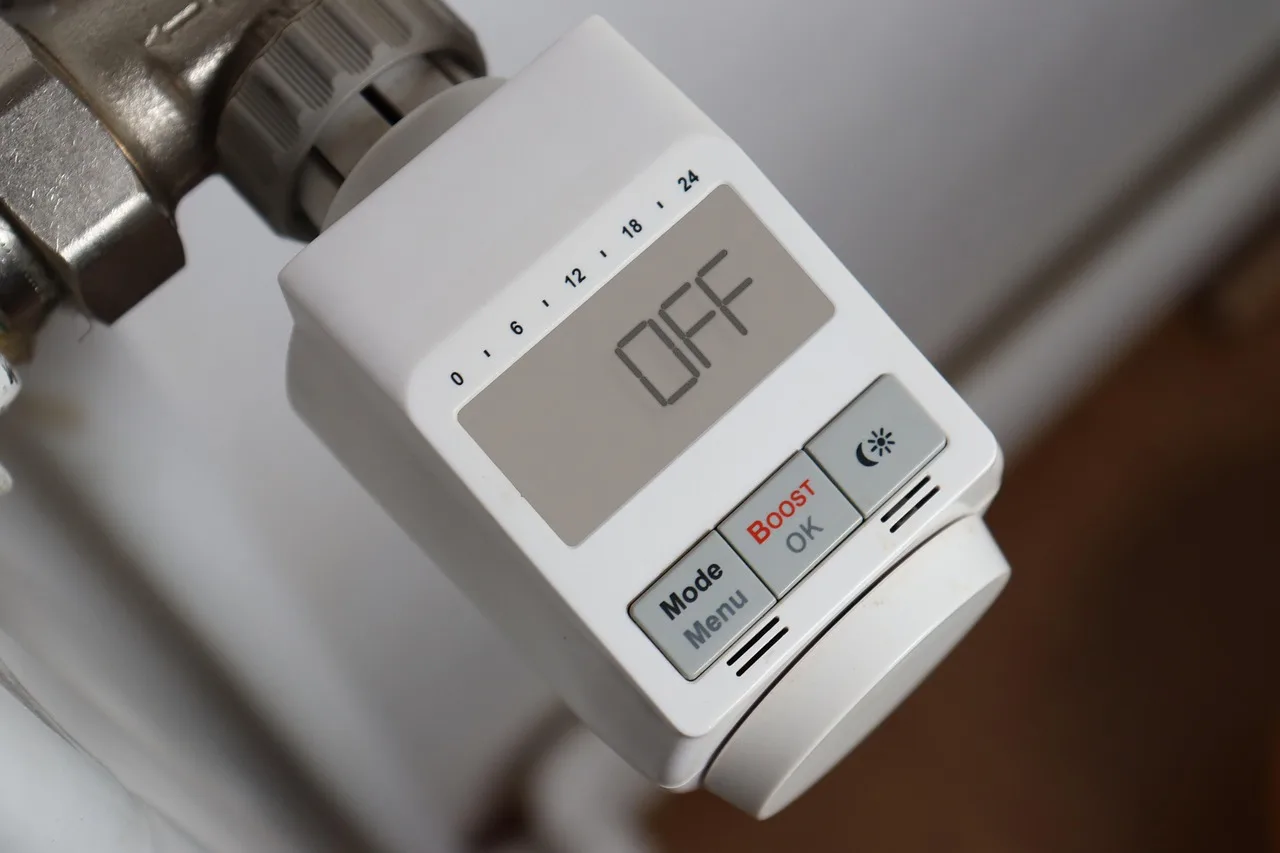
The battery compartment location varies by model. It may be on the back of the unit, behind a removable faceplate, in a side tray, or behind a thermostat that detaches from the wall mount. Some Honeywell models appear to pull off the wall, while others use a removable faceplate or a bottom screw.
- Check the model label and manual for the compartment location.
- Look for a side tray, a bottom latch, or a faceplate seam before forcing the unit.
- If your model has a screw, loosen it with the correct screwdriver.
- If the thermostat detaches from the wall, pull straight out only as directed by the manual.
Honeywell T3 and T3R models have a faceplate that flips up from the bottom. A common first-timer mistake is prying the top edge first, which can crack the clip or leave the batteries unreachable.
Thermostat battery decision table
This table helps separate a dead battery from a thermostat or HVAC fault. Start with the symptom you see, then follow the next check. If a symptom points to wiring, board, or furnace trouble, battery replacement is only the first filter.
| Symptom | Likely battery-related cause | Next check | Stop and call a pro |
|---|---|---|---|
| Blank screen | Dead batteries, reversed polarity, or a loose compartment cover | Recheck + / – orientation and battery fit | Screen stays blank after correct batteries and a breaker reset |
| Low-battery icon or warning | Batteries are nearing end of life | Replace with the exact type and voltage | Warning returns quickly after a fresh swap |
| Settings lost after swap | Some models reset during battery removal; wiring or board problem is also possible | Re-enter time and schedule, then monitor for repeat loss | Settings disappear again after a fresh swap |
| Screen on but furnace not responding | Batteries are not the main problem; the thermostat may not be calling for heat | Check setpoint, mode, and HVAC response at the breaker | No call for heat after correct batteries and correct settings |
| Repeated battery drain | Battery compartment issue, wiring issue, or thermostat board fault | Inspect contacts, replace with fresh correct batteries, and watch for fast drain | Batteries drain again in a short period |
Suppose your Honeywell display shows a low-battery symbol, then goes blank a week later. That pattern fits the warning cycle, not a sudden HVAC failure, and it is the point to replace the batteries before the thermostat drops offline completely.
How do you replace the batteries safely?
Turn off the circuit breaker before opening a thermostat tied to HVAC. That step lowers electrical injury risk if the unit has a hardwired connection. After that, match polarity exactly and install the same battery type and voltage the thermostat calls for.
- Set the thermostat to off.
- Turn off the circuit breaker for the HVAC equipment before opening the thermostat.
- Open the compartment or detach the faceplate as the model requires.
- Photograph the old battery orientation before removing anything.
- Remove the old batteries and insert the new ones with + / – aligned to the markings.
- Use the exact battery type the manual specifies, such as AA alkaline batteries, AAA batteries, a 3V coin cell, or a 9-volt battery.
- Reinstall the cover, faceplate, or thermostat body carefully until it seats fully.
The screen should light up within 1-2 seconds after batteries are inserted correctly. If it does not, stop and recheck polarity, contact pressure, and whether the compartment door is fully closed.
What should happen after the swap?
After fresh batteries go in, the display should return, the time should stay visible, and the thermostat should respond to mode and setpoint changes. If the model keeps settings, confirm the schedule still matches what you want. If the model resets, restore the time and program before testing heat or cooling.
- Restore power at the breaker.
- Check the display for a normal screen and no warning icon.
- Verify the time, mode, and setpoint.
- Raise or lower the setpoint enough to trigger a call for heat or cooling.
- Listen for the HVAC equipment to start and watch for a response within a few minutes.
If the screen works but the furnace still does not respond, the battery was not the only issue. A wiring problem, thermostat board fault, or furnace-side problem is more likely at that point.
Common mistakes
Most battery swaps fail for simple reasons. The fix is usually not harder, it just needs the right model details and a careful reset sequence.
- Mixing battery types or voltages instead of matching the manual
- Installing batteries backward and leaving the display blank
- Skipping the breaker shutoff on hardwired models
- Forcing a faceplate or pulling a Honeywell model the wrong way
- Assuming a reset means the thermostat is bad, when some models lose time or schedule after battery removal
Say your thermostat takes two AA alkaline batteries and the screen is still blank after replacement. The fastest next check is polarity, then the compartment door, then the breaker. If the display returns but the furnace stays silent, stop treating it like a battery-only problem.
If that didn’t work, try this next
If the thermostat still acts wrong after a correct battery swap, move to the next likely cause rather than repeating the same step. Repeated drain, missing settings, or a live display with no HVAC response often points away from the batteries and toward the thermostat or system wiring.
- Reopen the compartment and confirm the battery contacts are clean and not bent.
- Replace the batteries with a fresh set of the exact specified type.
- Check whether settings disappear again after power loss; if they do, the thermostat may have a wiring or board problem.
- Verify the HVAC breaker and furnace switch are both on.
- Test a call for heat or cooling from the thermostat. If the screen works but the system does not respond, schedule service.
Replace batteries about once a year unless the manual says otherwise, and keep a note of the model’s battery type so you do not guess during a warning period.
Frequently asked questions
Why is my thermostat screen blank after changing batteries?
Most often, the batteries are reversed, the wrong type was installed, or the compartment is not fully seated. Recheck + / -, confirm the voltage and size match the model, and make sure the breaker is on. If the screen stays blank after that, the thermostat may need service.
Sponsored / affiliate links. As an Amazon Associate I earn from qualifying purchases. I may earn additional commission from eligible campaigns.
 ROVSUN 18000 BTU Mini Split AC/Heating System with Inverter, 20 SEER2 Energy Saving 230V Ductless Split-System Air Conditioner with Pre-Charged Condenser, Heat Pump, Remote Control & Installation Kit
 Tenergy 3V CR2032 Batteries, Lithium Button Coin Cell 2032 Battery, Compatible with AirTags, Key FOBs, Calculators, Coin Counters, Watches, Heart Rate Monitors, Glucometer, and More, 5 Count