USB Electrical Outlets: When They Make Sense and When They Do Not
USB electrical outlets make sense when a room sees regular low-wattage charging at the wall and few high-draw loads; skip them if you only need one or two ports, want later flexibility, or the outlet sits in a damp or code-restricted spot. Poor placement wastes money and can leave you with the wrong charging setup for years. This guide covers room-by-room use cases, code cautions, and where a standard receptacle plus charger is the better upgrade.
What a USB receptacle adds


A USB receptacle is a wall device that combines a standard receptacle with USB charging ports. It fits a standard wall box and replaces a standard receptacle in the same location, so on paper it looks like a simple swap.
That simplicity hides the real decision points. A USB receptacle may include USB-A, USB-C, or both, and the charging side is limited by output, heat, and box space as much as by port count. A listed device also matters; look for a product evaluated for receptacle use under the applicable UL standard rather than a generic charging add-on.
Standard outlet plus charging ports
The main appeal is convenience at the wall. USB outlets cut down on bulky charging adapters and can free standard receptacle slots for other devices. That helps where phones, earbuds, smartwatches, or tablets keep returning to the same spot.
They are not universal upgrades. If the room already needs the receptacle for lamps, vacuums, tools, or a surge strip, a USB wall outlet may solve the wrong problem.
USB-A, USB-C, or both
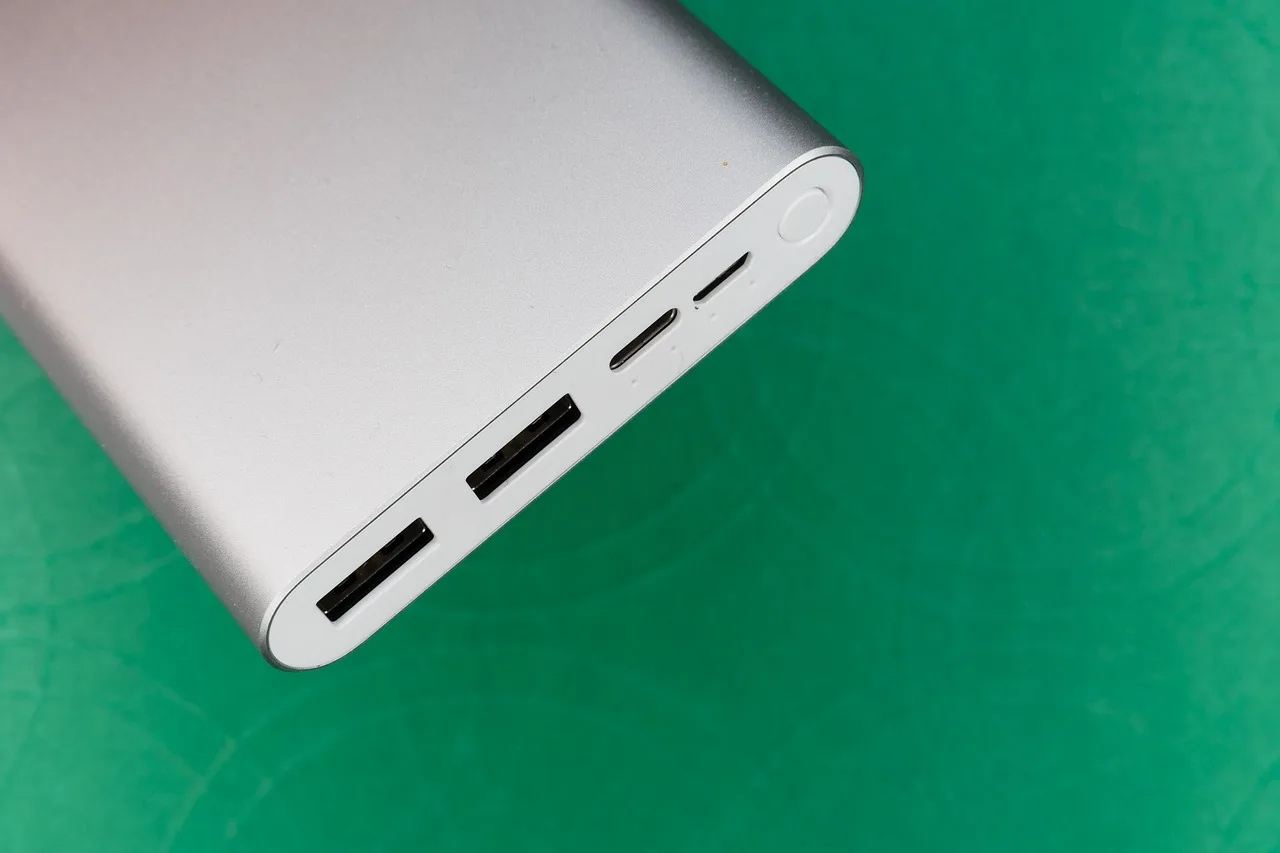
USB-A is the older rectangular port. It still works for legacy accessories, but it usually charges more slowly than USB-C and is often in the 10W-15W neighborhood on typical wall devices.
USB-C is the newer reversible port. In wall outlets, USB-C Power Delivery is the newer fast-charging standard, and it uses higher-voltage negotiation to deliver faster charging. Many common wall-unit examples land around 20W-30W per port, with some higher-output models going beyond that.
Why wattage matters more than port count
Total output matters as much as port count. If two devices share one outlet, the available power can split, and charging speed can drop when both ports are active at once.
That matters for tablets and laptops especially. A dual-port faceplate may look more capable than a single-port charger, but the total wattage behind it is what determines real charging speed. If the ports share a fixed watt budget, one fast-charging device can reduce the speed available to the other.
Say your bedside outlet has two phones and a smartwatch on it every night. A USB receptacle can be a good fit there if the devices are low draw and you want the wall to do the charging instead of two separate adapters.
Where USB outlets make sense
USB outlets make the most sense in rooms where you charge the same devices in the same place every day. The best cases are usually bedrooms, home offices, guest rooms, and other dry locations with predictable charging needs.
Bedside and child’s room use
Bedside outlets are a strong fit because phones, watches, and headphones tend to charge in one fixed spot. A child’s room can also benefit if the devices are low draw and the goal is to keep adapter clutter down.
For a child’s room, tamper-resistant devices matter. Many USB receptacles are sold tamper-resistant, and TR devices are required in dwelling units for new residential installations under NEC 406.12, so the faceplate type is not a cosmetic choice.
Home office and media console use
Home offices make sense when you want a phone, tablet, or headset charging near the desk without giving up outlet space for a lamp or printer. A media console can also be a good fit if the charging load stays modest.
Choose carefully if the devices are mixed. A tablet charging cable is a good candidate; a laptop dock or high-wattage work setup usually is not.
A shared charging station can work well in a family room, mudroom bench, or hallway niche when the outlet is used for a few low-power devices at once. The value comes from keeping small charging tasks in one place.
It becomes less attractive when the outlet needs to do everything. If game controllers, portable speakers, and a tablet all charge together, shared output can slow the whole setup.
Where USB outlets do not make sense
USB outlets are a poor fit anywhere the receptacle must do heavy lifting, meet a wet-location rule, or survive rough use. In those spaces, a standard receptacle plus a separate charger is usually more flexible, easier to replace, and cheaper to adapt later.
Kitchen backsplash and other high-use counter areas
Kitchens are a mixed case. A USB receptacle can make sense on a backsplash if it is not doing the primary work, but counter-heavy areas often need standard outlets for appliances, and GFCI protection still applies where required by NEC 210.8(A). If the circuit serves appliances, the limiting factor is often appliance load competition, not charging convenience.
If you need the outlet for a toaster, blender, or coffee grinder, a USB combo unit can be the wrong trade. You may gain charging convenience and lose a plug slot that matters more.
Bathroom vanity, garage, basement, laundry, and outdoor locations
These locations are protection-first spaces. Bathrooms, laundry rooms, garages, basements, and outdoor areas still need GFCI protection where required by NEC 210.8(A), and a plain USB outlet does not provide GFCI by itself.
Outdoor receptacles also need weather-resistant equipment and a weatherproof cover under NEC 406.9. One common reason to skip USB at the exterior wall is that the outlet has to satisfy those protection rules before charging convenience even enters the picture.
Rental units and repairability concerns
Rental units often do better with standard receptacles because replacement and future compatibility are simpler. A failed USB charging module can force a full device replacement, while a plain receptacle usually stays useful much longer.
That repairability gap matters over time. A charger brick can be swapped in seconds, but an integrated USB receptacle ties the charging hardware to the wall device itself. For property owners, that means the limiting factor is repairability, not just convenience.
USB outlet decision matrix
| Room or location | Install sense score | Reason | Limiting factor |
|---|---|---|---|
| Bedside | Yes — 5/5 | Good for overnight phone and watch charging; low-wattage use stays predictable. | Low device mix and stable charging routine |
| Home office | Yes — 4/5 | Useful for daily phone or tablet charging without giving up a plug slot. | Shared-wattage slowdown if multiple devices charge together |
| Kitchen backsplash | Maybe — 2/5 | Works for light charging, but GFCI rules and appliance needs often make a standard receptacle better. | GFCI protection and appliance load competition |
| Bathroom vanity | No — 1/5 | GFCI requirements and wet-use risk make this a poor place for a USB-only upgrade. | GFCI requirement and wet-location exposure |
| Garage | No — 1/5 | Protection requirements and heavier tool use usually favor standard receptacles. | Protection rules and repairability under rough use |
| Basement | Maybe — 2/5 | Only if the box is dry, code-compliant, and the outlet is not needed for heavier loads. | Shallow box risk and mixed-use flexibility |
| Laundry | No — 1/5 | GFCI protection is required in many cases, and the room is not a natural fit for charging ports. | GFCI requirement and appliance load competition |
| Outdoor | No — 1/5 | Outdoor receptacles need GFCI protection, weather-resistant equipment, and a weatherproof cover. | GFCI requirement and WR cover/listing needs |
| Rental unit | Maybe — 3/5 | Convenient, but standard receptacles are easier to replace and usually age better for changing tenant needs. | Repairability and long-term compatibility |
| Child’s room | Yes — 4/5 | Good for small charging loads; tamper-resistant devices are required in new residential installs. | TR compliance and low-wattage charging only |
| Media console | Yes — 4/5 | Handy for controllers, earbuds, and streaming accessories if the load stays modest. | Shared-wattage slowdown if several devices charge at once |
| Shared family charging station | Yes — 4/5 | Strong fit when several low-power devices need a fixed charging spot. | Shared-wattage slowdown |
| Guest room | Yes — 4/5 | Helpful when guests may forget an adapter and only need phone charging. | Device mix uncertainty |
| Workshop bench | No — 1/5 | Tools and variable loads make a standard receptacle the better long-term choice. | Appliance load competition and repairability |
Do USB outlets need special protection?
Yes. USB outlets must still follow the same protection rules as the location they are installed in. In wet or damp areas, the receptacle does not replace GFCI protection, and outdoor installations need both the right listing and the right cover. In new residential work, tamper-resistant devices are also required in dwelling units under NEC 406.12.
GFCI and wet-location rules
GFCI protection is still required in kitchens, bathrooms, laundry rooms, garages, basements, and outdoor areas where the code calls for it under NEC 210.8(A). A USB receptacle can be downstream of GFCI, but the USB outlet itself does not provide GFCI.
That distinction matters. If a bathroom vanity outlet is changed to a USB model without proper protection, the upgrade is incomplete even if the charging ports work.
Tamper-resistant requirements
Many USB receptacles are sold tamper-resistant. In dwelling units, TR devices are required for new residential installations under NEC 406.12, so the faceplate type is not a cosmetic choice.
If the project is new work or a major replacement, confirm that the selected USB receptacle is listed as tamper-resistant before it goes in the wall.
UL listing and code compliance
Listed devices matter. For receptacles and combination charging devices, the safest path is a product listed for the intended use and installed according to the manufacturer instructions and the applicable NEC rules. That is the practical UL context homeowners should look for when comparing models.
That applies to safety and legality. A device that is not listed for the application may create inspection problems, and it can leave the installation on shaky ground even if it appears to work.
Should I choose USB-A or USB-C outlets?
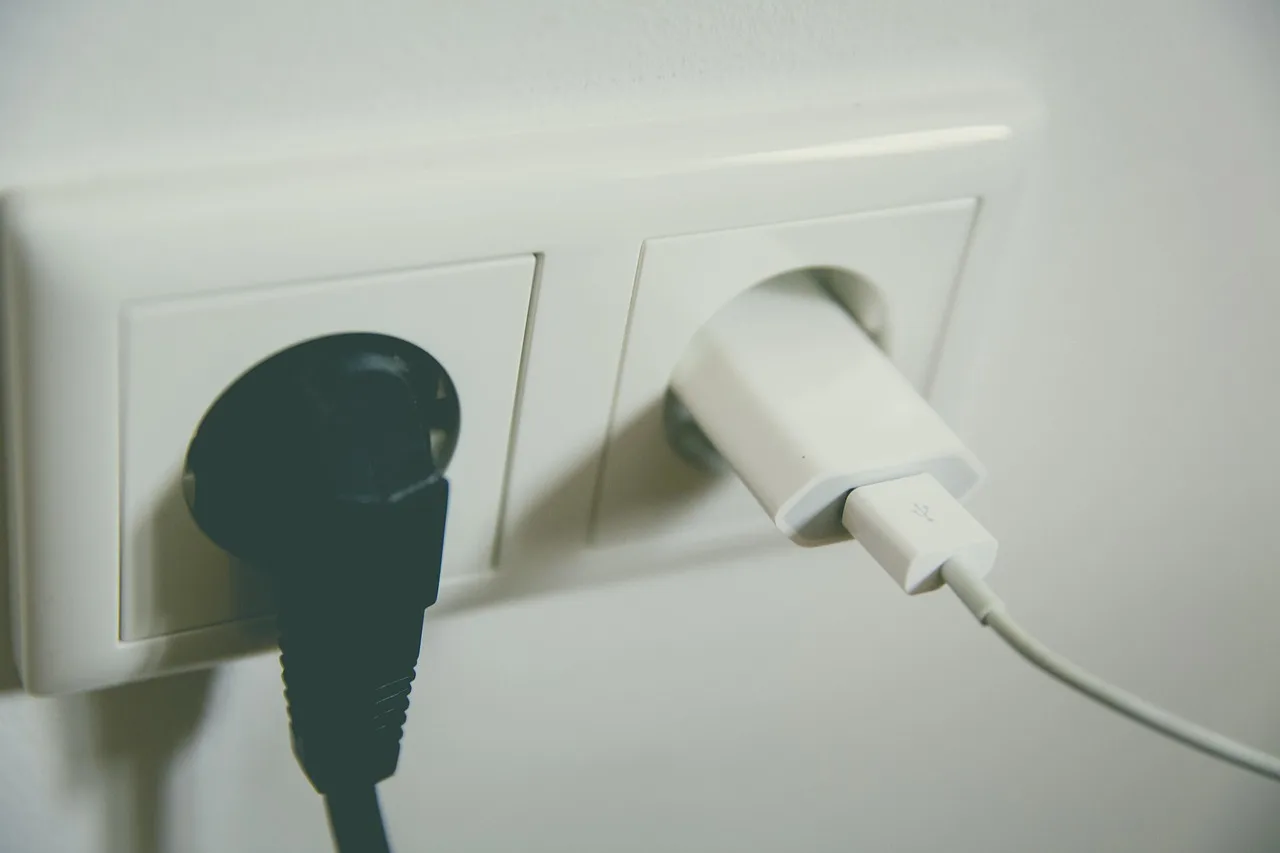
USB-C is the better choice for most new installs because it supports faster charging and newer devices, while USB-A still makes sense for older accessories. For phones and tablets, USB-C usually offers the better mix of speed and future use. For older accessories, USB-A can still be the practical fallback.
Fast charging versus legacy devices
Choose USB-C if the room serves modern phones, tablets, earbuds, or newer accessories. USB-C Power Delivery can charge devices faster than older methods, and wall outlets with USB-C often offer about 18W to 30W per port in common home-use models, with some higher-output units going above that.
Use simple thresholds to judge fit: a phone that accepts 18W to 30W charging is a good match for many USB-C wall outlets; a tablet may want that same range or more; a laptop often needs far more. If the room is mostly for phones and earbuds, USB-C is usually enough.
Do not assume port count equals power. If a dual-port outlet shares its total output, one device may charge normally while the second slows down, especially when both are active at the same time. That slowdown is not a defect; it is the outlet managing a shared watt budget.
Can a USB outlet charge a laptop? Sometimes, but often not well. Many laptops need 45W to 100W or more from their charger, while a typical wall USB outlet is designed for phones and tablets rather than full laptop power. For a computer, a dedicated charger is usually the safer buy.
When a wall charger is still the better buy
A plug-in charger is often better when the device mix changes a lot, the outlet may need replacement later, or you want higher-watt charging without rewiring the wall. It also keeps repair and upgrade costs lower if charging standards shift again.
For one or two devices that move around, a quality charger can be more flexible than a fixed USB receptacle. The wall device makes most sense when the charging routine is stable.
Will it fit and install cleanly?
Maybe, but not always. USB receptacles are bulkier than standard outlets, so the wall box, conductor count, and device depth all matter. A clean install depends on space behind the faceplate as much as on the front opening. The code side of that is box fill under NEC 314.16 and clearance for the device itself.
Box depth and box fill
Some installs need about 3 inches of depth for a USB outlet, and a crowded electrical box depth and box-fill basics may become the limiting factor. If the box is already full, the device may not seat properly or may create a messy, unsafe fit.
Box fill is not a detail to ignore. The extra electronics behind a USB receptacle can make the device harder to pack into a shallow box than a standard receptacle. If box depth is marginal, the safer move is often a deeper box or a standard receptacle plus charger.
15-amp and 20-amp models
Many USB outlets use the common NEMA 5-15R form factor, which fits the standard 15-amp receptacle pattern. Some models are also built as 20-amp receptacles, using the NEMA 5-20R form factor for higher-circuit matches.
Match the device to the circuit and the space. A 20-amp model is not automatically better; it simply needs to suit the branch circuit and the installation plan.
Heat, wear, and replacement cost
Built-in charging circuitry generates some heat, and that heat matters more in crowded boxes or under sustained USB-C demand. As the charging electronics age, the entire receptacle may need replacement even if the standard outlet side still looks fine.
That is the repairability tradeoff. A USB outlet can be convenient today and less economical later than a plain receptacle plus charger.
Buyer checklist: USB-A, USB-C, combo, or standard receptacle
| Option | Best for | Strength | Main limitation |
|---|---|---|---|
| USB-A outlet | Older accessories and legacy cables | Simple, familiar, usually lower cost | Slower charging and weaker future-proofing |
| USB-C outlet | Phones, tablets, newer accessories | Better fast-charging support and modern compatibility | May still be too low-watt for laptops |
| Combo USB-A/USB-C outlet | Mixed households with old and new devices | Flexible port mix in one wall opening | Shared wattage can slow both ports |
| Standard receptacle plus charger | High-watt devices, changing needs, repair-friendly installs | Most flexible and easiest to replace | More adapter clutter and less built-in convenience |
- Check whether the room needs GFCI protection, TR devices, or weather-resistant parts before choosing a USB model.
- Confirm the box has enough depth and fill capacity for the selected receptacle.
- Match the port type to the devices you actually charge, not the devices you hope to own later.
- Compare total wattage, not just the number of USB ports.
- Use a standard receptacle and plug-in charger if the room needs flexibility, higher power, or simpler replacement.
Are USB outlets worth the upgrade?
They are worth it in rooms with repeat, low-watt charging and a stable device mix. They are not worth it when the outlet must stay flexible, when protection rules make the location awkward, or when a better charger would solve the same problem for less risk. The best upgrade is usually the one that matches the room’s real load and code requirements.
Frequently asked questions
How many watts does a USB outlet provide?
It varies by model, but the useful number is the total output, not the port count alone. A basic USB outlet converts 120-volt AC to low-voltage DC and may offer 10W to 15W per USB-A port, while many USB-C models provide about 18W to 30W per port; some higher-end devices offer more.
Do USB outlets replace surge protection?
No. A USB receptacle is a charging device, not a surge protector. If you need surge protection for electronics, use a surge-rated power strip or another listed surge device designed for that job.
Do USB outlets work with GFCI protection?
Yes, if the installation is built correctly. A USB receptacle can be downstream of GFCI protection, which is the right way to place it in kitchens, bathrooms, laundry rooms, garages, basements, or outdoor areas where GFCI is required under NEC 210.8(A).
Do USB outlets need a deeper electrical box?
Often, yes. USB receptacles are bulkier than standard outlets, and some installs need about 3 inches of depth. If the box is crowded, box fill can be the deciding factor, so depth should be checked before you buy the device. See electrical box depth and box-fill basics for the space considerations that matter most.
Are USB outlets safe and code-compliant?
They can be, if the device is listed, installed in the right location, and matched to the room’s protection requirements. Look for a tamper-resistant model where required, confirm UL listing, and avoid treating the USB ports as a substitute for GFCI, weather resistance, or surge protection.
Sponsored / affiliate links. As an Amazon Associate I earn from qualifying purchases. I may earn additional commission from eligible campaigns.
 External CD DVD Drive for Laptop, 5-in-1 USB 3.0 Hub with SD/TF Card Reader & 2 USB Ports, Portable Burner Reader Writer for CD/DVD +/-RW, Plug and Play Optical Drive for Windows 11/10/Mac/Linux
 4 in 1 Retractable Wall Charger Dual USB C Cable Plug,45W USBC Fast Retractable iPhone Charger Foldable Block Dual Port(USB C+USB A) with Dual USB C Cable Fast Charger for iPhone 17/16/15,iPad Pro/Air