5 Best LED Strip Lights for TVs: Based on Specs and Reviews
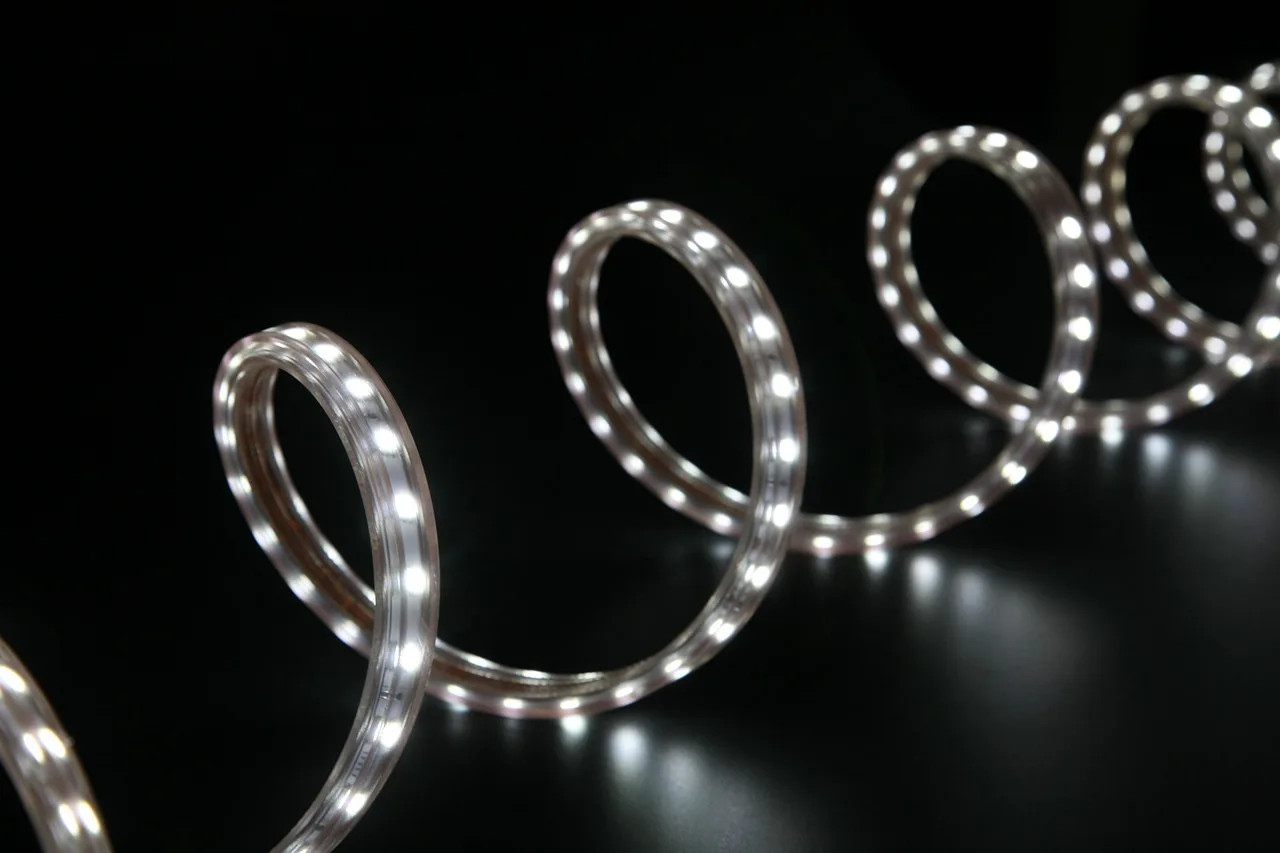
The best LED strip lights for TV backlighting are matched to your screen size, use at least 30 LEDs per meter, and choose RGBIC for movies and gaming or tunable white for eye strain. Pick the wrong length or brightness, and you get uneven halos, visible hot spots, and wasted money. This guide compares the right strip type, brightness, and power setup for different TV sizes and viewing goals.
Quick comparison
| Product | Badge | Best for | Price | ||
|---|---|---|---|---|---|
 |
Nanoleaf Blocks Smart LED Wall Light Panels, Combo 10PK |Nanoleaf | Our pick | 10-pack modular RGBW panels · screen mirror · music sync | $169.99
Price as of 24 Oct 2026
|
View |
 |
Govee TV Backlight 3 Lite, 11.8ft LED Strip Lights SyncGovee | Also great | 11.8ft · camera-synced · RGBICW for 55-65 in TVs | $69.99
Price as of 24 Oct 2026
|
View |
 |
Samsion 5V USB COB LED Light Strip Dimmable High DensitySamsion | Budget pick | 16.4ft · 6000K white COB · 320 LEDs/ft · USB powered | $13.99
Price as of 24 Oct 2026
|
View |
 |
Amazon Basics Smart LED Light Strip, 32.8 Feet (2 Rolls ofAmazon Basics | Upgrade pick | 32.8ft · RGB + tunable white · Alexa app & voice control | $30.09
Price as of 24 Oct 2026
|
View |
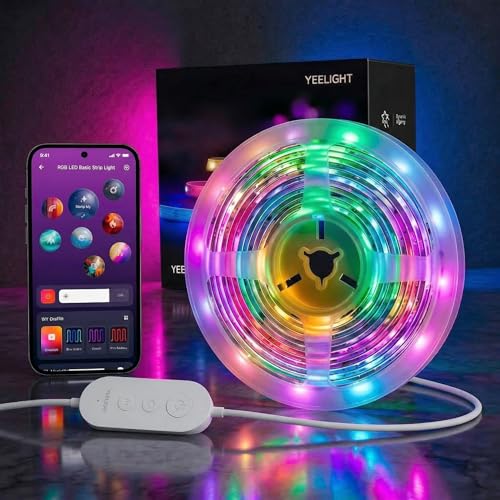 |
YEELIGHT LED Strip Lights, 66FT Smart Light Strips with 360YEELIGHT | Pair with it | 66ft · RGB music-sync · Bluetooth app control | $12.99
Price as of 24 Oct 2026
|
View |
The main trade-off is simple: white-only strips give cleaner bias lighting, while RGB and sync kits add more mood and scene matching. For TV use, the right answer depends on your screen size, whether you want accurate white light or color effects, and how much setup complexity you can tolerate.
How we chose
We compared the products on four practical points: TV-size fit, light quality, control method, and mounting reliability. We also weighed whether a strip needs a hub, whether it supports app or voice control, and whether the kit’s length makes sense for a 55-inch, 65-inch, 85-inch, or 100-inch TV.
For TV backlighting, size matters more than brand hype. A strip that is too short leaves dark corners, while one that is too bright creates a glow that fights the picture instead of supporting it.
We also split the use cases. Movies and sports usually favor softer white or warm-white bias lighting, while gaming benefits from RGBIC or screen-sync lighting if you want scene-reactive color on the wall.
TV backlight decision matrix
| TV size | Coverage target | Recommended strip length | Best light type | Smart sync needed? | Common failure risk |
|---|---|---|---|---|---|
| 55-inch | Full perimeter is about 12.5 feet; three-side kits can work if you skip the bottom edge | 12 to 13 feet for full edge coverage, or 9.8 to 11.8 feet for three sides | Tunable white for movies and sports; RGBIC if you want gaming effects | No, unless you want screen mirroring | Too-short strip, weak corner adhesion, or visible hot spots from low LED density |
| 65-inch | Full perimeter is about 14.7 feet | 14.5 to 16 feet for full edge coverage; 11.8 feet can suit a three-side kit | White-only for cleaner bias light; RGB if you want color modes | Optional | Buying a 12-foot kit for a full wrap, which leaves the bottom edge underlit |
| 85-inch | Full perimeter is about 19.2 feet | 19 to 20 feet for full edge coverage | RGBIC or tunable white, depending on the room | Only if you want active sync | Under-sizing, extension incompatibility, and power placement that forces visible cable runs |
| 100-inch | Full perimeter is about 22.6 feet | 22 to 24 feet for full edge coverage | Usually RGBIC or smart sync, because the wall area is large enough to benefit from scenes | Worth considering for gaming rooms | Not enough controller length, weak adhesive on wide panels, and uneven brightness at the far corners |
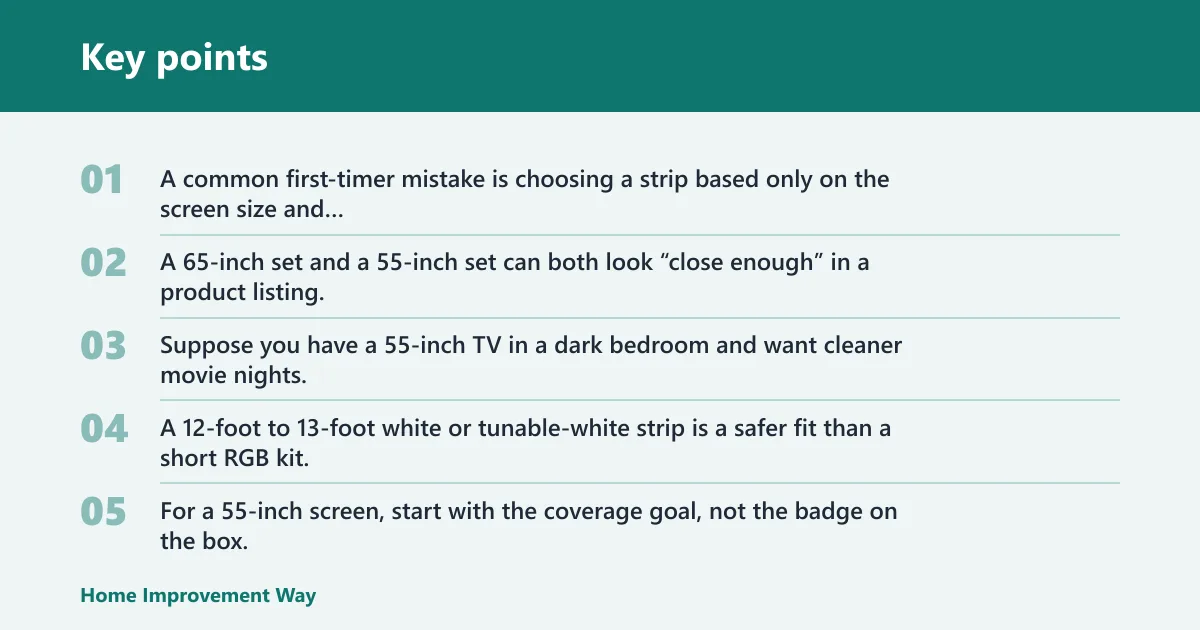
A common first-timer mistake is choosing a strip based only on the screen size and ending up with mismatched coverage around the back of the TV. A 65-inch set and a 55-inch set can both look “close enough” in a product listing, but the perimeter is what decides whether the strip can reach behind the top, bottom, and both sides.
Suppose you have a 55-inch TV in a dark bedroom and want cleaner movie nights. A 12-foot to 13-foot white or tunable-white strip is a safer fit than a short RGB kit, because the glow stays even without adding color shifts that can distract from the picture.
55-inch TVs
For a 55-inch screen, start with the coverage goal, not the badge on the box. If you want full edge lighting behind the top, bottom, and both sides, aim around 12.5 feet or a bit more. If you only plan to run three sides, shorter kits like 11.8 feet can work.
White-only kits make the most sense here if the goal is reduced eye strain. RGB works better if the TV also handles gaming, but a low-density strip can produce visible dots on a smaller wall.
65-inch TVs
A 65-inch TV usually needs about 14.7 feet for a full perimeter layout. That is why a 12-foot class kit is only a fit if you skip part of the border or use the strip on three sides.
For this size, the safer buy is a strip with enough slack for the corners and controller placement. Short kits create the most installation regret on this screen size.
85-inch TVs
An 85-inch TV needs longer coverage and more power planning. At this size, under-length strips show up fast, because the backlight must travel farther across the top and both vertical edges.
This is where smart sync can start to make sense for gaming and action content. If you only want bias lighting, a tunable-white strip is still the more practical choice.
100-inch TVs
A 100-inch screen pushes you into large-format territory, where length, controller placement, and cable routing matter as much as color. Full perimeter coverage is about 22.6 feet, so small starter kits are not a serious fit.
For this size, look for a long, extendable kit or a purpose-built sync system. The main risk is under-coverage, plus weak brightness at the outer edges of the wall halo.
White-only strip: best for accurate viewing
White-only strips are the cleanest choice when your goal is bias lighting rather than color effects. They help create a stable glow behind the TV, which can make dark-room viewing more comfortable without changing the picture’s color balance.
For TV backlighting, white light usually makes more sense than RGB if you watch movies, live sports, or streaming shows in a dim room. If color accuracy matters, avoid saturated colors and favor tunable white or a fixed white tone that stays close to neutral.
Warm white versus pure white
Warm light suits cozy evening viewing because it looks less harsh on the wall. Pure white, often around a cooler daylight tone, is better when you want more accurate-looking content and less color cast behind the panel.
Most buyers should think in terms of scene, not novelty. Warm hues work well for late-night movies, while cooler white is the better match for sports and daytime TV.
Best fit for movies and sports
For movies, a white-only strip avoids the colored glow that can pull attention away from dark scenes. For sports, it keeps the wall background neutral, so the grass, ice, and uniforms on screen do not pick up extra color from the room.
That is why many buyers use RGB for side lighting elsewhere in the room, but choose white-only behind the TV itself.
RGB sync kit: best for gaming

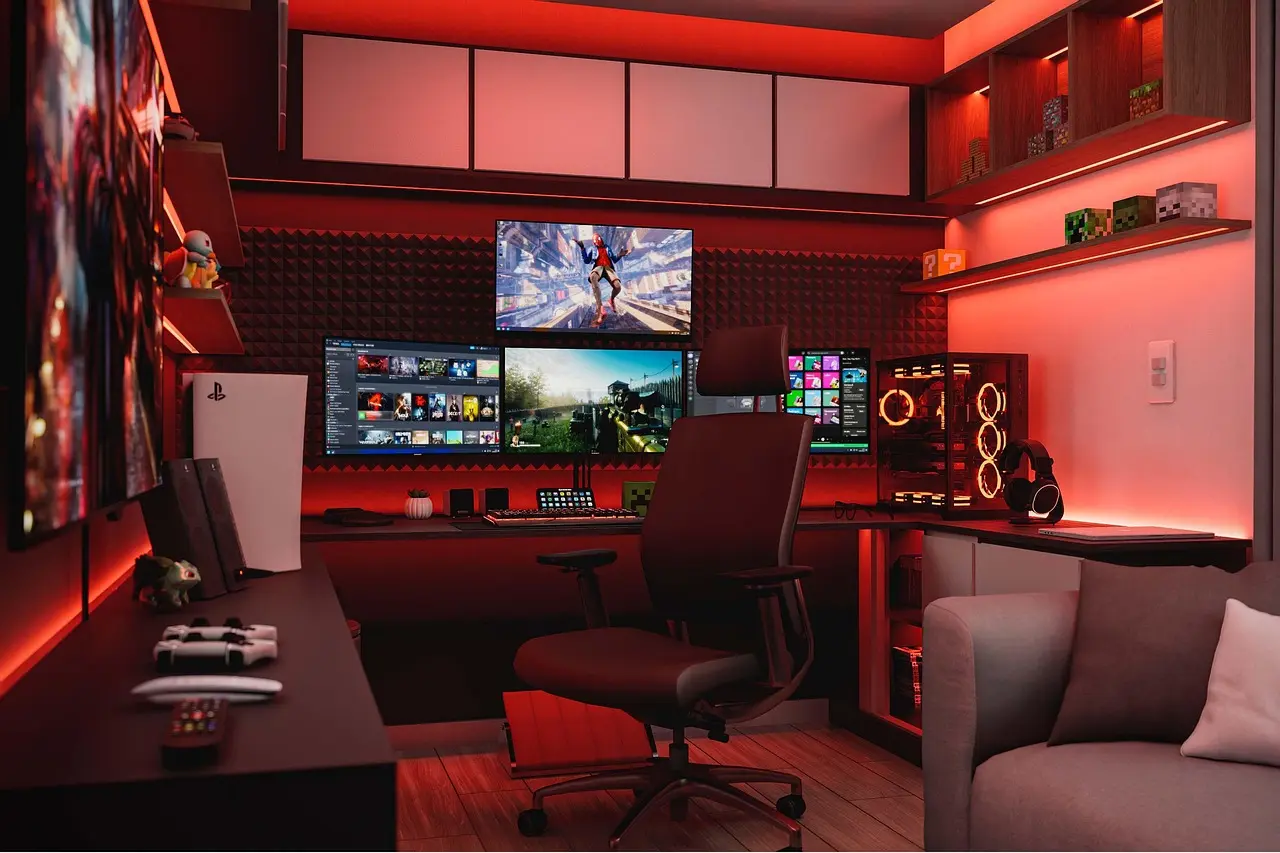
RGB sync kits are worth the premium when you want the wall color to react to what is on screen. They are the best fit for gaming rooms, especially when you want strong scene changes, deeper immersion, and a more animated look behind the TV.
For this use, the added cost only makes sense if you care about screen matching. If you mostly want better eye comfort, a simpler white or tunable-white strip is the better buy.
When screen sync is worth the cost
Screen sync matters most when you want the backlight to follow the action in real time. That is useful for fast games, colorful movies, and party viewing, but it is overkill for a quiet bedroom TV where you only need a soft halo.
Philips Hue positions its TV backlights as entertainment-focused sync lighting, and its TV backlights page shows 5 products in the category. It also lists a 65-inch Play gradient strip light pro as a coming-soon option, with an 85-inch Play gradient strip light at $149.99 and a 100-inch Play gradient strip light pro at $229.99.
Color zones and gradient effects
More addressable zones usually mean cleaner transitions and better gradient effects. That matters when you want the wall color to shift smoothly instead of jumping in blocks, which is especially noticeable in gaming and animated content.
Not every buyer needs a dense zone layout. If the TV sits in a small room and the backlight is just for eye comfort, fewer zones can still do the job.
HDMI sync box versus app sync
An HDMI sync box is the more direct route when you want the light to match the signal before it reaches the TV. App-based sync is simpler and cheaper, but it can be more dependent on the manufacturer’s software and the way the camera or microphone reads the screen or sound.
Choose HDMI sync if you want the strongest content matching and are willing to add hardware. Choose app sync if you want a lower-cost setup with less wiring.
Smart app strip: best for voice control
Smart app strips are the practical middle ground for buyers who want control without paying for a full sync ecosystem. They make sense when you want brightness control, routines, and voice commands more than strict screen mirroring.
For most living rooms, app control is enough. If your priority is bias lighting that turns on with the TV and can dim for night viewing, a smart strip with stable connectivity is the right target.
Bluetooth versus Wi-Fi
Bluetooth can be fine for basic setup, but Wi-Fi usually gives better remote control and more dependable routines across the home network. TechRadar’s review notes the Govee strip lights are a Wi-Fi-led smart strip option, which fits buyers who want app control tied to home connectivity.
Bluetooth-only strips can be simpler, but they often limit how far you can place the TV from the controlling phone and how well the strip integrates with voice assistants.
No hub versus hub required
No-hub kits are easier to live with because they reduce extra boxes and simplify setup. Amazon Basics’ Smart LED Light Strip is a 32.8-foot kit, uses 2.4 GHz Wi-Fi, and works with Alexa without a hub, which is the kind of setup many homeowners prefer for a TV room.
Hub-required systems can be worth it when you want tighter ecosystem control, but they add another failure point and more setup steps.
App control and routines
App control is most useful when you want presets for movies, gaming, and daytime TV. It also lets you lower brightness at night, which matters because a backlight that is too bright can be as distracting as no backlight at all.
For a simple setup, look for stable app pairing, voice support, and manual dimming. If the strip cannot hold a connection, the convenience disappears fast.
Best overall strip light option: Govee TV Backlight 3 Lite
The Govee TV Backlight 3 Lite is the strongest all-around pick for TV backlighting if you want screen-sync lighting for a 55-inch to 65-inch set. Based on the published product details, its upgraded camera, fish-eye correction, and RGBICW bead design make it the most complete option here for mixed movie and gaming use.
It is the best fit when you want app and voice control plus more advanced color effects without jumping to a wall-panel system. The main drawback is coverage: the 11.8ft length is best for smaller TVs or three-side layouts, so it is not the right pick if you need full-edge coverage on a larger screen.
Best budget setup: Samsion 5V USB COB LED Light Strip
The Samsion 5V USB COB LED Light Strip is the best value for buyers who want a clean white bias light with minimal fuss. Its 16.4FT length, 6000K output, and USB power make it a straightforward choice for reducing glare behind a TV without paying for smart features.
The advantage is the high-density COB design, which should reduce the dotted look common in cheaper strips. The drawback is that it is white-only and USB powered, so it is not the right choice if you want RGB effects, screen sync, or deeper smart-home control.
Best smart value strip: Amazon Basics Smart LED Light Strip
The Amazon Basics Smart LED Light Strip is the best choice for buyers who want app control, Alexa voice control, and a long strip without a hub. Its 32.8-foot length and tunable white support make it flexible for larger TVs or for people who want to fine-tune the glow for evening viewing.
It stands out because it covers more length than a typical starter kit and still stays simple to manage through Alexa. The downside is that it works with Alexa only, so it is a poor fit if you use another ecosystem or want built-in screen-mirror effects.
Best long RGB strip: YEELIGHT LED Strip Lights
The YEELIGHT LED Strip Lights are the right fit when you need a very long RGB strip for a large TV wall or a room where the strip may move beyond the television later. At 66FT with Bluetooth app control and music sync, it is built for broad ambient effects rather than strict TV bias lighting.
Its biggest strength is length, which gives you room to wrap a bigger setup or reuse the strip elsewhere. The trade-off is that it is more of a general RGB decor strip than a purpose-built TV sync kit, so it is less precise for screen matching and more likely to be overkill for a small living room TV.
Best modular wall setup: Nanoleaf Blocks Smart LED Wall Light Panels
The Nanoleaf Blocks Smart LED Wall Light Panels are the best pick if your TV area is part of a larger gaming wall and you want decor lighting, screen mirror effects, and sound-reactive modes. The 10-pack modular layout gives you a very different approach from a basic strip, with more visible design impact on the wall.
It is strong for a dedicated game room where the back wall matters as much as the TV itself. The drawback is obvious for pure TV backlighting: panels are not a direct substitute for a strip behind the screen, so they are less practical if your only goal is bias lighting.
Which one should you buy?
Choose by TV size first. For a 55-inch TV, a 11.8ft to 13-foot class kit can work, depending on whether you want three-side coverage or a full edge wrap. For a 65-inch TV, favor at least about 14.7 feet if you want full perimeter coverage, and move up again for 85-inch and 100-inch screens.
Choose by viewing goal next. If you want the cleanest picture support, go white-only or tunable white. If you want gaming effects and color scenes, choose RGBIC or a sync kit. If you want the most natural bias lighting for night viewing, do not overbuy color features you will rarely use.
Choose by budget and room lighting. The Samsion strip is the easiest low-cost white-light choice. The Amazon Basics strip is the best middle ground for smart control. The Govee TV Backlight 3 Lite is the stronger choice if screen sync matters.
Choose by installation risk too. If you want the least setup trouble, avoid kits that depend on weak adhesive or complicated camera placement. If your TV has a very narrow bezel or sits flush to the wall, a self-adhesive strip with good corner flexibility is safer than a bulky system.
For shoppers comparing brands broadly, the best brand for LED strip lights is the one that fits your TV and control needs, not the one with the biggest catalog. Philips Hue is strongest for ecosystem depth, Govee is strongest for TV-focused sync value, and IKEA’s strips are worth a look for simple room lighting, including a 3 m USB dimmable LED lighting strip for £7, a 3 m adjustable colour LED lighting strip for £15, and a 4 m smart strip with wireless dimmable, colour, and white spectrum control.
For where to buy TV backlight LED strip lights, start with the manufacturer’s store page or a major marketplace that lists exact length, control type, and power details. ZDNET’s roundup also shows how varied the category is, including a 100-foot Tenmiro option made of two 50-foot rolls, a 32.8-foot TP-Link Tapo smart LED strip with Wi-Fi control, and a 16.4-foot Sengled smart strip light option. Those examples make the sizing point plain: more length is only useful if the controller and power setup fit your TV plan.
Failure cases are worth watching closely. Adhesive backing can fail on dusty walls or warm TV backs, so clean the surface first and press the strip firmly at corners. App connectivity can also be a problem, especially with Wi-Fi and voice features, so buy only if the control ecosystem is one you already use.
IP ratings are mostly unnecessary for TV backlighting, since the strip lives indoors, but they can still tell you something about build quality. For context, ZDNET’s roundup notes the Sylvania outdoor strip is 32.8 feet and offers 3000K, 4000K, and 6500K options, which is useful if you want a reference point for water-resistant lighting quality outside the TV niche.
Choose Govee TV Backlight 3 Lite if… / Amazon Basics Smart LED Light Strip if…
Choose the Govee TV Backlight 3 Lite if you want TV-focused sync lighting, plan to use a 55-inch or 65-inch screen, and care about RGBICW effects with camera-based matching. It is also the stronger choice if gaming is the priority and you want a more entertainment-forward result.
Choose the Amazon Basics Smart LED Light Strip if you want a longer strip, tunable white support, Alexa control, and no hub. It makes more sense for buyers who want useful TV bias lighting without paying for advanced screen mirroring.
Choose Samsion if your goal is simple white bias lighting on a budget, and choose YEELIGHT if you need long RGB coverage more than TV-specific precision. Choose Nanoleaf only if the TV wall is part of a larger design setup and you want modular panels, not just a strip behind the screen.
Frequently asked questions
What brand is the best for LED strip lights?
For TV backlighting, the best brand depends on the setup. Philips Hue is strongest for ecosystem depth, Govee is a strong TV-sync value, and Amazon Basics is a practical no-hub smart option. If you only want clean bias lighting, a simpler white strip from a budget brand can be the smarter buy.
Where can I buy TV backlight LED strip lights?
Buy from the manufacturer’s store or a major retailer that lists the exact strip length, color mode, and power source. That matters because TV backlighting depends on fit. A 65-inch TV needs different coverage than a 55-inch set, and the wrong listing can leave the bottom edge dark.
What length LED strip do I need for a 55-inch TV?
For a 55-inch TV, plan for about 12.5 feet if you want full top, bottom, and side coverage. If you only want a three-side layout, shorter kits can work. Do not assume a short 9.8-foot strip will cover the full perimeter on most 16:9 sets.
Should I choose a white-only strip or an RGB strip for TV backlighting?
Choose white-only if you want the cleanest bias lighting and better color accuracy for movies and sports. Choose RGB if you want more atmosphere, gaming effects, or color scenes. If you want a warmer evening look, a tunable white strip is often the best middle ground.
Do TV backlight strips need a hub or app?
Not always. Some strips are simple USB or direct-power kits, while smart strips may use Wi-Fi, Bluetooth, or a hub. If you want voice control, routines, or screen sync, app control is usually worth it. If you only want steady backlighting, a no-app kit is simpler.
How do smart TV backlights sync with what is on the screen?
They sync in two common ways: a camera reads the TV image, or an HDMI sync box reads the video signal before it reaches the screen. Camera sync is easier to add to an existing TV, while HDMI sync is usually more precise but adds hardware and cost.
Can LED backlights reduce eye strain while watching TV?
They can help by reducing the contrast between a bright screen and a dark room. The effect depends on brightness and color temperature. A soft white or warm-white glow behind the TV is usually better for comfort than a very bright RGB effect that competes with the picture.
Which strip lights are best for gaming with a TV?
For gaming, the best choice is usually an RGBIC or screen-sync kit, especially if you want the wall color to follow action on screen. That makes the setup more immersive. If you want less complexity, a bright but neutral smart strip is still a good step up from no backlight at all.
Sponsored / affiliate links. As an Amazon Associate I earn from qualifying purchases. I may earn additional commission from eligible campaigns.