What Is a C-Wire and Do You Need One for a Smart Thermostat?
A C-wire is a 24-volt common wire that gives a smart thermostat steady power. If your thermostat lacks one, some models can still work, but a C-wire is the safest choice. Without proper power, thermostats can reboot, drop Wi-Fi, or short-cycle your HVAC, which can cost money and comfort. This guide shows how to spot your wiring, judge power-stealing risk, and pick the cheapest safe fix for your setup.
What a C-wire does in a thermostat system


The C-wire, short for common wire, provides continuous 24V power to the thermostat. In a standard low-voltage HVAC system, the thermostat uses terminals such as R, G, Y, W, and C. R supplies power, C completes the circuit, G controls the fan, Y controls cooling, and W controls heating.
This matters because a Wi-Fi thermostat needs more power than a basic mercury-style thermostat. Tom’s Guide says many Wi-Fi thermostats require a C-wire connection, and Honeywell Home’s homeowner support pages say C-wires are required on all Resideo WiFi thermostats. That does not mean every smart thermostat needs one, but it does mean you should verify compatibility before you buy.
Do not mix up low-voltage and line-voltage systems. A 24V low-voltage HVAC system uses thin thermostat conductors and terminal labels like R and C. Line-voltage systems usually have two thick wires, and they need a different thermostat class entirely. If your equipment uses line-voltage wiring, a standard smart thermostat made for 24V systems is not the right match.
How to tell if your thermostat already has one
Turn off power at the breaker or switch before you touch any wiring. Then check the thermostat faceplate, the wall plate, and the furnace or air handler control board. You are looking for a wire landed on a terminal labeled C, or for an unused spare conductor that can be moved to C.
Check the thermostat faceplate and wall plate
- Remove the thermostat faceplate. Pull it straight off the wall plate, or loosen the retaining screws if your model uses them. Look for a wire inserted into the terminal labeled C, not just a blue or black wire by color.
- Read the terminal labels. Compare the visible terminals with R, G, Y, W, and C. Colors are not always standard, so the label matters more than wire color.
- Look for a spare conductor. If one wire in the bundle is tucked back and unused, that conductor may already run to the furnace or air handler and could become your C-wire.
Check the furnace or air handler control board
- Open the equipment panel. With power off, remove the access panel on the furnace or air handler to reach the control board. Do not touch exposed terminals with power on.
- Find the terminal strip. Look for matching labels at the control board, especially C, R, G, Y, and W. Honeywell Home’s support instructions tell homeowners to look for a wire in the C terminal.
- Verify the wire path. A wire can be connected at the board but absent at the thermostat, or capped off behind the wall plate. If the labels do not match, stop and trace carefully.
Look for a spare conductor in the wire bundle
Many thermostat cables contain 4, 5, or more conductors. Smart Thermostat Guide says some homes have five-conductor wire, which can leave one spare wire ready for use. If that spare conductor is already routed end to end, adding a C connection may be the least costly fix.
Say your thermostat has four visible wires on R, G, Y, and W, but the cable jacket also hides a fifth conductor. If that spare wire lands on C at the furnace and is free at the thermostat, you may only need to reconnect it, not run new cable.
Do you need a C-wire for a smart thermostat?
Many smart thermostats work best with a C-wire, but not all need one. The answer depends on your HVAC type, the thermostat model, and whether the unit can power steal without causing side effects. A compatible thermostat on a simple 24V system may run without a C-wire, but that is not the safest assumption.
Systems that usually need one
Wi-Fi thermostats, heat pumps, older systems, and multi-stage equipment often need a dedicated C-wire. Honeywell Home says C-wires are required on all Resideo WiFi thermostats, and many other brands list a C-wire as the preferred power source. If your wiring is unclear, check the control board before purchase.
Systems that may run without one
Some thermostats can power steal, which means they draw a small amount of power through the signal wires. That can work on some simple 24V systems, especially when the load is light and the thermostat software tolerates it. It is not a guaranteed fix, and it is not ideal for every HVAC setup.
When compatibility depends on the model
Do not assume one smart thermostat fits every system with the same wire count. A thermostat may support a standard furnace but not a heat pump with auxiliary heat, or it may need an accessory kit for certain wiring layouts. Check the compatibility chart for your exact HVAC type, not just the number of wires.
C-wire decision table
| HVAC setup | Wiring pattern visible at the thermostat | Likely C-wire solution | Red flags that mean call a pro |
|---|---|---|---|
| 4-wire furnace | Usually R, G, Y, W with no C shown | Check for a spare conductor in the cable, then verify C at the furnace control board | No spare wire, damaged insulation, or unclear terminal labels |
| 5-wire furnace | R, G, Y, W, plus one extra conductor | Land the spare conductor on C at both ends if the board supports it | The extra wire is cut too short, capped in the wall, or absent at the board |
| Heat pump | Often more than four wires, sometimes with auxiliary heat terminals | Confirm model compatibility, then use a C-wire or approved adapter if the thermostat supports it | Unknown auxiliary heat wiring, multiple control stages, or mismatched labels |
| Hidden spare conductor | One wire is tucked back, unused, or not landed on a terminal | Use that spare as the C-wire if it connects through to the control board | The spare is not continuous end to end, or the board has no matching C terminal |
| No spare conductor | Every conductor is already in use at both ends | Install a C-wire adapter or power extender kit, or run new thermostat wire | Line-voltage wiring, mixed-voltage hardware, or a board you cannot identify with confidence |
What to do if you do not have a C-wire
The same source gives three main options if a C-wire is missing: use an unused wire, use a C-wire adapter, or hire a pro. The least costly safe fix depends on whether you already have spare copper in the cable, whether your thermostat brand supports an adapter, and how complex the HVAC wiring is.
- Confirm the spare end to end. Check both the thermostat side and the furnace or air handler board for the same unused conductor. It must be continuous through the cable to work.
- Move it to C. Attach the spare conductor to the C terminal at the control board and the thermostat, then secure the cover. This is usually the cheapest fix when the cable already includes an extra wire.
- Test the thermostat power. Restore power and watch for a steady display and normal startup. If the thermostat still reboots, the spare may be mislabeled, broken, or not actually connected to C.
Install a C-wire adapter or power extender kit
A C-wire adapter, also called a power extender kit, is mounted at the HVAC equipment and creates a compatible power path when no dedicated C-wire exists. Honeywell Home includes a C-wire adapter option in its support guidance, but brand compatibility matters. Do not assume any adapter works with every thermostat or every board.
Suppose your thermostat has only four conductors and the furnace has no spare wire at all. In that case, an adapter may be cheaper than opening walls for new cable, but only if the thermostat manufacturer supports that kit and your HVAC control board has the right terminals.
Call an HVAC pro for complex wiring
Call a pro if you find line-voltage wiring, damaged insulation, unlabeled terminals, multi-stage heat pump wiring, or a control board that does not clearly match the thermostat terminals. The same source recommends running new thermostat wire as an option, but that job can be harder than it sounds when cable routing is blocked or the system is older.
A pro is also the safer choice when the thermostat location has no spare conductor and the equipment cabinet is hard to interpret. That is especially true when the system has auxiliary heat, multiple stages, or a board with faded labels.
Why some thermostats lose power without a C-wire
Some smart thermostats can power steal, but that small draw may make the system unstable. The thermostat may reboot, lose Wi-Fi, or act oddly during mild weather when heating and cooling calls are short and infrequent. Those symptoms usually point to a power problem, not a bad thermostat screen.
Power stealing and intermittent rebooting
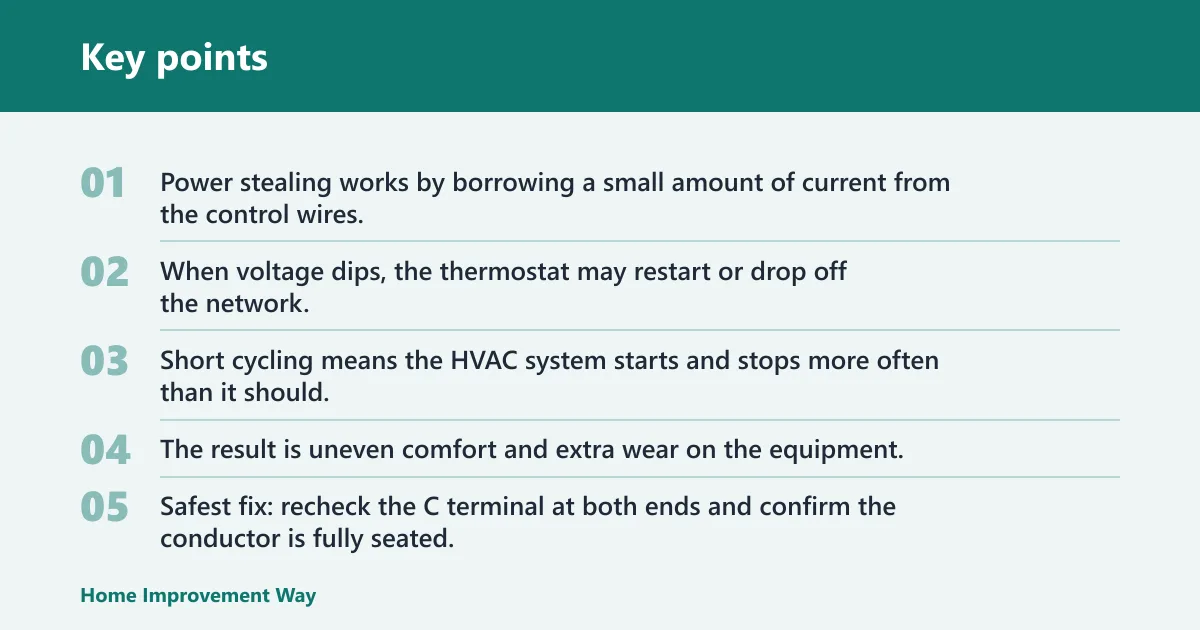
Power stealing works by borrowing a small amount of current from the control wires. That can be enough to keep the display on, but not always enough for Wi-Fi, relays, or software updates. When voltage dips, the thermostat may restart or drop off the network.
Short cycling and erratic operation
Short cycling means the HVAC system starts and stops more often than it should. A thermostat with unstable power can contribute to that behavior, especially on systems that are already sensitive to control signals. The result is uneven comfort and extra wear on the equipment.
Signs the control board is being strained
Watch for a thermostat that behaves better when the fan runs or when the system is actively heating or cooling, then fails during idle periods. That pattern suggests the thermostat is scavenging power instead of getting a steady C connection. It is a warning sign, not a normal feature.
Thermostat reboots or goes blank: The most likely issue is not enough steady power from the C path, a loose terminal connection, or a weak shared circuit. Safest fix: recheck the C terminal at both ends and confirm the conductor is fully seated.
Wi-Fi drops or the thermostat disconnects: This usually means the thermostat can stay on briefly but cannot maintain wireless power draw. Safest fix: confirm whether the thermostat model expects a true C-wire or a manufacturer-approved adapter.
Clicking, buzzing, or rapid relay chatter: That often points to unstable voltage or a thermostat trying to switch loads without enough power reserve. Safest fix: stop and inspect the wiring for a proper common connection; if labels are unclear, bring in a pro.
Fan runs but heating or cooling does not stay stable: This can indicate partial power through one circuit but not a complete thermostat power path. Safest fix: verify the control board terminals and look for a missing, loose, or mislanded conductor.
Short-cycling or repeated start-stop behavior: The thermostat may be losing power during control calls or sending inconsistent signals because the wiring is not supported correctly. Safest fix: check the C connection first, then confirm the thermostat is matched to the correct HVAC type.
Before you buy a smart thermostat
Before purchase, confirm that your system is 24V low-voltage, match the thermostat to your HVAC type, and check whether the unit supports a C-wire adapter if you do not already have one. Do not buy based on wire count alone. Terminal layout and system type matter more.
- Verify 24V wiring. Look for thin thermostat conductors and labels such as R, G, Y, W, and C. If you see two thick wires, stop and treat it as a line-voltage system.
- Match the HVAC type. Check whether your system is furnace-only, heat pump, or multi-stage. Compatibility can change with auxiliary heat and other add-on equipment.
- Check adapter support. Read the thermostat’s compatibility notes for C-wire adapters or power extender kits. Some brands support only specific kits, and some models need a dedicated common wire instead.
- Inspect the control board. Open the furnace or air handler panel and confirm the terminal labels before you buy. A wire may be present but capped, mis-labeled, or missing at one end.
Frequently asked questions
What is a C-wire on a thermostat?
A C-wire is the common wire that provides continuous 24V power to a thermostat. It is usually labeled C at the thermostat and at the furnace or air handler control board. Many smart thermostats need that steady power to keep the screen, Wi-Fi, and internal electronics running reliably.
How do I know if my thermostat has a C-wire?
Remove the faceplate and look for a wire on the terminal labeled C, then check the furnace or air handler control board for the same label. If the thermostat side is empty, look for a spare conductor in the cable bundle. Wire color alone is not proof.
Can a smart thermostat work without a C-wire?
Some can, but only on compatible systems. A few thermostats power steal from the control wires, and that may work on simple 24V setups. It is less reliable on heat pumps, older systems, and equipment that needs steadier power for Wi-Fi or internal relays.
Will a C-wire adapter work with my thermostat?
Yes, sometimes. A C-wire adapter works only if your thermostat manufacturer approves that kit, your HVAC board has the right terminals, and your system is a compatible 24V setup. If you have a line-voltage system, a heat pump with unclear auxiliary wiring, or a board with no matching terminals, the safest answer is no.
How do I decide if an adapter is safe to use?
Start with three checks: your HVAC type, the terminal labels on the control board, and the thermostat maker’s support for that adapter. If the system is furnace-only or a simple 24V setup and the kit is approved, the adapter may be fine. If any part is unclear, do not improvise.
What do I do if my thermostat has no C-wire?
First, check for an unused spare conductor in the cable and verify it reaches the furnace or air handler board. If none exists, use a manufacturer-approved C-wire adapter or power extender kit, or hire an HVAC professional to run new wire. Do not guess on line-voltage equipment.
How can I check for an unused C-wire at the furnace?
Turn off power, open the equipment panel, and inspect the control board for terminal labels that match the thermostat. Look for a spare conductor that is landed on C at the board but unused at the thermostat, or vice versa. If labels are faded or missing, stop and get help.
Why does my smart thermostat keep losing power?
Intermittent rebooting often points to power stealing, weak voltage, or an unsupported wiring setup. The thermostat may work while the system is active, then fail during idle periods when it cannot draw enough power. That pattern usually means you need a true C-wire or a compatible adapter.
Should I call an HVAC pro to add a C-wire?
Call a pro if the system is line-voltage, the labels do not match, the wiring is damaged, or the HVAC setup is a heat pump or multi-stage system with unclear terminals. A pro is also the safer choice when the cheapest fix is not obvious, because compatibility mistakes can damage the board.
Sponsored / affiliate links. As an Amazon Associate I earn from qualifying purchases. I may earn additional commission from eligible campaigns.