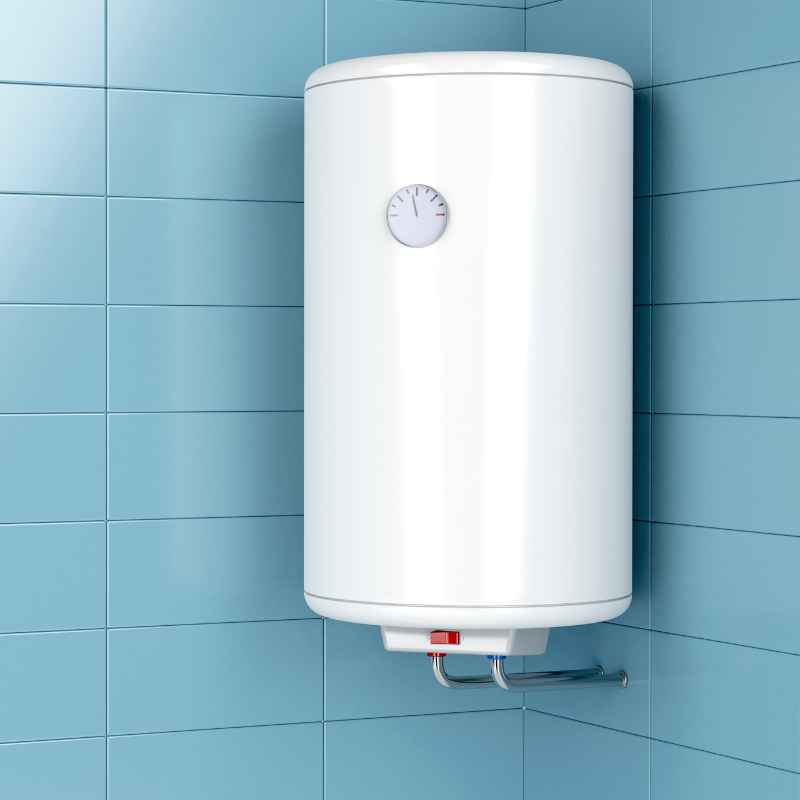
What Does Mode Control Do on TrusTech Bathroom Heaters?
Understanding the mode control on TrusTech bathroom heaters is key to optimizing comfort and efficiency in your home. These sophisticated controls aren’t just simple on/off switches; they offer a range of functionalities designed to adapt to your specific needs throughout the day and across seasons. This post will break down what these modes are, how they impact your heater’s performance, and how you can best utilize them to ensure a consistently warm and comfortable bathroom environment.
In short, the mode control on TrusTech bathroom heaters allows you to select different operating programs that balance heating output, energy consumption, and user convenience, often including eco-friendly, comfort-focused, and timer-based settings.
Key Takeaways
- Mode control on TrusTech bathroom heaters offers varied settings for comfort and energy saving.
- Common modes include Eco, Comfort, Timer, and sometimes Anti-Frost.
- Understanding each mode helps optimize heat distribution and reduce energy waste.
- Utilizing specific modes for different times of day enhances user experience.
- Consulting your specific TrusTech model’s manual is crucial for precise operation.
What is TrusTech Bathroom Heater Mode Control?
TrusTech bathroom heaters feature advanced control panels that go beyond a simple thermostat. The “mode control” refers to the selection of different operating presets or functions that alter how the heater operates. These modes are designed to provide flexibility, allowing users to tailor the heating experience to their lifestyle, the ambient temperature, and their energy-saving preferences. Instead of a single, fixed heating output, these modes offer intelligent adjustments to temperature, fan speed, and operational duration.
The primary goal of mode control is to strike a balance between delivering adequate warmth when needed and minimizing energy usage when it’s not. This intelligent approach not only contributes to lower electricity bills but also aligns with growing environmental awareness. By offering distinct modes, TrusTech empowers users to actively manage their home’s climate, ensuring their bathroom is a comfortable sanctuary without unnecessary energy expenditure. This level of control is a hallmark of modern, efficient heating solutions.
Different TrusTech models may have slightly varied mode names and functionalities, but the core concepts generally remain consistent across the range. Understanding these common modes will provide a solid foundation for operating your specific unit effectively. The sophistication of these controls means that with a little knowledge, you can significantly enhance your bathroom’s comfort and your home’s energy efficiency.
How TrusTech Heater Modes Enhance Comfort
The comfort aspect of TrusTech bathroom heaters is significantly amplified by their diverse mode controls. These aren’t just about generating heat; they’re about delivering heat in a way that suits the user. For instance, a “Comfort” mode is typically designed to maintain a consistent, pleasant temperature within the room, preventing the fluctuations that can lead to discomfort. It might involve slightly more energy consumption but prioritizes maintaining your preferred warmth.
Conversely, an “Eco” or “Energy Saving” mode adjusts the heater’s output to use less power. This might mean a slightly lower target temperature or intermittent heating cycles. While it may not provide the same immediate blast of heat as a full-power mode, it’s ideal for times when a lower ambient temperature is acceptable, such as during milder weather or when the room isn’t in active use. This mode is a testament to the intelligent design that balances comfort with responsible energy use.
Another crucial mode often found is a “Timer” function. This allows you to pre-set when the heater turns on and off. Imagine waking up to a warm bathroom every morning or ensuring the heater turns off automatically after you leave for work. This programmed approach ensures warmth precisely when you need it, eliminating wasted energy heating an empty room. The timer function is a powerful tool for automating comfort and enhancing the overall user experience.
Common Modes Explained: Eco Mode
Eco mode, often represented by a leaf or a similar green energy symbol, is specifically engineered to prioritize energy efficiency. When activated, the heater will reduce its power consumption significantly. This usually involves a lower maximum temperature setting and more frequent cycling of the heating element to maintain that reduced temperature. The goal is to provide a baseline level of warmth while minimizing electricity usage.
This mode is perfect for situations where you want to maintain a comfortable, but not excessively warm, environment. It’s ideal for overnight heating during colder months when you’re sleeping and don’t require the room to be at peak warmth, or for during the day when you’re out of the house and want to prevent the room from getting too cold without incurring high energy costs. Some advanced TrusTech models with Eco mode might even learn your usage patterns to optimize heating cycles further.
The benefit of Eco mode is two-fold: it significantly contributes to lower energy bills and reduces your carbon footprint. While it might not provide the rapid, intense heat of other modes, its purpose is sustained, efficient warmth. It’s a conscious choice to balance immediate comfort with long-term savings and environmental responsibility. For households aiming to be more energy-conscious, Eco mode is an indispensable feature.
Eco Mode Features:
- Reduced power consumption.
- Lower maximum temperature setting.
- Optimized heating cycles for efficiency.
- Suitable for overnight or continuous low-level heating.
- Aims to balance comfort with energy savings.
Common Modes Explained: Comfort Mode
Comfort mode is the setting designed to provide the most pleasant and consistent ambient temperature in your bathroom. When you select this mode, the heater will work to maintain a pre-defined temperature that is generally considered ideal for human comfort, typically around 20-22 degrees Celsius (68-72 degrees Fahrenheit). The heater will cycle on and off as needed to keep the room within a narrow temperature range, ensuring you don’t experience sudden drops or spikes in warmth.
This mode prioritizes user experience over strict energy conservation, though modern TrusTech heaters incorporate smart technology to prevent excessive energy waste even in Comfort mode. It’s the go-to setting for when you’re actively using the bathroom, whether for a morning routine, an evening soak, or simply to feel cozy on a chilly day. The consistent warmth provided by Comfort mode can significantly enhance the feeling of luxury and relaxation in your bathroom space.
While it consumes more energy than Eco mode, the benefits in terms of immediate and sustained comfort are substantial. It ensures that your bathroom is always inviting, regardless of the outside weather conditions. For many users, this mode is what they will use most frequently during the colder seasons, as it directly addresses the desire for a consistently warm environment.
Comfort Mode vs. Eco Mode:
| Feature | Comfort Mode | Eco Mode |
|---|---|---|
| Primary Goal | Consistent, ideal temperature maintenance | Maximum energy efficiency |
| Energy Consumption | Moderate to High | Low |
| Temperature Stability | High | Moderate (may allow wider fluctuations) |
| Best Use Case | Active bathroom use, colder weather | Overnight, unoccupied periods, milder weather |
Comfort mode prioritizes a stable, ideal temperature, while Eco mode focuses on minimizing energy use, often allowing for slightly wider temperature variations.
Common Modes Explained: Timer Mode
The Timer mode on TrusTech bathroom heaters is a highly practical feature that offers control over the heating schedule. This function allows you to set specific times for the heater to turn on and off automatically. This capability is invaluable for ensuring your bathroom is warm exactly when you need it, without having to remember to switch the heater on or off manually. It’s a key component in automating your home’s comfort and optimizing energy usage.
Setting up the timer is usually a straightforward process involving selecting the desired operational periods for each day of the week. For example, you can program your heater to turn on 30 minutes before you typically wake up, providing warmth as you start your day, and then automatically switch off after you’ve left for work. Similarly, you might set it to provide warmth for an hour in the evening if you use the bathroom for relaxation.
This mode is particularly beneficial for busy households where schedules can vary. By programming your heater in advance, you ensure comfort without the need for constant manual intervention. It also acts as an energy-saving mechanism, preventing the heater from running unnecessarily. Imagine going on holiday; you can set the timer to ensure a frost-free temperature is maintained, or simply schedule it to be off entirely, guaranteeing no wasted energy during your absence. According to a study by the U.S. Department of Energy, using programmable thermostats (similar in principle to timer modes) can save homeowners an average of 10% a year on heating and cooling costs.
Setting Your TrusTech Heater Timer: A General Guide
- Access Timer Settings: Locate the “Timer” or “Program” button on your TrusTech heater’s control panel.
- Select Day: Choose the specific day of the week you wish to program. Many units allow you to set schedules for weekdays, weekends, or individual days.
- Set On/Off Periods: For each selected day, define the start time and end time for when you want the heater to be active. You can often set multiple on/off periods per day (e.g., one for the morning, another for the evening).
- Adjust Temperature: Within each timed period, you may be able to set a specific temperature or choose between modes like “Comfort” or “Eco” for that time slot.
- Confirm and Save: Once your schedule is set, confirm the settings. The heater will now automatically follow this program.
Always refer to your specific TrusTech model’s user manual for exact instructions, as programming interfaces can vary.
Common Modes Explained: Anti-Frost / Holiday Mode
The Anti-Frost or Holiday mode is a specialized function designed to prevent the room temperature from dropping to freezing levels, particularly useful during extended absences or in very cold climates. When activated, the heater will maintain a very low, but positive, temperature – typically just above freezing point (around 5-7 degrees Celsius or 40-45 degrees Fahrenheit). This minimal heat output is enough to prevent pipes from freezing or dampness from setting in without consuming a significant amount of energy.
This mode is a safety feature as much as a convenience one. Frozen pipes can cause severe water damage, leading to costly repairs. By ensuring a minimum temperature is maintained, the Anti-Frost mode provides peace of mind, especially if your bathroom contains plumbing or if the room is in a less insulated part of your home. It’s the perfect setting for when you’re on vacation or away for an extended period, and you want to protect your property from the perils of extreme cold.
While it offers minimal heating, it’s crucial to understand that this mode is not for comfort. It’s solely for protection against the cold. The energy consumption is kept to an absolute minimum, making it a highly economical choice for its intended purpose. Many users activate this mode before leaving for extended breaks during winter, ensuring their home remains safe from the adverse effects of freezing temperatures.
When to Use Anti-Frost Mode:
- Extended periods of absence (e.g., holidays, business trips).
- During severe winter weather when temperatures are expected to drop significantly.
- In infrequently used rooms or bathrooms prone to cold.
- When there’s a risk of pipes freezing within the walls or room.
- To prevent condensation and potential dampness in colder months.
- As a low-energy protective measure against accidental freezing.
This mode is a testament to the intelligent design of modern heaters, offering a solution for extreme conditions and preventing potential damage.
What is the Difference Between Modes? A Comparison
The primary difference between the various modes on TrusTech bathroom heaters lies in their objective: balancing comfort, energy saving, and specific functionalities. Understanding these distinctions allows users to select the most appropriate mode for their current needs, thereby maximizing both comfort and efficiency. For example, Comfort mode aims for an ideal, stable temperature, consuming more energy to achieve this. Eco mode, on the other hand, drastically cuts energy usage by lowering output and allowing for wider temperature swings, making it ideal for background heating.
Timer mode doesn’t dictate a specific heating level but rather when the heater operates, allowing you to schedule Comfort or Eco modes at specific times. This hybrid approach offers significant control. Anti-Frost mode is a niche, protective setting, using minimal energy to prevent temperatures from reaching freezing, crucial for unoccupied periods in cold weather. It’s important to note that the precise temperature ranges and energy consumption levels for each mode can vary slightly between different TrusTech model numbers, so always consult your specific manual.
The underlying technology in TrusTech heaters often involves sophisticated thermostats and control algorithms that enable these distinct operational profiles. They are designed to adapt to user input and environmental conditions, ensuring that the selected mode performs as intended. This intelligent design is what separates basic heaters from modern, efficient, and user-friendly heating solutions.
Mode Selection Guide
| Scenario | Recommended Mode | Reasoning |
|---|---|---|
| Morning routine in winter | Comfort Mode (or Timer set to Comfort) | Ensures immediate, consistent warmth for maximum comfort. |
| Sleeping overnight | Eco Mode (or Timer set to Eco) | Maintains a lower, energy-efficient temperature while sleeping. |
| Away on holiday in winter | Anti-Frost Mode | Prevents freezing and potential damage with minimal energy use. |
| Milder weather, room unoccupied | Eco Mode | Keeps the chill off without significant energy cost. |
| Wanting heat only during specific hours | Timer Mode (combined with Comfort/Eco) | Automates heating for desired periods, enhancing convenience and saving energy. |
Choosing the right mode depends on your immediate needs, from active comfort to energy savings and property protection.
Tips for Maximizing TrusTech Heater Mode Benefits
To truly get the most out of your TrusTech bathroom heater’s mode control, consider these practical tips. Firstly, familiarize yourself thoroughly with your specific model’s manual. While general mode descriptions are helpful, the exact functionality, temperature setpoints, and programming nuances can differ. This ensures you’re not missing out on any advanced features or making incorrect settings.
Secondly, experiment with the different modes. Don’t be afraid to switch between Comfort, Eco, and Timer settings to see what best suits your daily routine and preferences. You might find that a combination of Timer mode, set to Eco during unoccupied hours and switching to Comfort for specific periods, provides the optimal balance for your household. This active management can lead to significant energy savings without sacrificing comfort.
Furthermore, consider the seasonal variations. In the peak of winter, Comfort mode might be your primary choice. As spring approaches, transitioning to Eco mode or using the Timer to heat only during specific times can be more appropriate. For summer, you might rarely need the heater at all, perhaps only engaging Anti-Frost mode if there’s an unusual cold snap. By adapting your mode selection to the season, you ensure the heater is always working efficiently for the current conditions.
Tip: Leverage the Timer mode to pre-heat your bathroom just before you need it, rather than running the heater continuously. This is a highly effective strategy for saving energy while still enjoying immediate warmth.
Advanced Usage Strategies:
- Combine Timer and Eco: Schedule Eco mode for extended periods when you’re out or asleep, and switch to Comfort mode for shorter, active use times.
- Weekend vs. Weekday Programming: Utilize different timer schedules for weekdays and weekends to match your typical routine variations.
- Adaptive Learning (if available): If your TrusTech model has adaptive learning capabilities, allow it to run for a week or two to learn your habits before fine-tuning the program.
- Temperature Monitoring: Use a separate, reliable thermometer in your bathroom to verify the actual room temperature and ensure it aligns with your desired settings.
- Regular Cleaning: Ensure the heater is clean and free of dust. A clean unit operates more efficiently, regardless of the mode selected.
Frequently Asked Questions
What is the primary benefit of using TrusTech bathroom heater modes?
The primary benefit is the ability to customize your heating experience, balancing optimal comfort with significant energy savings. Different modes allow you to tailor the heater’s operation to your specific needs, whether it’s maintaining a cozy environment, saving electricity, or protecting against freezing temperatures.
Can I set a custom temperature for each mode?
Typically, Comfort and Eco modes have pre-defined temperature ranges optimized for their purpose. However, many TrusTech models with Timer functions allow you to set specific target temperatures within the timed ON periods, effectively creating custom heating profiles for different times of the day.
How often should I check my heater’s manual regarding modes?
It’s advisable to consult your heater’s manual when you first purchase and set up the unit to understand all its functionalities. Periodically, especially if you notice unexpected energy consumption or discomfort, revisiting the manual can help you optimize settings or discover underutilized features.
Does using Timer mode actually save energy?
Yes, absolutely. Timer mode allows you to avoid heating your bathroom when it’s not in use, preventing energy waste. By scheduling heating only for the times you need it, you can significantly reduce your overall energy consumption compared to leaving the heater on constantly.
What is the difference between Anti-Frost and Eco mode?
Eco mode aims to save energy by reducing the heating output to maintain a generally lower, but still comfortable, temperature. Anti-Frost mode, however, is a protective feature that maintains a minimal temperature (just above freezing) specifically to prevent pipes from freezing and property damage during extended periods of extreme cold.
Final Thoughts
Understanding and utilizing the mode control on your TrusTech bathroom heater is fundamental to enjoying a perfectly heated space efficiently. By choosing between modes like Comfort, Eco, Timer, and Anti-Frost, you gain precise control over your home’s climate, enhancing comfort while mitigating energy waste. Experiment with these settings to find the optimal balance for your daily life and the changing seasons.
Sponsored / affiliate links. As an Amazon Associate I earn from qualifying purchases. I may earn additional commission from eligible campaigns.