Best Smart Ceiling Fans for App Control (2026): We Compared
The best smart ceiling fans with app control are Wi‑Fi models that work with your preferred voice ecosystem and fit your ceiling height, box rating, and fan size before you compare blade count or light kit. Pick the wrong size and you can get app drops, mismatched assistants, weak airflow, or a fan that needs extra downrod parts after install. This guide ranks the control options first, then covers mounting limits, lighting, blade design, and which models suit bedrooms, living rooms, and connected homes.
Quick picks
| Product | Badge | Best for | Price | ||
|---|---|---|---|---|---|
 |
DREO Smart Ceiling Fan with LightsDREO | Our pick | 52-inch · smart · black | $139.93
Price as of 9 Nov 2026
|
View |
 |
SMAVISTA RGBCW Smart 52" 2600LM LED Ceiling Fan LightSMAVISTA | Also great | 52-inch · smart · black | $66.49
Price as of 9 Nov 2026
|
View |
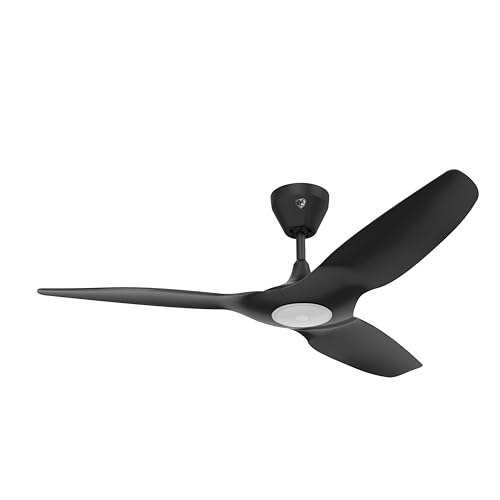 |
Big Ass Fans Haiku L 52" Smart Ceiling Fan with LED LightBig Ass Fans | Upgrade pick | 52-inch · smart · black | $899.00
Price as of 9 Nov 2026
|
View |
The three picks below cover the main buying paths: a strong all-around bedroom and living-room option, a premium HomeKit choice, and a low-ceiling fit. The table focuses on control architecture first, then room fit and the most decision-making specs.
| Pick | Best for | Control fit | Key spec | Price |
|---|---|---|---|---|
| DREO Smart Ceiling Fan with Lights, 52 Inch | Bedrooms, mixed-use rooms | Wi‑Fi app, Alexa, Google Home | 12 speeds, 3 fan modes, dimmable LED, 22dB quiet DC motor | $139.93 |
| Big Ass Fans Haiku L 52" Smart Ceiling Fan | HomeKit homes | Wi‑Fi app, Alexa, Google compatible | 52-inch smart fan with LED light and remote options | $899.00 |
| SMAVISTA RGBCW Smart 52" Ceiling Fan | Low ceilings and budget installs | App, voice, or remote control | Reversible DC motor, 6 speeds, 2 fan modes, separate fan/light control | $66.49 |
How we chose these smart ceiling fans
Control architecture came first. Wi‑Fi app control matters more than Bluetooth-only control if you want to change the fan away from home, run schedules, or use voice routines without local range limits. Remote-only control can work, but it leaves most smart-home features unused.
Room fit came next. Blade span, airflow, and ceiling height have to line up before app features matter. A 52-inch fan can suit many standard rooms, while 48-inch compact models and flush-mount builds are better when overhead clearance is tight.
Smart home support also mattered. Alexa and Google Assistant compatibility is common, but native Apple HomeKit support is rarer and usually sits in the premium tier. That changes the shortlist fast for households built around Siri and the Home app.
Finally, the app itself matters. Brand apps such as DREO, Tuya, Smart Life, and SIMPLEconnect may support timers and scheduling, but some separate light and fan control more cleanly than others. That difference shows up the first time you want the light on low and the fan off, or the reverse.
DREO Smart Ceiling Fan with Lights, 52 Inch: best for bedrooms

This is the best overall buy for most shoppers because it combines Wi‑Fi app control, Alexa and Google Home support, a 52-inch size, and a DC motor package that fits bedrooms and shared living spaces. The listing adds 12 speeds, 3 fan modes, stepless control, a dimmable LED light, and a timer, all at $139.93.
It stands out for control flexibility. You can manage fan speed and lighting from the DREO app or by voice, and the model is positioned around quiet operation with a 22dB motor claim. That makes it a stronger fit for sleep-friendly use than a fan that only offers a handheld remote.
The drawback is simple: it is not the right answer if you need Apple HomeKit. It also relies on the DREO app ecosystem, so buyers who want a single Home app or a broader premium smart-home setup should look elsewhere.
For a bedroom, this is the safer middle ground. It gives you the control features most people actually use, without pushing you into a premium price tier just to get Wi‑Fi and voice support.
Why this pick fits sleep-friendly use
Bedrooms need low noise, scheduled shutoff, and dimmable light control. A DC motor is the right starting point because it usually runs quieter and uses less energy than older AC motor designs. This model’s 12 speeds also give you finer adjustment than the usual low-medium-high setup.
Suppose your bedroom has a fan-rated ceiling box and standard overhead clearance. A 52-inch smart fan like this can be a clean fit if you want one device that handles both air movement and nighttime lighting without adding a separate bulb or switch routine.
App control, timers, and light control
Wi‑Fi is what makes the difference here. True Wi‑Fi app control lets you adjust the fan when you are away from home, and it is often required for full scheduling features. Timers are useful for bedrooms because they can stop the fan after you fall asleep, which is harder to manage with a remote-only setup.
Do check how the app handles light and fan functions. Some models keep them separate cleanly, while others bundle them in a way that can feel clumsy if you want the fan on and the light dimmed at the same time.
When to pass on it
Skip this one if your ceiling is very low and you need a flush-mount body with minimal drop. Also skip it if your household is fully built around Apple HomeKit. In that case, a native HomeKit model is the cleaner buy even if it costs more.
Big Ass Fans Haiku L 52 smart ceiling fan: best for HomeKit
This is the premium pick for buyers who want native Apple HomeKit support, along with Alexa and Google compatibility. Hunter Symphony is listed as a top HomeKit ceiling fan choice in general, but this Haiku L model is the one in the shortlist that explicitly combines Wi‑Fi app control with broad ecosystem support and a 52-inch format.
What stands out is the smart-home fit. Native Home app control and Siri voice control are the cleanest path if your house runs on Apple devices, scenes, and automations. You avoid the awkward middle step of relying on a separate bridge or a less polished app handoff.
The drawback is price. At $899.00, this is the expensive route, and buyers who only need basic app control will usually find better value in a less expensive Wi‑Fi fan. It is also still a 52-inch model, so it is not the answer for very small rooms or tight apartment ceilings.
Choose this when ecosystem fit matters more than price. If your home already depends on HomeKit scenes, this is the most straightforward option in the group.
Why native Home app control matters
HomeKit support is not the same as generic app control. Native Home app support means you can manage the fan inside Apple’s Home app and use Siri without leaning on a separate workaround. That matters if you want fan routines to sit beside lights, locks, and scenes in one place.
The premium route makes sense for households that already run automations from the Home app. If your priority is voice consistency across Apple devices, this kind of integration is the main reason to spend more.
Siri, scenes, and ecosystem fit
Voice support is useful, but scene integration is where a smart ceiling fan starts to feel like part of the house. A fan that joins bedtime, movie, or away routines can turn itself on or off based on time or room state, which is harder to do with a basic remote model.
For Apple-focused users, that matters more than raw blade count or a decorative light kit. The fan has to sit naturally inside the rest of the system.
This model is best when you want top-end smart-home compatibility and are comfortable paying for it. It is less sensible if you only need app scheduling and a remote. In that case, a lower-cost Wi‑Fi fan gives you most of the practical value for far less money.
SMAVISTA RGBCW Smart 52" Ceiling Fan: best for low ceilings
This is the low-cost, low-friction pick for tight spaces, apartment installs, and buyers who want separate fan and light control without paying premium pricing. It supports app, voice, or remote control, uses a reversible DC motor, and lists 6 speeds and 2 fan modes at $66.49.
It stands out because the fan and light can be controlled separately, and smart memory helps it retain settings. That matters when you want the light dimmed for evening use while the fan keeps running, or when you want a predictable startup state after a power interruption.
The drawback is that it is a budget model, so the app experience and smart-home polish may not match the premium units. It is also a 52-inch fan, which can be too large for very small rooms even if the mount style works well for low ceilings.
If you need a budget smart fan for a bedroom, rental, or den with limited overhead room, this is the least expensive option in the shortlist that still gives you app control and voice support.
Flush-mount and apartment fit
Low ceilings change the decision more than app features do. A flush-mount or low-profile ceiling fan reduces the hanging depth, which helps in apartments, bedrooms, and hallways where head clearance is tight. That is why Hunter Advocate is described as a low-profile option in broader smart-fan coverage, even though it is not part of this shortlist.
In a low-ceiling room, a fan that fits safely is better than a larger, more feature-heavy model that hangs too low. Always confirm the fan-rated ceiling box and the manufacturer’s installation clearances before buying.
Why a larger blade span can be wrong here
Size has to match the room. A 52-inch fan can be fine in many bedrooms and smaller living rooms, but if the ceiling is low and the room is compact, the wrong downrod or body depth can create a poor install even when the airflow spec looks attractive.
A common first-timer mistake is choosing a large room fan for a narrow bedroom because the app features look better. The better move is to solve clearance first, then select blade span and speed range.
Smart fan decision matrix
This matrix maps the most common install combinations to a buy or no-buy call. Treat it as a screen, not a rulebook. If your ceiling height, room size, ecosystem, and control type do not line up, the smart features will not fix the install.
| Ceiling height | Room size | Ecosystem | Control type | Recommendation | Failure-case note |
|---|---|---|---|---|---|
| Low | Small bedroom | Alexa or Google | Wi‑Fi | Buy SMAVISTA if you need low-cost app control | Good fit only if the flush-mount clearance works; avoid if you need very high airflow |
| Low | Small bedroom | HomeKit | Wi‑Fi | No-buy for this shortlist | HomeKit buyers should not settle for a workaround that breaks native Home app control |
| Standard | Bedroom or living room | Alexa or Google | Wi‑Fi | Buy DREO for the best all-around balance | Check whether the room needs a larger blade span than 52 inches |
| Standard | Bedroom or living room | HomeKit | Wi‑Fi | Buy Big Ass Fans Haiku L | Best for ecosystem fit, not budget shopping |
| Any ceiling that allows safe clearance | Any room | Any ecosystem | Bluetooth only | No-buy for full smart use | Bluetooth-only control usually fails for away-from-home access and deeper automation |
| Low | Large room | Alexa or Google | Remote-only | No-buy unless you only need manual control | Remote-only control can work, but it does not solve app control or scene integration |
Do smart ceiling fans need Wi-Fi?
For full smart features, yes, usually. Wi‑Fi is what enables app control over the internet, remote access when you are away, and many scheduling or automation features. Bluetooth can help with nearby pairing, but it is not a substitute for true Wi‑Fi control if you want real smart-home use.
Wi-Fi app control versus Bluetooth-only control
Wi‑Fi is the safer buy if you want to control the fan from another room, from work, or through a voice ecosystem that depends on cloud access. Bluetooth-only models can feel smart in the room where they are installed, but they often stop short of the kind of remote use buyers expect.
That is the biggest failure mode most shoppers miss. A fan can advertise app control and still be weak once you leave the room or try to add it to a routine.
What works offline and what does not
Remote-only models still work without Wi‑Fi, which can help in a power outage or when your network is down. But that is basic control, not full smart control. Timers, away-from-home access, and some voice integrations may depend on the app platform and its internet connection.
If your main goal is to walk into the room and change speed with a handheld remote, Wi‑Fi is less important. If you want automation, it is central.
When remote-only control is enough
Remote-only control can be enough in a guest room, a rental, or a space where you do not want to depend on home networking. It is also useful when you care more about simple manual use than routines, scenes, or app-based scheduling.
That said, if you are buying specifically for smart-home control, remote-only should be treated as a fallback, not the main feature.
Which one should you buy?
Buy the DREO if you want the best overall mix of Wi‑Fi control, voice support, quiet DC motor features, and useful light and timer controls for bedrooms or everyday living spaces. Buy the Big Ass Fans Haiku L if your home is built around Apple HomeKit and you want native Home app control. Buy the SMAVISTA if the ceiling is low and the budget matters more than premium ecosystem fit.
Buy by room size and ceiling height
For bedrooms and average living rooms, a 52-inch smart fan is the most flexible starting point. If the ceiling is low, the install style matters as much as the blade span, so a low-profile body should win over a bigger feature list. For very large rooms, shoppers should compare larger models and airflow numbers carefully rather than defaulting to 52 inches.
Top Ceiling Fans lists a 72-inch model with 7,499 CFM airflow, which is the sort of size and output that belongs in a large room, not a compact bedroom. It is the wrong direction for low ceilings.
Buy by smart home ecosystem
If you use Alexa or Google Assistant, the DREO and SMAVISTA both fit the common smart-home path. If you want Apple HomeKit, the Big Ass Fans Haiku L is the cleaner answer because native Home app control matters more than a broad but generic compatibility claim.
Do not buy based on voice support alone. The app platform and control pathway matter just as much.
Buy by install friction and feature needs
Choose the fan that matches your electrical and clearance constraints first. A fan-rated ceiling box, adequate overhead clearance, and the right mount style are non-negotiable. If you need a retrofit path for an existing fan, a smart ceiling fan may not be the best answer at all; a retrofit controller can be the better cost-and-risk tradeoff when the fan itself is already in good condition.
Say your room has a working ceiling fan but no app control. A retrofit controller can be cheaper than replacing the whole unit, but only if the existing fan and wiring are compatible. If the fan is old, noisy, or poorly balanced, replacing it with a native smart model is usually the cleaner move.
Frequently asked questions
What is the best smart ceiling fan with app control?
The best overall pick here is the DREO Smart Ceiling Fan with Lights, 52 Inch. It combines Wi‑Fi app control, Alexa and Google Home support, 12 speeds, a dimmable LED light, and a 22dB quiet DC motor claim at a midrange price, which makes it the most balanced choice for most buyers.
Do smart ceiling fans work with Alexa and Google Home?
Many do, including both the DREO and SMAVISTA models in this shortlist. Alexa and Google compatibility matters because it lets you use voice commands and routines. Check the exact listing before buying, though, because some fans support only one ecosystem or require a specific app setup.
Can I add app control to an existing ceiling fan?
Sometimes. A retrofit controller can add app control to an existing fan, but compatibility, wiring, and wall-switch behavior matter. If you want full smart features and the current fan is dated or noisy, replacing the whole unit may be the better long-term choice.
Are smart ceiling fans worth it for bedrooms?
Yes, if you want quiet operation, scheduling, and dimmable lighting from one device. Bedrooms benefit from DC motors, low noise, and the ability to set a timer. A smart fan is less useful if you only need a basic on-off switch and do not plan to use the app.
Which smart ceiling fan is best for low ceilings?
The SMAVISTA is the best low-ceiling pick in this shortlist because it is the budget-friendly option with app, voice, and remote control, plus a low-profile fit mindset. Always verify the actual mounting clearance and ceiling-box requirements before ordering, since low ceilings leave little room for error.
Which smart ceiling fan works with HomeKit?
The Big Ass Fans Haiku L is the HomeKit-focused pick here. HomeKit support matters because it gives you native Home app control and Siri voice control without leaning on a separate workaround. That is the right choice for Apple-centered smart homes, even if the price is much higher.
How quiet are smart ceiling fans compared with regular fans?
Quiet smart fans can be very quiet, especially with DC motors. The DREO listing states 22dB, and other smart fans are marketed under 35 dB or even near 20 dB. Compare the specific model carefully, because motor type, speed range, and blade design all affect noise.
Sponsored / affiliate links. As an Amazon Associate I earn from qualifying purchases. I may earn additional commission from eligible campaigns.
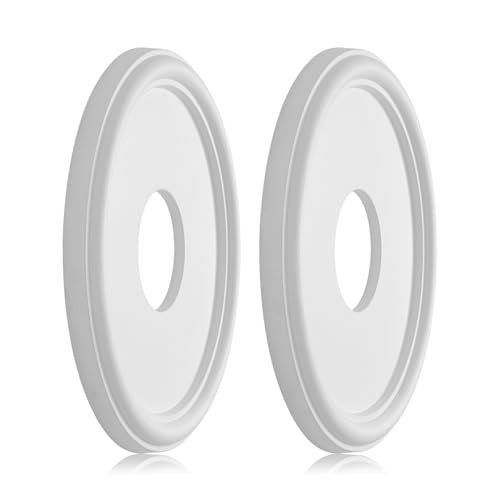 EIFHYT Molded PU Ceiling Medallion for Light Fixtures and Ceiling Fans, 13.1"OD x 4"ID x 1"P (Fits Canopies up to 10.25") White
 COWAY Air Purifiers for Home Large Room Up to 1,860 ft², Washable Pre-Filter and HEPA Filter for Smoke, Allergies, Pet Dander, Odor, AQI, Smart & Rapid Mode, Timer, 3yr Warranty, Airmega 250