Google Home vs Home Assistant: Which Is Easier to Expand?
Home Assistant is the better choice when your setup grows past a few devices, mixes brands, or needs more advanced automations; Google Home is easier only for a small, simple system. Pick the wrong platform and you can end up re-pairing devices, running into compatibility gaps, or rebuilding automations later. This guide compares expansion friction, device support, automation depth, and setup effort so you can choose the better path.
| Factor | Google Home | Home Assistant | Winner |
|---|---|---|---|
| Setup steps | Usually up and running in under five minutes through the Google Home app. | Usually takes more planning because you choose hardware and configure the system yourself. | Google Home |
| Device-add steps | It can be easier to add a device when it has Works with Google Home support, although some brands may still require cloud linking. | Often more work up front, but you can keep adding devices across many brands through integrations. | Google Home for speed; Home Assistant for scale |
| Automation steps | Good for routines and common actions, but branching gets limited fast. | Better for conditions, state-based triggers, and multi-step logic. | Home Assistant |
| Maintenance burden | Low day-to-day upkeep because Google handles most of the platform. | Higher upkeep because add-ons, integrations, and updates need occasional attention. | Google Home |
| Outage recovery | Weak when cloud services or internet access fail. | Better for local automations that keep running on your network. | Home Assistant |
Google Home vs Home Assistant: quick verdict
Google Home wins for the easiest start. Home Assistant wins for the easier long-term expansion path. If the goal is to add more devices without running into automation limits or cloud dependency, Home Assistant is often the stronger fit.
When “easy to expand” matters more than raw feature count
Expansion friction is about how hard the system is to live with after the first few devices. A platform can feel simple on day one and still become awkward once you add another speaker, a second thermostat, or a mix of brands from different ecosystems.
That difference matters in mixed households. A renter may want a few easy additions and voice control. A family may want lights, locks, sensors, and scenes that still make sense when one person changes a device name or leaves the home.
Google home vs home Assistant scorecard
| Area | Google Home | Home Assistant | Winner |
|---|---|---|---|
| Setup steps | 5/5 | 2/5 | Google Home |
| Device-add steps | 4/5 | 3/5 | Google Home |
| Automation steps | 2/5 | 5/5 | Home Assistant |
| Maintenance burden | 5/5 | 2/5 | Google Home |
| Outage recovery | 2/5 | 5/5 | Home Assistant |
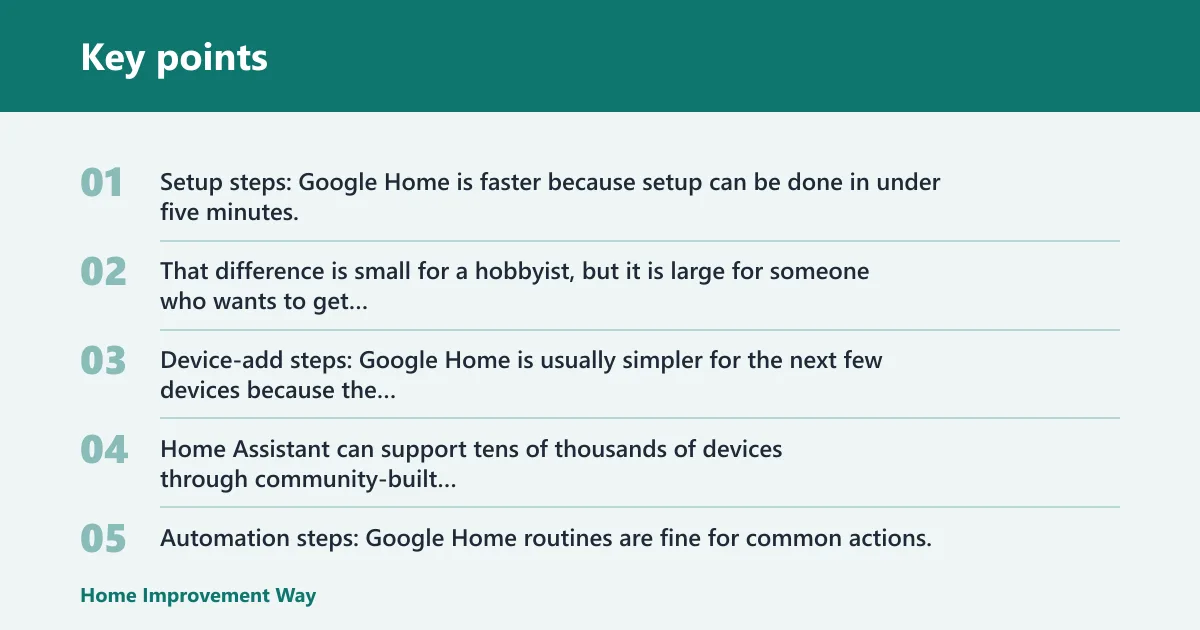
Setup steps: Google Home is faster because setup can be done in under five minutes, while Home Assistant usually needs hardware selection and a more technical install path. That difference is small for a hobbyist, but it is large for someone who wants to get lights and speakers online quickly.
Device-add steps: Google Home is usually simpler for the next few devices because the app is built around account linking and consumer devices that already support the ecosystem. Home Assistant can support tens of thousands of devices through community-built integrations, but each new brand may require more reading, setup, or troubleshooting.
Automation steps: Google Home routines are fine for common actions, such as turning on lights at a time of day or when you speak a phrase. Home Assistant is stronger when you need conditions, state-based triggers, or branching logic that changes based on whether someone is home, a door is open, or a sensor flips state.
Maintenance burden: Google Home is lighter because Google handles most of the platform and its cloud side. Home Assistant gives you more control, but that control comes with updates, add-ons, and occasional integration maintenance.
Outage recovery: Google Home depends heavily on internet access and cloud services, so failure can break voice control and automations. Home Assistant can keep local automations running without the internet, which matters when you want lights, switches, and sensors to keep working during a service outage.
How Google Home expands
Google Home expands quickly at first because it is built around the Google Home app, cloud services, and a consumer-friendly linking flow. That makes the first few devices feel easy. The friction shows up later, when your setup spans more brands, more rooms, and automations that need more than simple routines.
Google Home app basics
The Google Home app is a cloud-based consumer smart home platform that fits naturally into Google’s ecosystem. It controls smart speakers and displays, links supported devices, and handles routine-based automations without much configuration.
For many buyers, that is enough. Say your apartment has four devices: two lights, a plug, and a speaker. Google Home is usually the easier way to add those devices and start voice control without much planning.
Google Assistant voice control and routines
Google Assistant gives Google Home natural-language voice control, including multi-command handling for common tasks. That matters for daily use, but voice quality is not the same thing as expansion strength.
Routines are the main automation tool here. They are useful, but they are limited compared with a platform that can react to changing sensor states, device conditions, and branches based on what is happening in the home.
Where Google Home stays simple and where it gets harder
Google Home stays simple when your devices are mainstream, your automations are basic, and everyone in the home wants a familiar app and voice interface. It gets harder when you need local resilience, nonstandard integrations, or automations that must keep growing without turning into a pile of one-off routines.
How Home Assistant expands
Home Assistant expands more slowly at the beginning, but it stays flexible as the system gets larger. It runs on local hardware, supports thousands of integrations, and gives you a control layer that is not tied to a single cloud vendor.
Local hardware choices and initial setup
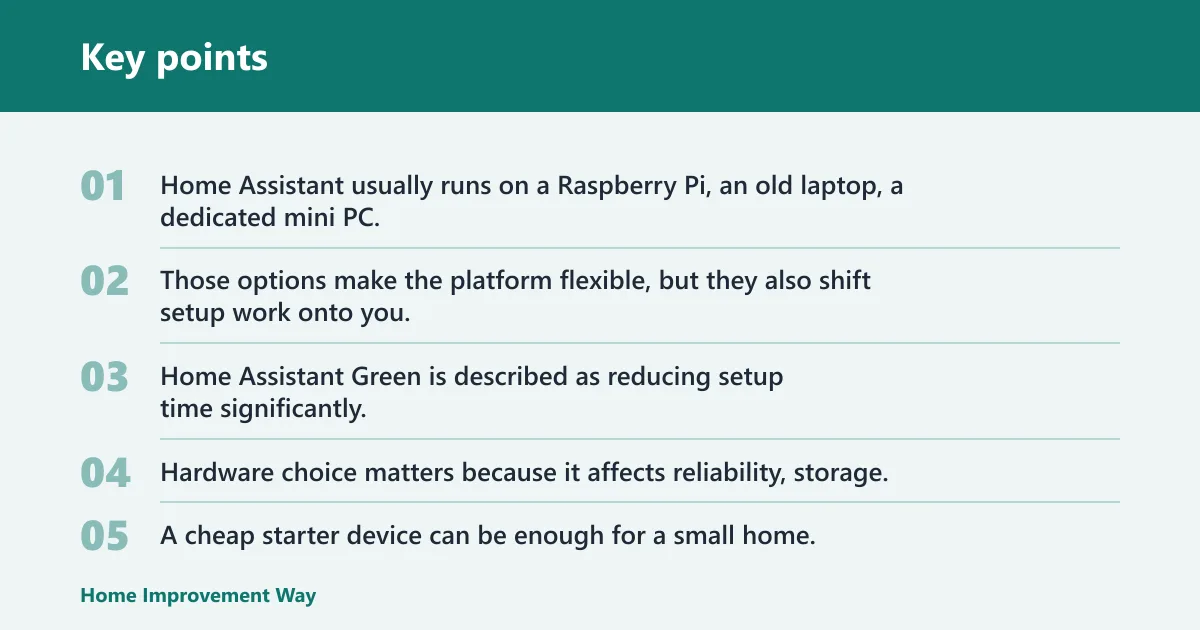
Home Assistant usually runs on a Raspberry Pi, an old laptop, a dedicated mini PC, or Home Assistant Green. Those options make the platform flexible, but they also shift setup work onto you. Home Assistant Green is described as reducing setup time significantly, which helps if you want the local-first model without building everything from scratch.
Hardware choice matters because it affects reliability, storage, and how much expansion headroom you have later. A cheap starter device can be enough for a small home, but a growing setup often benefits from a more capable mini PC.
Integrations, add-ons, and state-based automation
Home Assistant supports tens of thousands of devices through community-built integrations, and that breadth is why it scales well across brands. It also works with local integrations and cloud integrations, so you can mix direct network control with services that still rely on the internet.
Its automation engine is more powerful than a routine list. You can build conditions, branching logic, and state-based triggers in visual editors or YAML. That is useful when a home has a lot of devices and the rules need to stay readable over time.
Where Home Assistant adds power and where it adds upkeep
Home Assistant adds power when you want one platform to absorb new devices without forcing you to start over. It adds upkeep because updates, integrations, and naming discipline matter more as the system grows. A common first-timer mistake is adding devices fast and naming them inconsistently, which turns later automations into guesswork.
Which platform supports more devices?
Home Assistant supports more device types and more mixed-brand setups, while Google Home is simpler with mainstream devices that already carry Works with Google Home support. If the question is pure breadth, Home Assistant has the stronger integration story. If the question is the easiest way to add common devices, Google Home usually feels smoother.
Works with Google Home certification and common brands
Google Home works with thousands of smart devices, and Google Assistant works with over 50,000 smart home devices, according to Good Housekeeping. That is a large ecosystem, but compatibility depends on whether the device supports Google’s path cleanly or needs another cloud account in the middle.
The result is that “works with” does not always mean “easy to expand.” Some devices add cleanly, while others add another service that can break later if the brand changes its app or cloud behavior.
Matter support, local integrations, and cloud dependencies
Matter can help both platforms by reducing some brand friction, but it does not remove it. Google Home still depends heavily on cloud services, while Home Assistant can lean more on local network operation for certain devices and automations.
That distinction matters after device number five. If your home starts mixing lights, plugs, sensors, and different brands, local integrations often age better than a stack of separate cloud logins.
Which platform is better for automations?
Home Assistant is better for complex automations. Google Home is better for simple routines and common voice-triggered actions. The difference becomes obvious when you need conditions, device states, and multi-step logic that should keep working as the home changes.
Google Home routines versus Home Assistant conditions
Google Home routines are easy to understand and quick to create. They fit common use cases such as morning scenes, bedtime actions, or a single voice command that triggers a few devices at once.
Home Assistant is built for more complex decision-making. You can use state-based triggers, conditions, and branching logic that react to whether a door is open, a motion sensor changed, or someone arrived home.
When a visual editor is enough and when YAML helps
For many homes, Home Assistant’s visual editor is enough. YAML becomes helpful when automation logic gets dense, repetitive, or easier to manage as text. That flexibility is one reason the platform keeps scaling after the initial setup is behind you.
Suppose a family wants the hallway lights to turn on only after sunset, only if someone is home, and only if the front door opened before motion was detected. That kind of rule is awkward in a basic routine system, but it is straightforward in Home Assistant.
Google Home or Home Assistant for privacy?
Home Assistant is usually better for privacy because it can keep more automation and device control on your local network. Google Home relies more on cloud data collection, cloud voice processing, telemetry, and analytics. That does not make Google Home unusable, but it does make the privacy trade-off clearer.
Cloud data collection and telemetry in Google Home
Google Home depends on cloud processing for much of its voice and automation experience. That means more data leaves the home, and outage behavior also depends on Google’s services and your internet connection.
For some households, that is acceptable because the trade-off buys convenience. For others, it is the main reason not to keep expanding the Google stack.
Local network execution and voice-processing trade-offs in Home Assistant
Home Assistant can run without the internet for local automations, which is a major advantage if you want lights and sensors to keep working during an outage. Some integrations still depend on external services, though, so privacy is not absolute just because the core platform is local-first.
The practical question is how much of your home should keep working if the cloud fails. If the answer is “most of it,” Home Assistant has the better expansion model.
What hardware do I need for Home Assistant?
Home Assistant usually runs on a Raspberry Pi, old laptop, dedicated mini PC, or Home Assistant Green. The best choice depends on how large you expect the system to become, how much local storage you want, and how comfortable you are with ongoing maintenance.
What to check before you expand
- Pick hardware that can handle the number of integrations you expect to add.
- Check whether you need local radios or hubs for Zigbee, Z-Wave, or other device groups.
- Plan device names before adding many automations.
- Decide which devices should work locally if the internet fails.
- Keep cloud-linked devices separate from local devices when possible.
Home Assistant hardware costs start around $100 to $250 in year one, according to SmartWired. That does not make it expensive, but it does mean the “cheap to start” story is less true than Google Home’s. The trade-off is that the hardware buys more control and more room to grow.
Choose Google Home if… / Choose Home Assistant if…
Choose Google Home if you want the fastest setup, a small number of devices, and mostly routine-based automations. It also fits well if your household wants simple voice control, familiar app controls, and minimal upkeep.
Choose Home Assistant if you expect the home to keep growing, you want better control over automations, or you need local operation during internet outages. It is the better choice for mixed-brand setups, more advanced rules, and buyers who are comfortable managing the platform over time.
Frequently asked questions
Is Google Home easier to expand than Home Assistant?
Google Home is easier to expand only in the early stages, when you are adding a few mainstream devices and want the least setup work. Home Assistant becomes easier to expand over time because it handles more mixed brands, more local control, and more advanced automations without forcing you to stay inside one cloud ecosystem.
Which platform supports more smart home devices?
Home Assistant supports a wider range of devices and integrations overall, including tens of thousands of devices through community-built integrations. Google Home also supports thousands of smart devices, but its practical compatibility is shaped more by cloud support and ecosystem alignment than by raw integration breadth.
Can Home Assistant work with Google Home devices?
Yes. Many Google Home-compatible devices can also be used with Home Assistant, depending on the device and the integration path. In some cases, the device works through a local integration; in others, it still depends on a cloud account or a bridge service.
What is harder about setting up Home Assistant?
The hardest part is usually the extra decisions before the system is useful: hardware choice, integration selection, and automation structure. Unlike Google Home, which can be up in under five minutes, Home Assistant asks you to think about long-term maintenance, local radios, and how you want the system to grow.
Does Google Home require the internet to work?
Yes, for most practical use. Google Home is described as cloud-dependent, so internet access affects voice control, automation handling, and some device actions. Basic local behavior may vary by device, but you should not plan on Google Home being a full offline system.
Which platform is better for complex automations?
Home Assistant is better for complex automations because it supports conditions, state-based triggers, branching logic, and both visual and YAML editors. Google Home routines are useful for simple tasks, but they do not scale as well when the logic becomes layered or depends on sensor states.
Which is better for privacy, Google Home or Home Assistant?
Home Assistant is usually better for privacy because it can keep more processing local and reduce cloud dependency. Google Home collects and processes more through the cloud, which can be fine for convenience-focused households but is a weaker fit if privacy is a top concern as the system expands.
Sponsored / affiliate links. As an Amazon Associate I earn from qualifying purchases. I may earn additional commission from eligible campaigns.