Best Smart Locks for Front and Side Doors (2025): We Compared
For most homes, pick a Wi‑Fi or Matter smart lock with a keypad for the front door, and a more durable, quick-entry model with activity alerts for the side door. Bad placement choices can leave the most visible door awkward to use and the more exposed door easier to exploit. This guide ranks the best smart locks for each location and explains which features matter most for appearance, convenience, and security.
Quick comparison
| Product | Badge | Best for | Price | ||
|---|---|---|---|---|---|
 |
Schlage Encode Plus Smart WiFi Deadbolt Lock, Tap toSCHLAGE | Our pick | WiFi deadbolt · touchscreen · Apple Home | $284.99
Price as of 30 Oct 2026
|
View |
 |
Yale Assure Lock 2 Touchscreen Deadbolt with Wi-Fi, OilYale | Also great | WiFi deadbolt · touchscreen · auto-lock | $279.99
Price as of 30 Oct 2026
|
View |
 |
Kwikset Halo Touch Fingerprint Wi-Fi Smart Lock, KeylessKwikset | Also great | WiFi smart lock · fingerprint · geofence | $149.00
Price as of 30 Oct 2026
|
View |
 |
eufy Security Smart Lock C220, Fingerprint Keyless Entryeufy Security | Budget pick | WiFi smart lock · fingerprint · deadbolt | $99.97
Price as of 30 Oct 2026
|
View |
 |
Yale August Wi-Fi Smart Lock with Keypad Touch in Silver |Yale | Pair with it | WiFi smart lock · keypad · fingerprint | $129.00
Price as of 30 Oct 2026
|
View |
Front doors usually reward cleaner looks, stronger ecosystem support, and visitor-friendly access. Side doors usually reward faster entry, tougher weather handling, and clearer fallback options when the app, bridge, or cloud is unavailable.
How we chose
We weighed five things: door location, access pattern, fit, fallback access, and connected-home support. Check whether the lock is a deadbolt replacement or retrofit, because that changes appearance, installation, and renter friendliness.
For exterior use, we looked for clear weather claims, battery backup details, and a straightforward recovery path if a phone, router, or bridge goes offline. Where a listing gave fit details, those mattered too, because backset and door thickness mistakes are a common return trigger.
 As an Amazon Associate we earn from qualifying purchases. Prices and availability are accurate as of the date shown and are subject to change.
Schlage Encode Plus: best for front doors
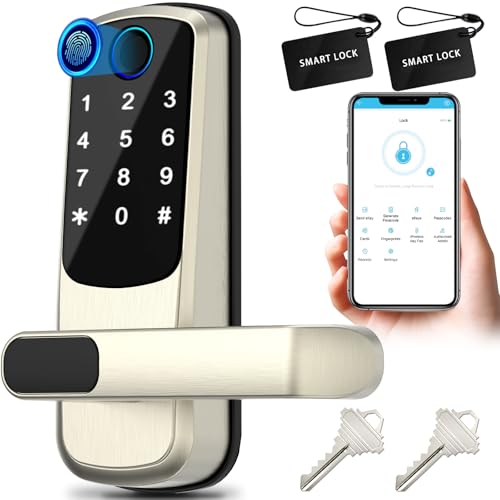
The Schlage Encode Plus is the strongest front-door pick if you want built-in Wi‑Fi, a keypad, and Apple Home support without adding a separate bridge. It fits a visible entry well because it keeps the interaction simple: tap, code, or phone, depending on your setup and preferences.
Its best case is a front door with frequent guests, deliveries, or family members who need fast entry and clear lock status. The built-in Wi‑Fi means you can manage access remotely, and the Apple Watch entry option is useful when your hands are full.
The drawback is that it is a full deadbolt replacement, so fit matters more than with a retrofit model. You still need to verify door thickness and backset before buying, and some households may prefer a less visible retrofit lock for a more discreet exterior look.
As an Amazon Associate we earn from qualifying purchases. Prices and availability are accurate as of the date shown and are subject to change.
Yale Assure Lock 2: best for side doors
The Yale Assure Lock 2 is a strong side-door choice when you want a keypad, auto-lock, and temporary guest codes in a package that fits typical door use. Its Wi‑Fi bridge setup can be a good match for a side entry where you care more about access control than showpiece styling.
This lock makes sense for a door that gets frequent use from kids, cleaners, or dog walkers. Temporary unique codes are practical when multiple people need entry on different schedules, and auto-lock helps reduce the chance that a busy side door is left unsecured.
The trade-off is that the bridge adds another dependency. If the bridge or home network is unavailable, remote features can be limited, so you should be comfortable with keypad access as the main fallback.
As an Amazon Associate we earn from qualifying purchases. Prices and availability are accurate as of the date shown and are subject to change.
Kwikset Halo Touch: best for fast guest access
The Kwikset Halo Touch is a good fit when the main priority is quick entry with a fingerprint and app control. It suits households that want fast, repeatable access for people who enter often and do not want to type a code every time.
Fingerprint access is convenient for family members who use the same door several times a day. The app can still handle remote access and guest management, while instant alerts help you notice unusual lock activity more quickly.
The honest drawback is that biometric entry is not enough by itself for every home. You still need a backup method, and if a finger scan fails because of wet skin, dirt, or gloves, a keypad or app fallback becomes important.
As an Amazon Associate we earn from qualifying purchases. Prices and availability are accurate as of the date shown and are subject to change.
eufy Security C220: best for renters or a side entry
The eufy Security C220 is the most budget-friendly fit here for renters or a side entry that needs fingerprint convenience, built-in Wi‑Fi, and a straightforward deadbolt replacement. It also brings BHMA Grade 3 labeling, which is worth checking when you want a documented residential security grade.
This lock works well when you want multiple entry methods without stepping up to a higher-cost model. It also has IP53 waterproofing, which is a useful signal for exterior use, though weather rating alone does not guarantee trouble-free performance in every exposed location.
The drawback is that the lower price comes with more need for careful fit and finish review. If your side door is unusually exposed, or if you want the cleaner look of a retrofit design, another model may suit the opening better.
As an Amazon Associate we earn from qualifying purchases. Prices and availability are accurate as of the date shown and are subject to change.
Yale August Wi‑Fi Smart Lock: best retrofit option
The Yale August Wi‑Fi Smart Lock is the best retrofit choice in this group because it installs on the inside without replacing your existing deadbolt. That makes it easier to keep the current key cylinder, reduce exterior visibility, and avoid some of the fit risk that comes with a full replacement.
This is the better direction for many renters and for side entries where you want a lower-profile outside look. Retrofit locks are also easier to reverse later, which matters if you cannot change the exterior hardware freely.
The drawback is that retrofit convenience depends on the condition and compatibility of the deadbolt already on the door. If the existing cylinder is worn, sticky, or nonstandard, the retrofit can inherit those problems instead of fixing them.
Smart lock decision matrix
The main trade-off is simple: front doors usually need a better appearance and smoother guest access, while side doors usually need faster entry, stronger fallback access, and better tolerance for weather and frequent use. A lock that is ideal for one opening can be a poor fit for the other.
| Model | Front-door visibility | Guest-access speed | Weather exposure | Installation complexity | Fallback access | Ecosystem compatibility |
|---|---|---|---|---|---|---|
| Schlage Encode Plus | High | High | Good for covered entries | Moderate | Keypad plus app/Apple Home options | Apple Home, Alexa support in compatible setups |
| Yale Assure Lock 2 | Moderate | High | Good for covered entries | Moderate | Keypad and auto-lock support | Wi‑Fi app access; smart-home support depends on setup |
| Kwikset Halo Touch | Moderate | Very high for enrolled users | Moderate | Moderate | Fingerprint plus app fallback | Wi‑Fi connected, app-based control |
| eufy Security C220 | Moderate | High | Better for exposed doors than many budget options | Moderate | Fingerprint, app, and code options | Built-in Wi‑Fi |
| Yale August Wi‑Fi Smart Lock | Low | High | Depends on the original deadbolt and door cover | Low to moderate | Retains the current key cylinder | Wi‑Fi app access; platform support depends on configuration |
Front-door visibility
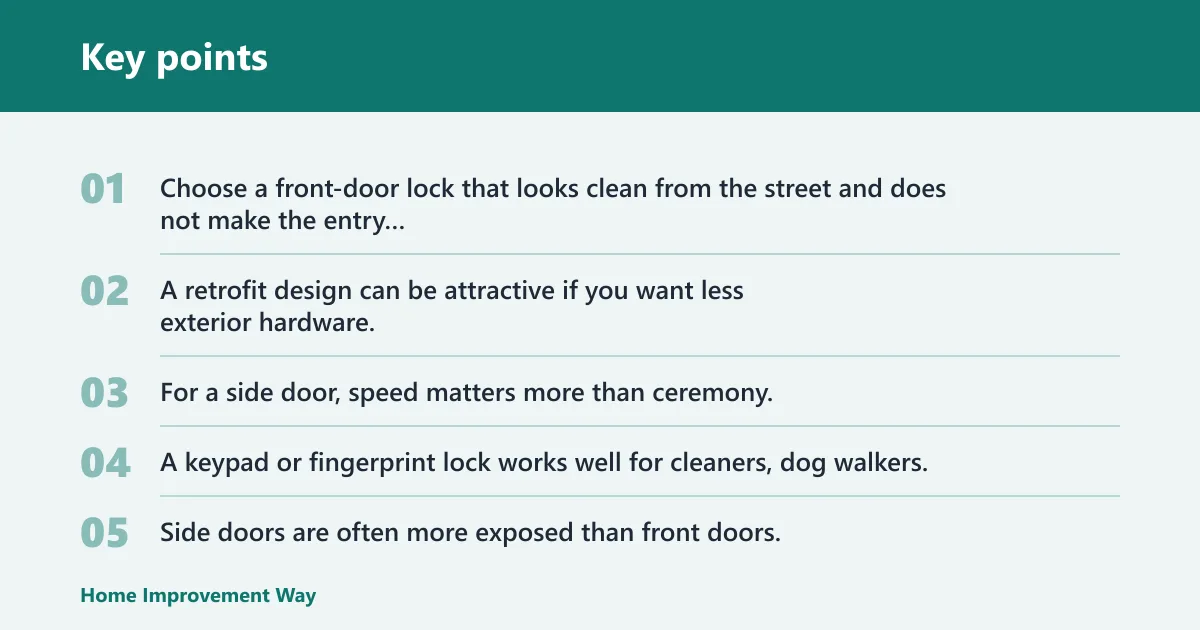
Choose a front-door lock that looks clean from the street and does not make the entry feel cluttered. A retrofit design can be attractive if you want less exterior hardware, but a full replacement may be better when you want a keypad, touchscreen, or Apple Home support built into the main lock body.
Side-door traffic and guest access
For a side door, speed matters more than ceremony. A keypad or fingerprint lock works well for cleaners, dog walkers, and kids because it avoids key handoffs and reduces the chance of a locked-out arrival.
Weather exposure
Side doors are often more exposed than front doors. A published IP rating helps, but it is not a promise of perfect outdoor survival; it simply gives you a better clue about dust and water resistance than marketing language alone.
Installation complexity
Full deadbolt replacements can be straightforward, but they still require correct thickness and backset fit. Retrofit locks are usually easier if you cannot change the outside look of the door or if you want to keep the existing key cylinder.
Fallback access
Suppose the battery dies on a cold morning and your phone is inside. A keypad with a code, a mechanical key, or an emergency power port becomes the difference between a nuisance and a lockout.
Choose Schlage Encode Plus if… / Choose Yale August Wi‑Fi Smart Lock if…
Choose Schlage Encode Plus if you want a front-door deadbolt replacement with built-in Wi‑Fi, keypad access, and Apple Home support. It is the better call when the visible entry matters, you want remote control without a separate bridge, and you are ready to confirm door fit before ordering.
Choose Yale August Wi‑Fi Smart Lock if you want a lower-profile retrofit for a side entry or rental. It is the stronger choice when keeping the current deadbolt hardware matters more than replacing everything, and when you want to minimize what shows on the outside of the door.
Which one should you buy?
If budget is the main filter, start with the eufy Security C220. It gives you fingerprint access, built-in Wi‑Fi, and a published BHMA Grade 3 rating at a lower price point than the other picks here.
If the door is visible from the street, the Schlage Encode Plus is the most balanced front-door answer. If the door is a side entry with frequent traffic, the Yale Assure Lock 2 or Kwikset Halo Touch makes more sense because quick access and code or fingerprint use matter more than curb appeal.
If you are renting, or you want the least visible exterior change, choose the Yale August Wi‑Fi Smart Lock. If your household already relies on Apple Home, the Schlage Encode Plus is the cleanest fit among the listed options.
For households with kids, cleaners, or dog walkers, keypad and temporary code management usually beat app-only control. For people who enter many times a day, fingerprint access can be faster, but only if you keep a backup code or key fallback.
Do you need Wi-Fi, a hub, or keypad only?
Wi‑Fi is best when you want remote access from outside the home, activity alerts, and code changes without adding a separate hub. A hub or bridge can help with battery life or ecosystem support, but it adds another point of failure if the bridge loses power or network connection.
Keypad-only locks are the simplest option when you mainly want local access and do not care about remote control. They still need a clear fallback plan, because an offline app cannot help if the battery is dead or the phone is unavailable.
How do you know if a smart lock will fit your door?
Check door thickness first. Many US exterior doors fall in the common 1-3/8 to 1-3/4 inch range, but you should confirm the actual thickness before buying because fit errors are a common reason for returns.
Backset matters just as much. The common sizes are 2-3/8 and 2-3/4 inches, and the lock has to match the deadbolt location on the edge of the door. Also check the deadbolt standard, exterior clearance, and whether the lock is left-hand or right-hand compatible where the manufacturer asks for it.
- Measure the door thickness at the edge.
- Measure the backset from the door edge to the center of the bore.
- Confirm the deadbolt hole and strike plate match the product instructions.
- Check exterior space for trim, storm doors, and handles that can interfere.
- Verify whether the lock replaces the deadbolt or mounts over the existing cylinder.
Are smart locks safe for exterior doors?
Yes, if you choose a lock with a real security rating, decent weather protection, and a fallback plan. For exterior use, BHMA or ANSI markings matter because they tell you something about durability and security grading beyond vague marketing copy.
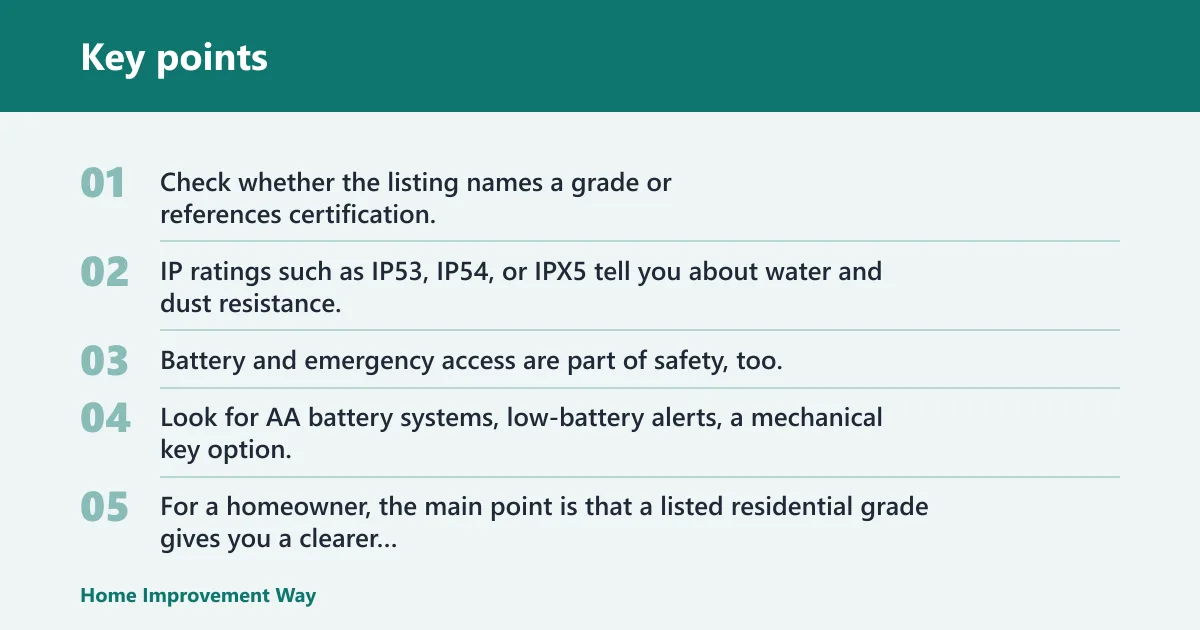
Check whether the listing names a grade or references certification, and verify the marking or certification directory when possible. IP ratings such as IP53, IP54, or IPX5 tell you about water and dust resistance, but they do not guarantee the lock will thrive on a fully exposed door in freezing wind.
Battery and emergency access are part of safety, too. Look for AA battery systems, low-battery alerts, a mechanical key option, or an emergency power port such as USB-C so you have a recovery path if power runs down.
What BHMA and ANSI mean in practice
For a homeowner, the main point is that a listed residential grade gives you a clearer durability benchmark than a vague “secure” claim. Grade 3 is commonly listed on residential hardware, but the real check is whether the product page or packaging shows the certification or grade marking.
What IP ratings do and do not mean
IP ratings speak to environmental exposure, not lock intelligence. An IP53 or IP54 lock may cope better with weather than an unlisted model, but you still need to think about rain splash, direct sun, wind-driven water, and freezing temperatures at the door.
What happens if a smart lock battery dies?
Most smart locks warn you before the batteries quit, but you should treat the warning as a deadline, not a suggestion. If power fails anyway, the lock may still open with a backup key, a physical code entry, or an emergency power connection depending on the model.
That is why fallback access matters more on a side door or a door used by children, cleaners, or deliveries. A dead battery is manageable only if you have a second way in and know where the mechanical key or emergency port is before the problem happens.
What is the best smart lock for a front door?
The best front-door pick here is the Schlage Encode Plus because it combines a keypad, built-in Wi‑Fi, Apple Home support, and a visible-entry-friendly feature set. It is the strongest match when you care about appearance, remote access, and everyday convenience at the main entrance.
If your front door is highly exposed or you want a lower-profile look, a retrofit model may be better than a full replacement. The right answer depends on whether curb appeal, platform support, or weather exposure matters most.
What is the best smart lock for a side door?
The best side-door pick here is the Yale Assure Lock 2 because it suits frequent traffic, temporary codes, and auto-lock use. For a side entry, the priority is often reliable access for several people rather than the cleanest street-facing look.
If the side door is a rental or you want less exterior hardware, the Yale August Wi‑Fi Smart Lock is often the smarter fit. Retrofit can be the better answer when the existing deadbolt is serviceable and you want fewer installation changes.
Frequently asked questions
Which smart locks work with Apple Home, Google Home, or Alexa?
Matter-compatible locks are the most flexible starting point because Matter is meant to work with Apple Home, Google Home, and Alexa in supported setups. Some models still need a compatible hub or controller, so check the required ecosystem pieces before buying rather than assuming phone app support alone is enough.
Do smart locks work in cold weather?
Some do, but cold weather can shorten battery life and affect responsiveness. A published low-temperature claim is more useful than a generic “all-weather” label; for example, the eufy Security C220 is rated to -22 degrees F. Even then, placement and exposure still matter.
Which smart lock is best for renters or a side entry?
A retrofit lock is often best for renters because it installs over the existing deadbolt and can be removed later with less visible change. For a side entry, that same lower-profile setup can be useful when you want to keep the original key cylinder and reduce exterior hardware.
What should I check before buying a smart lock?
Check door thickness, backset, deadbolt style, weather exposure, and your fallback method before you order. Then confirm whether you want keypad-only control, Wi‑Fi remote access, fingerprint entry, or Matter support, because the best smart lock is the one that matches how that specific door gets used.
Sponsored / affiliate links. As an Amazon Associate I earn from qualifying purchases. I may earn additional commission from eligible campaigns.