Smart Home Hub vs No Hub: When a Bridge Is Worth It
A smart home hub or bridge is often recommended when it replaces at least two apps, enables local automations, or is the only way to run Zigbee, Z-Wave, or Matter-over-Thread devices. Skip it and you may end up with scattered controls, cloud dependence, and gear that cannot join the rest of your setup. This guide compares hub-free Wi-Fi devices with hubs and bridges, and gives a simple buying test for deciding which one fits.
Verdict

For a mixed home, a home hub wins on control and future expansion. For a small setup with a few Wi-Fi devices, no hub wins on simplicity. Based on published product details and buyer feedback, Home Assistant Green is a strong home hub candidate, but it is not the right first move if you only need a light or two and a timer.
Specs at a glance
| Item | Detail |
|---|---|
| Product | Home Assistant Green | Smart Home hub with Advanced Automation | Official Home Assistant Hardware |
| Brand | Nabu Casa |
| Price | $219.00 |
| Category | home hub |
| Primary fit | Central control for multiple device types and local automations |
| Honest drawback | Higher setup effort and cost than a few direct Wi-Fi devices |
Home hub vs no hub

The core trade-off is control and simplicity. A home hub gives you one place to run automations, translate between protocols, and keep selected routines working during internet trouble. No hub keeps setup lighter, but it usually pushes more work into separate apps and cloud services.
| Decision factor | home hub | no hub | Winner |
|---|---|---|---|
| App clutter | Can bring several brands into one controller | Each brand may keep its own app | home hub |
| Local automation | Often supports automations that keep running offline | Usually depends more on cloud routines | home hub |
| Setup effort | More planning and pairing steps | Usually faster for one or two devices | no hub |
| Protocol reach | Can handle Zigbee, Z-Wave, and platform bridges | Best for direct Wi-Fi devices | home hub |
| Cost to start | Hardware cost is higher up front | Often lower for a tiny setup | no hub |
| Offline reliability | Better when local control is available | More likely to fail when the cloud or router fails | home hub |
App clutter
A home hub wins here because it can pull lights, sensors, switches, and scenes into one control layer. That matters once your setup spans more than one ecosystem. No hub is simpler on day one, but the app count can creep up fast if every room uses a different brand.
Local automation
A home hub usually has the edge because local automations can keep running during internet outages, and they are less dependent on cloud response time. No hub often works fine for app taps and basic schedules, but those routines may stop if the cloud service goes down or the account cannot sync.
Setup effort
No hub wins for immediate simplicity. A few Wi-Fi bulbs or plugs can pair directly to a router and an app, with little planning. A home hub takes more setup up front, especially if you need to add a bridge, pair radios, or sort out which devices belong on which protocol.
Protocol reach
Home hub is the stronger choice when you want Zigbee, Z-Wave, or mixed-brand control. No hub works best when every device already speaks Wi-Fi and is happy living in its own app. A bridge can sit in the middle, but it still adds another layer if your gear does not share a common standard.
Cost to start
No hub usually costs less at the beginning because you can buy only the device you need. A home hub can pay off later if it replaces several apps, avoids buying separate bridges, or prevents a dead end when you add sensors or locks. The break-even point is about fewer failures, not labels.
Offline reliability
A home hub wins when you care about routines that must still work if the internet drops or a cloud account has trouble. No hub is acceptable for low-stakes lights or fans, but it is weaker for doors, security sensors, and rooms that need consistent automation. Router replacement can also be less disruptive when the core logic stays local.
Bridge worth decision table
A bridge is worth it when it pays back in fewer apps, faster automations, or fewer protocol dead ends. The table below uses practical scenarios, not brand language. The last column estimates what you save: app count, automation speed, and offline reliability.
| Setup scenario | Bridge value | Recommended action | Estimated friction saved |
|---|---|---|---|
| 2 bulbs in one room | Low | Stay no hub unless you need scenes | App count: 0; automation speed: 0; offline reliability: low |
| 6+ Zigbee sensors | High | Add a home hub or coordinator | App count: 2-5; automation speed: medium; offline reliability: high |
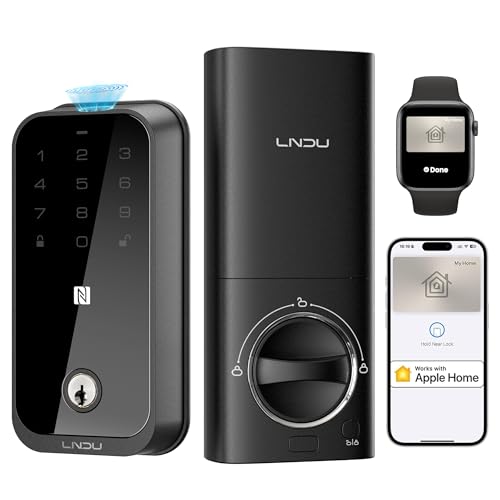
| One smart lock | High | Use a hub or platform that supports the lock protocol | App count: 1-2; automation speed: medium; offline reliability: high |
| Mixed brands across rooms | High | Choose a home hub before adding more devices | App count: 3+; automation speed: medium; offline reliability: medium |
| Offline-first security | High | Prefer local control and local automations | App count: 1-3; automation speed: high; offline reliability: high |
| Renter setup in one apartment | Medium | Use a bridge if it cuts app clutter; otherwise stay no hub | App count: 1-2; automation speed: low; offline reliability: medium |
| Hue-only lighting | High | Use the Philips Hue Bridge | App count: 1-2; automation speed: medium; offline reliability: medium |
| Matter-over-Thread setup | Medium to high | Check for a Thread border router first | App count: 0-1; automation speed: medium; offline reliability: medium |
| Small home with one room of lights | Low | Stay no hub unless you need local automation | App count: 0; automation speed: low; offline reliability: low |
| Router replacement or internet outage risk | High | Buy a hub with local control before expanding | App count: 1-3; automation speed: medium; offline reliability: high |
| Amazon Echo 4th Gen already in the house | Medium | Use its Zigbee support for light-duty control | App count: 1; automation speed: low; offline reliability: low to medium |
| Apple TV, HomePod, or eero router with Thread support | Medium | Use it as a Thread border router if the devices fit | App count: 0-1; automation speed: medium; offline reliability: medium |
What is the difference between a hub and a bridge?
A hub is the central controller for multiple device types and automations. A bridge is narrower: it connects one ecosystem or one communication method to another platform. In practice, a bridge may look like a small hub, but its job is usually limited to one brand family or protocol family.
Philips Hue Bridge is the clearest example. It connects Hue lighting and some Zigbee-compatible bulbs to a broader smart home setup, while also supporting local control. That is why lighting often benefits from a bridge sooner than thermostats or outlets do.
Where voice assistants fit
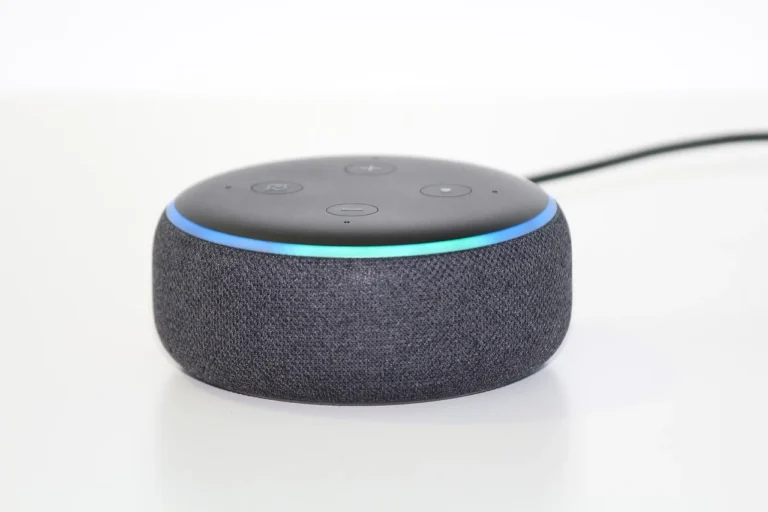
Amazon Echo, Google Home speakers, and similar devices can control smart gear, but they are not the same as a dedicated home hub. An Amazon Echo 4th Gen can act as a partial hub because it includes Zigbee radio support, and some newer models can also support Thread. That still does not make every voice assistant a full controller for every device type.
Do you really need a smart home hub?
You do not need a hub for every home. If your setup is just a few Wi-Fi bulbs, plugs, or switches and you are fine with cloud control, no hub is often the cleanest path. A hub becomes more useful when you want one app, local automations, or support for devices that cannot join directly.
The practical cutoff is less about a magic number and more about friction. Once you are juggling several apps, or once a missed automation matters more than convenience, a hub starts making sense. A common first-timer mistake is buying three different Wi-Fi brands and then trying to make them behave like one system.
When device count starts to matter
Device count matters when it changes your day-to-day management. Two lights are easy to live with in separate apps. Six or more sensors, plus switches and locks, tend to push you toward a controller because schedules, alerts, and room logic get harder to keep straight by hand.
When local automation becomes a buying reason
Local automation matters when the home still needs to react during an internet outage, router swap, or cloud hiccup. A hub with local routines can keep motion-triggered lights, door alerts, and scene changes working. That is a strong reason to buy one even if your device count is still modest.
When a bridge is the cheaper long-term fix
A bridge can be cheaper than replacing several devices with Wi-Fi versions. That is especially true in lighting, where a dedicated bridge may keep a group of bulbs on one control path instead of forcing each bulb to live in its own app. The savings show up in fewer conflicts, not only in the purchase price.
Which protocols change the answer?
Protocols matter because they decide whether a device can join directly or needs help. Zigbee and Z-Wave usually need a coordinator or controller. Matter reduces compatibility friction, but it does not erase the need for every controller or border router. Thread devices need a Thread border router, which is not the same as a traditional hub.
Zigbee
Zigbee is a low-power mesh protocol used by many sensors and smart plugs, and it usually needs a coordinator or hub. Philips Hue and similar systems use it often. If your shopping cart has several Zigbee sensors, a hub is less optional than it first looks.
Z-Wave
Z-Wave is another mesh protocol, popular in locks and thermostats as well as sensors, switches, and plugs. It generally requires a controller or hub. If you are buying a lock or a roomful of sensors, Z-Wave usually points you toward a home hub rather than a hub-free setup.
Thread and Matter
Matter changes the compatibility story, but not every control story. Matter runs over Wi-Fi, Thread, and Ethernet, and it makes cross-platform pairing easier. Thread devices still need a Thread border router, and that role may be handled by Apple TV, HomePod, some eero routers, or another Thread-capable device.
What works without a hub?
Wi-Fi smart devices can work directly with your router and often need no hub at all. That is a good fit for small homes, one-room projects, and simple schedules. The trade-off is that many of these devices depend on cloud services, which can matter if the internet goes out or the vendor changes its app.
Limits of hub-free gear
No hub is fine when your goal is basic control with low setup effort. The limits show up later: more Wi-Fi traffic, more apps, and weaker offline behavior. Router replacement can also become a pain point if the devices need to be rejoined one by one after the network changes.
Suppose you only want two lamps in a bedroom and a sunset schedule. A hub-free Wi-Fi setup is reasonable, because the app count stays low and the automation is simple. Suppose that same room grows into a bedroom, hallway, and porch mix with sensors and a lock. The hub value rises fast.
What works better with a hub or bridge?
Sensors, switches, plugs, and locks often work better on a low-power mesh with a controller behind it. That is where a hub or bridge earns its keep. It can also group devices from different brands into one automation layer, which matters when you do not want each room to live in a separate app.
Lighting ecosystems
Lighting is where the bridge case is strongest. Philips Hue Bridge is the reference example because it can support local control and keep a lighting group organized without turning every bulb into a separate Wi-Fi endpoint. If your home is mostly lighting and you want one system that behaves predictably, a dedicated bridge is often the better buy.
Small homes and rental setups
Renter-friendly homes can still benefit from a bridge if the goal is reliability rather than scale. A small apartment with a few Zigbee sensors, a smart lock, and one lighting zone may be easier to live with on a hub than in scattered apps. The smaller the space, the more important simple recovery becomes after a router change or outage.
Choose home hub if… / Choose no hub if…
Choose home hub if you want local control, mixed protocols, or automations that keep working without internet. Choose no hub if you want the lowest setup effort and only a few cloud-managed Wi-Fi devices. The right choice depends on how much app clutter and failure risk you are willing to carry.
- Choose home hub if you have Zigbee or Z-Wave devices, want one app for multiple rooms, or need local automations for security and routines.
- Choose home hub if your lighting or sensor setup is already spread across more than one ecosystem.
- Choose no hub if you are starting with one room, one or two Wi-Fi devices, and simple on/off or schedule control.
- Choose no hub if you are comfortable depending on cloud services for everyday use.
Frequently asked questions
Can I use Zigbee devices without a hub?
Usually no, not in the direct sense. Zigbee devices generally need a coordinator or hub to join the network and be controlled. Some devices may pair through a brand bridge or a multi-protocol controller, but you still need something that plays the coordinator role.
Do Matter devices need a hub?
Not always, but Matter does not remove every controller need. Matter can run over Wi-Fi, Thread, and Ethernet, which reduces compatibility pain. Thread devices still need a Thread border router, and some Matter setups still depend on a hub or platform controller for automations and remote access.
What happens if my internet goes out with hub-free smart home devices?
Some hub-free devices keep working locally, but many depend on cloud services for commands and routines. That means outages can stop automations, app control, or voice integration. A hub with local automations is usually more reliable when internet access is unstable.
How many devices can I manage before a hub becomes worth it?
There is no exact number, but the tipping point often arrives when you have several sensors, a lock, and multiple lights or plugs across brands. If you are opening several apps to do simple tasks, or if one automation failure creates real inconvenience, a hub is probably worth the added setup.
When does a Philips Hue Bridge make sense?
It makes sense when your lighting setup is moving beyond a couple of bulbs, or when you want one stable control point for Hue and compatible Zigbee bulbs. It is also useful when local control matters. If you only need two lights and a timer, it may be more hardware than you need.
Is a voice assistant like Alexa or Google Home a hub?
Not by itself. A voice assistant can control devices and sometimes includes radios such as Zigbee or Thread in certain models, but it is not the same as a dedicated hub for all device types. Treat it as a partial controller, not a full replacement for a home hub.
Sponsored / affiliate links. As an Amazon Associate I earn from qualifying purchases. I may earn additional commission from eligible campaigns.