Garage Door Opener Not Working? What to Check First
Check power first, then the wall controls, then the photo-eyes. If the trolley still will not move after a manual-release test, stop and separate opener faults from door or spring faults. Most failures come down to lost power, a control that is blocked, or a door issue the opener cannot overcome.
What you’ll need

- Flashlight
- Step stool
- Clean cloth
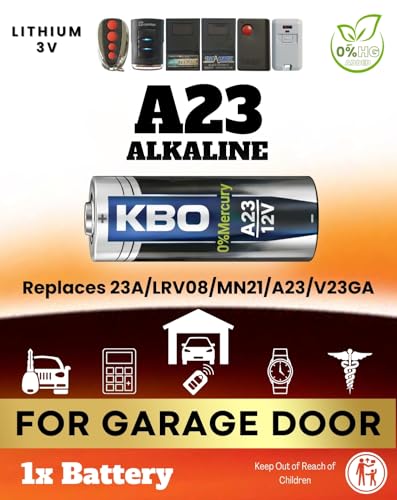
- Replacement remote battery
- Owner’s manual or model label
Garage door opener triage table
| Symptom | Safest first check | Likely cause | Stop or continue |
|---|---|---|---|
| No lights, no sound | Check the outlet, breaker, and GFCI reset | No power at the opener | Continue only after power is restored |
| Wall button works but remote does not | Replace the remote battery | Battery, programming, receiver, or LED interference | Continue |
| Door opens but will not close | Inspect both safety sensors | Dirty lenses, misalignment, sunlight, wiring fault, or obstruction | Continue if the door is straight and the path is clear |
| Opener hums but the door does not move | Check the emergency release cord and trolley | Opener disconnected from the door or drive fault | Stop if the door is heavy or hardware is damaged |
| Door reverses at the floor | Clean and align the sensors, then review force and close-limit settings | Sensor fault or travel setting issue | Continue if the door is balanced and undamaged |
| Remote only works close up | Check the antenna and nearby LED bulbs | Weak battery, interference, or receiver issue | Continue |
| Manual door feels heavy | Run the balance test by hand | Broken or weakened spring | Do not continue |
| Opener light blinks but nothing happens | Check lock/vacation mode and the wall button | Control lock, sensor fault, or logic board issue | Continue if the door is safe to move |
| Door starts down, then reverses | Inspect the photo-eyes and the floor area | Sensor problem, obstruction, or force setting | Continue only if the door passes the balance test |
| Door opens partway and stops | Check power, then the close-limit setting and door balance | Limit setting, force setting, or door resistance | Stop if the door binds, leans, or feels unusually heavy |
Expanded garage door opener triage table
| Symptom | What it usually points to | Best first check | Can you keep troubleshooting? | Do not continue |
|---|---|---|---|---|
| Door won’t close, but opens normally | Safety sensor issue, blocked beam, or sunlight interference | Clean, align, and clear both sensors | Yes, if the door is straight and unobstructed | Stop if the door is bent or dragging in the track |
| Door hums, then nothing moves | Trolley disengaged or drive problem | Check the manual release and trolley connection | Yes, if the door is light and balanced by hand | Stop if the door is heavy, crooked, or the cable is slack |
| Remote works only within a few feet | Weak battery, antenna issue, or LED interference | Replace the battery and move LED bulbs away from the opener | Yes | Stop if the opener has damaged wiring or a burnt smell |
| Opener light blinks after you press close | Sensor fault or lock mode | Check control lock, then sensor alignment and the beam path | Yes, if the door is safe to move | Stop if the door is heavy or the spring is broken |
| Door reverses at the floor | Close force too low, close limit off, or obstruction | Clear the threshold and confirm the settings in the manual | Yes, but only after the door passes the balance test | Stop if the door binds, twists, or one cable is loose |
| Door opens partway and stops | Open limit setting, force setting, or mechanical drag | Check the door by hand and verify the stop point | Yes, if the door moves smoothly by hand | Stop if the door is heavy or the track is damaged |
| Wall button works, remote does not | Remote battery, programming, or receiver issue | Replace the battery, then reprogram if needed | Yes | Stop if the opener control board is visibly damaged |
| Door feels heavy in manual mode | Broken spring or cable problem | Do a quick balance check only | No | Do not continue |
| Door is crooked or one side sags | Track, cable, or spring issue | Look for slack cable or binding at the track | No | Do not continue |
| Opener runs but door stays still after reconnecting | Broken spring, disconnected trolley, or stripped drive | Confirm the trolley is engaged, then stop | Only if the door is light and even by hand | Stop if the door is heavy or the cable is damaged |
What should you check first?
Start with power, then the controls, then the sensors. A dead outlet, tripped breaker, tripped GFCI, lock mode, or a remote battery issue can look like a major failure when the opener itself is fine. If the wall button works and the remote does not, the fault is usually in the remote path.
- Confirm the opener is plugged in.
- Reset any tripped GFCI outlet.
- Check the breaker panel for a tripped garage circuit.
- Press the wall button once.
- Replace the remote battery if the wall button works.
- Look for lock or vacation mode on the wall control.
- Clear anything blocking the door path or sensor line.
If the opener light stays off and both remotes fail, but the wall button still does nothing, look at power or the opener itself. If the wall button works from the garage but the handheld remote only works after you stand close to the door, suspect the battery, antenna, receiver, or nearby LED interference.
How do you tell if the problem is the opener or the door?
Use the manual release and the balance test. If the door moves smoothly by hand and stays about halfway open, the door hardware is probably serviceable and the opener needs attention. If the door feels heavy, drops, or tilts, stop there. That is a door problem first, not an opener problem.
Manual-release check
- Pull the red emergency release handle.
- Lift the door by hand from the bottom edge.
- Lower it partway and release it halfway up.
- Watch whether it stays near that position.
- Reconnect the trolley only after the door test is complete.
A balanced door should stay halfway when released by hand. A heavy or uneven door may mean the springs or cables are not doing their job, and the opener should not be asked to lift it. Per safety guidance from garage door manufacturers and DASMA, do not keep cycling a door that feels heavy, crooked, or out of balance.
Garage door opener troubleshooting steps
Use these steps in order. Stop as soon as the symptom shifts from an opener issue to a door or spring issue. A restart can clear a logic fault, but it will not fix a broken spring, bent track, or misrouted cable. If the door is heavy by hand, do not keep running the opener against that load.
- Restore power at the outlet, breaker, or GFCI.
- Press the wall button to separate opener trouble from remote trouble.
- Replace the remote battery and retry from close range.
- Turn off lock or vacation mode on the wall control.
- Inspect both safety sensors for dirt, obstruction, sunlight, and alignment.
- Unplug the opener for 60 seconds, then reconnect power.
- Reconnect the trolley if the red release cord was pulled.
- Check the close-limit and force settings if the door stops short or reverses at the floor.
- Look for LED bulbs near the opener and swap to opener-compatible bulbs if range is poor.
If that didn’t work, try this next
If the opener hums and the door does not move, confirm the trolley is engaged before touching anything else. If the motor runs and the trolley moves but the door still refuses to lift, the door likely has a spring or cable problem. If the opener blinks and refuses to close only, go back to the sensors before changing travel settings.
Door opens but won’t close
When a garage door opens but refuses to close, the safety sensors are the first thing to check. Dirty lenses, misalignment, beam blockage, sunlight, or a wiring fault can stop closing even when the opener powers up normally. If the door is twisted or heavy by hand, stop and rule out a door problem first.
- Clean both photo-eyes with a soft cloth.
- Make sure both sensor lights are steady and aimed at each other.
- Move boxes, tools, or snow away from the beam line.
- Shade the sensors if direct sunlight is hitting one eye.
- Check the wall control for lock mode if the opener still will not close.
If the door closes only partway and then reverses, the close-force or close-limit setting may be too low or set incorrectly for the symptom. Force affects how much resistance the opener will tolerate; limit affects where the door stops. Recheck those settings only after the sensors are clean and the door passes the balance test. The garage door opener light behavior can also help you tell whether the opener is receiving a sensor fault signal.
Opener hums but won’t move
A humming opener with no door movement usually means the motor is trying to run, but the trolley is not connected or the door is too hard to lift. Start with the emergency release and the trolley connection. If the door feels unusually heavy, stop. That symptom points to springs or cables, not an opener adjustment.
- Confirm the trolley is engaged after a manual-release pull.
- Check for a disconnected carriage or stripped drive component.
- Lift the door by hand only if it feels light and even.
- Stop if the door is crooked, binds, or does not stay halfway open.
Do not keep cycling a heavy or unbalanced door. Repeated attempts can damage the opener motor, worsen track damage, or pull a failing cable farther out of position. Manufacturer guidance from major opener brands and DASMA treats a heavy manual door as a spring or cable warning, not an opener setting issue.
Light blinks
A blinking opener light usually means the unit has detected a lock mode, sensor problem, or travel fault. The blink pattern matters, but the first checks are the same: clear the sensor path, verify the wall control is not locked, and make sure the door is safe to move by hand. Then compare the blink pattern to the model manual.
- Check lock or vacation mode on the wall control.
- Inspect sensor alignment and lens cleanliness.
- Look for sunlight on one sensor and shade it if needed.
- Review the manual for the blink code, if your model uses one.
If the light blinks and the door will not close, the fault is often in the photo-eyes or lock mode rather than the motor. If the opener light behavior changes after you press the wall button but the door still will not move, that separation is useful: it tells you the opener is powered but is refusing to run because of a safety signal.
Remote only works close up
When a remote only works from a few feet away, the problem is often range loss rather than a dead opener. A weak battery, blocked antenna, nearby LED lighting, or receiver interference can shrink the signal. Start with the battery, then look for interference sources before reprogramming the remote.
- Replace the remote battery first.
- Check that the opener antenna hangs down unobstructed.
- Swap nearby LED bulbs for opener-compatible bulbs if range is poor.
- Try the remote from a few angles to see whether the signal is being blocked.
If the wall button still works from the garage but the remote does not, the opener is usually fine and the remote path is the problem. If the remote only fails when LED bulbs are on nearby fixtures, interference is a strong possibility. That is especially common with some high-efficiency bulbs placed close to the motor head.
When should you stop troubleshooting?
Stop when the door is heavy by hand, crooked, or visibly damaged. Stop if a cable is loose, a spring is broken, or the opener runs while the door stays still after the trolley check. Those are not control problems. They are mechanical faults that can worsen quickly if you keep cycling the opener.
Signs to stop immediately
- Broken spring symptoms, including a door that suddenly feels much heavier
- Cable damage symptoms, including a hanging or slack cable
- Bent or crooked door symptoms, including a door that binds in the track
- Heavy door during the balance test
- Opener motor runs but the door stays still after a release-and-reconnect check
When the door is heavy by hand, the safest next step is not another opener reset. It is stopping and addressing the spring or cable issue first. Running the opener against an out-of-balance door can damage the drive system and make the door harder to control.
Common mistakes
- Ignoring the wall button result and treating every failure as an opener failure.
- Skipping the GFCI and breaker checks when the opener has no lights or sound.
- Adjusting force or limit settings before checking sensors and balance.
- Forcing a heavy door by hand after the balance test fails.
- Replacing the remote battery but never checking lock mode or LED interference.
- Assuming a remote fault means the opener motor or circuit board is dead.
Family Handyman notes that a circuit board replacement may need a 1/4-in. nut driver, and the board itself can cost about $80. That is only worth considering after power, controls, sensors, and door balance have been ruled out. (Familyhandyman)
Frequently asked questions
Why is my garage door opener not working?
Start with the outlet, breaker, and GFCI, then move to the wall button, remote battery, and safety sensors. If the opener powers up but the door stays heavy by hand, stop and check the springs and cables before resetting limits or force settings.
What should I check first when my garage door opener stops working?
Check whether the opener has power, then press the wall button. If the wall button works, the problem is often the remote, its battery, or a remote-only issue. If nothing responds, reset the GFCI and breaker before touching the sensors.
Why does my garage door opener hum but the door doesn’t move?
That often means the motor is running while the trolley is disconnected or the door is too heavy to lift. Pull the red release handle only to verify the connection, then stop if the door feels unusually heavy or the cable or spring looks damaged.
How do I know if the safety sensors are the problem?
Look for a door that starts down and then reverses, especially if the sensor lights are not steady. Clean both lenses, remove anything in the beam path, and check alignment. Sunlight or wiring faults can also stop closing even when the opener otherwise works.
Should I replace the remote battery or reprogram the remote first?
Replace the battery first. The Garage Guide says remote batteries are the #1 cause of stopped remotes. If the wall button still works after the battery swap, then reprogram the remote or check for receiver problems and LED interference near the opener.
When should I stop troubleshooting and call a pro?
Stop if the door is heavy, crooked, or slams shut, or if a spring or cable is damaged. Also stop if the opener runs but the door still will not move after the trolley check. Those symptoms point to mechanical issues, not a control reset.
Sponsored / affiliate links. As an Amazon Associate I earn from qualifying purchases. I may earn additional commission from eligible campaigns.